At a Glance
- •HTTP 530 is the status code Cloudflare sends with its 1xxx error pages. It means Cloudflare could not work out where your origin is. The real cause is the 1xxx code printed on the page, not the 530 itself.
- •Error 1016 (Origin DNS error) is the most common: a CNAME record points at a hostname that no longer exists, usually after a hosting platform app was deleted, renamed, or migrated. Fix the record to the host's current target.
- •Error 1033 means a Cloudflare Tunnel has no healthy cloudflared connector. Start the service with systemctl enable --now cloudflared, check its logs, and update the DNS record if the tunnel was recreated with a new UUID.
- •Running dig on your own hostname will not reveal the problem, because proxied records always resolve to Cloudflare. Check the record in the Cloudflare dashboard and run dig against the target it points to.
- •A 530 breaks one hostname at a time and leaves your server healthy, so monitor every public hostname from outside. Notifier is free for 10 monitors with SSL and DNS monitoring included, and paid plans start at $4/month for 1-minute checks.
Your monitoring tool, your browser's network tab, or a curl command reports HTTP 530 for a site behind Cloudflare. Open the page itself and you will not see "530" in the headline. You will see something like Error 1016: Origin DNS error or Error 1033: Cloudflare Tunnel error.
That split is the whole trick to fixing it. A 530 is not a separate problem with its own causes. It is the status code Cloudflare puts in the HTTP header when it serves one of its 1xxx error pages, and the 1xxx number in the page body tells you what actually went wrong. Most searches for "Cloudflare 530" come from people who only saw the status code, in a log or an alert, and never saw the page.
This guide shows how to read the real error in one command, then fixes the three codes that account for nearly every 530: an origin hostname that does not resolve (1016), a Cloudflare Tunnel that is not connected (1033), and a CNAME pointing into another Cloudflare account (1014). If you are just trying to visit the site, the visitor section is short.
What Cloudflare Error 530 Actually Means
When your hostname is proxied through Cloudflare (the orange cloud), a visitor connects to a Cloudflare data center, and Cloudflare then has to work out where your origin is before it can fetch the page. Usually that step is trivial: the DNS record holds an IP address and Cloudflare connects to it. A 530 means Cloudflare failed at that step. It could not turn your DNS record into somewhere to send the request.
Cloudflare's own documentation describes it this way: the 530 appears in the HTTP status header, and a 1xxx error appears in the HTML body of the response. So there are two numbers, and they are aimed at different readers. The 530 is for machines, so load balancers, monitors, and scripts can see that the request failed. The 1xxx code is for the person fixing it.
Three things follow from where the failure happens:
- Cloudflare is up. The error page was generated and served by the Cloudflare edge. Checking the Cloudflare status page is rarely useful here.
- Your public DNS works. Visitors resolved your domain to Cloudflare and got a page back. If they could not, they would see a browser error such as DNS_PROBE_FINISHED_NXDOMAIN instead.
- Your server was probably never contacted. The failure is in what the record points to, not in the machine behind it. Web server logs, PHP limits, and certificates are all irrelevant until the 1xxx problem is fixed. Your server may be perfectly healthy.
The 1xxx Code Decides the Fix
These are the codes you will most often find inside a 530 response, and where each one points:
| Code on the Page | What Failed | Usual Fix |
|---|---|---|
| 1016 Origin DNS error | A CNAME target does not resolve, or no usable A record exists | Point the record at your host's current target or IP |
| 1033 Cloudflare Tunnel error | The hostname routes to a tunnel with no healthy cloudflared connector | Start cloudflared, or fix the record if the tunnel was deleted |
| 1014 CNAME Cross User Banned | A CNAME points at a hostname proxied by a different Cloudflare account | Use the host's custom domain setup, or set the record to DNS only |
| Any other 1xxx | Configuration or access rules | Look up the exact number in Cloudflare's 1xxx error documentation |
It helps to place 530 next to the rest of Cloudflare's 5xx family. Errors 521, 522, and 523 all mean Cloudflare knew the origin address and could not connect to it. Errors 520, 524, 525, and 526 mean the connection was made and something went wrong afterwards. A 530 happens before any of them, because Cloudflare never got as far as having an address to connect to.
523 or 1016?
The two are easy to confuse after a migration. If your CNAME target no longer exists at all, you get a 530 with error 1016. If the target still resolves, but to an address that nothing is routed to anymore, you get a 523. Both are fixed the same way: update the record to your host's current target.
If You Are Just Trying to Visit the Site
A 530 is caused by the site's DNS or tunnel configuration, which lives in the site owner's Cloudflare account. Nothing on your device took part in the failure, so clearing your cache, flushing DNS, or switching browsers will not change it.
- Wait a few minutes and reload. A tunnel that dropped during a server reboot usually reconnects on its own within a minute or two.
- Check whether it is down for everyone. Our guide to checking if a site is down for everyone or just you covers the fastest ways to confirm.
- Tell the owner the full error. Include the 1xxx code and the Ray ID from the bottom of the page. The Ray ID lets them find your exact request in Cloudflare's logs.
Diagnose It in Two Steps
Step 1: Read the 1xxx Code
If you only have the 530 from an alert or a log, fetch the page and pull the code out of the body:
curl -s -o /tmp/cf530.html -w "%{http_code}\n" https://app.example.com/
grep -oE "Error [0-9]{4}[^<]*" /tmp/cf530.html | head -n 1
The output looks like this:
530
Error 1016
Opening the URL in a browser works just as well. The code is the large heading on the page. Write down which hostname failed, too. A 530 is per record, so www can work while app fails.
Step 2: Look at the Record in Cloudflare, Not in dig
This is where most people lose time. Running dig app.example.com against a proxied record returns Cloudflare's own IP addresses, never your CNAME target or origin IP. Public DNS looks fine, because public DNS only ever shows Cloudflare. The record that matters is the one in your Cloudflare dashboard under DNS > Records.
Find the failing hostname and note its type and content:
- CNAME to your host's domain (for example
myapp.herokudns.com): go to 1016 or 1014. - CNAME to
<UUID>.cfargotunnel.com, or a record labelled Tunnel: go to 1033. - No record for the hostname, but a wildcard or a load balancer serves it: go to 1016.
Error 1016: Origin DNS Error
Error 1016 means Cloudflare tried to look up your origin and got no answer it could use. This is the most common 530 by a wide margin, and it nearly always involves a CNAME record pointing at a hostname that no longer exists.
Check the CNAME Target Directly
Take the content of the record from the Cloudflare dashboard and query it yourself. Unlike your own hostname, the target is not proxied, so dig shows the real answer:
dig myapp.herokudns.com @1.1.1.1 | grep -E "status:|ANSWER SECTION" -A2
Read the status field:
- NXDOMAIN: the target does not exist. This is your 1016. The host deleted the app, renamed it, or moved you to a new target.
-
SERVFAIL: the target's own DNS is broken, often an expired domain or a DNSSEC problem at the provider. Check it with a second resolver such as
@8.8.8.8and contact the host. - NOERROR with an address: the target resolves now. If the error persists, look for a typo in the record (a missing letter is invisible until you compare character by character), or wait a few minutes if the host has just recreated it.
The Usual Stories Behind a 1016
- The app was deleted or renamed on a platform such as Heroku, Render, Fly.io, or a managed WordPress host, and the old CNAME was left behind in Cloudflare. Copy the current target from the platform's custom domain settings.
-
A migration left a record behind. The main site moved, but a subdomain like
shoporstatusstill points at the old provider. These are often only noticed weeks later. - The target domain expired. If you CNAME to a hostname on another domain you own, and that domain lapses, every record pointing at it becomes a 1016 at once. Our guide to domain expiration monitoring covers how to avoid this.
- A load balancer pool is unresolvable. If you use Cloudflare Load Balancing, origins in the default, region, or fallback pools that are defined by hostname must resolve too. Cloudflare also requires a DNS record for the fallback origin.
- A Worker fetches a hostname with no record. A Workers subrequest to a zone on a partial (CNAME) setup needs the hostname to exist in the Cloudflare zone, not only at the authoritative DNS provider.
The fix in every case is the same: edit the record so it points at something that resolves. Changes to proxied records take effect almost immediately, because Cloudflare reads its own DNS rather than waiting for caches to expire elsewhere.
Error 1033: Cloudflare Tunnel Error
Cloudflare Tunnel lets you publish a service without opening any inbound port. A small daemon called cloudflared runs next to your app and makes an outbound connection to Cloudflare, and requests for your hostname travel back down that connection. Error 1033 means Cloudflare looked for a healthy cloudflared connector for your tunnel and found none.
That makes 1033 the Tunnel equivalent of a server being off, and it is especially common on home servers, homelabs, and small VPS setups where nobody notices the daemon has stopped.
Check the Tunnel Status
In the Cloudflare dashboard, open the Cloudflare One (Zero Trust) section and go to Networks > Tunnels. Each tunnel shows as Healthy, Degraded, Down, or Inactive. From a machine with cloudflared installed, the same information is available on the command line:
# List tunnels and their active connections
cloudflared tunnel list

# Connector details for one tunnel
cloudflared tunnel info homelab
If the Tunnel Is Down or Inactive
Go to the server that should be running cloudflared and check the service:
sudo systemctl status cloudflared
sudo journalctl -u cloudflared --since "1 hour ago" --no-pager | tail -n 40

# If it is stopped
sudo systemctl enable --now cloudflared

# Docker
docker ps -a --filter "name=cloudflared"
docker logs --tail 40 cloudflared
The logs tell you which of these it is:
-
Never started after a reboot. cloudflared was run by hand with
cloudflared tunnel runin a terminal, and closed when the session ended or the machine restarted. Install it as a service withsudo cloudflared service install <TOKEN>, or give the Docker container--restart unless-stopped. - Authentication errors. The tunnel token was rotated, or the credentials file for a locally managed tunnel was deleted. Copy the current install command from the tunnel's page in the dashboard and reinstall.
-
Cannot reach Cloudflare. An outbound firewall is blocking the connection. cloudflared needs outbound access on port 7844, over UDP for QUIC or TCP for HTTP/2. If UDP is blocked, set
--protocol http2. - The machine itself is off. A home server that lost power or a VPS that was suspended looks exactly like a stopped daemon from Cloudflare's side.
If the Tunnel Was Deleted or Replaced
A tunnel's DNS record is a CNAME to <UUID>.cfargotunnel.com, and the UUID identifies one specific tunnel. If you deleted a tunnel and created a new one, the old record still points at the old UUID and will keep returning 1033 even though the new tunnel is healthy. Compare the UUID in the record with the ID shown in cloudflared tunnel list. The simplest fix is to delete the stale record and add the hostname again as a public hostname on the new tunnel, which recreates the record correctly.
1033 or 502?
If the tunnel shows as Healthy but visitors get a 502 Bad Gateway instead, the tunnel is fine and cloudflared cannot reach your local app. Check that the service URL in the tunnel's public hostname settings (for example http://localhost:8080) matches the port your app is actually listening on.
Error 1014: CNAME Cross User Banned
Cloudflare blocks a proxied CNAME in your account from pointing at a hostname that is proxied by a different Cloudflare account. Without that rule, anyone could route traffic through someone else's Cloudflare configuration. It usually shows up when you point your domain at a SaaS product or hosting platform that itself runs on Cloudflare.
There are two ways out:
- Use the provider's custom domain setup. Most platforms built on Cloudflare support custom hostnames through Cloudflare for SaaS. Add your domain in their dashboard, complete their verification step, and follow their instructions for the record.
- Set your record to DNS only (grey cloud). Your hostname then resolves straight to the provider, and their Cloudflare configuration handles it. You lose your own Cloudflare features on that hostname, but the provider usually supplies equivalent protection.
530 on Hosting Platforms and Managed Services
Sometimes the 530 is not coming from your Cloudflare account at all. Many hosts and platforms run their own Cloudflare setup in front of customer sites, and when their side fails, you see their 530.
- Your domain is not on Cloudflare, but you still see a 530. Your host or platform uses Cloudflare. The most common cause is a site that was suspended, removed, or moved to a new server by the host without your DNS being updated. Contact their support with the 1xxx code and Ray ID.
- A custom domain on a platform stopped working. Check that the domain still shows as verified in the platform's dashboard. Platforms periodically recheck ownership records, and a deleted TXT or CNAME record can deactivate the custom hostname.
- Only one region fails. A load balancer with geo steering can send some visitors to a pool with an unresolvable origin while others are fine. Test each pool's origins with dig as in the 1016 section.
How to Stop It From Happening Again
Every common cause of a 530 is silent. A deleted app on a hosting platform, a tunnel daemon that did not come back after a reboot, and a forgotten subdomain left behind after a migration all break without touching your main server. Your server monitoring shows green, your logs are quiet, and the only people who notice are visitors to that one hostname.
Monitor Every Public Hostname From Outside
An external uptime monitor requests the page through Cloudflare exactly as a visitor does, so it sees the 530 status and alerts you within one check interval. The important part is coverage: add a monitor for each hostname that matters, not only the root domain. Tunnel hostnames and subdomains on other platforms are the ones most likely to break unnoticed. Our guide on how to set up website monitoring walks through it in about five minutes.
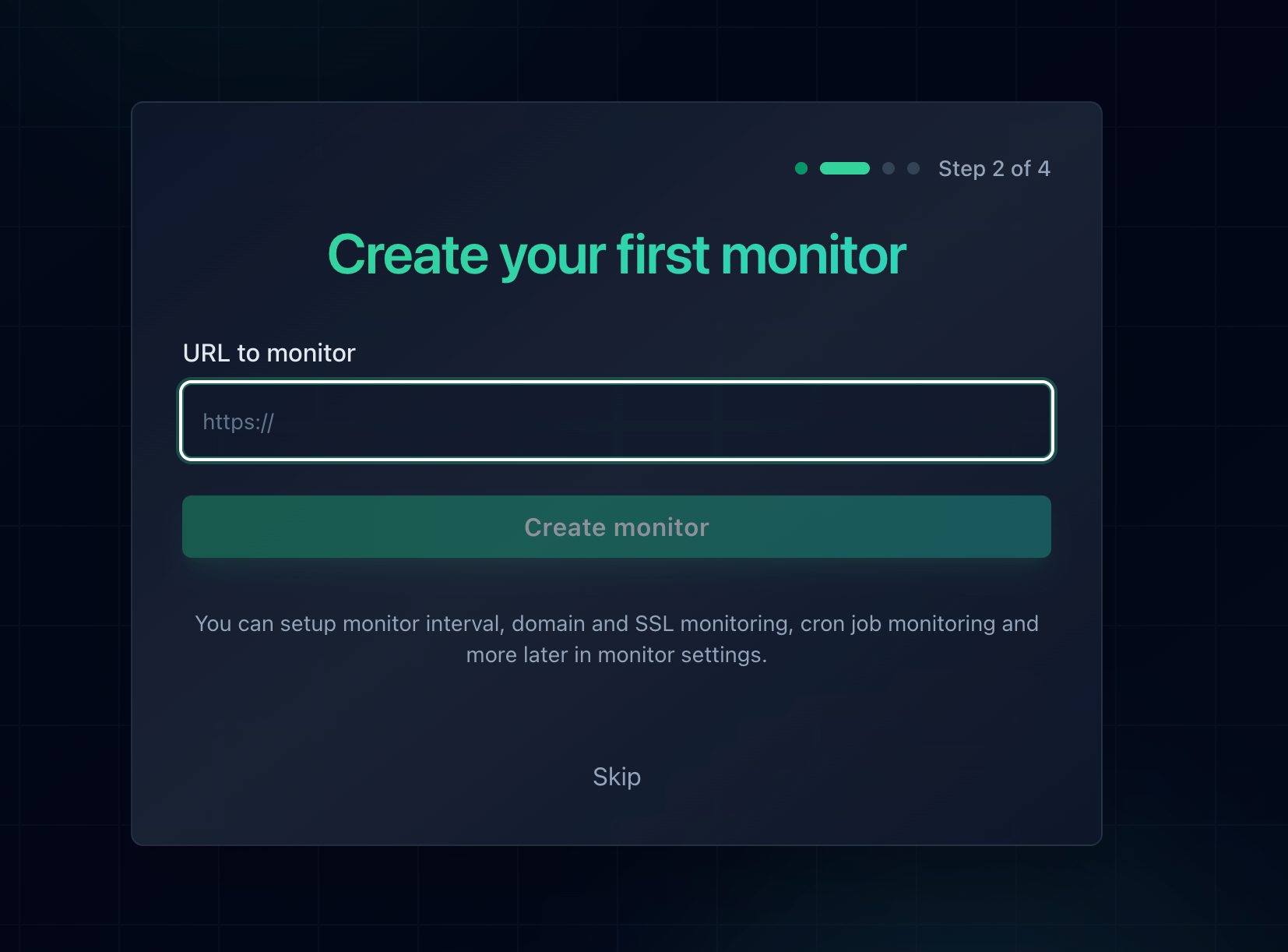
Add one monitor per hostname, including tunnel and platform subdomains.
Watch DNS and Domain Expiry Too
Error 1016 is a DNS failure, and the domains your records point to can expire just like your own. Notifier includes DNS monitoring and SSL certificate monitoring free on every plan, so you can watch a hostname's DNS alongside its uptime. For domains you own, the free domain expiry checker shows how long you have left.
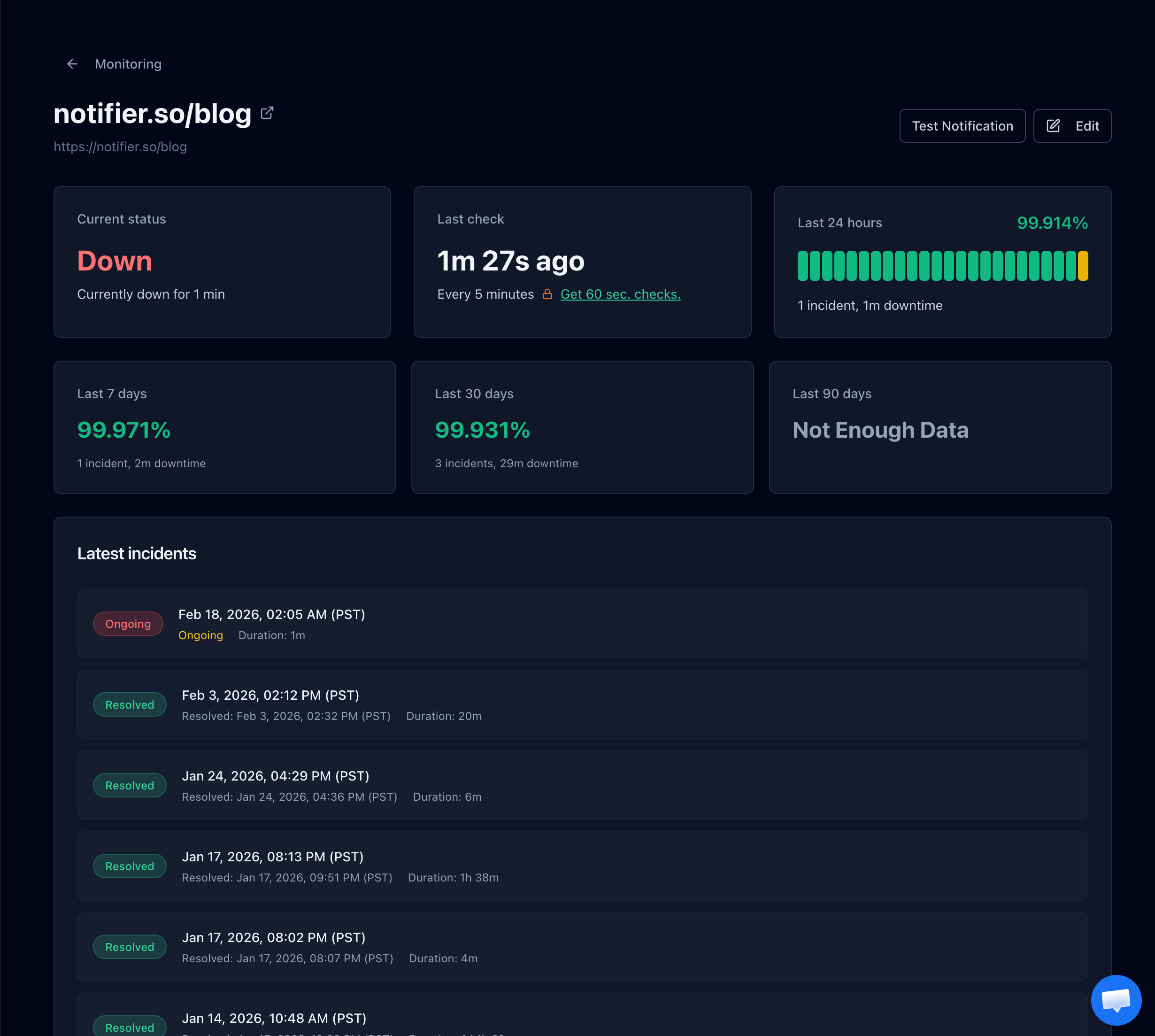
The incident history shows exactly when the hostname started failing, which usually lines up with a deploy, a reboot, or a DNS change.
Send the Alert Somewhere You Will See It
A tunnel on a home server tends to fail overnight or while you are away. Notifier sends email, SMS, phone call, and Slack alerts on every plan, including the free tier, and a recovery alert when the hostname comes back, so you know whether a restart fixed it. If you get stuck during setup, the support team usually replies within minutes through the chat widget or support@notifier.so.
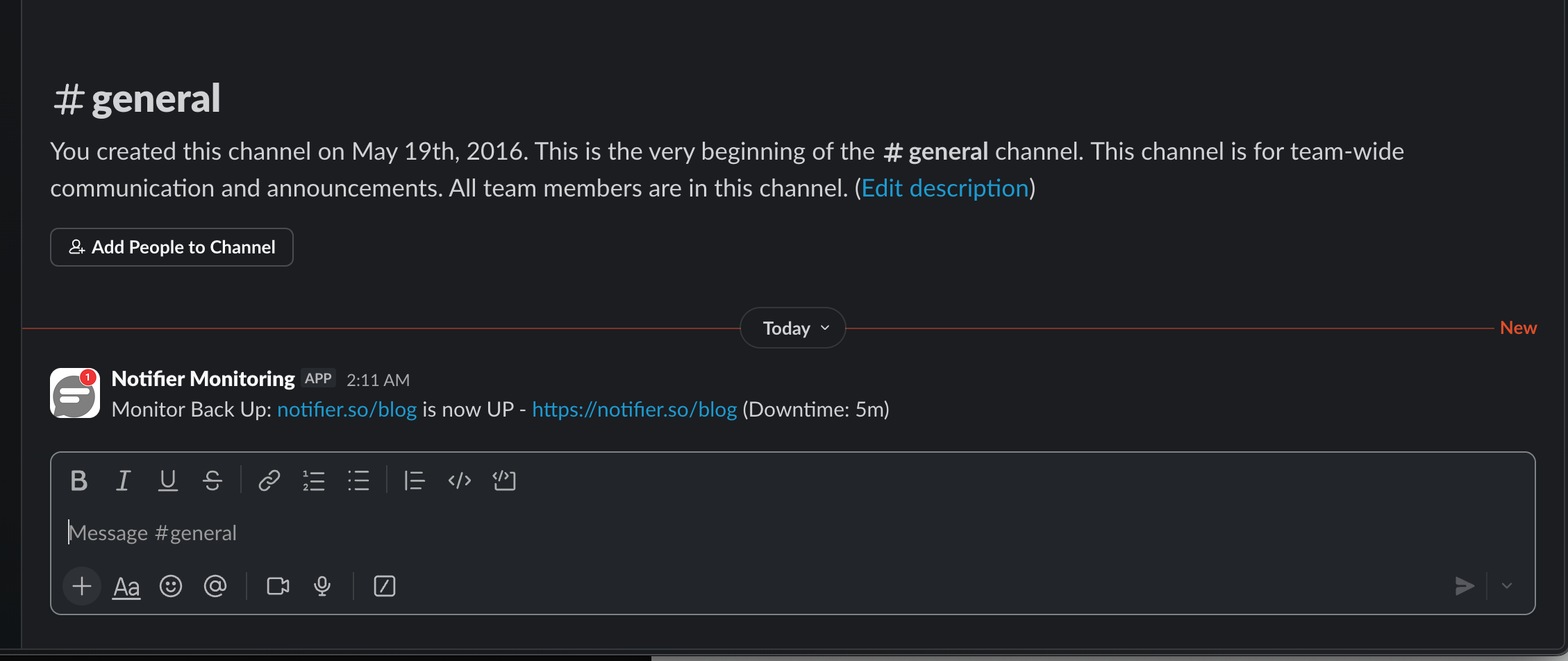
Recovery alerts confirm the fix worked without you having to keep refreshing the page.
How the Common Tools Compare
Here is how the usual options compare on their free plans:
| Tool | Free Plan | SSL Monitoring | Notes |
|---|---|---|---|
| Notifier | 10 monitors, 5 min checks, 5 status pages | Free on every plan | Email, SMS, phone, and Slack alerts on free. DNS monitoring included. Commercial use allowed. Solo is $4/month for 20 monitors at 1 minute. |
| UptimeRobot | 50 monitors, 5 min checks, 1 status page | Included | Free plan is non-commercial only. SMS and voice sold as credits. |
| Better Stack | 10 monitors, 3 min checks, 1 status page | Included | Strong incident management, but pricing is per responder and adds up quickly for a team. |
| StatusCake | 10 monitors, 5 min checks | 1 SSL monitor on free | Status pages are a separate paid product, and SMS uses paid credits. |
| Uptime Kuma | Unlimited, self hosted | Included | Free and flexible, but running it behind the same tunnel or on the same home server means it goes down with the thing it watches. |
Important: UptimeRobot restricted its free plan to non-commercial use only in October 2024. If the site belongs to a business or a client, that free tier is not an option. Notifier's free tier has no such restriction.
Pricing changes, so verify before committing. Our comparison of free website monitoring tools covers each free tier in detail, and if hostnames keep failing, why your website keeps going down covers the patterns behind recurring outages.
Frequently Asked Questions
What does Cloudflare error 530 mean?
HTTP 530 is the status code Cloudflare returns when it serves one of its 1xxx error pages. It means Cloudflare could not work out where to send the request, usually because the origin hostname does not resolve or a Cloudflare Tunnel is not connected. The real cause is the 1xxx code shown on the page itself, most often 1016 (Origin DNS error) or 1033 (Cloudflare Tunnel error).
How do I fix Cloudflare error 1016?
Open DNS > Records in your Cloudflare dashboard and find the failing hostname. If it is a CNAME, run dig against the target it points to. If the target returns NXDOMAIN, the host deleted or renamed it, so copy the current target from your host's custom domain settings and update the record. If it is an A record, make sure it holds a valid public IP. If you use Cloudflare Load Balancing, check that every pool origin resolves and that the fallback origin has a DNS record.
How do I fix Cloudflare error 1033?
Error 1033 means your Cloudflare Tunnel has no healthy connector. Check the tunnel status in the Cloudflare One dashboard or with cloudflared tunnel list. If it is down, start the cloudflared service on your server with sudo systemctl enable --now cloudflared and read its logs for authentication or firewall errors. If you recreated the tunnel, update the hostname's DNS record, because it still points at the old tunnel's UUID.
Why does dig show my domain resolving fine when Cloudflare says Origin DNS error?
Because a proxied record always resolves publicly to Cloudflare's own IP addresses. dig shows you the Cloudflare side, which is working. The failure is in the record's content, which only Cloudflare uses to find your origin. Look at the record in the Cloudflare dashboard, then run dig against the CNAME target or origin hostname it contains.
Is error 530 caused by Cloudflare being down?
Almost never. The error page is generated by a working Cloudflare data center, and the causes are in the site's own DNS records or tunnel setup. If a Cloudflare outage were responsible, you would expect many unrelated sites to fail at once, which you can confirm on Cloudflare's status page.
What is the difference between Cloudflare error 530 and 523?
A 523 means Cloudflare had an origin IP address but no network route to it. A 530 means Cloudflare could not get to an address in the first place, because a hostname did not resolve, a tunnel was disconnected, or a rule blocked the configuration. After a migration you can see either one depending on whether the old CNAME target still resolves.
Can a visitor fix Cloudflare error 530?
No. The problem is in the site owner's Cloudflare configuration, so clearing cache, flushing DNS, or changing browsers will not help. Reload after a few minutes in case a tunnel is reconnecting, and send the owner the 1xxx code and the Ray ID from the bottom of the page.
Will uptime monitoring detect a Cloudflare 530 error?
Yes. An uptime monitor requests the page through Cloudflare like a real visitor, receives the 530 status, and marks the check as failed. Add a monitor for every hostname you care about, including tunnel and platform subdomains, since a 530 affects one record at a time. Notifier checks every 5 minutes on the free plan and every minute on the $4/month Solo plan, with email, SMS, phone call, and Slack alerts, plus free SSL and DNS monitoring.