At a Glance
- •Cloudflare error 525 means the TCP connection to your origin succeeded but the TLS handshake failed, so no HTTP request was ever sent. Your DNS, your network path, and the port Cloudflare used are all working.
- •Despite the name, this is usually not a certificate problem. Expired, self-signed, and mismatched certificates produce a 526, because those are validation failures. A 525 normally means the negotiation broke before any certificate was examined.
- •A 525 proves your SSL/TLS encryption mode is Full, Full (strict), or Strict, since Flexible and Off connect to the origin on port 80 in plain text and can never produce one.
- •The four causes in order: nothing serving TLS on the port Cloudflare uses (often a missing ssl keyword on the Nginx listen line), no overlapping TLS version or cipher suite, an SNI or default virtual host serving no usable certificate, and an origin demanding a client certificate through a half-configured Authenticated Origin Pulls setup.
- •Diagnose it with one command: openssl s_client -connect ORIGIN_IP:443 -servername yourdomain.com. Cloudflare returns a real HTTP 525 status code, so any uptime monitor catches it on the next check. Notifier is free for 10 monitors with SSL and DNS monitoring included, and paid plans start at $4/month for 1-minute checks.
Error 525: SSL handshake failed is the Cloudflare error most likely to send you looking in the wrong place. The word SSL pulls everyone toward certificates, so people spend an afternoon checking expiry dates and reissuing certificates on a site whose certificate was never the problem.
A 525 is a handshake failure, not a validation failure. Cloudflare and your origin could not agree on how to speak TLS at all, which usually means the negotiation broke before any certificate was examined. The error that covers a bad certificate is 526, and it is a genuinely different problem with a genuinely different fix.
This guide starts from what a 525 proves about your setup, which rules out most of the advice you will find, then works through the four things that actually produce one, in the order they turn out to be responsible. If you do not run the site, skip to the visitor section. It is short, because there is nothing on your end to fix.
What Cloudflare Error 525 Actually Means
When a visitor loads your site, two separate connections happen. The browser connects to Cloudflare's edge, and Cloudflare connects to your origin server. A 525 is a failure on the second one, and specifically on its TLS handshake.
Here is the sequence, and where it stops:
- 1. Cloudflare resolves your origin address from the DNS record behind the orange cloud. This worked, or you would have a 523.
- 2. Cloudflare opens a TCP connection to the origin. This worked, or you would have a 521 or a 522.
- 3. Cloudflare sends a TLS ClientHello listing the protocol versions and cipher suites it supports, plus the hostname in the SNI field. This is where a 525 stops.
- 4. The origin would normally reply with its chosen cipher and its certificate chain. If it does reply and the certificate fails validation, that is a 526.
- 5. Cloudflare sends the HTTP request. Anything that goes wrong from here produces a 520 or a 524.
Three things follow from that, and each one deletes a large chunk of the internet's advice about this error.
- Your network path is fine. The TCP connection succeeded, so DNS points somewhere real, the machine is powered on, and the port Cloudflare used is open through every firewall between the edge and your server. Rechecking firewall rules is the single most common wasted step here.
- Your SSL/TLS encryption mode is Full, Full (strict), or Strict. Flexible and Off connect to the origin on port 80 in plain text, so they cannot produce a 525 under any circumstances. If you are seeing this error, that setting is already established and you do not need to guess at it.
- Your certificate is probably not expired. Expiry, self-signing, and name mismatches are validation failures, and Cloudflare has a specific code for those. It is 526. A 525 usually means the conversation never got as far as looking at a certificate.
The one exception worth knowing
The 525 and 526 boundary is not perfectly clean in practice. If your origin has an SSL configuration so broken that it cannot present a certificate at all, for example the certificate file path is wrong or the private key does not match, you get a 525 rather than a 526, because the handshake dies before validation begins. That is why the diagnosis below prints the actual handshake output instead of trusting the error number alone.
Cloudflare Errors 520 to 526 Compared
Cloudflare's 5xx errors all render nearly the same grey page, so they get mixed up constantly and people apply the wrong fix. Each number points at a different stage of the connection between the edge and your origin.
| Error | What Failed | Timing Tell | Where to Look |
|---|---|---|---|
| 520 | Response arrived but was empty, truncated, or unparseable | Varies, often intermittent | Web server error log, OOM killer, cookie size |
| 521 | Origin refused the connection with a TCP reset | Under a second | Stopped service, wrong port, firewall REJECT |
| 522 | Origin never answered the connection attempt | About 15 seconds | Firewall DROP, security group, no capacity |
| 523 | Origin was unreachable at the network level | Fast | Wrong DNS record, routing, decommissioned host |
| 524 | Request delivered, response never finished in time | About 100 seconds | Slow query, external API call, work needing a queue |
| 525 | TCP connected, then the TLS handshake failed | Fast, usually under two seconds | Port 443 listener, protocol and cipher list, SNI, client cert requirement |
| 526 | Handshake worked, certificate failed validation | Fast | Expired, self-signed, or untrusted origin certificate under Full (strict) |
The pair worth separating carefully is 521 and 525, because both fail fast and both look like "the server is broken." A 521 means nothing accepted the TCP connection. A 525 means something accepted it and then could not speak TLS, which is a much narrower problem and a much shorter list of causes. If you are looking at a 522, a 524, or a 520, those guides cover the rest of the family. For the browser side view of the same class of TLS failure, see our guide to ERR_SSL_PROTOCOL_ERROR.
If You Are Just Trying to Visit the Site
There is no client side fix for a 525, and that is worth stating plainly because most results for this error will tell you otherwise. Clearing your cache, flushing your DNS, switching to 1.1.1.1, resetting your router, updating your browser, and disabling your VPN cannot help. None of your local state took part in the failure.
Your browser reached Cloudflare successfully. Cloudflare then had a private conversation with someone else's server, on a connection you have no involvement in, and that conversation failed. The error page you are reading was generated by Cloudflare after the fact.
Two things are genuinely worth doing. First, reload after a minute or two, because a meaningful share of 525s are intermittent and clear on their own. Second, if you need the site, contact the owner and include the Ray ID printed at the bottom of the error page along with the time you saw it. That string lets them find the exact request in Cloudflare's logs, which is far more useful than "your site is down."
If you want to confirm it is not just you before reporting it, our guide on checking whether a site is down for everyone covers the quickest ways to verify.
Diagnose It in Three Steps
You need your origin's real IP address for this, which is the address in your Cloudflare DNS record behind the orange cloud. Substitute it for 203.0.113.10 below, and your hostname for example.com.
Step 1: Confirm It Is a 525 and Not a 526
Cloudflare returns a real HTTP status code with its error page, so you do not have to read the page to know which error you have:
curl -s -o /dev/null -w "status=%{http_code} time=%{time_total}s\n" https://example.com/
A result of status=525 in a second or two is the signature. If you get a 526, stop here and go to the certificate guides instead, because the cause is validation rather than negotiation: expired certificates and untrusted or incomplete chains cover the two dominant cases.
Then establish whether it is constant or intermittent, which halves the search space before you touch a config file:
for i in $(seq 1 50); do
  curl -s -o /dev/null -w "%{http_code} " https://example.com/
done; echo
Fifty 525s in a row means a configuration problem, and it will be one of the first three causes below. A mix of 200s and 525s means either resource pressure on the origin or an inconsistent configuration across multiple origin servers behind a load balancer, which is covered in the intermittent section.
Step 2: Reproduce the Handshake Yourself
This is the command that solves most 525s, because it does exactly what Cloudflare does and prints the reason it failed:
openssl s_client -connect 203.0.113.10:443 -servername example.com </dev/null 2>&1 | head -25
The -servername flag is not optional. It sends the SNI extension, which is the part of the handshake that tells your server which site is being requested. Cloudflare always sends it, so a test without it can succeed while Cloudflare fails, and you will conclude the origin is fine when it is not.
Map the output to a cause:
| Output | Meaning | Go To |
|---|---|---|
| Connection refused | Nothing is listening on 443 at all | This is a 521, not a 525 |
| wrong version number | Something is answering on 443 in plain HTTP | Cause 1 |
| no protocols available | No TLS version in common | Cause 2 |
| handshake failure, alert 40 | No cipher suite in common, or SNI matched nothing | Cause 2 and Cause 3 |
| unrecognized name, alert 112 | The hostname in SNI matches no virtual host | Cause 3 |
| peer did not return a certificate | The origin is demanding a client certificate | Cause 4 |
| Handshake completes, prints a chain | TLS is fine from here, so the problem is Cloudflare specific | Cloudflare section |
Do not test with curl on localhost. Running curl https://localhost from the server frequently succeeds while Cloudflare fails, because it can hit a different virtual host, skip SNI, or be answered by a listener bound only to the loopback interface. Always test against the public IP address with the real hostname in -servername.
Step 3: Ask Which Versions the Origin Will Actually Negotiate
If step 2 pointed at a version or cipher problem, this loop tells you exactly what your origin accepts:
for v in tls1 tls1_1 tls1_2 tls1_3; do
  printf "%-9s " "$v"
  echo | openssl s_client -connect 203.0.113.10:443 -servername example.com -$v \
    >/dev/null 2>&1 && echo "accepted" || echo "rejected"
done
A healthy origin behind Cloudflare accepts TLS 1.2 and TLS 1.3. If both are rejected and only TLS 1.0 is accepted, you have found your problem. For the full cipher list, nmap is the fastest way to see it:
nmap --script ssl-enum-ciphers -p 443 203.0.113.10Cause 1: Nothing Is Serving TLS Where Cloudflare Connects
This is the most common cause by a wide margin, and it produces a perfectly constant 525. Something accepted the TCP connection on port 443, which is why you did not get a 521, but that something is not speaking TLS.
The Missing ssl Keyword
In Nginx, the single most frequent version of this error is one missing word. The following block listens on 443 and serves plain HTTP there:
# Wrong: accepts connections on 443 but speaks plain HTTP
listen 443;

# Correct
listen 443 ssl;
listen [::]:443 ssl;
Cloudflare sends a TLS ClientHello, Nginx tries to parse those binary bytes as an HTTP request, fails, and answers with a plain text 400. From Cloudflare's side the handshake collapsed, so you get a 525. Locally, curl http://localhost:443 works perfectly, which is exactly why this one survives so long.
Confirm what is actually bound before changing anything:
sudo ss -tlnp | grep -E ':(443|2053|2083|2087|2096|8443)'

# Then validate config before reloading
sudo nginx -t && sudo systemctl reload nginx

# Apache equivalent
sudo apachectl configtest && sudo systemctl reload apache2
You Switched to Full Before the Origin Had TLS
The second version of this cause is a sequencing mistake. Someone changes the SSL/TLS encryption mode from Flexible to Full on an origin that has never served HTTPS. Everything worked a second earlier because Cloudflare was connecting on port 80, and now it connects on 443 where there is no TLS listener.
The correct order is always: install a certificate on the origin first, verify it with the openssl command above, then change the Cloudflare mode. If you need the site back immediately while you sort out the certificate, switching back to Flexible restores it, but treat that as a rollback and not a fix. Flexible sends every request between Cloudflare and your server in plain text across the public internet, and it commonly triggers a redirect loop if your origin also redirects HTTP to HTTPS.
The Wrong Port
Cloudflare proxies HTTPS traffic on a fixed set of ports: 443, 2053, 2083, 2087, 2096, and 8443. If your origin serves TLS on 8080 or 9443 or anything else outside that list, the edge is not connecting where you think it is. Either move the listener onto a supported port or put a reverse proxy in front of it.
A Certificate the Server Cannot Load
If the paths in your configuration point at files that do not exist, or the private key does not match the certificate, the server cannot complete a handshake even though it is listening. Nginx and Apache will usually refuse to start in that state, so this shows up most often after a certificate renewal on a system where the reload succeeded but the files moved. Verify the pair matches:
# These two hashes must be identical
openssl x509 -noout -modulus -in /etc/letsencrypt/live/example.com/fullchain.pem | openssl md5
openssl rsa  -noout -modulus -in /etc/letsencrypt/live/example.com/privkey.pem   | openssl md5
While you are in there, make sure ssl_certificate points at fullchain.pem and not cert.pem. That mistake does not usually cause a 525, but it is the leading cause of the chain failures behind NET::ERR_CERT_AUTHORITY_INVALID and a 526 under Full (strict), so fixing it now saves you a second outage later.
Cause 2: No Overlapping TLS Version or Cipher Suite
A TLS handshake is a negotiation. Cloudflare offers a list of protocol versions and cipher suites, your origin picks one it also supports, and if that intersection is empty the handshake fails immediately. This produces a constant 525 and it is the cause people find hardest, because the server looks completely healthy from every angle except the one that matters.
The intersection empties from one of two directions.
An Origin That Is Too Old
Old servers with old OpenSSL builds may only offer TLS 1.0 and a cipher list built around RC4 or 3DES. Those ciphers have been removed from modern stacks for years. This is common on legacy appliances, on servers that have not been updated in a long time, and on internal systems that were never meant to face the internet.
An Origin That Was Hardened Too Far
The more surprising direction is the opposite one. Someone runs an SSL scanner, sees a B grade, and pastes in a restrictive cipher list from a hardening guide. If that list is narrow enough, or if it pairs a TLS 1.3 only protocol line with a cipher directive that only names TLS 1.2 ciphers, you can end up with a configuration that browsers accept and Cloudflare does not.
The fix in both directions is the same: use a mainstream modern configuration rather than an unusual one. For Nginx:
ssl_protocols TLSv1.2 TLSv1.3;
ssl_prefer_server_ciphers off;
ssl_ciphers ECDHE-ECDSA-AES128-GCM-SHA256:ECDHE-RSA-AES128-GCM-SHA256:ECDHE-ECDSA-AES256-GCM-SHA384:ECDHE-RSA-AES256-GCM-SHA384:ECDHE-ECDSA-CHACHA20-POLY1305:ECDHE-RSA-CHACHA20-POLY1305;
And for Apache:
SSLProtocol -all +TLSv1.2 +TLSv1.3
SSLHonorCipherOrder off
SSLCipherSuite ECDHE-ECDSA-AES128-GCM-SHA256:ECDHE-RSA-AES128-GCM-SHA256:ECDHE-ECDSA-AES256-GCM-SHA384:ECDHE-RSA-AES256-GCM-SHA384:ECDHE-ECDSA-CHACHA20-POLY1305:ECDHE-RSA-CHACHA20-POLY1305
Reload, then re-run the version loop from step 3. TLS 1.2 and TLS 1.3 should both come back as accepted.
The setting that does not fix this
A lot of advice tells you to change Minimum TLS Version in the Cloudflare dashboard under SSL/TLS then Edge Certificates. That setting governs the connection between browsers and Cloudflare's edge. It has no effect whatsoever on the connection between Cloudflare and your origin, which is the one producing the 525. Raising or lowering it will not change anything, and lowering it weakens security for your visitors for no benefit.
When the 525 Is Intermittent
If your fifty request loop returned a mix of 200s and 525s, the cause is different, because a cipher mismatch is deterministic. Intermittent handshake failures come from two places.
- Inconsistent origins behind a load balancer. If three servers sit behind a load balancer and one of them has an old certificate path, a stale config, or a service that failed to reload, roughly a third of requests fail. Test each backend by IP address individually rather than through the balancer. Managed balancers add their own layer: an AWS ALB or an Azure Application Gateway has its own TLS policy, and a policy that is too restrictive produces exactly this symptom.
- Resource exhaustion. A TLS handshake needs memory, a worker slot, and a file descriptor. When a server runs out of any of them under load, handshakes start failing before requests do. Check
dmesg -T | grep -i oomfor kills, your open file limit withulimit -n, and your Nginxworker_connectionsor PHP-FPMpm.max_children. Correlate the timestamps of the failures against your traffic graph. If they line up with peaks, this is your cause, and the same pressure will show up as rising response times in the days beforehand.
Cause 3: SNI and the Wrong Virtual Host
Server Name Indication is the part of the ClientHello that names which site is being requested, and it is sent before the server picks a certificate. That ordering is what makes it a handshake problem rather than a certificate problem, and it is why this cause produces a 525 instead of a 526.
Cloudflare always sends SNI with the hostname from your DNS record. If your origin has several virtual hosts on port 443 and none of their server_name or ServerName values match that hostname, the request falls through to whatever is configured as the default. If that default has no usable certificate, the handshake fails.
This shows up in a very specific situation: you add a new subdomain in Cloudflare, point it at an existing server, and get a 525 on the new hostname while every existing hostname keeps working perfectly. The server has no vhost for it.
Prove it by comparing a working hostname against the failing one on the same IP address:
# Works
openssl s_client -connect 203.0.113.10:443 -servername www.example.com </dev/null 2>&1 | grep -E "subject=|Cipher"

# Fails, or returns a certificate for a completely different site
openssl s_client -connect 203.0.113.10:443 -servername new.example.com </dev/null 2>&1 | grep -E "subject=|Cipher"
List what your server actually thinks it serves:
# Apache: prints every vhost, its ServerName, and which one is the default
sudo apachectl -S

# Nginx: list every server_name across all config files
sudo nginx -T | grep -E "server_name|listen"
The durable fix is a default server block on 443 that always has a valid certificate, so an unmatched hostname produces a clean HTTP response you can debug instead of a dead handshake:
server {
    listen 443 ssl default_server;
    listen [::]:443 ssl default_server;
    server_name _;

    ssl_certificate     /etc/letsencrypt/live/example.com/fullchain.pem;
    ssl_certificate_key /etc/letsencrypt/live/example.com/privkey.pem;

    return 421;
}
Then add the real vhost for the new hostname and issue a certificate that covers it. If the certificate covers the apex but not the subdomain, you have crossed into a name mismatch, which our guide to NET::ERR_CERT_COMMON_NAME_INVALID covers in detail, including why a wildcard does not cover everything people assume it does.
Cause 4: The Origin Is Demanding a Client Certificate
This cause is rare in absolute terms and extremely common in one specific scenario: someone configured Authenticated Origin Pulls and only got half of it in place.
Authenticated Origin Pulls is a good security feature. It makes your origin refuse any connection that does not present a Cloudflare client certificate, which stops attackers from bypassing Cloudflare by connecting to your origin IP directly. It has two halves, and both must be enabled.
On the origin, the Nginx side looks like this:
ssl_client_certificate /etc/nginx/certs/cloudflare-origin-pull-ca.pem;
ssl_verify_client on;
And in Cloudflare, Authenticated Origin Pulls must be toggled on under SSL/TLS then Origin Server. If the server side is on and the Cloudflare side is off, every handshake fails and the whole site returns 525 instantly. The tell in step 2 is an error mentioning that the peer did not return a certificate.
Two other ways this breaks:
- The wrong CA file. The CA certificate must be the one Cloudflare publishes for origin pulls. Substituting a Cloudflare Origin CA certificate, or a root bundle from your distribution, will not validate the certificate the edge presents.
- Applied too broadly. If you set
ssl_verify_client onin thehttpblock rather than inside a specific server block, it also applies to hostnames that are not proxied through Cloudflare, and those break immediately.
To confirm quickly, set ssl_verify_client off, reload, and retest. If the 525 disappears, this was your cause, and you can re-enable it properly once both halves are in place.
Cloudflare Settings and Managed Hosts
The Encryption Mode Table
Since a 525 already tells you which modes you are not in, this table is mostly about choosing the right one to land on once the origin is fixed:
| Mode | Connects to Origin On | Origin Needs | Can Produce a 525 |
|---|---|---|---|
| Off | Port 80, plain text | Nothing | No |
| Flexible | Port 80, plain text | Nothing | No |
| Full | Port 443, TLS | Any certificate, including self-signed | Yes |
| Full (strict) | Port 443, TLS | Valid certificate from a trusted CA or Cloudflare Origin CA | Yes, plus 526 on validation failure |
| Strict (SSL-Only Origin Pull) | Port 443, TLS | Valid trusted certificate | Yes |
Full (strict) is the mode to aim for. If a publicly trusted certificate is awkward on your origin, use a Cloudflare Origin CA certificate, which is free, lasts up to fifteen years, and is trusted by Cloudflare specifically. Generate it under SSL/TLS then Origin Server, install it like any other certificate, and Full (strict) will validate it.
Origin CA certificates are not publicly trusted. They only work for traffic arriving through Cloudflare. If you ever grey-cloud that DNS record, or if a webhook provider connects to the origin directly, every one of those clients will reject the certificate. Keep that in mind before using one on a hostname that also receives direct traffic.
The Grey Cloud Test
Turning the orange cloud grey takes Cloudflare out of the path, which tells you whether your origin only misbehaves toward Cloudflare. It is a useful diagnostic and a bad habit.
This permanently publishes your origin IP address. Passive DNS services archive every record they observe, so even a few minutes of an unproxied record is enough for the address to be searchable forever. Once it is known, attackers can bypass Cloudflare entirely and hit your server directly. Test with a temporary subdomain such as origin-test.example.com rather than your main record, and remove it afterwards.
Cloudflare Tunnel Removes This Class of Error
A Cloudflare Tunnel runs a lightweight daemon on your server that dials outward to Cloudflare and holds the connection open. Because the edge no longer connects inbound to a TLS listener you maintain, three of the four causes above stop existing: there is no port for Cloudflare to connect to, no origin cipher list to negotiate, and no origin certificate to manage. It also removes the origin IP exposure problem entirely. For a server whose only job is serving one site behind Cloudflare, it is usually the better architecture.
Managed Hosts and Shared Hosting
On WP Engine, Kinsta, Cloudways, cPanel hosts, and similar platforms, you do not control the TLS configuration, so the causes narrow considerably. Almost every 525 on managed hosting comes down to one thing: the host has not issued a certificate for that hostname yet. Their platform terminates TLS based on the domains registered in their control panel, and a hostname they do not know about gets no certificate and therefore no working handshake.
The fix is to add the domain in the host's panel first, wait for their certificate to issue, verify it with the openssl command from step 2, and only then point Cloudflare at it. On cPanel specifically, AutoSSL runs on a schedule rather than instantly, so a newly added domain can sit without a certificate for a while. Some managed hosts also require you to disable their own Cloudflare integration before pointing an external Cloudflare account at them, which is worth asking support about directly.
How to Find Out Before Your Customers Do
A 525 has a property that makes it unusually worth monitoring: it is almost always caused by a change you made. A certificate renewal, a hardening pass, an encryption mode switch, a new subdomain, an Authenticated Origin Pulls rollout. The gap between "I changed a setting" and "a customer emailed us" is where the damage happens, and monitoring closes it to a single check interval.
Cloudflare returns a real HTTP 525 status code rather than a 200 containing an error page, so any monitor that validates status codes catches it on the very next check.

Any non-2xx response, including Cloudflare's 525, flips the monitor to down on the next check.
Monitor Both Sides of the Proxy
The single most useful setup for a site behind Cloudflare is two monitors instead of one. Point the first at your normal proxied hostname, which is what visitors experience. Point the second at an unproxied hostname that resolves straight to the origin. The combination tells you which leg failed before you have opened a terminal:
| Proxied Monitor | Origin Monitor | What It Means |
|---|---|---|
| Down | Up | The origin serves TLS fine to the world but not to Cloudflare. Look at cipher lists, SNI, and Authenticated Origin Pulls. |
| Down | Down | The origin's TLS is broken for everyone. Check the listener, the certificate files, and the service status. |
| Up | Down | Cloudflare is serving cached content over a broken origin. You have a 525 coming the moment the cache expires. |
Same trade-off applies. An unproxied origin hostname publishes your origin IP address in public DNS permanently. It is a real cost and you should decide deliberately. If your origin is properly firewalled to Cloudflare's IP ranges, the exposure is manageable. If it is not, monitor only the proxied hostname and accept the slightly slower diagnosis.
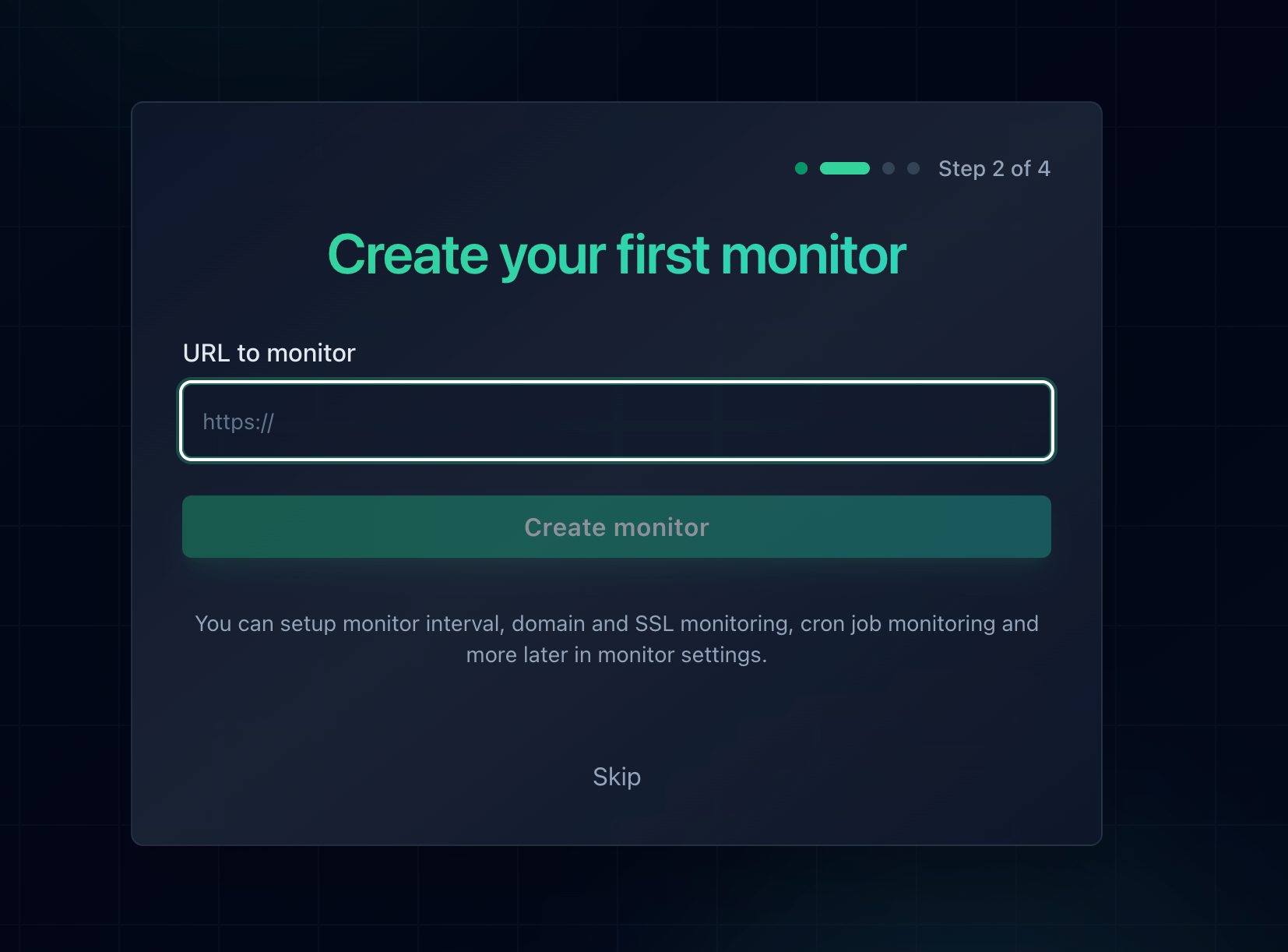
Adding a monitor takes about thirty seconds per URL.
Watch the Certificate as Well as the Site
Certificate expiry is the most preventable outage there is, and on a Cloudflare origin it is the thing that turns a working setup into a 526 overnight. Under Full (strict), an expired origin certificate takes the site down completely. Notifier includes SSL certificate monitoring on every plan including the free tier, so you get warned with weeks of notice rather than finding out from an error page. Our guide to SSL certificate monitoring covers what to watch and why renewal automation fails more often than people expect.
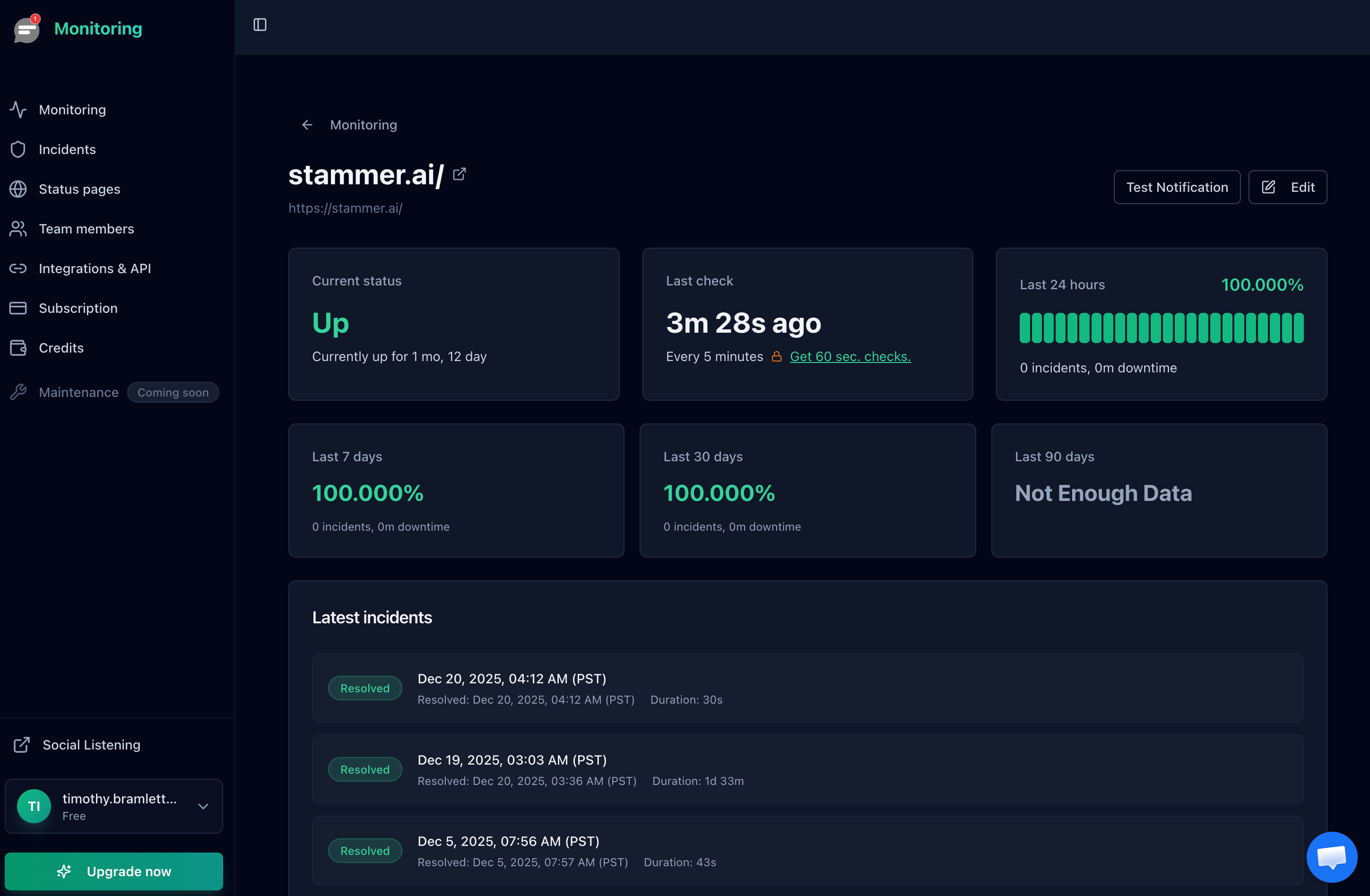
Uptime history gives you the exact duration of the outage, which is what a status page update and a postmortem need.
Get the Alert Somewhere You Will See It
An email alert at 3 AM is worth nothing. For anything that makes money, use a channel that wakes you. Notifier sends email, SMS, phone call, and Slack alerts on every plan including the free tier, with no per-message fees on paid plans.
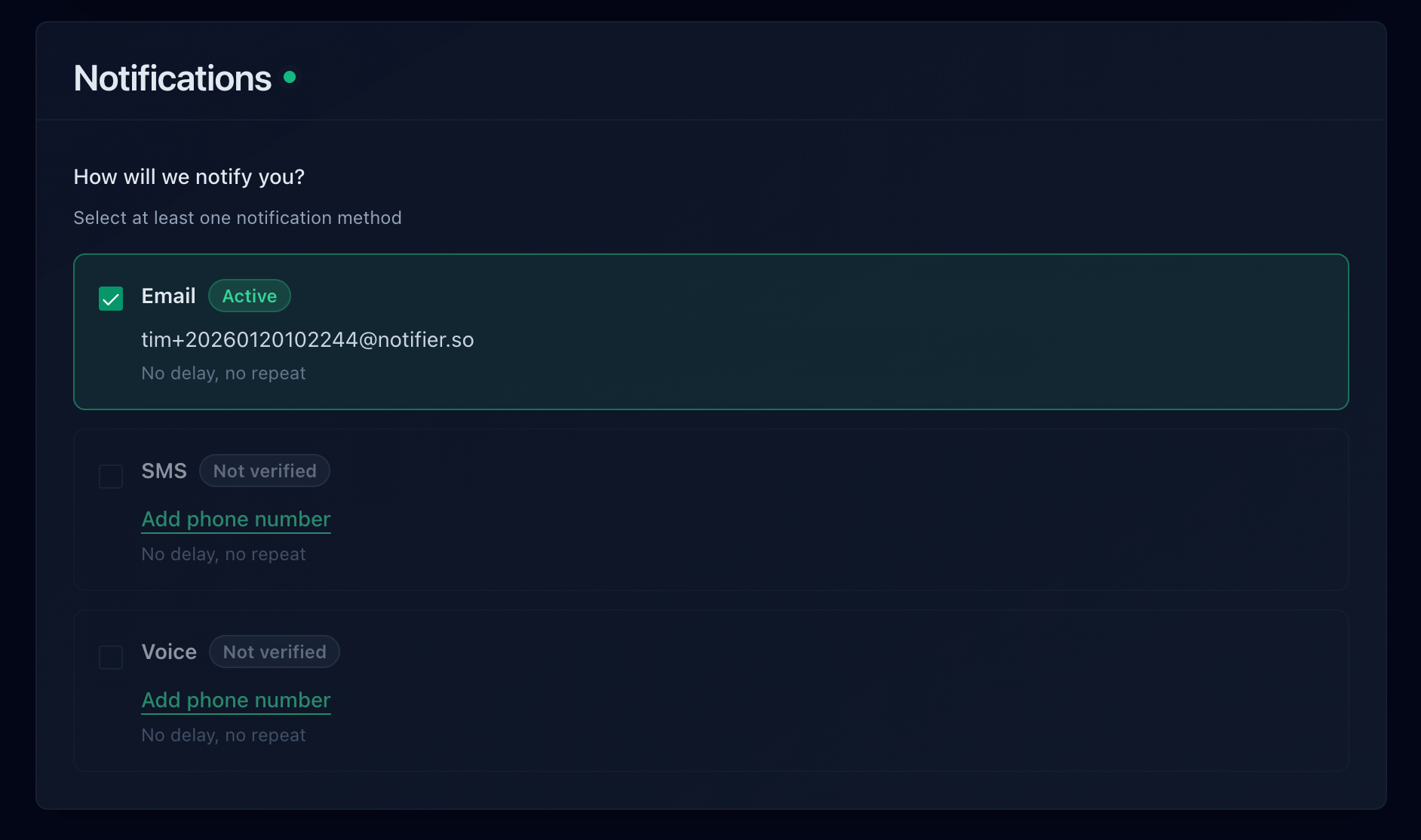
Email, SMS, phone call, and Slack are all available, including on the free plan.
How Quickly Each Tool Would Have Told You
Two numbers decide your worst case detection delay: the check interval, and whether the tool watches certificates as well as status codes. Here is how the common options compare on their free plans:
| Tool | Free Plan | SSL Monitoring | Notes |
|---|---|---|---|
| Notifier | 10 monitors, 5 min checks, 5 status pages | Free on every plan | Email, SMS, phone, and Slack alerts on every plan. DNS monitoring included. Free tier is fine for commercial use. Solo is $4/month for 20 monitors at 1 minute. |
| UptimeRobot | 50 monitors, 5 min checks, 1 status page | Included | Free plan is non-commercial only. Email alerts only on free, with SMS and voice on one-time credit bundles. Paid plans start at $8/month for 10 monitors. |
| Better Stack | 10 monitors, 3 min checks, 1 status page | Included | Capable incident management, but pricing is per responder at $34/month and climbs quickly for a team. |
| StatusCake | 10 monitors, 5 min checks | 1 SSL monitor on free | Email alerts on free. The first paid tier is $24.49/month. |
| Uptime Kuma | Unlimited, self-hosted | Included | Free and flexible, but you host it, and it cannot alert you if it is running on the same server whose TLS just broke. |
Important: UptimeRobot restricted its free plan to non-commercial use only in October 2024. If the site behind Cloudflare belongs to a business or a client, that free tier is not an option. Notifier's free tier has no such restriction.
Pricing changes, so verify before you commit. Our comparison of free website monitoring tools goes through each free tier in detail, the website monitoring checklist covers everything worth watching beyond uptime, and how to set up website monitoring walks through the whole setup end to end.
Frequently Asked Questions
What is the difference between Cloudflare error 525 and 526?
A 525 is a negotiation failure and a 526 is a validation failure. With a 525, Cloudflare and your origin could not agree on a TLS version or cipher suite, or the origin could not present a certificate at all, so the handshake collapsed before any certificate was examined. With a 526, the handshake worked and Cloudflare then rejected the certificate it received because it was expired, self-signed, untrusted, or issued for a different hostname. The practical consequence is where you look: a 525 sends you to your listener and cipher configuration, while a 526 sends you to the certificate itself.
Can I fix a Cloudflare 525 error as a visitor?
No. Clearing your cache, flushing DNS, switching resolvers, restarting your router, and disabling your VPN cannot help, because none of your local state was involved. The failed handshake happened between Cloudflare and someone else's server on a connection you have no part in. Reloading after a minute genuinely works sometimes, since some 525s are intermittent. If you need the site, contact the owner and include the Ray ID printed at the bottom of the error page.
Should I switch to Flexible SSL mode to fix a 525?
Only as a temporary rollback while you fix the real problem. Flexible makes Cloudflare connect to your origin on port 80 in plain text, which does end the 525 because it stops attempting a handshake at all. The cost is that every request between Cloudflare and your server travels the public internet unencrypted, which defeats much of the point of having HTTPS. It also produces an infinite redirect loop on any origin that redirects HTTP to HTTPS. Fix the origin and move to Full (strict) instead.
Why is my Cloudflare 525 error intermittent?
A cipher or protocol mismatch is deterministic, so intermittency points elsewhere. The two dominant causes are multiple origin servers behind a load balancer where only some have the correct TLS configuration, and resource exhaustion where a busy server runs out of memory, worker slots, or file descriptors and starts failing handshakes before it fails requests. Test each backend individually by IP address, then check dmesg for OOM kills and compare the failure timestamps against your traffic graph.
Does changing Minimum TLS Version in Cloudflare fix error 525?
No, and this is one of the most repeated pieces of bad advice about this error. The Minimum TLS Version setting under SSL/TLS then Edge Certificates governs the connection between your visitors' browsers and Cloudflare's edge. A 525 happens on the entirely separate connection between Cloudflare and your origin, which that setting does not touch. Changing it will not resolve anything, and lowering it weakens security for your visitors for no benefit.
Will a Cloudflare Origin CA certificate fix a 525?
It fixes the subset of 525s caused by having no usable certificate on the origin, and it is the right answer if you want Full (strict) without buying a public certificate. It will not help if the cause is a cipher mismatch, an SNI problem, or an Authenticated Origin Pulls misconfiguration, because those fail before the certificate matters. One important limitation: Origin CA certificates are trusted only by Cloudflare, so any client connecting directly to your origin, including webhook providers and uptime monitors pointed at an unproxied hostname, will reject them.
Why did I start getting 525 errors right after adding a new subdomain?
This is almost always a virtual host problem rather than a certificate problem. Cloudflare sends the new hostname in the SNI field of the handshake, your origin finds no server block matching it, and the request falls through to a default that has no usable certificate. Compare a working hostname against the new one with openssl s_client using the servername flag on the same origin IP address, then run apachectl -S or nginx -T to see exactly which hostnames the server believes it serves. Add the vhost and issue a certificate covering the new name.
Will uptime monitoring catch a Cloudflare 525 error?
Yes. Cloudflare returns a real HTTP 525 status code rather than a 200 containing an error page, so any monitor validating status codes flags it on the next check. Notifier alerts by email, SMS, phone call, or Slack within a minute on a paid plan and within five minutes on the free tier. Because most 525s are triggered by a change you just made, the value is mostly in the speed: monitoring turns a certificate renewal or a hardening change that quietly broke TLS into an alert a minute later instead of a customer email the next morning.