At a Glance
- •The best free monitoring tool with commercial use, SMS/phone alerts, and SSL monitoring is Notifier ($0/month, 10 monitors, 5 status pages, no credit card).
- •UptimeRobot has the most free monitors (50) but its free tier is restricted to personal, non-commercial use since October 2024; businesses must pay $9/month annually.
- •HetrixTools is the only hosted free tier with 1-minute check intervals and free Slack, Discord, and Telegram alerts; commercial use is allowed.
- •Uptime Kuma is the leading open source website monitoring tool, fully unlimited if you self-host on your own server (a basic VPS runs about $5/month), but you take on the maintenance and the single-point-of-failure risk.
- •Freshping shut down on March 6, 2026; existing users need to migrate to one of the alternatives in this guide.
You need a free URL monitoring tool or free website monitoring service but you do not want to pay $50/month for it. Fair enough. Several free uptime monitoring tools offer genuinely useful free tiers that go beyond a limited trial. The problem is figuring out which ones are actually worth using.
We tested every major free website monitoring tool, including HTTPS monitoring tools, ping monitors, status page tools, and one fully open source self-hosted option, and compared them side by side as honest alternatives to expensive enterprise plans. This guide covers what each free plan actually includes, what the limitations are, and which free URL monitoring tool makes the most sense depending on your situation. All pricing verified May 20, 2026.
Update (March 2026): Freshping by Freshworks shut down on March 6, 2026. If you were using Freshping, including its Discord integration and other Freshping integrations, you will need to migrate to a different tool. We cover your best options below.
Pricing update (May 2026): UptimeRobot retired the old Pro tier and now charges $9/month annually for Solo, $38/month annually for Team, and $69/month annually for Enterprise. Free SMS credits are sold separately starting at $3 for 10 credits. See our complete UptimeRobot pricing breakdown for 2026 for the full numbers.
Just here for the quick recommendation?
- Use Notifier if you need commercial use, SMS/phone alerts, Discord/Slack integration, or any combination of HTTP, ping, port, and keyword monitoring on a free plan.
- Use UptimeRobot if you need 50 monitors on a free plan and your project is personal/non-commercial.
- Use Uptime Kuma if you have a VPS and want unlimited everything via self-hosting.
Free Website Monitoring Tools: Comparison Table
Here is every free URL monitoring tool that matters in 2026, compared on the features that actually affect your day to day experience. Whether you need free URL monitoring for a single site or free uptime monitoring across dozens of endpoints, this table shows what each website monitoring service delivers on its free tier.
| Tool | Free Monitors | Check Interval | Status Pages | SSL Monitoring | SMS/Phone Alerts | Commercial Use |
|---|---|---|---|---|---|---|
| Notifier | 10 | 5 min | 5 | Included | Included | Yes |
| UptimeRobot | 50 | 5 min | 1 | Included | Paid credits | No (personal only) |
| HetrixTools | 15 | 1 min | Unlimited | Paid only | Paid credits | Yes |
| Uptime Kuma | Unlimited | 20 sec | Unlimited | Included | Via integrations | Yes (self-hosted) |
| Better Stack | 10 | 30 sec | 1 | Included | Paid only | Yes |
| StatusCake | 10 | 5 min | 0 | 1 free | Paid only | Yes |
| Pulsetic | 10 | 5 min | 3 | Paid only | Paid only | Yes |
| Shut down March 6, 2026 | ||||||
Now let's break down each free website monitoring tool in detail.
1. Notifier (Best Free Monitoring Tool for Commercial Use)

The Notifier dashboard showing all monitors at a glance.
Notifier is a focused free URL monitoring tool built by a small team that actually responds to support requests. The free plan includes 10 monitors of any supported type (HTTP, ping, TCP port, keyword), 5 status pages, SSL certificate monitoring on every monitor, and something almost no other free plan offers: SMS, phone call, Slack, and Discord alerts at no extra cost.
Free Plan Details
- Monitors: 10 (any combination of supported types)
- Monitor types: HTTP/HTTPS, ping (ICMP), TCP port, keyword (page content)
- Check interval: 5 minutes
- Status pages: 5
- SSL monitoring: Included on every monitor (no per-monitor cap)
- Alert channels: Email, SMS, phone calls, Slack, and Discord
- Commercial use: Allowed
Why It Ranks #1
- SMS and phone call alerts on the free plan. Most free monitoring plans limit you to email. If your site goes down at 2am, an email sits unread until morning. A phone call gets you out of bed.
- Commercial use allowed at no cost. UptimeRobot's free tier is restricted to personal/non-commercial projects since October 2024. Notifier's free plan has no such restriction.
- SSL certificate monitoring on every monitor. Not limited to one (StatusCake) and not gated behind paid tiers. Each monitor automatically tracks its certificate's expiration and warns you in advance.
- All monitor types included on free. HTTP, ping (ICMP), TCP port, and keyword monitoring — most competitors lock keyword or port monitoring behind paid plans.
- Discord and Slack on free. The two integrations most teams actually use, no upcharge.
- Real human support from a small team. Response time is usually minutes, not days. Tim (the founder) personally reads support emails.
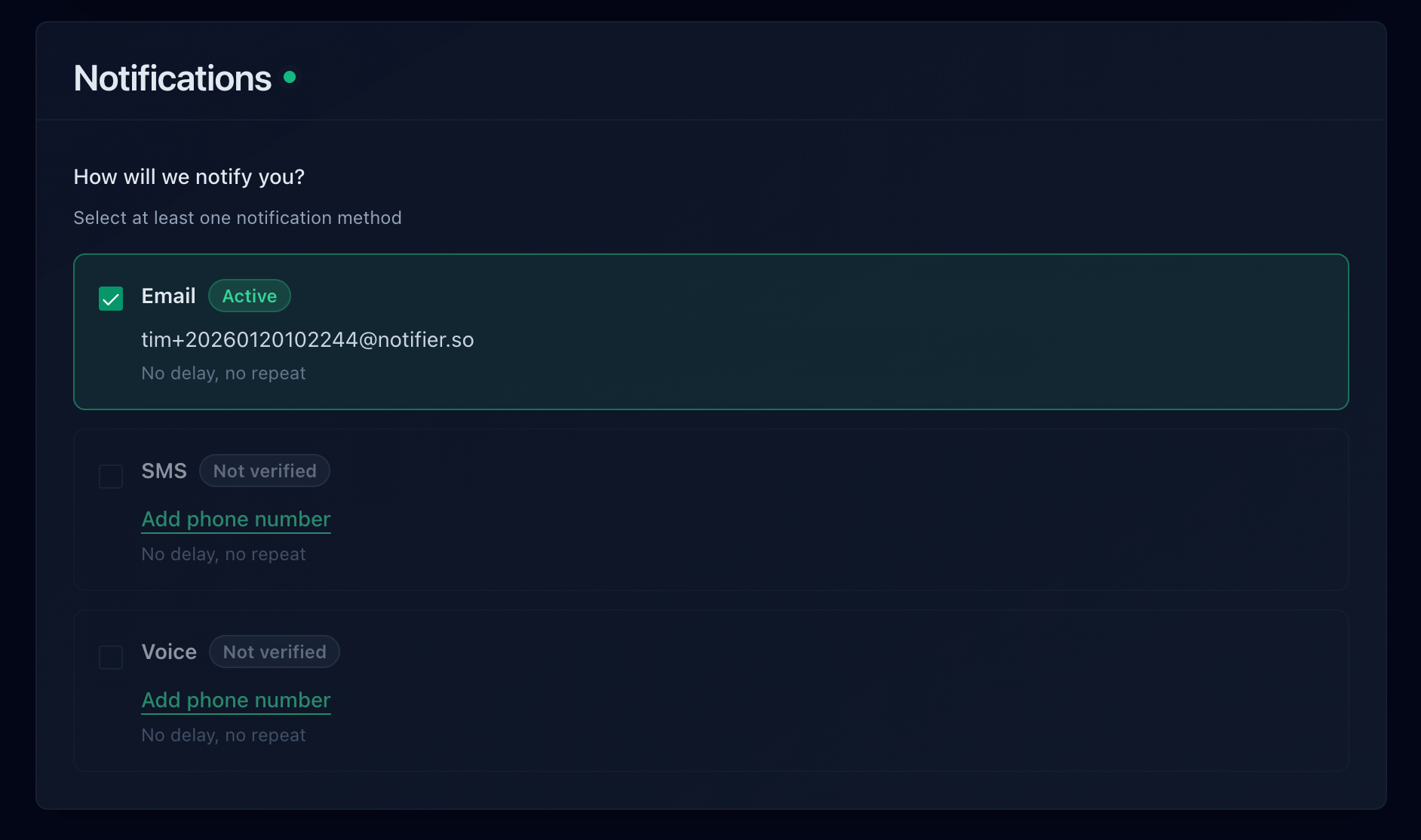
Alert channels available on Notifier's free plan.
If you outgrow the free plan, paid plans start at $4/month for 20 monitors with 1 minute checks, which is the cheapest paid option among hosted monitoring tools.
Limitations
- 10 monitors (fewer than UptimeRobot's 50 or HetrixTools' 15)
- 5 minute check intervals on the free plan
Best for:
Small businesses, freelancers, and anyone who needs real alerts (not just email) without paying for them. If you are searching for a free UptimeRobot alternative that allows commercial use, Notifier is the strongest option. Start monitoring in about 30 seconds at notifier.so/register.
2. UptimeRobot (Most Monitors on a Free Plan)
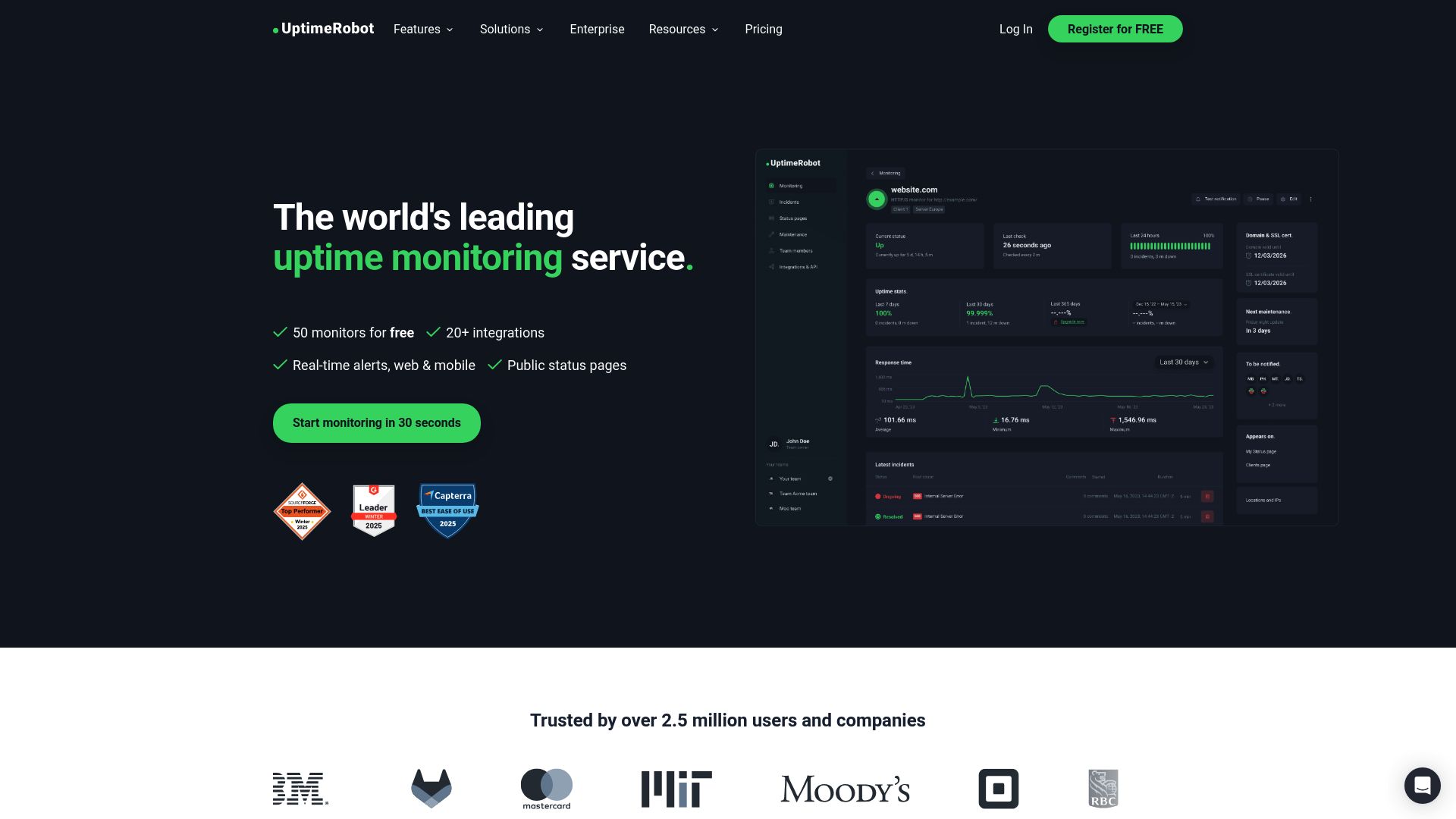
UptimeRobot has been around since 2010 and is one of the most recognized names in free uptime monitoring. The free plan offers 50 monitors, which is the highest count of any hosted free tier.
Free Plan Details
- Monitors: 50
- Check interval: 5 minutes
- Status pages: 1 (UptimeRobot branded, basic)
- Alert channels: Email + 5 integrations included
- Monitor types: HTTP(S), ping, port, keyword, API, UDP, multi-location, slow response, DNS, SSL, and domain expiration
- SSL monitoring: Included
What Makes It Good
50 monitors is generous. If you need free URL monitoring across a lot of sites and do not need fast alerts, UptimeRobot's free plan covers a wide surface area. As of 2025/2026 the free tier also supports a wide range of monitor types beyond basic HTTP checks, including keyword, API, UDP, multi-location, DNS, and SSL monitoring.
The Catch
The free plan is restricted to personal, non-commercial use. Since October 2024, UptimeRobot requires commercial users to upgrade to the Solo plan at $9/month annually ($10/month monthly). If you are using it to monitor a business website, a client project, or anything that generates revenue, you are violating their terms. Open-source projects, educational institutions, and nonprofits are exempt, but everyone else needs to pay. This is a major reason people are looking for UptimeRobot alternatives in 2026.
SMS and phone call alerts are not included on the Free plan. You can purchase SMS credits separately starting at $3 for 10 credits ($15 for 100, $25 for 200), with each SMS consuming 1 to 5 credits depending on country. That adds up if you have a lot of monitors firing alerts. For the complete current pricing on every UptimeRobot tier (Solo, Team, Enterprise) and a full add-on cost breakdown, see our UptimeRobot pricing 2026 guide. For a side-by-side comparison with alternatives, see our UptimeRobot alternatives guide.
Best for:
Personal projects, side projects, and developers who need to monitor many endpoints and are fine with email-only alerts.
3. HetrixTools (Best Free Check Interval)
HetrixTools offers one of the strongest free tiers in the free website monitoring space. You get 15 monitors with 1 minute check intervals and unlimited uptime history. Most competitors restrict history to 30 or 90 days on free plans.
Free Plan Details
- Monitors: 15
- Check interval: 1 minute
- Status pages: Unlimited (public and private)
- Alert channels: Email, Slack, Discord, Telegram, Microsoft Teams, PagerDuty, and more
- Uptime history: Unlimited
- Extras: Blacklist monitoring (32 blacklists)
What Makes It Good
The 1 minute check interval on a free plan is rare. Most competitors offer 3 to 5 minute intervals at this price point. HetrixTools also includes blacklist monitoring, which checks if your IP or domain has been flagged by spam databases like Spamhaus or Barracuda. That is a feature you will not find on most other free website monitoring tools.
The integration list is impressive for a free tier. You can send alerts to Slack, Discord, Telegram, Teams, PagerDuty, and several other services without paying anything.
The Catch
SMS and phone call alerts require purchasing credits separately. The interface is functional but feels dated compared to newer tools. You also need to log in at least once every 90 days or your account gets deactivated.
Best for:
Technical users who want fast check intervals and deep integrations on a free plan. Especially good if you also need blacklist monitoring.
4. Uptime Kuma (Best Open Source Website Monitoring Tool)
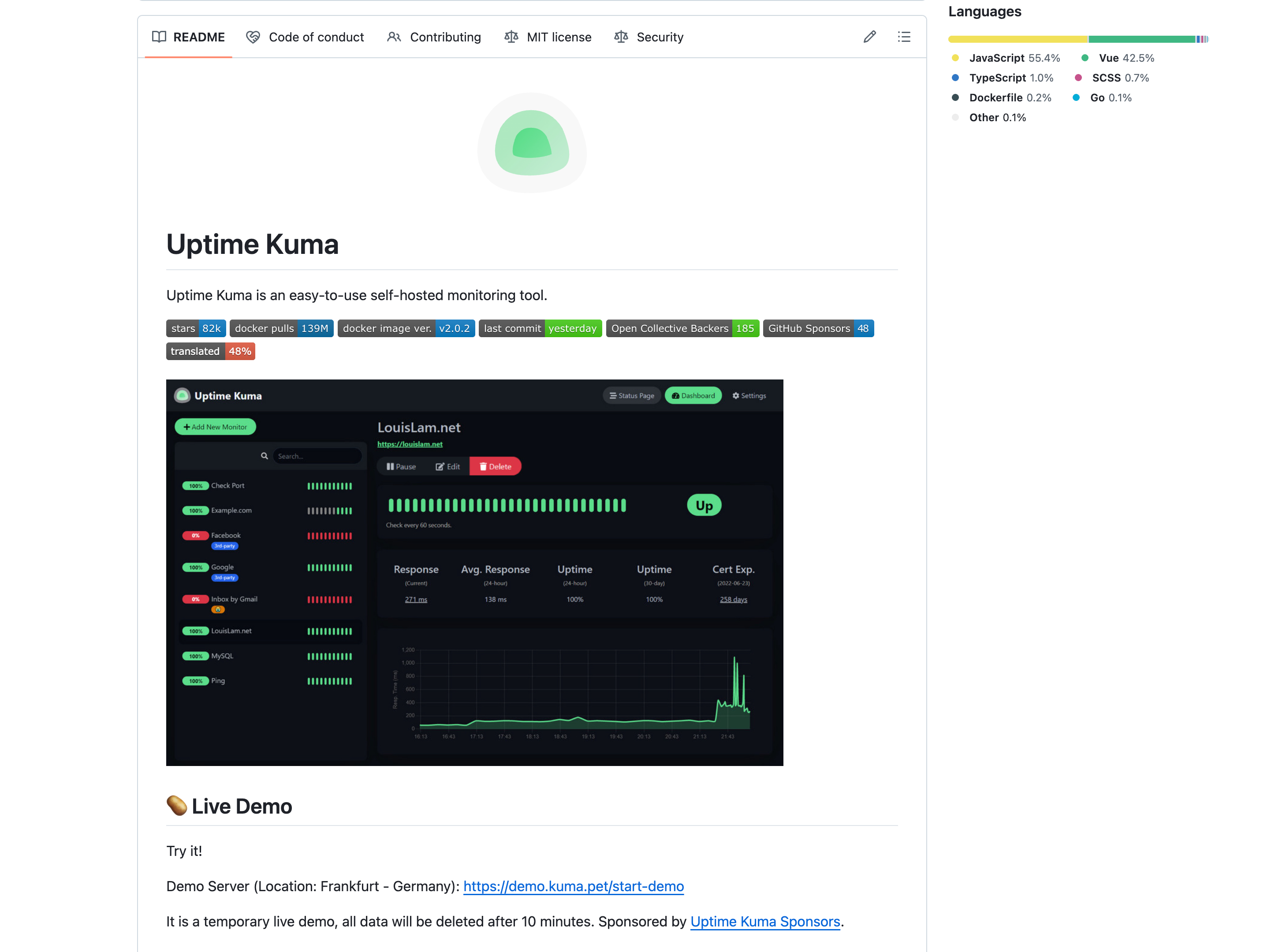
Uptime Kuma is the leading open source website monitoring tool, with over 60,000 stars on GitHub. If you have been searching for an open source URL monitoring tool or open source uptime monitor, this is the one to use. Unlike every other option on this list, you host it yourself. That means unlimited monitors, unlimited status pages, and check intervals as low as 20 seconds. It is the most powerful free web server monitoring option available if you have the technical skills to set it up.
Free Plan Details
- Monitors: Unlimited
- Check interval: As low as 20 seconds
- Status pages: Unlimited
- Alert channels: 90+ notification services (Email, Telegram, Discord, Slack, Pushover, Signal, and more)
- Monitor types: HTTP(S), TCP, Ping, DNS, Docker containers, Steam game servers
What Makes It Good
No limits on anything. You own your data completely. The notification system supports over 90 services through its integration layer, which is more than any hosted tool offers. Setup is straightforward if you are comfortable with Docker:
docker run -d --restart=always -p 3001:3001 -v uptime-kuma:/app/data --name uptime-kuma louislam/uptime-kuma:1That single command gets you a fully functional free site monitoring dashboard. The community is active, updates are frequent, and the project is well maintained.
The Catch
You need a server to run it on. A basic VPS costs $4 to 6/month, so "free" really means "free software, not free hosting." You are also responsible for keeping the server running and updated. If your monitoring server goes down, you lose monitoring. There is no multi-user support, no mobile app, and no managed cloud option.
The biggest limitation is reliability. Hosted free uptime monitoring services check your site from multiple geographic locations. Uptime Kuma checks from wherever you host it. If your VPS and your website share the same data center, a regional outage could take both down without alerting anyone.
Best for:
Developers and self-hosters who want full control, have a spare VPS, and are comfortable maintaining their own infrastructure.
5. Better Stack (Best Free Incident Management)
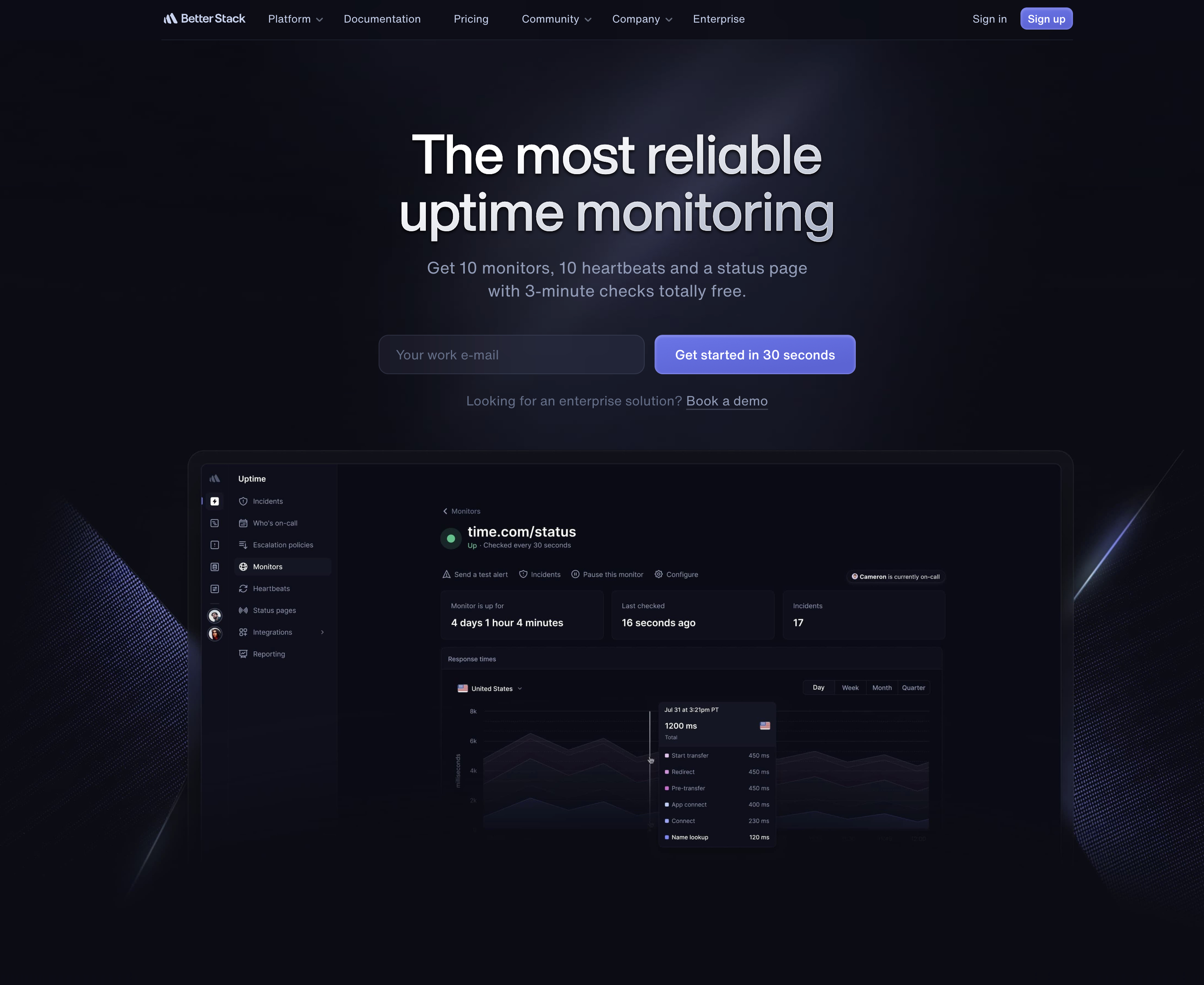
Better Stack (formerly Better Uptime) is more than a free uptime monitoring tool. It combines monitoring, incident management, and on-call scheduling into a single platform. The free plan gives you a taste of all three.
Free Plan Details
- Monitors: 10 uptime monitors + 10 heartbeat monitors
- Check interval: 30 seconds
- Status pages: 1
- Alert channels: Email and Slack
- Extras: Incident timeline, heartbeat/cron monitoring
What Makes It Good
The heartbeat monitoring on the free plan is genuinely useful. You can monitor cron jobs and scheduled tasks alongside your websites. The incident management timeline also helps when you need to document what happened during an outage.
The UI is polished and modern. If you eventually need on-call scheduling and escalation policies, Better Stack has those built in so you do not need a separate tool like PagerDuty.
The Catch
The pricing jumps sharply once you outgrow the free plan. Better Stack uses component-based pricing: $21/month per additional 50 monitors (annual billing), $29/month per responder for on-call (annual) or $34/month (monthly), and $12/month per additional status page (annual). For a small team that just needs free website monitoring, those costs add up quickly compared to flat-rate competitors. For a detailed comparison, see our Better Stack alternatives guide.
The free plan also limits you to email and Slack alerts only. No SMS, no phone calls, no Discord.
Best for:
Teams that want incident management and on-call scheduling bundled with monitoring, and are willing to pay premium prices to scale.
6. StatusCake (Free SSL and Domain Monitoring)
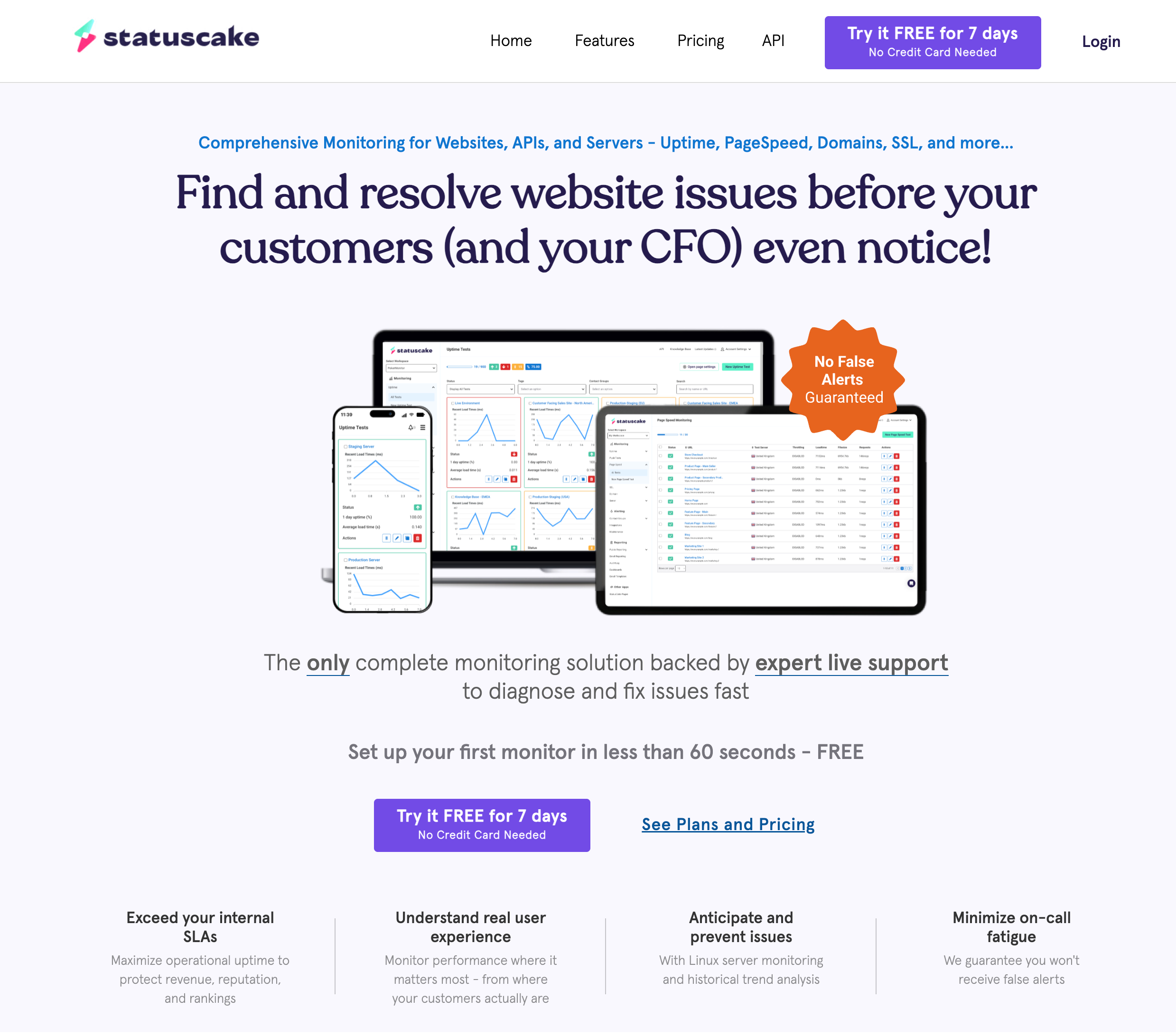
StatusCake has been around since 2012 and offers a free plan that includes a few monitoring types most competitors charge for: SSL certificate monitoring and domain expiration monitoring.
Free Plan Details
- Monitors: 10 uptime monitors
- Check interval: 5 minutes
- Status pages: 0 (paid plans only)
- Alert channels: Email + 14 integrations (Slack, Teams, Discord, etc.)
- Extras: 1 SSL monitor, 1 domain monitor, 1 page speed monitor
What Makes It Good
The free SSL monitor checks your certificate every 30 minutes and alerts you about expiration, mixed content issues, and certificate scores. The free domain monitor watches for expiration and blacklist status. These are useful extras that most free website monitoring tools do not include.
The integration support is solid for a free tier, with 14 third-party services available including Slack, Microsoft Teams, and Discord.
The Catch
No status pages on the free plan at all. If you need a public status page, you will need to upgrade to the Superior plan at $20.41/month (annual billing) or $24.49/month (monthly billing). That is a steep jump compared to competitors who include status pages for free. Note that Notifier includes SSL monitoring on all plans (including free) across every monitor, not limited to just one.
The page speed monitor on the free plan only checks once every 24 hours, which is too infrequent to be genuinely useful.
Best for:
Users who want basic uptime monitoring with SSL certificate and domain expiration checks included, and do not need a status page.
7. Pulsetic (Best Free Status Pages)
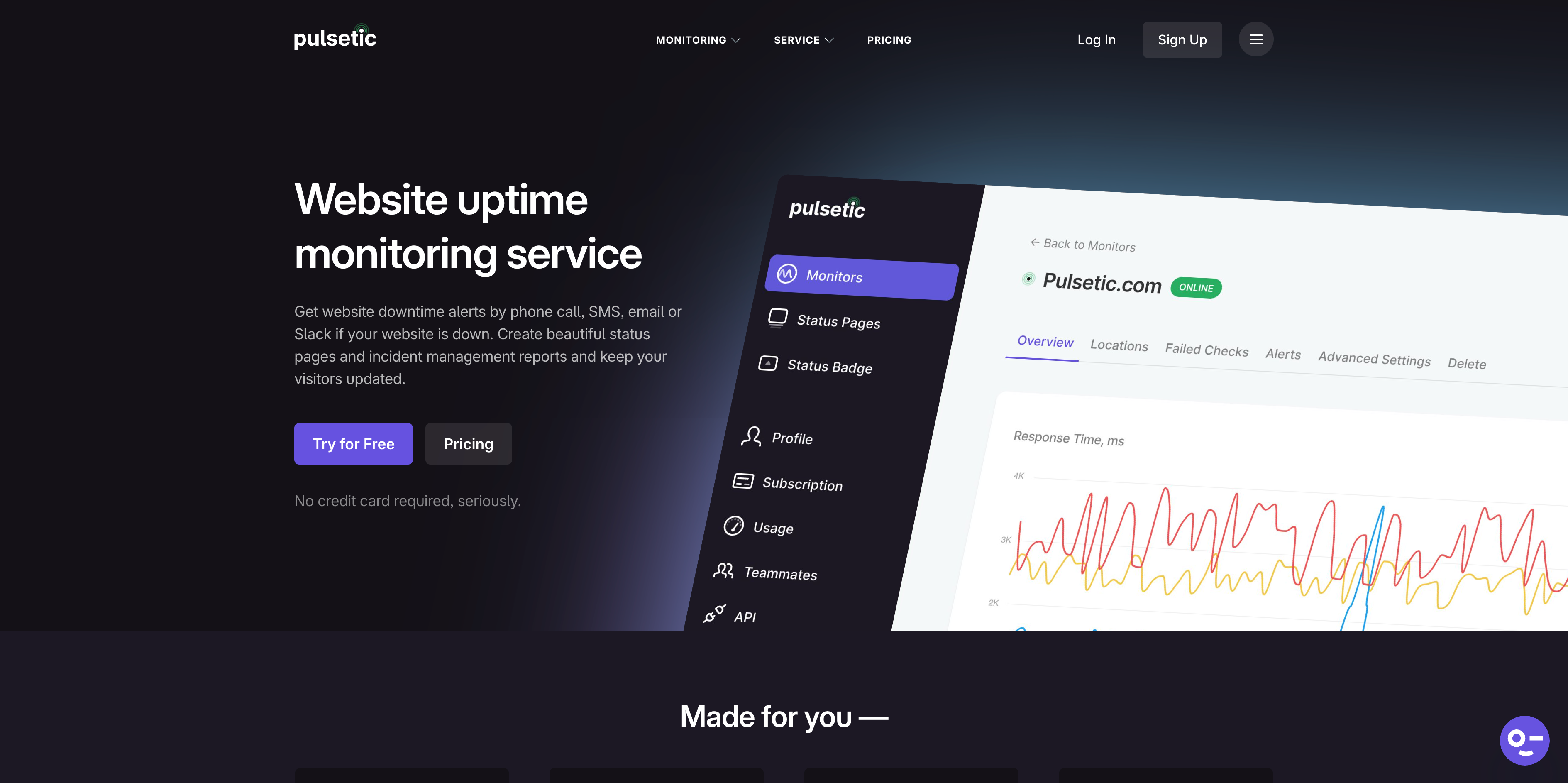
Pulsetic's main selling point is beautiful, designer-friendly status pages. The free plan includes 3 status pages (down from "unlimited" previously), which is still generous compared to UptimeRobot (1) and StatusCake (0) but less generous than Notifier's 5.
Free Plan Details
- Monitors: 10
- Check interval: 5 minutes
- Status pages: 3 (with custom subdomains)
- Alert channels: Email only
- Data retention: 3 months
- Monitoring locations: 3
What Makes It Good
If public-facing status pages are your top design priority, Pulsetic's free tier is compelling. The status page designs are clean and professional. The Solo plan at $9/month and Team plan at $19/month let you scale up status pages further.
The Catch
Only 3 monitoring locations on the free plan, which limits geographic coverage. Data retention is capped at 3 months, so you lose historical data regularly. SMS, Slack, Teams, and Discord alerts all require a paid plan starting at $9/month.
Email-only alerts on the free plan is a significant limitation if you need to respond quickly to outages.
Best for:
Designers, agencies, and SaaS companies that prioritize having polished, public-facing status pages.
Freshping Has Shut Down (March 2026)
Freshping shut down on March 6, 2026. All Freshping data has been permanently deleted. Freshping integrations, including the Freshping Discord integration, Freshping Slack integration, and all other Freshping integrations are no longer functional. If you haven't migrated yet, you need to set up a new monitoring tool immediately.
Freshping by Freshworks was one of the best free website monitoring tools available. It offered 50 monitors with 1 minute check intervals, 5 status pages, and 10 global monitoring locations, all for free. It was genuinely hard to beat. For the full story, see our Freshping shutdown guide.
Where to Migrate From Freshping
If you relied on Freshping's free plan, here are the closest replacements based on what you valued most:
- Needed the Freshping Discord integration: Notifier is the cleanest swap, with free Discord and Slack integration plus SMS and phone alerts on the free tier (commercial use allowed, unlike UptimeRobot). HetrixTools is another option with free Slack/Discord/Telegram/Teams.
- Needed many free monitors: UptimeRobot (50 monitors, personal use only) or HetrixTools (15 monitors, commercial use allowed).
- Needed 1 minute checks for free: HetrixTools (1 minute interval on free plan).
- Needed status pages + alerts: Notifier (5 free status pages, SSL monitoring, Discord/Slack/SMS/phone alerts all included).
- Needed everything unlimited: Uptime Kuma (self-hosted, no limits).
How to Choose the Right Free Monitoring Tool
The "best" free website monitoring tool depends on what matters most to you. Here is a quick decision guide:
Choose Notifier if...
- You need SMS, phone call, Discord, or Slack alerts without paying extra
- You need free SSL certificate monitoring on every monitor (no caps)
- You are monitoring a business or commercial project
- You need multiple monitor types on free (HTTP, ping, port, keyword)
- You want the cheapest path from free to paid ($4/month)
- You value responsive support from real people
Choose UptimeRobot if...
- You need 50 monitors on a free plan
- You are monitoring personal or non-commercial projects
- Email-only alerts are acceptable
Choose HetrixTools if...
- You want 1 minute check intervals without paying
- You need blacklist monitoring
- You want to send alerts to Slack, Discord, or Telegram for free
Choose Uptime Kuma if...
- You want unlimited everything and own a server
- You are comfortable with Docker and self-hosting
- Data ownership and privacy are important to you
Choose Better Stack if...
- You need incident management alongside monitoring
- You want heartbeat/cron job monitoring on a free plan
- You plan to eventually use on-call scheduling
Choose StatusCake if...
- You need SSL certificate monitoring included for free
- You want domain expiration alerts
- You do not need a status page
Choose Pulsetic if...
- Beautiful status pages are your top priority
- You need unlimited status pages without paying
- You are fine with email-only alerts
Bottom line:
Every tool on this list has a legitimately useful free plan. The right choice comes down to what you value most: monitor count (UptimeRobot), check speed (HetrixTools), alert channels and SSL monitoring (Notifier), self-hosting freedom (Uptime Kuma), or status page design (Pulsetic). Start with the free plan that matches your priorities and upgrade only when you genuinely need to.
For a deeper look at pricing beyond free tiers, check out our guide to cheap uptime monitoring. If you are migrating from a specific tool, we also have detailed comparisons in our free Pingdom alternatives and UptimeRobot alternatives guides.
Frequently Asked Questions
What is the best free website monitoring tool in 2026?
Notifier is the best free website monitoring tool for most users in 2026. It includes 10 monitors, 5 status pages, SSL certificate monitoring, and SMS/phone call alerts on the free plan. Unlike UptimeRobot, it allows commercial use. If you need more monitors, UptimeRobot offers 50 (personal use only), and HetrixTools offers 15 with 1 minute check intervals.
Is there a free UptimeRobot alternative for commercial use?
Yes. Since October 2024, UptimeRobot's free tier is restricted to personal, non-commercial use. The best free UptimeRobot alternatives for commercial use in 2026 are Notifier (10 monitors, SMS/phone alerts, SSL monitoring), HetrixTools (15 monitors, 1 minute checks), and StatusCake (10 monitors, SSL/domain monitoring). All three allow commercial use on their free plans.
Is there a free URL monitoring tool that includes SMS alerts?
Notifier is the only hosted free URL monitoring tool that includes SMS and phone call alerts at no cost. Most competitors (UptimeRobot, HetrixTools, StatusCake, Pulsetic) restrict SMS alerts to paid plans or require purchasing credits separately. Uptime Kuma can send SMS via third-party integrations, but requires self-hosting.
What happened to Freshping? Where should I migrate?
Freshping by Freshworks shut down on March 6, 2026. All data has been permanently deleted. Freshping integrations (Discord, Slack, etc.) are no longer functional. The best Freshping replacements are Notifier (free status pages, SMS alerts, SSL monitoring), HetrixTools (free Discord/Slack integration, 1 minute checks), or Uptime Kuma (self-hosted, unlimited). See our full Freshping shutdown guide for migration steps.
What is the best free uptime monitoring service with status pages?
For free status pages, Pulsetic offers unlimited status pages with polished designs. Notifier includes 5 free status pages with SMS/phone alerts. HetrixTools also offers unlimited status pages on the free plan. UptimeRobot only includes 1 branded status page, and StatusCake offers none on the free tier. Better Stack includes 1 status page.
Do free website monitoring tools include SSL certificate monitoring?
Several do. Notifier and UptimeRobot both include SSL certificate monitoring on their free plans, automatically checking every monitor's SSL expiration. StatusCake offers 1 free SSL monitor. Better Stack and Uptime Kuma also include SSL checks. HetrixTools and Pulsetic require paid plans for SSL monitoring.
Which free uptime monitoring tool actually wakes you up when your site goes down?
Notifier is the only hosted free monitoring tool that includes SMS and phone call alerts on its free plan with no per-message charges. Phone call alerts in particular bypass Do Not Disturb on most smartphones, so they reach you even at 2am. UptimeRobot, Better Stack, StatusCake, and Pulsetic all restrict SMS and phone alerts to paid plans or pay-per-message credits. HetrixTools requires purchased credits as well. Uptime Kuma can send SMS through third-party integrations but requires self-hosting.
What's the best free monitoring tool for a small business that needs alerts on multiple channels?
For a small business, the best free monitoring tool is Notifier. The free plan includes 10 monitors, 5 status pages, SSL certificate monitoring, and email/SMS/phone/Slack alerts at $0/month with no commercial-use restriction. UptimeRobot's free tier offers more monitors (50) but is restricted to personal, non-commercial use since October 2024. HetrixTools is a strong runner-up with 15 monitors at 1-minute checks and free Slack/Discord/Telegram alerts, though SMS still requires paid credits.
Is Uptime Kuma reliable enough to use as your only monitoring solution?
Uptime Kuma is reliable software, but the bigger question is whether your hosting setup is reliable. Because Uptime Kuma is self-hosted, it shares fate with the server it runs on: if your VPS goes down (or shares a region with your monitored sites and that region has an outage), monitoring goes down with everything else and no one gets alerted. Hosted free monitoring tools like Notifier and UptimeRobot run on separate infrastructure and check from multiple geographic locations, which catches that class of failure. For mission-critical monitoring, run Uptime Kuma on a different cloud provider than your monitored services, or pair it with a hosted tool as a backup.
What is a free URL monitoring tool?
A free URL monitoring tool is a service that periodically requests a given URL on your behalf, records whether the response is successful, and alerts you when it isn't. The best free URL monitoring tools also track SSL certificate expiration, page content (keyword monitoring), response time, and uptime history. Notifier includes all of these on its free tier (10 monitors, SMS/phone/Discord/Slack alerts, SSL monitoring, no commercial-use restriction). UptimeRobot offers 50 monitors on its free tier but restricts commercial use. HetrixTools offers 15 monitors with 1 minute checks. Uptime Kuma is open source and self-hosted with no limits.
What's the best free Freshping Discord alternative?
After Freshping shut down in March 2026, the cleanest free Freshping Discord alternative is Notifier. Notifier's free plan includes Discord and Slack integration plus 10 monitors, SSL monitoring, 5 status pages, and SMS/phone call alerts — all at $0/month with no commercial-use restriction. Setup takes under a minute: connect your Discord webhook, pick which monitors should alert there, done. HetrixTools is another option (free Discord and Telegram, 15 monitors, 1 minute checks). For full migration guidance see our Freshping shutdown guide.
Can I use a free uptime monitoring tool for client websites?
Yes, but check the terms first. UptimeRobot restricted its free tier to personal, non-commercial use only in October 2024, so monitoring client sites on UptimeRobot's free plan technically violates their terms and can result in suspension. Notifier, HetrixTools, StatusCake, Better Stack, and Pulsetic all allow commercial use on their free tiers, so any of those work for client/agency monitoring. For agencies needing branded status pages per client, Pulsetic and Notifier are the strongest free options.
What is the best open source website monitoring tool?
Uptime Kuma is the best open source website monitoring tool available in 2026. It has 60,000+ GitHub stars, supports HTTP(S), TCP, ping, DNS, and Docker monitoring, and runs locally via Docker or any Node-compatible host. Because it is self-hosted, you get unlimited monitors and status pages with no per-account fees. The trade-off is that you have to maintain the server it runs on, and your monitoring goes down if your VPS goes down. If you want the same flexibility with hosted reliability, Notifier is a strong free alternative with 10 monitors, SSL monitoring, SMS/phone/Discord/Slack alerts, and no infrastructure to manage.
Do these free tools support HTTPS monitoring?
Yes. Every tool in this guide supports HTTPS website monitoring as a standard feature. The difference is in what each free tier includes alongside the HTTPS check: Notifier, UptimeRobot, Better Stack, and Uptime Kuma also include SSL certificate expiration monitoring on every monitor for free, StatusCake includes 1 free SSL monitor, and HetrixTools and Pulsetic require paid plans for SSL alerts. If you need a free HTTPS monitoring tool that also watches your certificate expiry, Notifier is the most complete free option.
