At a Glance
- •The best UptimeRobot alternative for most small businesses in 2026 is Notifier.so: 10 free monitors, 5 free status pages, and free SSL monitoring, with paid plans from $4/mo versus $13/mo for UptimeRobot Solo.
- •UptimeRobot's free plan can be used commercially again. Its terms were updated on May 26, 2026, reversing the non commercial restriction added in late 2024.
- •UptimeRobot raised prices in 2026. Solo is now $13/mo ($12/mo billed yearly) for 10 monitors, and Team is $46/mo ($39/mo billed yearly).
- •UptimeRobot Free still includes 50 monitors, but with 5 minute checks, 1 status page on an UptimeRobot URL, no included SMS credits, and 3 months of data retention.
- •Other solid options: HetrixTools (15 free monitors with 1 minute checks), Better Stack (incident management), and Uptime Kuma (free if you self host).
Looking for an UptimeRobot alternative in 2026? UptimeRobot has been a default choice for uptime monitoring since 2010, and its free plan still offers 50 monitors. But the reasons people search for UptimeRobot alternatives have changed this year.
The good news first: the free plan's commercial use ban is gone. The less good news: UptimeRobot raised its prices in 2026. The entry Solo plan now costs $13 per month (or $12 per month billed yearly) for just 10 monitors, and the free plan still has 5 minute checks, a single status page, and no included SMS. Below we compare the best UptimeRobot alternatives for business, from cheap hosted tools to free self hosted options, so you can pick the right one.
UptimeRobot's Commercial Use Policy in 2026: The Restriction Was Lifted
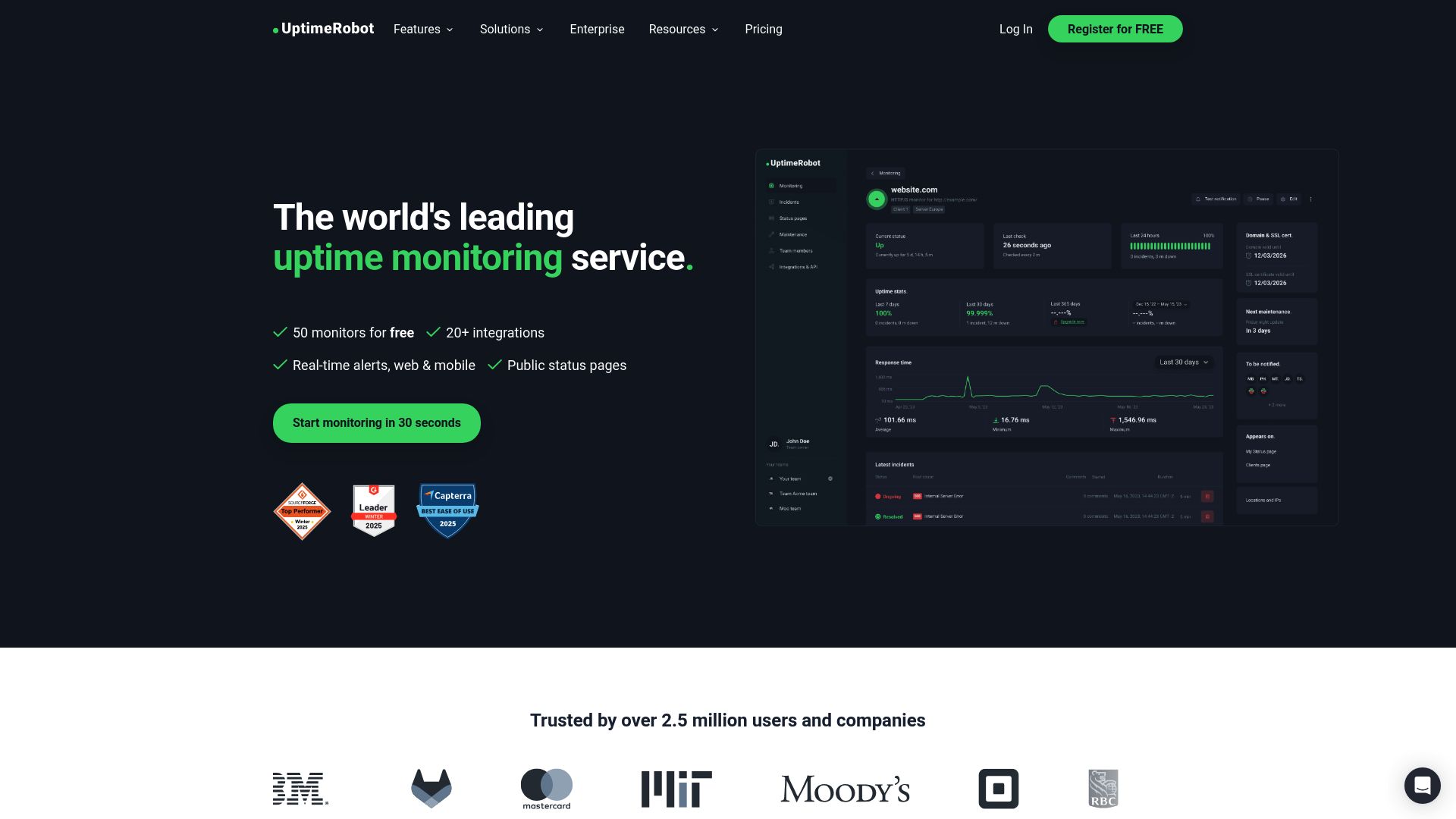
Update: UptimeRobot's free plan can be used for commercial projects again. In late 2024, UptimeRobot limited the free plan to non commercial use. On May 26, 2026, it updated its terms of service (adding a Fair Use Policy and rewriting the "Services Provided" section), and the current terms now state: "UptimeRobot is available for any use, including commercial and business use."
So if you searched for the "UptimeRobot non commercial restriction" because you were worried about monitoring a business site on the free plan, you can relax. The restriction is no longer in effect. Two things are worth knowing, though:
- UptimeRobot's pricing page still markets the Free plan as "Good for hobby and non-profit projects." The plan is positioned for side projects even though the terms allow business use.
- Free use now falls under a Fair Use Policy, so very heavy usage on the free plan can still be limited.
The commercial question is settled. The bigger question for a business in 2026 is whether UptimeRobot's free plan limits and new paid prices fit your needs.
Why People Still Look for an UptimeRobot Alternative in 2026
With the commercial ban gone, these are the reasons we see most often from people moving away from UptimeRobot:
1. The 2026 Price Increase
UptimeRobot reorganized its paid plans into Solo, Team, Scale, and Enterprise. Solo used to cost about $7 to $8 per month. It is now $13 per month, or $12 per month on annual billing, and it includes only 10 monitors. Team is $46 per month ($39 per month yearly). For a small business that just needs reliable checks on a handful of sites, that is a big jump. Notifier's Solo plan is $4 per month for 20 monitors with 1 minute checks.
2. Free Plan Limits That Matter for Real Sites
UptimeRobot Free gives you 50 monitors, but each one is checked only every 5 minutes. You get 1 status page, and it lives on an UptimeRobot URL rather than your own domain. Data retention is 3 months, there are no login seats for teammates, and the free plan is limited to 5 integrations.
3. No Included SMS or Voice Alerts on Free
The free plan includes no SMS or voice call credits (you can buy them). Paid plans come with a one time bundle of credits, starting at 10 to 20 on Solo, which does not renew each month. If text or phone alerts are how your team actually wakes up for an outage, compare this carefully. See our guide to uptime monitoring with SMS alerts.
4. Basic Status Pages
One status page on an UptimeRobot subdomain is fine for a hobby project. Agencies and SaaS teams usually want several pages and a custom domain, which on UptimeRobot means a paid plan. If status pages matter to you, read how to create a status page.
5. Support Expectations
Larger monitoring companies tend to route free users to documentation. Many small teams prefer a vendor where a real person answers when something looks off.
UptimeRobot Free Plan and Pricing in 2026
Here is what UptimeRobot's current lineup looks like, according to its pricing page. For a deeper breakdown, see our full UptimeRobot pricing guide for 2026.
| Plan | Monthly | Billed Yearly | Monitors | Interval | Status Pages |
|---|---|---|---|---|---|
| Free | $0 | $0 | 50 | 5 min | 1 (UptimeRobot URL) |
| Solo | $13/mo | $12/mo | 10 | 60 sec | 3 |
| Team | $46/mo | $39/mo | 100 | 30 sec | 100 |
| Scale | $98/mo | $79/mo | 200 | 15 sec | Unlimited |
| Enterprise | Custom | Custom | Any amount | Custom | Custom |
Data retention is 3 months on Free, 12 months on Solo, and 24 months on Team and Scale. Extra login seats on Team and Scale cost about $15 to $19 per seat per month.
Best UptimeRobot Alternatives: Quick Comparison
Free tier limits and the cheapest paid plan for each tool, checked against official pricing pages in October 2026.
| Tool | Free Monitors | Free Interval | Free Status Pages | SSL Monitoring | Cheapest Paid Plan |
|---|---|---|---|---|---|
| Notifier.so (Our Pick) | 10 | 5 min | 5 | Yes, free on all plans | $4/mo (20 monitors, 1 min) |
| UptimeRobot | 50 | 5 min | 1 (UptimeRobot URL) | Paid plans | $13/mo (10 monitors, 1 min) |
| HetrixTools | 15 | 1 min | Included | Yes, every plan | $9.95/mo (30 monitors) |
| Better Stack | 10 (shared with heartbeats) | 3 min | 1 | Yes | $34/mo per responder |
| StatusCake | 10 | 5 min | Not on free plan list | 1 SSL monitor free | $24.49/mo (100 monitors) |
| Pulsetic | 10 | 5 min | 3 | Yes | Solo plan (see site) |
| Uptime Kuma | Unlimited | 20 sec | Unlimited | Yes (cert expiry) | Free (you pay for the server) |
1. Notifier.so: The Best Cheap UptimeRobot Alternative
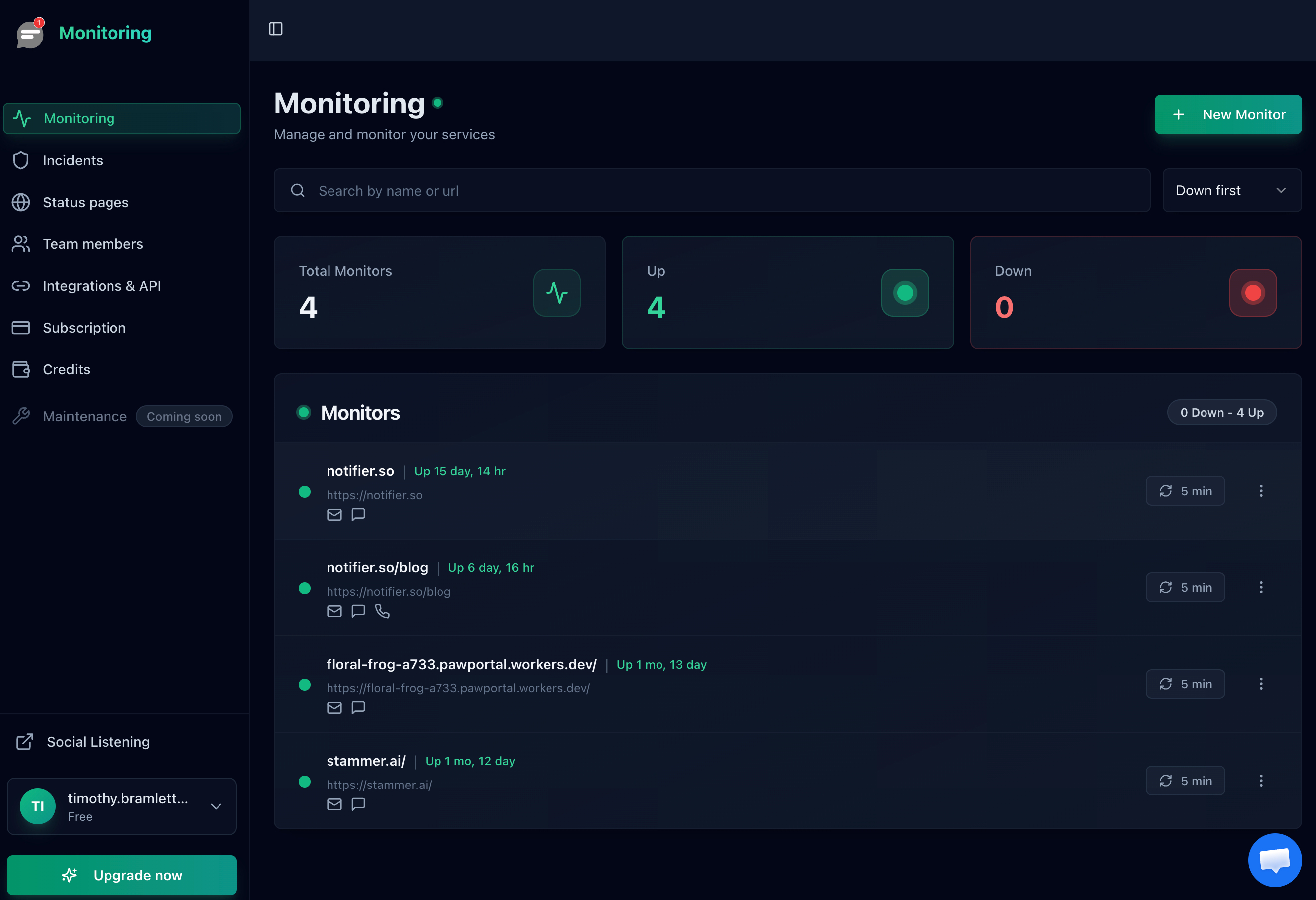
Notifier.so is uptime monitoring built for small businesses, indie developers, and small teams. No enterprise bloat and no confusing usage pricing, just monitoring that works. For most people leaving UptimeRobot because of the 2026 price increase, it is the closest replacement at a fraction of the cost: $4 per month versus $13 per month for UptimeRobot Solo, and you get twice the monitors.
Why Switch from UptimeRobot to Notifier
- About a third of the price: Solo is $4/month for 20 monitors at 1 minute checks. UptimeRobot Solo is $13/month for 10.
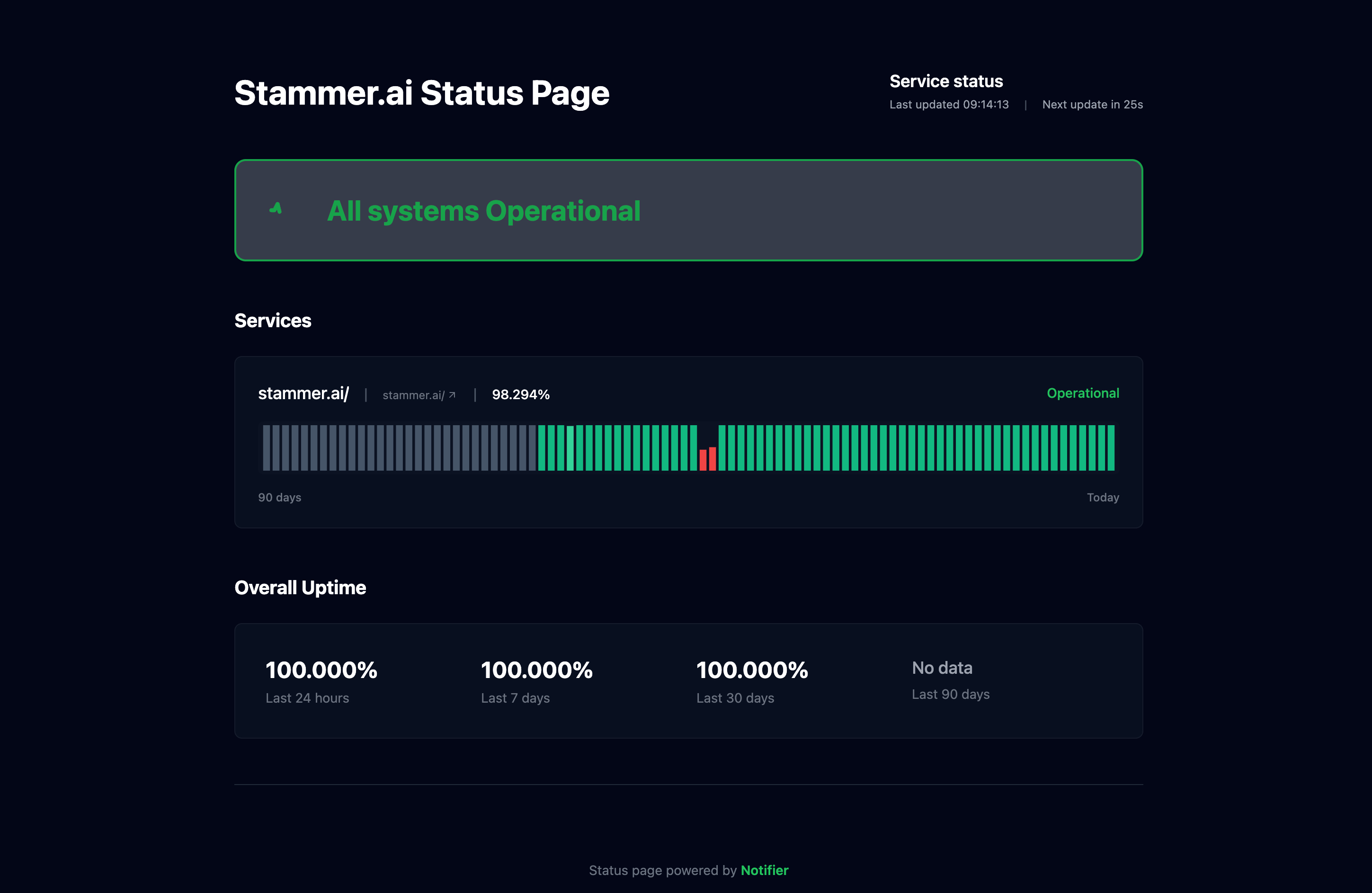
- 5 status pages free: UptimeRobot Free gives you 1. Custom domain status pages start on the $4 Solo plan.
- Free SSL monitoring: Get alerted before certificates expire, on every plan including Free. Learn more in our SSL certificate monitoring guide.
- SMS and phone call alerts on any plan: These are credit based. Buy a small balance of credits and use them on any plan, including Free, with no subscription upgrade required.
- Commercial use on Free: Monitor your business site, client sites, or SaaS product on the free plan.
- Real human support: Email support@notifier.so or use the chat widget. Replies usually come within minutes, sometimes an hour or two depending on the time of day.
Free Plan Includes
- 10 monitors with 5 minute check intervals
- HTTP/HTTPS, keyword, ping, and port monitoring
- 5 public status pages
- Free SSL certificate monitoring and expiration alerts
- Email alerts and Slack integration (Slack setup guide)
- SMS and phone call alerts using purchased credits
- Uptime history, response time tracking, and bulk monitor upload
Paid Plans
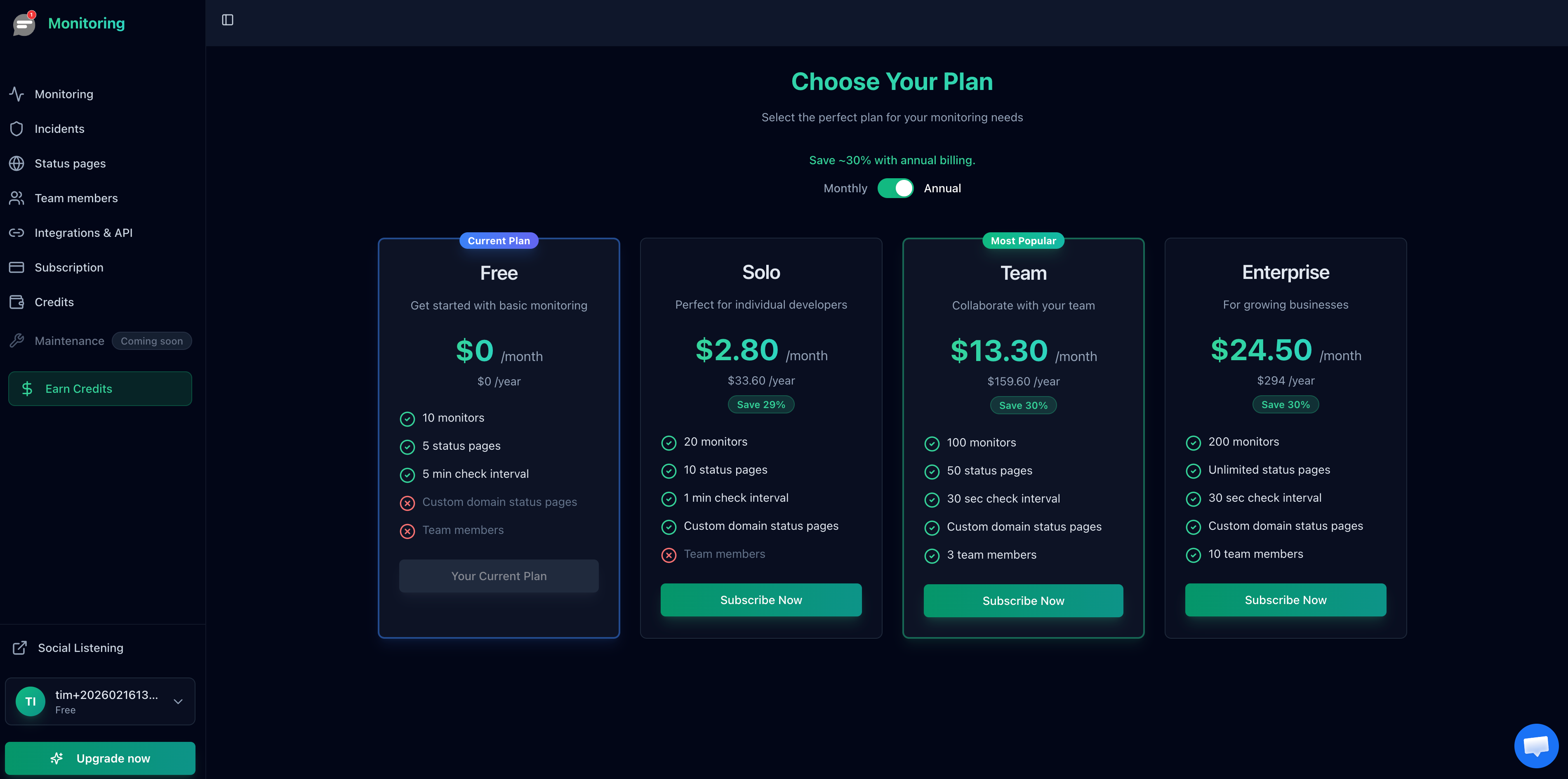
- Solo ($4/mo): 20 monitors, 1 minute checks, 10 status pages, custom domain status pages, DNS monitoring, Telegram alerts, maintenance windows
- Team ($19/mo): 100 monitors, 30 second checks, 50 status pages, 3 team members, status page subscriber notifications
- Enterprise ($35/mo): 200 monitors, 30 second checks, unlimited status pages, 10 team members
Annual billing saves about 30%. Compare that with UptimeRobot: Notifier Team at $19/month gives you the same 100 monitors and 30 second checks as UptimeRobot Team at $46/month.
Honest Tradeoffs
Notifier's free plan has 10 monitors, fewer than UptimeRobot's 50. If you need dozens of monitors at 5 minute intervals and never pay for anything, UptimeRobot Free still wins on raw count. DNS monitoring and Telegram alerts start on the $4 Solo plan. Webhooks, Discord, Microsoft Teams, API access, and checks from multiple countries are coming soon, and existing users get them automatically when they launch.
2. HetrixTools
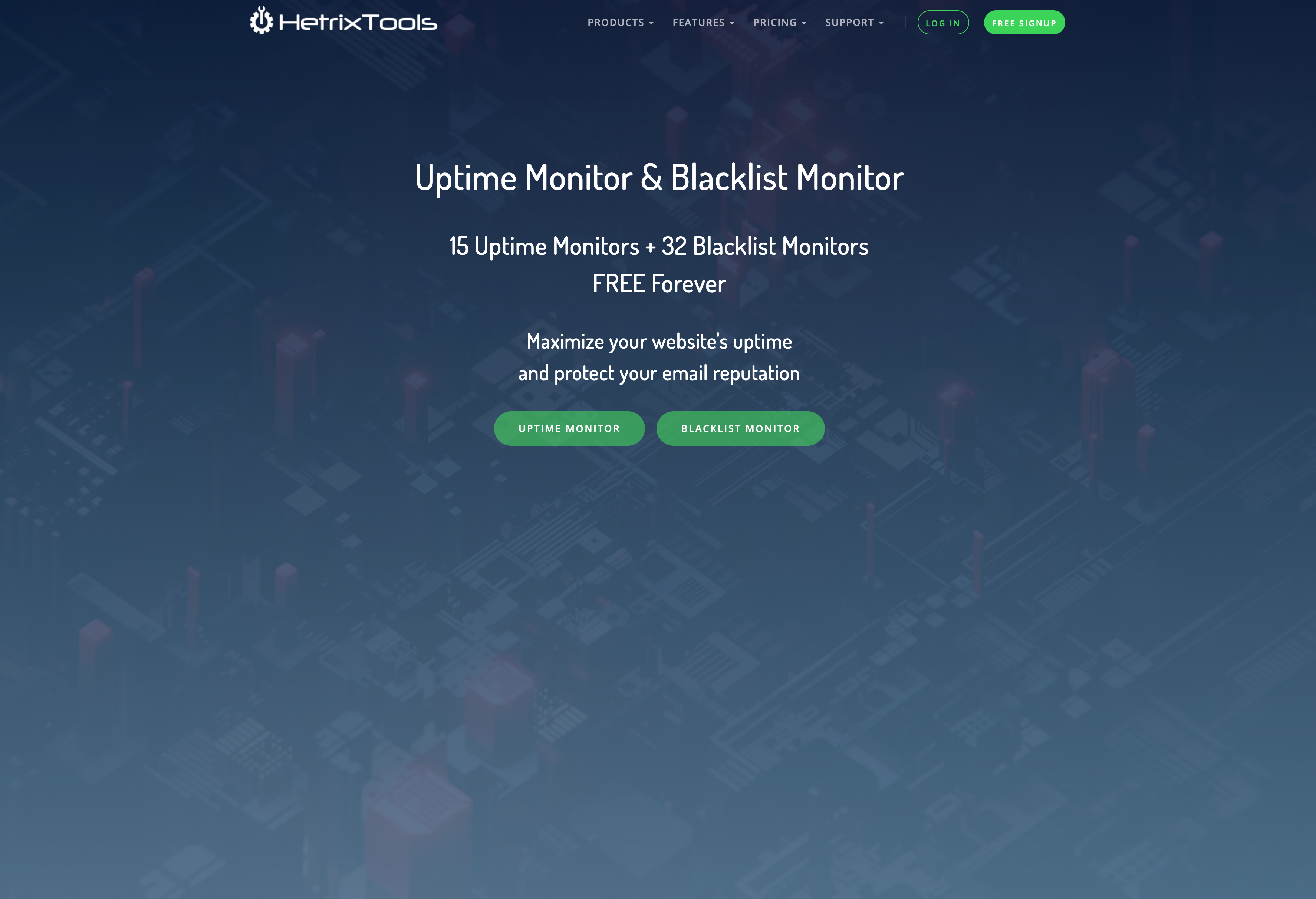
HetrixTools combines uptime monitoring with server monitoring and blacklist checks. Its free plan is one of the most generous on check speed, which makes it a strong UptimeRobot alternative if you run your own servers or mail infrastructure. Read our full HetrixTools vs UptimeRobot comparison.
Why Consider HetrixTools
- 15 free uptime monitors with 1 minute checks from 4 locations
- Public status pages, SSL checks, and domain expiration monitoring on every plan, including Free
- Server agent monitoring (CPU, RAM, disk) and blacklist monitoring
- Paid plans from $9.95/month (30 monitors), $19.95 (60), and $49.95 (200)
The Catch
- Free accounts must log in at least once every 90 days to stay active
- No included SMS or phone credits on Free, and no maintenance mode on Free
- The dashboard is dense and has a learning curve for nontechnical users
3. Better Stack
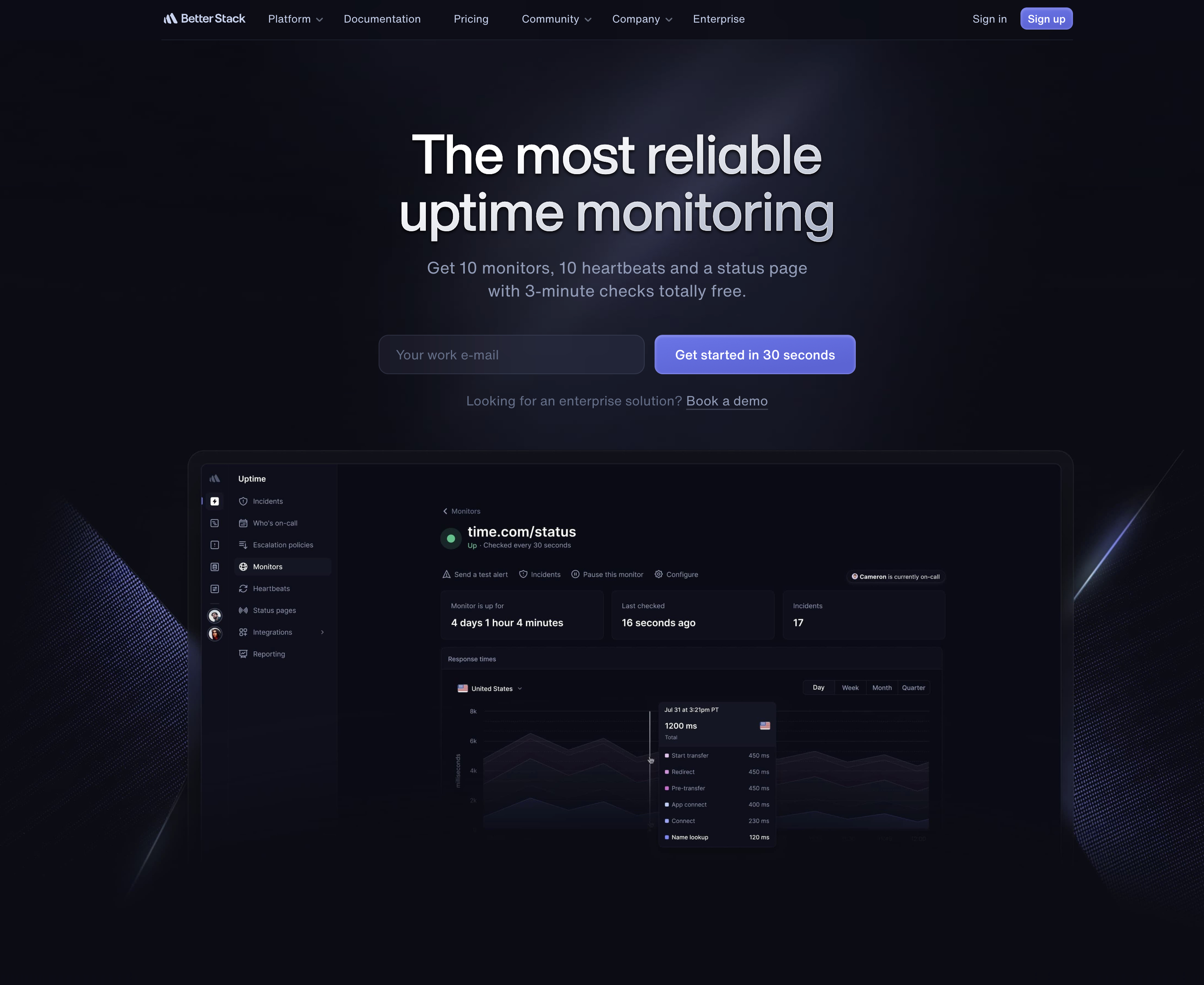
Better Stack (formerly Better Uptime) is the most polished UptimeRobot competitor here. It bundles uptime monitoring with incident management, on call scheduling, and logs. It is a good fit for engineering teams, but it is rarely the cheap option. See our Better Stack vs UptimeRobot comparison for details.
Why Consider Better Stack
- 3 minute checks on the free plan, faster than UptimeRobot Free
- Built in incident management, on call schedules, and heartbeat monitoring for cron jobs
- Attractive status pages
The Catch
- Free plan alerts are email and Slack only. No SMS or phone call alerts on Free
- Only 10 monitors and heartbeats combined on Free, plus 1 status page
- Usage based pricing: $34/month per responder ($29 yearly), $25/month for each extra 50 monitors, and $15/month per extra status page. Costs are hard to predict
4. StatusCake
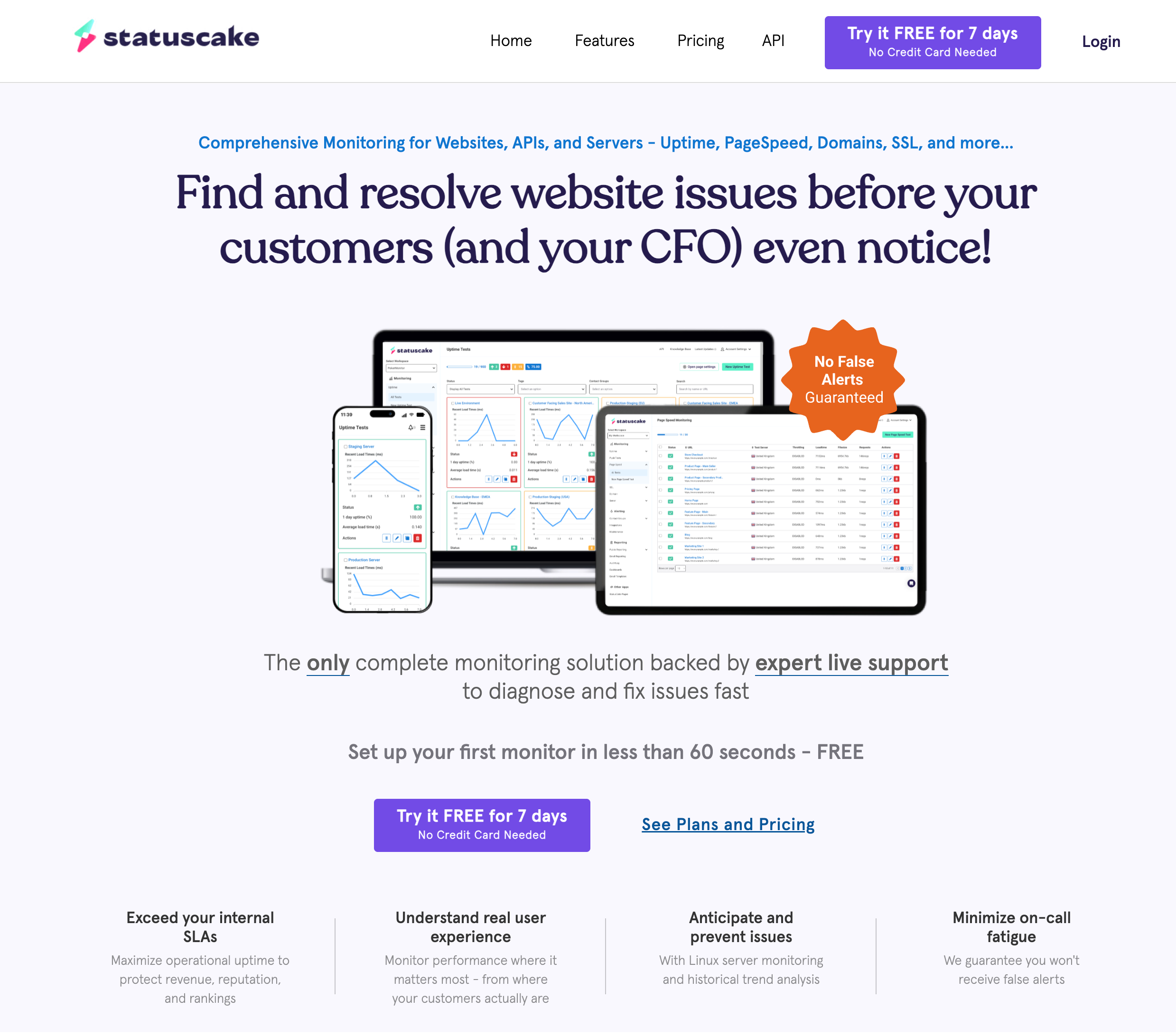
StatusCake is a UK based monitoring service that has been around since 2012. Its free plan includes a single SSL monitor and a single domain monitor alongside 10 uptime checks. More in our StatusCake vs UptimeRobot comparison.
Why Consider StatusCake
- 10 uptime monitors, 1 SSL monitor, 1 domain monitor, and 1 page speed monitor free
- Large global network of test locations and page speed testing
The Catch
- The first paid plan (Superior) is $24.49/month, or $20.41/month billed yearly
- Status pages are not part of the free plan's feature list, and free checks run every 5 minutes
- The free domain monitor only checks every 7 days, and the free SSL monitor every 24 hours
5. Pulsetic
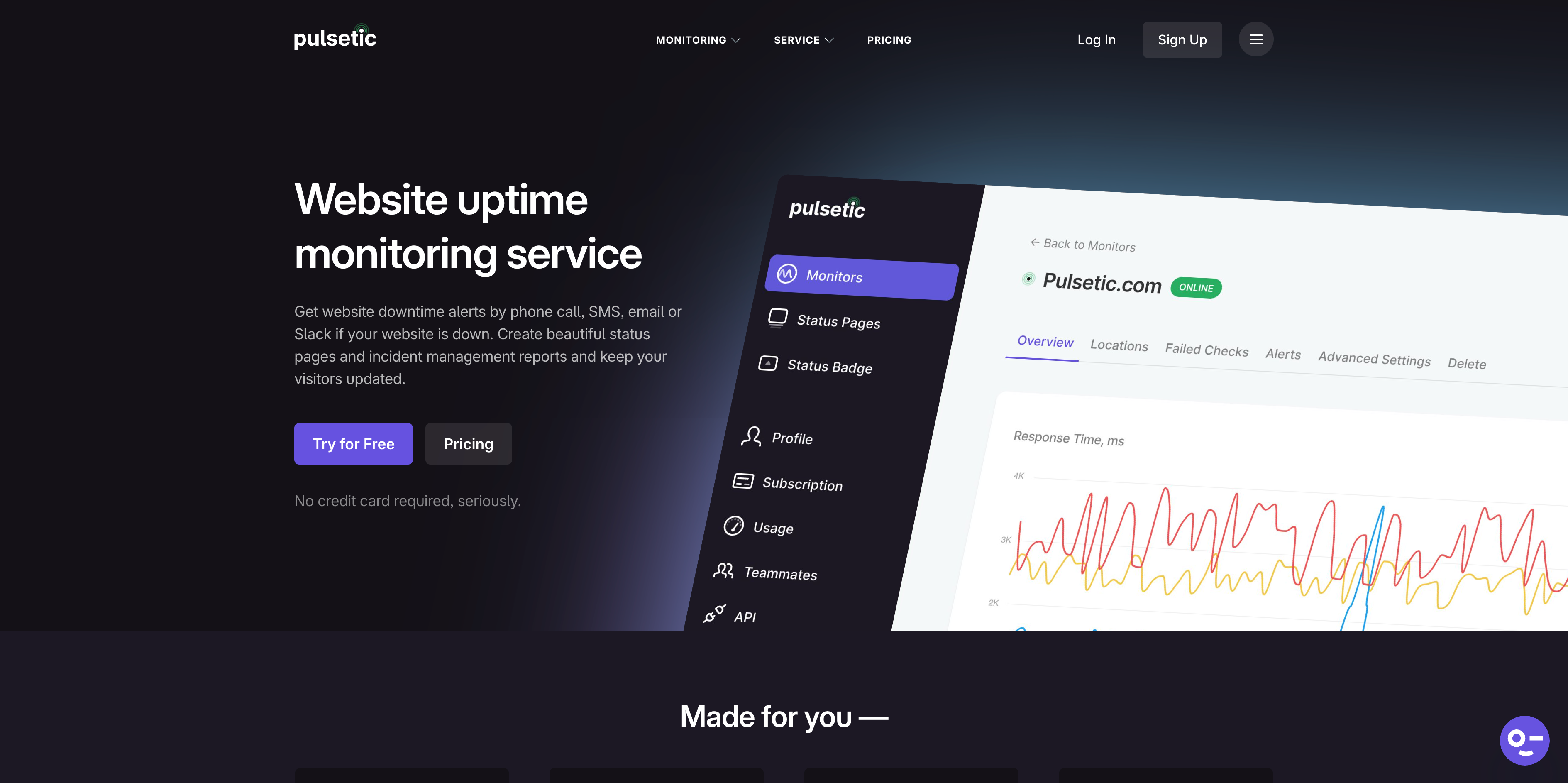
Pulsetic focuses on clean design and good looking status pages. Its free plan is similar in size to Notifier's, but it leaves out Slack and SMS until you upgrade. Read the full Pulsetic vs UptimeRobot comparison.
Why Consider Pulsetic
- 10 free monitors and 3 free status pages
- Paid plans include SMS and call alert allowances
The Catch
- No Slack and no SMS or call alerts on the free plan
- 5 minute checks on Free, same as UptimeRobot
6. Uptime Kuma (Free and Self Hosted)
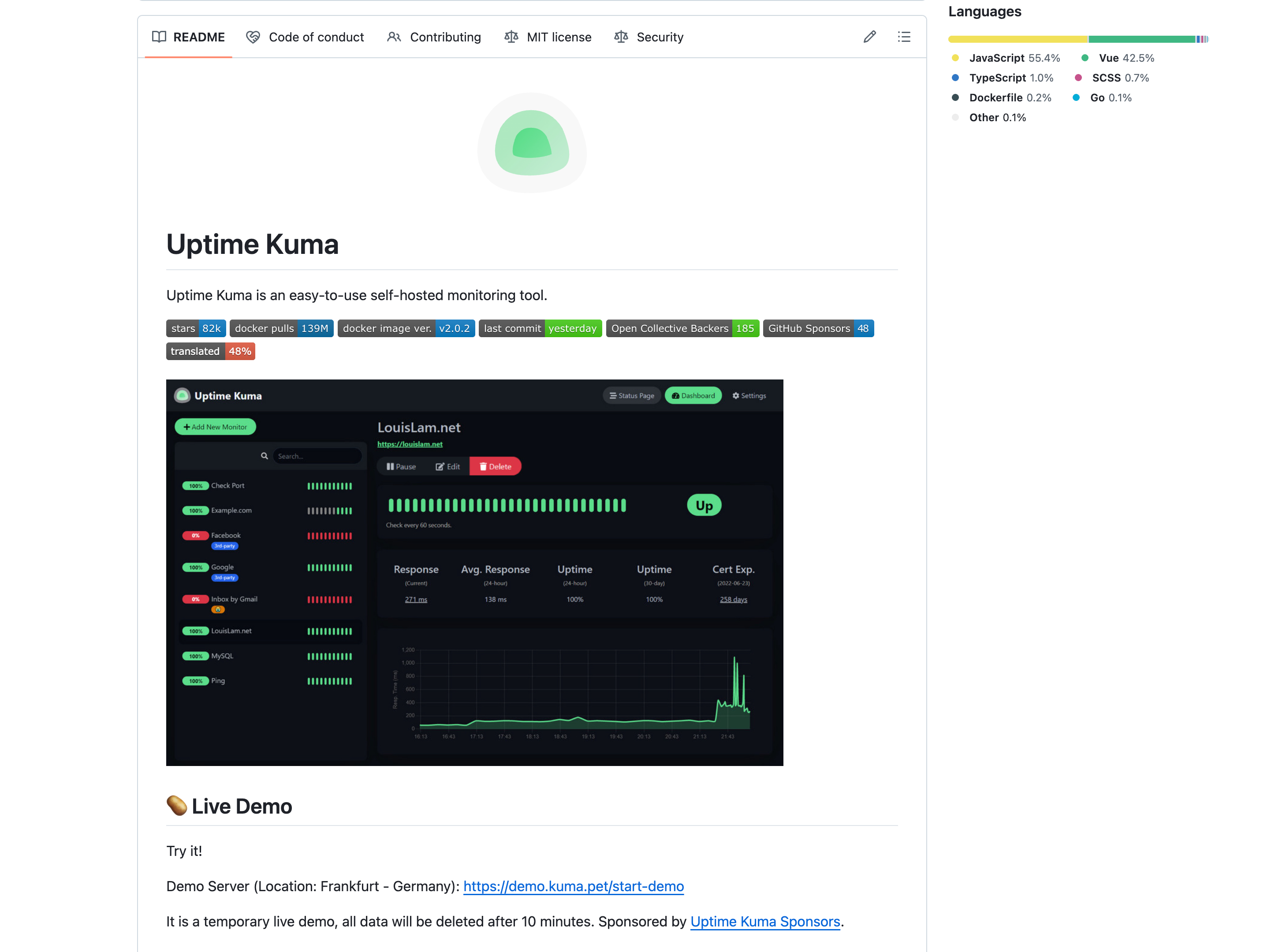
Uptime Kuma is an open source (MIT licensed) monitoring tool you run on your own server. That makes it the only truly free UptimeRobot alternative with unlimited monitors, but you trade money for maintenance time. See our Uptime Kuma vs UptimeRobot comparison.
Why Consider Uptime Kuma
- Free software with unlimited monitors and multiple status pages
- Check intervals as short as 20 seconds
- 90+ notification services
The Catch
- You host, update, and back it up yourself, and you pay for the server
- If the server running Uptime Kuma goes down, your monitoring goes down with it
- Checks come from one location unless you run several instances
Freshping (Shut Down)
Freshping has shut down. Freshworks discontinued Freshping on March 6, 2026, and it is no longer an option. If you were a Freshping user, see our Freshping shutdown guide for migration options.
Freshping was once a popular free UptimeRobot alternative, offering 50 monitors with 1 minute checks. We keep it here for reference only. It is not part of our recommendations.
How to Switch from UptimeRobot
Moving to an UptimeRobot alternative usually takes less than an hour. Here is how to do it without gaps in coverage.
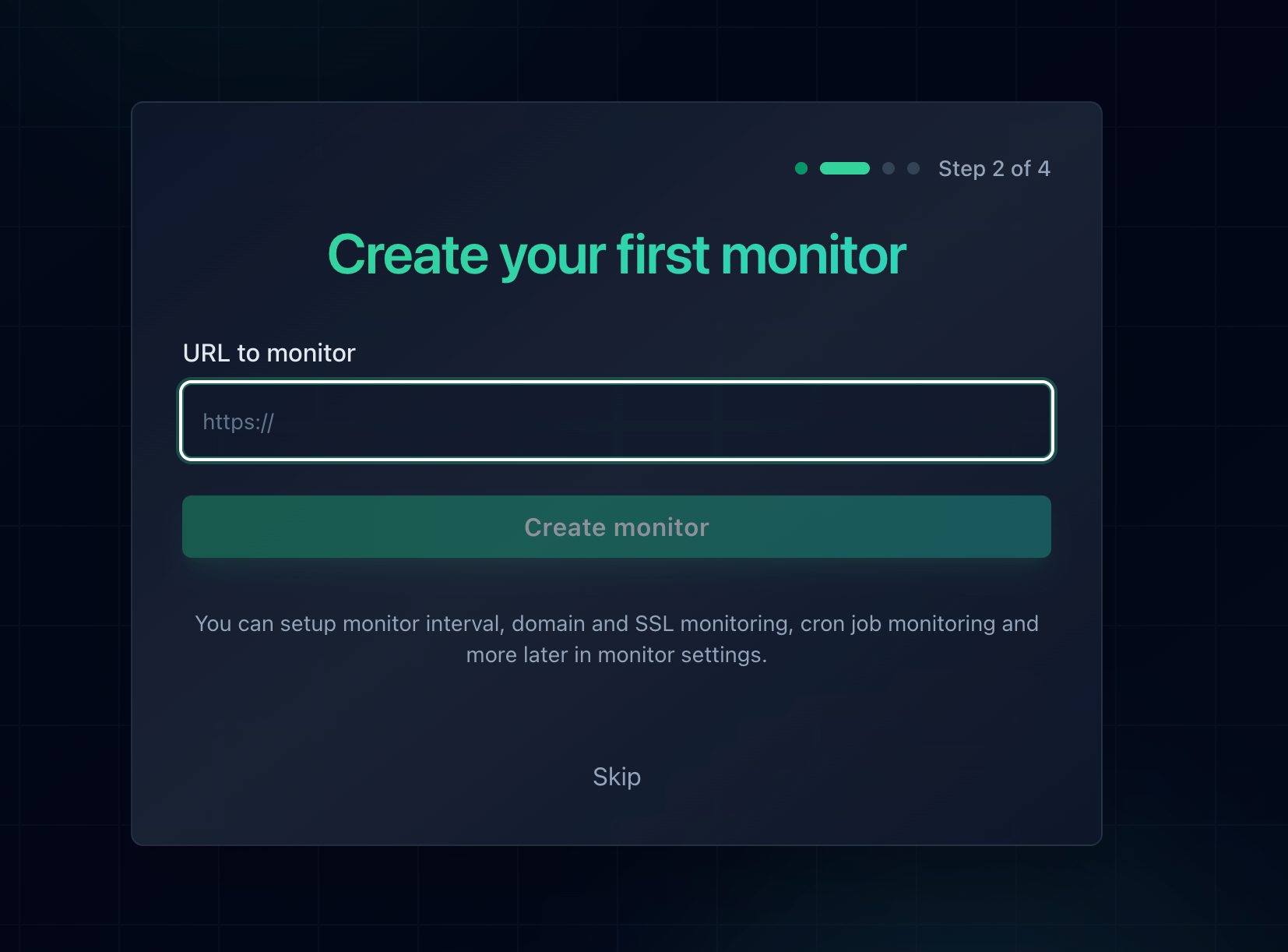
1. List Your Monitors
Pull your monitor URLs from the UptimeRobot dashboard or its API. Notifier supports bulk monitor upload, so you can paste a list instead of adding sites one by one.
2. Run Both Services in Parallel
Keep UptimeRobot running for a week while the new tool checks the same URLs. Compare alert timing and confirm notifications reach the right people before you turn anything off.
3. Review Firewall and IP Whitelist Rules
If you allowlisted UptimeRobot's IP addresses in Cloudflare, a WAF, or your server firewall, your new monitoring service needs to reach your site too. UptimeRobot publishes its own list as JSON and as a text file. Notifier does not currently publish a public list of monitoring IP addresses. If your setup requires allowlisting, contact Notifier support through the chat widget or support@notifier.so and the team will help you get it working.
4. Move Status Pages Last
Leave your UptimeRobot status page live until the new one is set up and tested. Then update your DNS or links to point to the new page.
Our Pick: The Best UptimeRobot Alternative for Business in 2026
Recommendations
- Best overall and cheapest hosted option: Notifier.so. 5 free status pages, free SSL monitoring, SMS and phone alerts with credits on any plan, and paid plans from $4/month instead of $13.
- For server and blacklist monitoring: HetrixTools, with 15 free monitors at 1 minute intervals.
- For incident management and on call: Better Stack, if you are ready for per responder pricing.
- For page speed testing: StatusCake.
- For complete control at zero software cost: Self host Uptime Kuma.
When UptimeRobot Is Still a Good Fit
To be fair, UptimeRobot is still a reasonable choice in some cases:
- You need many free monitors: 50 monitors at 5 minute intervals is a lot for $0, and commercial use is allowed again.
- Email alerts are enough: If you do not need SMS, custom status page domains, or teammates, Free covers the basics.
- You have a stable setup: If your current configuration works and the price increase does not affect you, there is no urgent reason to move.
Get Started Free
Ready to switch? Create a free Notifier.so account and add your first monitor in under a minute. No credit card required, and if you get stuck, a real person answers on chat or at support@notifier.so. Looking at other budget tools too? See our roundup of cheap uptime monitoring and the best free website monitoring tools.
UptimeRobot Alternatives FAQ
What is the best UptimeRobot alternative in 2026?
For most small businesses and developers, Notifier.so is the best UptimeRobot alternative. It offers 10 free monitors, 5 free status pages, and free SSL monitoring, and its paid plans start at $4/month compared with $13/month for UptimeRobot Solo. HetrixTools is a good pick for server monitoring, Better Stack for incident management, and Uptime Kuma if you want to self host.
Is UptimeRobot free for commercial use?
Yes. UptimeRobot's current terms say the service "is available for any use, including commercial and business use," and that includes the free plan. The non commercial restriction introduced in late 2024 was removed when UptimeRobot updated its terms on May 26, 2026.
What is UptimeRobot's commercial use policy?
Since May 26, 2026, UptimeRobot allows any use, including commercial and business use, on all plans. Free plan usage is covered by a Fair Use Policy. The pricing page still describes the free plan as "Good for hobby and non-profit projects," but that is marketing positioning, not a ban.
Can I use UptimeRobot's free plan for my business?
Yes, you can monitor a business website on UptimeRobot's free plan. Just know its limits: 5 minute checks, 1 status page on an UptimeRobot URL, no included SMS credits, no teammate seats, and 3 months of data retention. If you need faster checks or more status pages at a low price, Notifier.so gives you 5 free status pages and 1 minute checks for $4/month.
How many monitors does the UptimeRobot free plan include in 2026?
UptimeRobot's free plan includes 50 monitors with 5 minute check intervals, 1 status page, and 5 integrations. Paid plans start with Solo at $13/month ($12/month billed yearly) for 10 monitors with 60 second checks.
What is the cheapest UptimeRobot alternative?
Uptime Kuma is free software, but you pay for and maintain the server it runs on. Among hosted services, Notifier.so is the cheapest we found: free for 10 monitors, and $4/month for 20 monitors with 1 minute checks and custom domain status pages. HetrixTools paid plans start at $9.95/month.
Where is the UptimeRobot IP whitelist?
UptimeRobot publishes its monitoring IP addresses at api.uptimerobot.com/meta/ips (JSON) and cdn.uptimerobot.com/api/IPv4andIPv6.txt (text), and through DNS at ip.uptimerobot.com. If you switch to Notifier, note that it does not currently publish a public IP list. Contact support via chat or support@notifier.so if your firewall requires allowlisting.
Who are UptimeRobot's main competitors?
The main UptimeRobot competitors in 2026 are Notifier.so (simple and affordable), HetrixTools (server and blacklist monitoring), Better Stack (incident management), StatusCake (page speed and SSL), Pulsetic (status pages), and Uptime Kuma (open source, self hosted). Freshping used to be a major competitor but shut down in March 2026.