At a Glance
- •Pulsetic focuses on beautiful, customizable status pages with unlimited pages on all paid plans. UptimeRobot offers 5x more free monitors (50 vs 10) but restricts its free plan to non-commercial use.
- •Pulsetic includes SMS and phone call alerts with paid plans (30+ on Solo at $9/month). UptimeRobot gives a one-time credit bundle that does not renew monthly.
- •Pulsetic offers 30-second check intervals at $19/month. UptimeRobot requires the $64/month Enterprise plan for the same speed.
- •UptimeRobot has more integrations (PagerDuty, Zapier, Telegram) on higher tiers. Pulsetic keeps it simpler with fewer third-party connections.
- •Notifier combines the best of both at $4/month: 20 monitors, custom domain status pages, SMS and phone alerts, and Slack on all plans including free.
Pulsetic and UptimeRobot both offer website uptime monitoring with free tiers, but they serve different priorities. Pulsetic leads with beautiful, customizable status pages. UptimeRobot leads with raw monitor count and the largest user base in the industry.
This guide compares both tools across free plans, paid pricing, status page quality, alert options, and overall features so you can decide which fits your needs. We also cover a third option that combines the strengths of both at a lower price.
Pricing update (May 2026): UptimeRobot retired the old Pro tier and now charges $9/month annually (or $10/mo monthly) for Solo, $38/month annually ($45/mo monthly) for Team, and $69/month annually ($82/mo monthly) for Enterprise. For comparison, Notifier is $4/month for Solo and $19/month for Team — roughly half the price at every paid tier. See our complete UptimeRobot pricing breakdown for 2026.
Free Plans Compared
Both tools have a free tier, but the limits and restrictions are quite different.
| Feature | Pulsetic Free | UptimeRobot Free |
|---|---|---|
| Uptime monitors | 10 | 50 |
| Check interval | 5 minutes | 5 minutes |
| Status pages | 3 | 1 (branded) |
| SMS/phone alerts | No | One-time credit bundle |
| Slack/Teams | No | No (Solo+ required) |
| Check regions | 3 | Not disclosed |
| History retention | 3 months | 2 months |
| Commercial use | Yes | No (personal only) |
UptimeRobot free plan restriction
Since October 2024, UptimeRobot's free plan is limited to personal, non-commercial use. If you are running a business, client project, or anything that generates revenue, you must upgrade to a paid plan starting at $9/month annually ($10/month monthly). Open-source, educational, and nonprofit projects are exempt.
UptimeRobot gives you 5x more monitors on the free tier, which is generous for personal projects. But if you need monitoring for a business or commercial site, Pulsetic is the better free option since it allows commercial use. Neither free plan includes Slack or webhook alerts, and Pulsetic's free plan has no SMS or phone notifications at all.
Paid Plans Compared
Here is how the paid tiers compare at each price point.
Entry Level: Pulsetic Solo ($9/mo) vs UptimeRobot Solo ($9/mo annual, $10/mo monthly)
| Feature | Pulsetic Solo ($9/mo) | UptimeRobot Solo ($9/mo annual) |
|---|---|---|
| Monitors | 10+ (additional at $0.20/mo each) | 10 |
| Check interval | 60 seconds | 60 seconds |
| Status pages | Unlimited | 3 (basic) |
| SMS/phone alerts | 30+ included | One-time credit bundle |
| Slack/Teams | Yes | Yes |
| Webhooks | 1 per monitor | No (Team+ required) |
| Check regions | 5 | Not disclosed |
Pulsetic's Solo plan and UptimeRobot Solo are essentially the same price ($9/mo annually each), but Pulsetic includes unlimited status pages, 30+ SMS/phone alerts, and webhooks. UptimeRobot's Solo plan is more basic, with only 3 status pages and no webhooks. UptimeRobot's SMS credits also do not renew monthly: once the welcome bundle is spent, you buy more or do without. For an even cheaper alternative, Notifier's Solo plan at $4/month includes unlimited SMS/phone alerts and custom domain status pages with no per-credit charges.
Mid Tier: Pulsetic Team ($19/mo) vs UptimeRobot Team ($34/mo)
| Feature | Pulsetic Team ($19/mo) | UptimeRobot Team ($34/mo) |
|---|---|---|
| Monitors | 50+ (additional at $0.20/mo each) | 100 |
| Check interval | 30 seconds | 60 seconds |
| Status pages | Unlimited | 100 |
| SMS/phone alerts | 100+ included | One-time credit bundle |
| Team members | 2+ ($8/mo extra each) | 3 login + 3 notify-only |
| Webhooks | 5 per monitor | Yes (+ Zapier, PagerDuty) |
| Password-protected pages | Yes | Yes |
At the team level, UptimeRobot costs 79% more per month but gives you twice as many monitors (100 vs 50) and unlocks advanced integrations like Zapier and PagerDuty. Pulsetic offers faster check intervals (30 seconds vs 60 seconds) and unlimited status pages for $15 less per month. The right choice depends on whether you prioritize monitor count or check speed.
Status Pages: Where Pulsetic Shines
Status pages are Pulsetic's main differentiator. Built by Designmodo (a company known for design tools), Pulsetic treats status pages as a first-class product, not an afterthought.
| Status Page Feature | Pulsetic | UptimeRobot |
|---|---|---|
| Free plan pages | 3 | 1 (UptimeRobot branded) |
| Custom domains | Solo+ ($9/mo) | Team+ ($34/mo) |
| Design customization | Extensive (colors, logos, layout) | Basic customization |
| Password protection | Team+ ($19/mo) | Team+ ($34/mo) |
| White label | Organization ($49/mo) | Not available |
| Subscriber notifications | Yes | Yes (paid plans) |
If the look and branding of your status page matters (SaaS companies, agencies, design studios), Pulsetic is clearly the better choice. UptimeRobot's status pages are functional but visually basic, and custom domains require the $38/month annually Team plan. For more on building effective status pages, see our uptime status page guide.
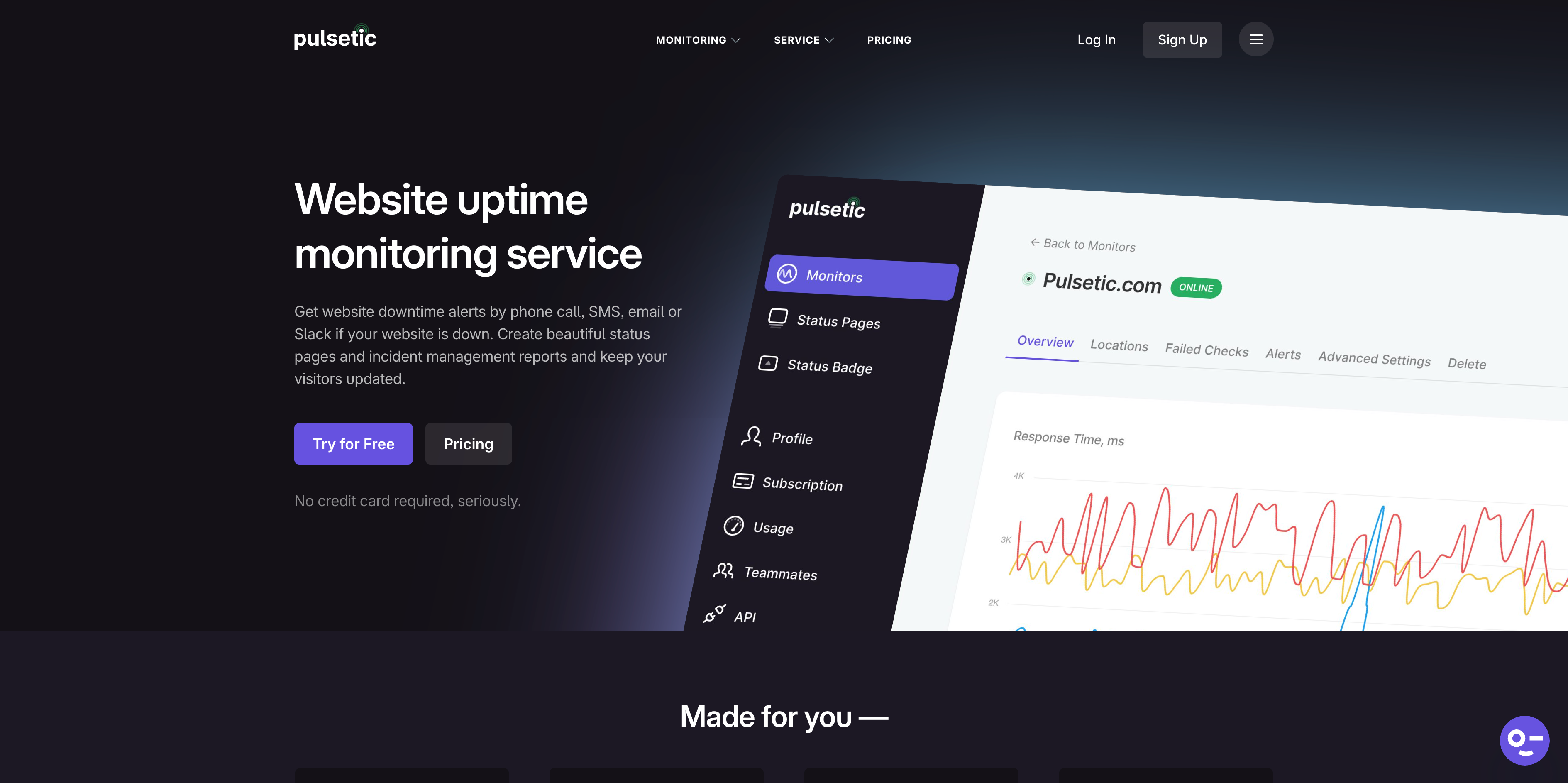
Pulsetic's homepage highlights its focus on beautiful status pages and monitoring.
Alert Channels and Notifications
How you get alerted about downtime is just as important as detecting it. Here is what each tool supports.
| Alert Channel | Pulsetic | UptimeRobot |
|---|---|---|
| All plans | All plans | |
| SMS | Solo+ ($9/mo) | All plans (credit-based) |
| Phone calls | Solo+ ($9/mo) | All plans (credit-based) |
| Slack | Solo+ ($9/mo) | Solo+ ($9/mo annual) |
| Microsoft Teams | Solo+ ($9/mo) | Solo+ ($9/mo annual) |
| Webhooks | Solo+ (1/monitor) | Team+ ($34/mo) |
| Telegram | Not available | Solo+ ($9/mo annual) |
| PagerDuty | Not available | Team+ ($34/mo) |
| Zapier | Not available | Team+ ($34/mo) |
Pulsetic includes SMS and phone call alerts with every paid plan (30+ alerts on Solo, 100+ on Team). UptimeRobot gives you a one-time credit bundle on all plans, but once those credits run out, you pay extra. Pulsetic also unlocks webhooks earlier (Solo at $9/mo) while UptimeRobot requires the $38/month annually Team plan.
UptimeRobot has the edge on integration variety with Telegram, PagerDuty, and Zapier support on higher tiers. Pulsetic keeps it simpler with fewer integrations but bundles SMS credits into the plan price. For a full breakdown of Slack alerting options, see our Slack monitoring alerts guide.
Full Feature Comparison
Beyond pricing and alerts, here is how the two tools compare on monitoring features.
| Feature | Pulsetic | UptimeRobot |
|---|---|---|
| HTTP/HTTPS monitoring | Yes | Yes |
| Ping monitoring | Yes | Yes |
| Port monitoring | Yes | Yes |
| Keyword monitoring | Yes | Yes |
| SSL certificate monitoring | Yes | Yes |
| Domain expiry monitoring | Yes | Yes |
| DNS monitoring | Yes | Yes |
| Heartbeat/cron monitoring | Yes | Yes |
| Global check locations | Up to 15 | Not disclosed publicly |
| Fastest check interval | 30 seconds (Team+) | 30 seconds (Enterprise, $64/mo) |
| Maintenance windows | Yes | Yes |
Feature parity between the two tools is high. Both support all the standard monitor types including SSL, DNS, keyword, and heartbeat monitoring. The main differences are in check locations (Pulsetic is transparent about its 15 regions), check intervals (Pulsetic gets 30-second checks at $19/mo while UptimeRobot requires $64/mo), and status page quality (covered above).
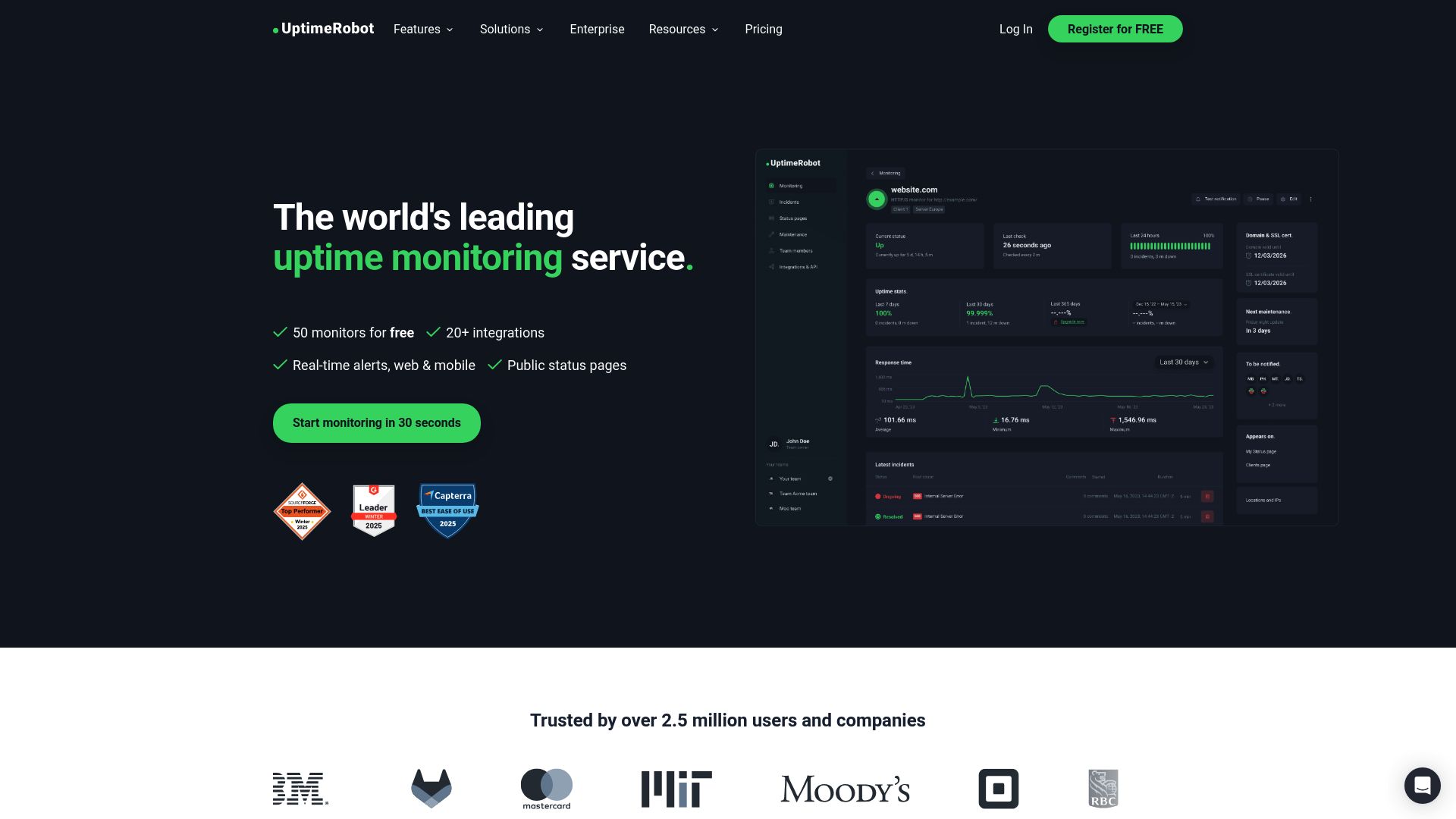
UptimeRobot's homepage emphasizes simplicity and its large user base of over 2 million users.
Who Should Use Which Tool
Choose Pulsetic if you need:
- Beautiful, highly customizable status pages
- Status pages on a custom domain at a lower price point ($9/mo vs $38/mo annual on UptimeRobot)
- SMS and phone alerts bundled into the plan price
- 30-second check intervals without paying for an enterprise tier
- White-label status pages for clients
- Commercial monitoring on a free plan
Choose UptimeRobot if you need:
- The most monitors possible on a free plan (50 vs 10)
- PagerDuty, Zapier, or Telegram integrations
- A mature platform with 2.1M+ users and a long track record
- More login seats and notify-only users on team plans
- Personal/non-commercial monitoring at no cost
Consider Also: Notifier
If neither Pulsetic nor UptimeRobot fully fits, Notifier combines the strengths of both tools at a lower price point.
| Feature | Notifier | Pulsetic | UptimeRobot |
|---|---|---|---|
| Free monitors | 10 | 10 | 50 (non-commercial) |
| Free status pages | 5 | 3 | 1 |
| Cheapest paid plan | $4/mo (20 monitors) | $9/mo (10 monitors) | $9/mo annual (10 monitors) |
| 100 monitors | $19/mo | $29/mo (50 base + add-ons) | $38/mo annual |
| 30-second checks | $19/mo (Team) | $19/mo (Team) | $69/mo annual (Enterprise) |
| Custom domain pages | $4/mo (Solo) | $9/mo (Solo) | $38/mo annual (Team) |
| SMS/phone alerts | All plans (credit-based) | Solo+ ($9/mo) | All plans (credit-based) |
| SSL monitoring | Free on all plans | Yes | Yes |
| Slack integration | All plans (including free) | Solo+ ($9/mo) | Solo+ ($9/mo annual) |
Notifier's Solo plan at $4/month gives you 20 monitors with 1-minute checks, custom domain status pages, SMS and phone alerts, and Slack integration. That is more monitors and more features than either Pulsetic or UptimeRobot offers at their entry-level pricing. For teams, Notifier's $19/month plan includes 100 monitors with 30-second checks, 50 status pages, and 3 team members.

Notifier's dashboard provides a clean view of all your monitors with uptime percentages and response times.
Why Notifier works for teams switching from either tool
Notifier includes Slack on the free plan (Pulsetic and UptimeRobot both require paid plans). Status pages with custom domains start at $4/month (Pulsetic charges $9, UptimeRobot charges $34). SSL certificate monitoring is free on every plan. And if you need help, the team responds within minutes via chat or email.
Frequently Asked Questions
Is Pulsetic or UptimeRobot better for a small business?
Pulsetic is the better free option for a small business because it allows commercial use. UptimeRobot's free plan is restricted to personal, non-commercial projects since October 2024. If you are willing to pay, UptimeRobot's Solo plan ($8/month) gives you commercial use with 10 monitors. However, Notifier allows commercial use on the free plan and offers a Solo plan at $4/month with 20 monitors, making it the most affordable option for small businesses.
Which tool has better status pages?
Pulsetic has significantly better status pages. As a product from Designmodo, Pulsetic offers extensive visual customization, clean layouts, and white-label options on the Organization plan. UptimeRobot's status pages are functional but visually basic. If status page design is a top priority, Pulsetic is the clear winner. For an overview of status page options across multiple tools, see our best monitoring tools with status pages guide.
Can I use UptimeRobot's free plan for my business?
No. Since October 2024, UptimeRobot's free plan is restricted to personal, non-commercial use. Businesses, client projects, and revenue-generating websites require a paid plan starting at $8/month. Open-source, educational, and nonprofit projects are exempt from this restriction.
How do SMS alerts work on each platform?
Pulsetic includes a set number of SMS and phone call alerts with each paid plan (30+ on Solo, 100+ on Team). Additional alerts cost $0.10 each. UptimeRobot gives you a one-time bundle of SMS credits when you sign up. These credits do not renew monthly. Once they are gone, you purchase more in packs (10 for $3, 100 for $15, etc.). Notifier uses a similar credit-based system but makes SMS and phone alerts available on all plans including free.
Which tool gets 30-second check intervals cheaper?
Pulsetic and Notifier both offer 30-second checks on their $19/month plans. UptimeRobot requires the Enterprise plan at $64/month for 30-second intervals. If fast checks are important to you, UptimeRobot is the most expensive option by a wide margin. See our response time monitoring guide for why check frequency matters.
Does Pulsetic support PagerDuty or Zapier?
No. Pulsetic does not currently offer PagerDuty or Zapier integrations. If you rely on either for incident management or workflow automation, UptimeRobot supports both on the Team plan ($34/month). Pulsetic does support webhooks on paid plans, which can connect to many services with some additional setup.
