At a Glance
- •UptimeRobot offers 50 free monitors versus StatusCake's 10, but UptimeRobot's free plan is restricted to non-commercial use since October 2024. StatusCake's free plan allows business use.
- •At 100 monitors, StatusCake costs $24.49/month versus UptimeRobot's $34/month. StatusCake also includes 9 team seats versus UptimeRobot's 3.
- •StatusCake has more monitor types (page speed, server, blacklist) and includes Slack, Discord, and Telegram on the free plan. UptimeRobot locks most integrations behind paid tiers.
- •StatusCake sells status pages as a separate product. UptimeRobot includes them with monitoring. Notifier includes 5 status pages free and SSL monitoring on every plan.
- •Notifier offers 100 monitors at $19/month with 30-second checks and SSL monitoring included, making it cheaper than both StatusCake and UptimeRobot at this tier.
StatusCake and UptimeRobot are two of the most popular budget uptime monitoring tools, and both offer free plans. If you are comparing them, the question is probably straightforward: which free tier is more useful, and which paid plan gives you the most for the least money?
This guide compares StatusCake and UptimeRobot side by side on the things that actually matter: free plan limits, paid plan pricing, monitor types, status pages, alert channels, and the restrictions you will hit as you grow. We also cover a third option that splits the difference between the two.
Pricing update (May 2026): UptimeRobot retired the old Pro tier and now charges $9/month annually (or $10/mo monthly) for Solo, $38/month annually ($45/mo monthly) for Team, and $69/month annually ($82/mo monthly) for Enterprise. For comparison, Notifier is $4/month for Solo and $19/month for Team — roughly half the price at every paid tier. See our complete UptimeRobot pricing breakdown for 2026.
Free Plans Compared
Both tools offer a free tier, but they are structured very differently. Here is what you actually get on each.
| Feature | StatusCake Free | UptimeRobot Free |
|---|---|---|
| Uptime monitors | 10 | 50 |
| Check interval | 5 minutes | 5 minutes |
| SSL monitors | 1 | 0 (paid only) |
| Domain monitors | 1 | 0 (paid only) |
| Page speed monitors | 1 (24hr interval) | Not available |
| Status pages | None (separate product) | 1 (branded) |
| SMS credits | 0 | 0 |
| Monitoring locations | 4 | Not specified |
| Commercial use | Yes | No (personal only) |
| Login requirement | Every 90 days | None |
UptimeRobot gives you five times more monitors on the free plan (50 vs 10). That is a huge advantage if you need to monitor many URLs. However, there is a major catch.
UptimeRobot Free Plan: Non-Commercial Use Only
Since October 2024, UptimeRobot's free plan is restricted to personal, non-commercial use. If you are using it for a business, client site, or any revenue-generating project, you must upgrade to a paid plan. Open-source, educational, and nonprofit projects are exempt.
StatusCake's free plan allows commercial use but limits you to 10 monitors and requires you to log in at least once every 90 days or your account is deactivated. StatusCake also includes 1 SSL monitor and 1 domain monitor on the free plan, which UptimeRobot reserves for paid tiers.
Bottom line: If you run a business and need a free plan, StatusCake is the only option. If you have a personal project with many URLs to watch, UptimeRobot's 50 monitors go further. For a broader look at free options, see our best free website monitoring tools comparison.
Paid Plans Compared
Once you outgrow the free tier, the pricing gap between these tools becomes significant. Here is how their paid plans stack up.
UptimeRobot Paid Plans
| Plan | Monthly Price | Monitors | Interval | Team Members |
|---|---|---|---|---|
| Solo | $8/mo | 10 | 60 sec | 0 |
| Team | $34/mo | 100 | 60 sec | 3 ($15/mo extra each) |
| Enterprise | $64/mo | 200 | 30 sec | 5 |
StatusCake Paid Plans
| Plan | Monthly Price | Monitors | Interval | Team Members |
|---|---|---|---|---|
| Superior | $24.49/mo | 100 | 60 sec | 9 |
| Business | $79.99/mo | 300 | 30 sec | 9+ |
At 100 monitors, UptimeRobot's Team plan costs $38/month annually ($45/month monthly) while StatusCake's Superior plan costs $24.49/month. StatusCake is about 36% cheaper at this tier and includes 9 team members versus UptimeRobot's 3 (with extra seats costing $15/month each). Notifier's Team plan at $19/month is cheaper than both.
At the entry level, UptimeRobot's Solo plan ($9/month annually, $10/month monthly) only gives you 10 monitors with no team members. StatusCake does not have an equivalent low-cost entry plan, jumping straight from free to $24.49/month. Notifier's Solo at $4/month is the cheapest entry point at this tier.
For a broader look at affordable monitoring, see our guide on cheap uptime monitoring.
Feature Comparison Table
Beyond monitors and pricing, the two tools differ in the types of monitoring they support and the extras they include.
| Feature | StatusCake | UptimeRobot | Notifier |
|---|---|---|---|
| HTTP(S) monitoring | Yes | Yes | Yes |
| SSL monitoring | 1 free, 50+ on Superior | Paid only | Free on all plans |
| DNS monitoring | DNS monitor type | DNS record monitor | Free on all plans |
| Domain expiry monitoring | 1 free, 50+ paid | Paid only | Free on all plans |
| Page speed monitoring | Yes | No | No |
| Server monitoring | Yes (Linux agent) | No | No |
| Heartbeat/cron monitoring | PUSH monitor type | Yes | Coming soon |
| Keyword monitoring | No | Yes | Coming soon |
| Blacklist monitoring | Yes (94 blacklists) | No | No |
| Status pages included | Separate product | 1 free, more on paid | 5 free, more on paid |
| Custom domain status pages | Separate paid product | Team plan ($38/mo annual+) | Solo plan ($4/mo+) |
| Monitoring locations | 43 across 30+ countries | Not publicly specified | Coming soon |
| Fastest check interval | 30 sec (Business) | 30 sec (Enterprise) | 30 sec (Team) |
| Free plan commercial use | Yes | No | Yes |
StatusCake has a wider range of monitor types, including page speed checks, server monitoring agents, and blacklist monitoring. UptimeRobot focuses on HTTP and keyword checks, plus heartbeat monitors for cron jobs. If you need SSL certificate monitoring, both tools reserve it for paid plans, while Notifier includes it free on every plan.
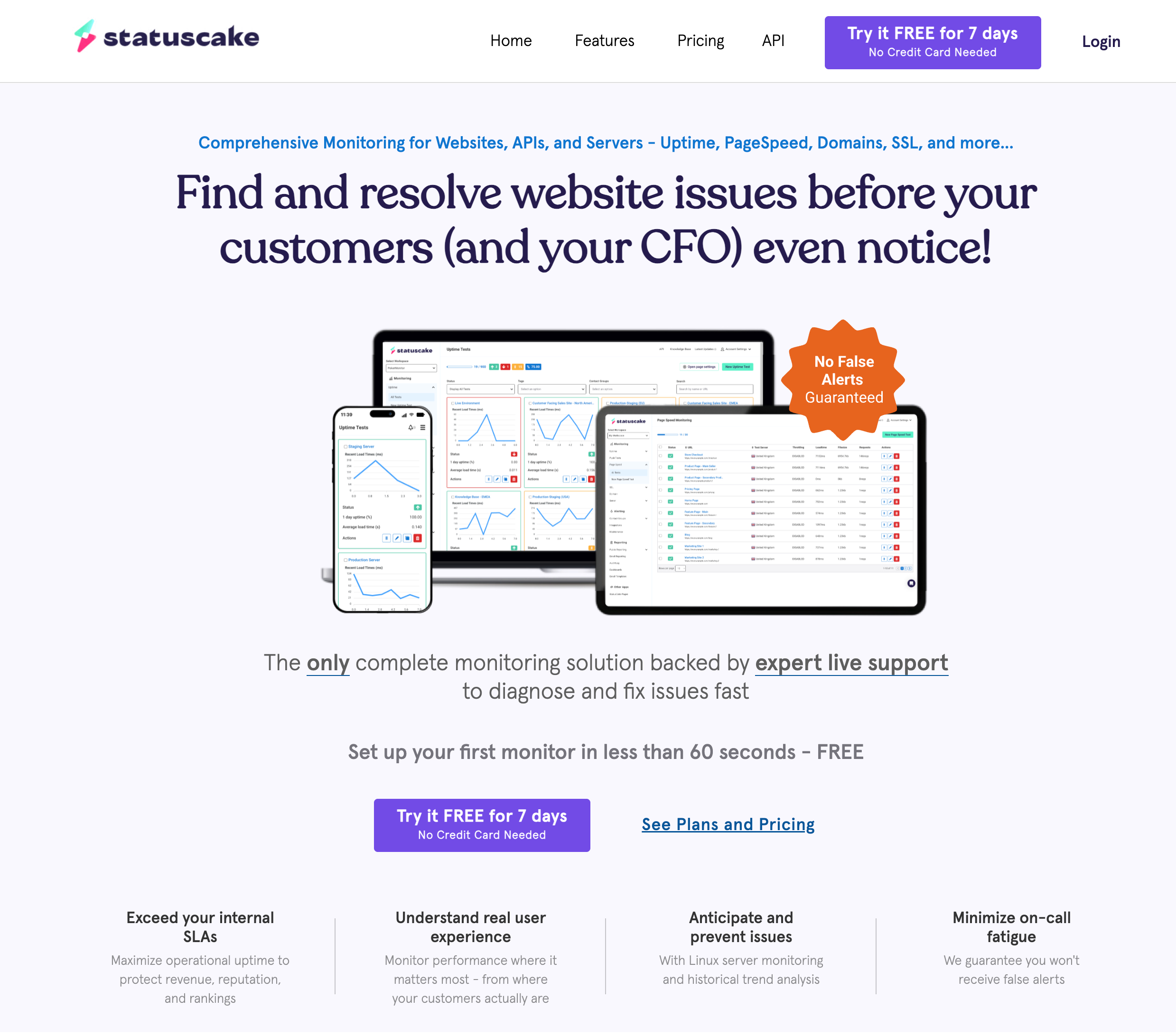
StatusCake's homepage. The platform includes uptime, page speed, server, and SSL monitoring.
Status Pages
Status pages are an important differentiator between these tools, because the way each handles them is completely different.
StatusCake
StatusCake sells status pages as a completely separate product from monitoring. They are not included on any monitoring plan. You purchase a status page subscription separately (Bronze, Silver, or Gold tiers), and prices vary based on the number of pages and subscriber slots. This means if you need both monitoring and a status page, you are paying for two subscriptions.
UptimeRobot
UptimeRobot includes 1 basic branded status page on the free plan. Paid plans include more status pages, and the Team plan ($38/month annually) adds custom domain support and full customization. The status pages update automatically when monitors detect downtime, which is exactly what you want.
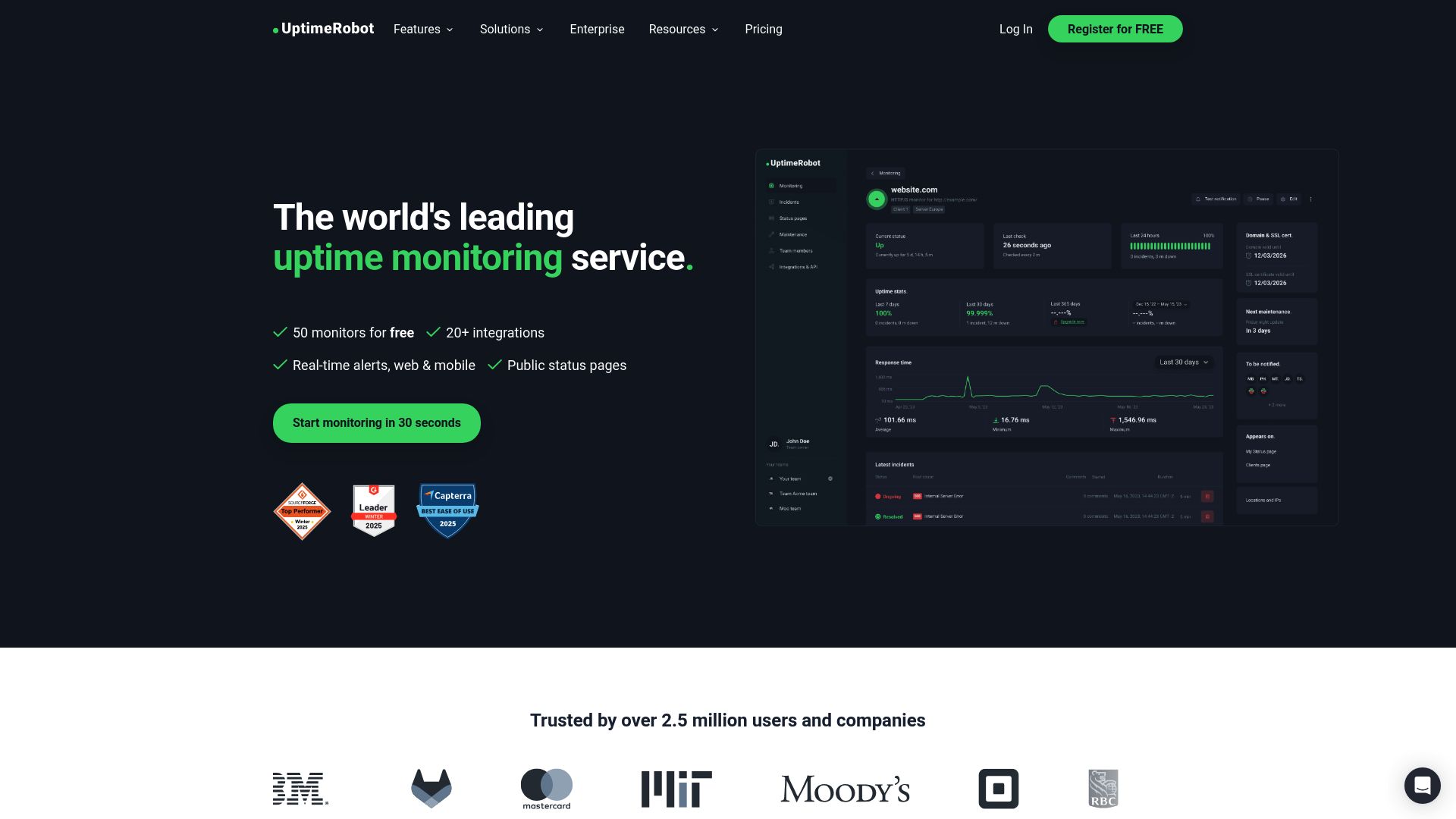
UptimeRobot's homepage. Their free tier includes 50 monitors, though commercial use requires a paid plan.
If you need a public status page, UptimeRobot is the clear winner in this matchup. StatusCake makes you buy it separately, which adds to your total cost. For a detailed guide on setting one up, see how to create a status page.
Alert Channels and Notifications
Both tools support email alerts on all plans. Here is where they differ.
StatusCake Alerts
StatusCake has a long list of integrations available on all plans: Slack, Discord, Telegram, Microsoft Teams, Google Chat, PagerDuty, OpsGenie, Pushover, Pushbullet, Mattermost, webhooks, and more. SMS alerts use a credit system (0 credits on free, 75/month on Superior, 500/month on Business). Extra SMS credits cost $0.16 to $0.20 each depending on your plan.
UptimeRobot Alerts
UptimeRobot gates integrations by plan. The free plan includes email, SMS, voice, and push notifications. The Solo plan adds Slack, Teams, and Telegram. Webhooks, Zapier, and PagerDuty are locked to the Team plan ($38/month annually). SMS and voice calls use a credit system, and the credits included at signup are a one-time welcome bundle that does not renew monthly.
Watch out for SMS credit costs
Neither tool includes unlimited SMS. StatusCake includes monthly SMS credits on paid plans (75 on Superior, 500 on Business). UptimeRobot gives you a one-time bundle that does not replenish automatically. If you rely on SMS alerts, factor in the ongoing cost of purchasing additional credits. UptimeRobot charges $3 for 10 credits or $15 for 100 credits. StatusCake charges $0.16 to $0.20 per extra credit.
StatusCake wins on integration variety, especially if you use Slack, Discord, or Telegram on the free plan. UptimeRobot locks most integrations behind paid tiers. For more on setting up alert channels, see our guides on Slack alerts and email notifications.
Who Should Use Which
Choose StatusCake if:
- You need free monitoring for a business. StatusCake's free plan allows commercial use. UptimeRobot's does not.
- You want more monitor types. Page speed, server monitoring, and blacklist checks are all included on paid plans.
- You need Slack or Discord on a free plan. StatusCake includes all integrations on all plans.
- You need more monitors at the 30-second tier. StatusCake's Business plan ($79.99/month) offers 30-second checks with 300 monitors. UptimeRobot's Enterprise plan ($69/month annually, $82/month monthly) only includes 200 monitors at the same interval.
Choose UptimeRobot if:
- You need many monitors on a free plan (personal use). 50 monitors versus StatusCake's 10 is a big difference.
- You want a low-cost entry point. The $9/month annually Solo plan is the cheapest way to get 1-minute checks and SSL monitoring on UptimeRobot, though Notifier's $4/month Solo is cheaper still.
- You need built-in status pages. UptimeRobot includes them. StatusCake sells them separately.
- You need heartbeat/cron monitoring. UptimeRobot supports it natively. StatusCake has PUSH monitors, but UptimeRobot's implementation is more mature.
Consider Notifier as an Alternative
If neither StatusCake nor UptimeRobot feels like the right fit, Notifier splits the difference. Here is how it compares.
| What Matters | StatusCake | UptimeRobot | Notifier |
|---|---|---|---|
| Free monitors | 10 | 50 (non-commercial) | 10 (commercial OK) |
| Free status pages | 0 | 1 | 5 |
| Free SSL monitoring | 1 monitor | No | All monitors |
| Cheapest paid plan | $24.49/mo | $8/mo | $4/mo |
| 100 monitors plan | $24.49/mo | $34/mo | $19/mo |
| Custom domain status pages | Separate product | $34/mo | $4/mo |
| Slack integration | All plans | Solo+ ($9/mo annual) | All plans |

Notifier's monitoring dashboard. Clean interface with uptime history, response time, and status at a glance.
Notifier's free tier matches StatusCake's 10-monitor limit and allows commercial use, but also includes 5 status pages and SSL monitoring on every monitor. The Solo plan at $4/month gives you 20 monitors with 1-minute checks, custom domain status pages, and SMS and phone call alerts. That is less than half the price of UptimeRobot's Solo plan ($9/month annually) and a fraction of StatusCake's first paid tier.
At 100 monitors, Notifier's Team plan costs $19/month versus $24.49 on StatusCake and $38/month annually ($45/month monthly) on UptimeRobot. It includes 50 status pages, 3 team members, and 30-second check intervals. For more on how Notifier compares to UptimeRobot specifically, see our UptimeRobot alternatives guide.
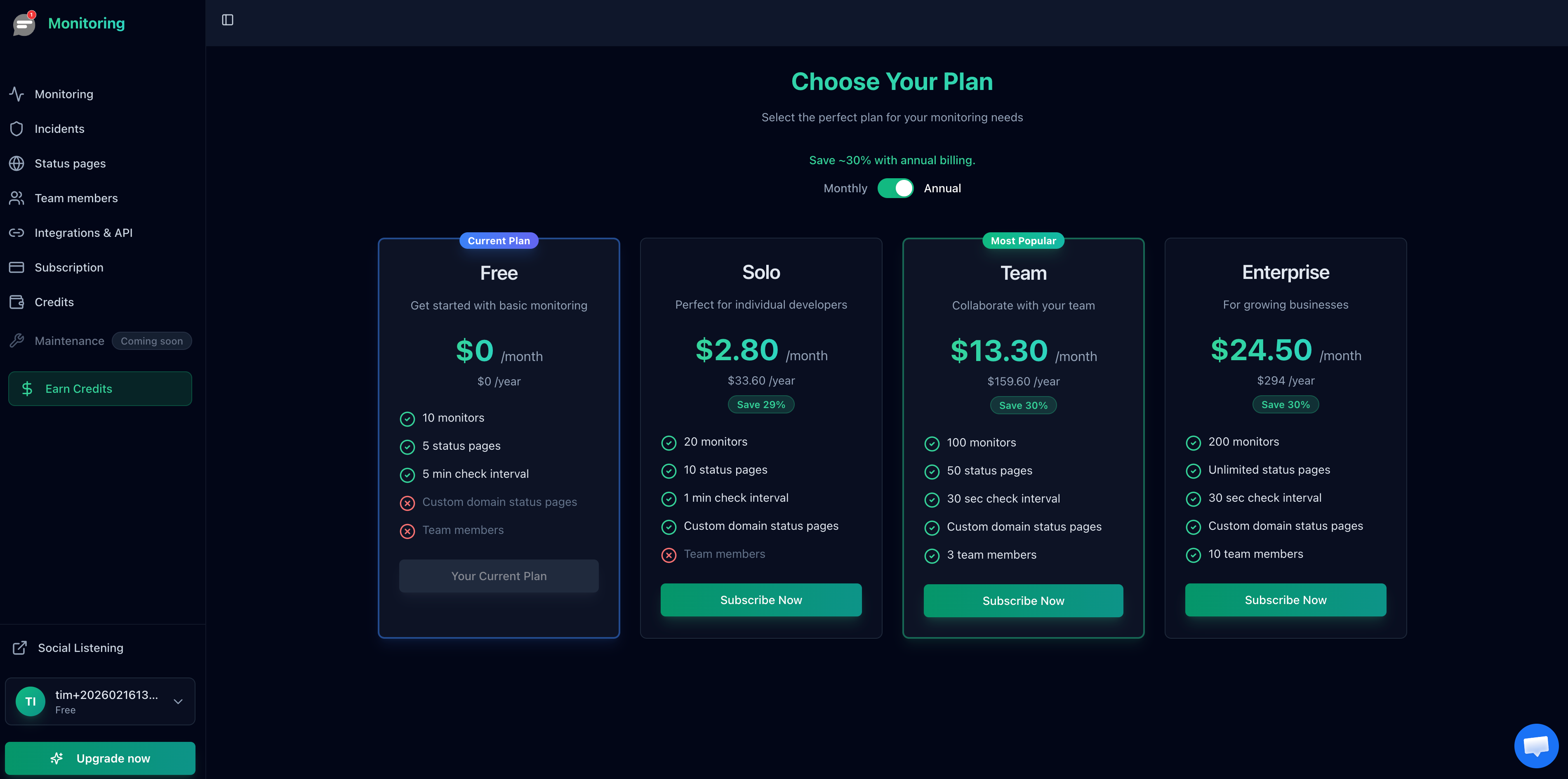
Notifier's pricing plans. The Solo plan at $4/month includes features that cost $24 or more on StatusCake and UptimeRobot.
Frequently Asked Questions
Is StatusCake or UptimeRobot better for a small business?
If you need free monitoring for a business, StatusCake is the better choice because its free plan allows commercial use. UptimeRobot's free tier is restricted to non-commercial projects since October 2024. For paid plans, UptimeRobot has a cheaper entry point ($9/month annually), but StatusCake gives you more monitors and team seats at the $24.49/month tier.
Does StatusCake include status pages?
No. StatusCake sells status pages as a separate product from monitoring. You need to purchase a status page subscription in addition to your monitoring plan. UptimeRobot and Notifier both include status pages with monitoring plans at no extra cost.
Can I use UptimeRobot's free plan for my business website?
No. Since October 2024, UptimeRobot's free plan is limited to personal, non-commercial use. Business, client, or revenue-generating projects require a paid plan starting at $9/month annually ($10/month monthly). Open-source, educational, and nonprofit projects are exempt from this restriction.
Which tool has better SSL certificate monitoring?
StatusCake includes 1 SSL monitor on the free plan and 50+ on paid plans. It checks certificate validity, expiration, and mixed content. UptimeRobot includes SSL monitoring on its free plan as well. Notifier also includes SSL monitoring free on every plan, including the free tier.
Which is cheaper at 100 monitors?
StatusCake's Superior plan at $24.49/month is cheaper than UptimeRobot's Team plan at $38/month annually ($45/month monthly) for 100 monitors. Both include 1-minute check intervals at this tier. Notifier's Team plan offers 100 monitors at $19/month with 30-second checks, making it the most affordable of the three.
Are there any free monitoring tools that allow commercial use?
Yes. StatusCake, Notifier, HetrixTools, Better Stack, and Pulsetic all offer free plans that allow commercial use. UptimeRobot's free plan is the notable exception. For a full comparison, see our best free website monitoring tools guide.
