At a Glance
- •The cheapest paid uptime monitor is $4 per month, with free tiers from 4+ services covering small projects at $0.
- •UptimeRobot's free tier of 50 monitors has been restricted to non-commercial use since October 2024, so business sites need a paid plan or a different free tier.
- •Hidden costs to watch: per-SMS charges, separate status page subscriptions, and per-monitor pricing that scales unpredictably.
- •Most personal sites only need 1 to 5 monitors with 5 minute checks and email alerts, so a free tier is enough.
- •Notifier's free plan covers 10 monitors, 5 status pages, SSL monitoring, and SMS/phone alerts; the paid Solo plan is $4 per month.
Enterprise uptime software pricing can hit $50, $100, even $200 per month. But here's the thing: most websites don't need enterprise monitoring. If you're running a small business, a side project, or even a growing SaaS, you can get reliable cheap uptime monitoring for a fraction of that cost.
This guide breaks down the best budget-friendly uptime monitoring options by price point, from completely free to under $25/month. We'll also cover the hidden costs that turn a "cheap downtime service" into an expensive one and help you figure out what you actually need.
What "Cheap Uptime Monitoring" Actually Means
Let's define our terms. For this guide, "cheap" means:
- Free: $0/month with useful features (not a 7 day trial)
- Budget: Under $5/month
- Affordable: Under $25/month
Anything above $25/month moves into "mid-range" territory. That's where Pingdom ($15+), Datadog, and enterprise tools live. Those are fine products, but they're overkill for most use cases.
The good news: you can monitor multiple websites with status pages, SMS alerts, and 1 minute check intervals for under $5/month. Let's look at your options.
Free Tier Uptime Monitoring Options
Several monitoring services offer genuinely useful free tiers. These aren't crippled trials; they're functional plans you can use indefinitely.
| Service | Monitors | Interval | Status Pages |
|---|---|---|---|
| Notifier | 10 | 5 min | 5 |
| UptimeRobot (non-commercial only) | 50 | 5 min | 1 |
| Better Stack | 10 | 3 min | 1 |
| HetrixTools | 15 | 1 min | 0 |
| StatusCake | 10 | 5 min | 0 |
For a detailed breakdown of each free option, see our guide to free Pingdom alternatives.
Note: UptimeRobot's free plan is now limited to non-commercial use only. If you're monitoring a business website or SaaS product, you'll need their paid plan ($7/month) or a different service. Freshping was shut down by Freshworks in March 2026. Read more about the Freshping shutdown.
Which Free Tier is Best?
It depends on what you need:
- Most monitors: UptimeRobot (50, non-commercial only)
- Fastest checks: HetrixTools (1 minute)
- Best status pages: Notifier (5 included)
- Free SSL monitoring: Notifier (included on all plans)
- Simplest setup: Notifier (30 seconds to first monitor)
Cheap Uptime Monitoring Under $5/Month
For less than a coffee per month, you can upgrade to faster check intervals and more monitors. This is the sweet spot for most small businesses and developers looking for affordable uptime software.
Notifier Solo: $4/month

- Monitors: 20
- Check interval: 1 minute
- Status pages: 10 (with custom domain)
- Alerts: Email, SMS, phone calls, Slack
- SSL monitoring: Included
At $4/month, Notifier's Solo plan is one of the cheapest paid uptime monitoring options available. You get 1 minute checks, custom domain status pages, SSL certificate monitoring, and multiple alert channels. If you run into issues, their support team typically responds within minutes via chat or email.
UptimeRobot Pro: $7/month
- Monitors: 50
- Check interval: 1 minute
- Status pages: Unlimited
- Alerts: Email, SMS (10/month), Slack, webhooks
UptimeRobot Pro gives you more monitors but limits SMS to 10 per month. If you need more SMS alerts, you'll pay extra. The Pro plan removes the non-commercial restriction on the free tier. UptimeRobot pricing in 2026 starts at $7/month, with annual billing offering a 20% discount.
Uptime Software Pricing Under $25/Month
In this range, you get team features, more monitors, and faster check intervals. Good for growing businesses with multiple team members.
Notifier Team: $19/month
- Monitors: 100
- Check interval: 30 seconds
- Status pages: 50 (with custom domain)
- Team members: 3
The Team plan adds 30 second checks and support for multiple team members. Useful when you have a small ops team that needs shared access.
StatusCake Superior: $20.41/month
- Monitors: 100
- Check interval: 1 minute
- Extras: 15 page speed monitors, 50 SSL monitors, 50 domain monitors
StatusCake increased their pricing significantly in recent years. Their Superior plan now starts at $20.41/month (billed annually). They offer multi-year discounts (up to 40% off for 5 years), but at this price point, you're paying more than Notifier's Team plan while getting fewer alert channels and slower checks.
Better Stack: $21/month (per 50 monitors)
- Monitors: 50 per $21/month block
- Check interval: 30 seconds
- On-call scheduling: Yes (additional $29/month per responder)
- Incident management: Yes
Better Stack uses usage-based pricing: $21/month per 50 monitors, plus $29/month per on-call responder. For a single user with 50 monitors, that's $50/month total. If you need incident management and on-call scheduling, it's a good deal. If you don't, you're paying for things you won't use.
Hidden Costs That Make Cheap Monitoring Expensive
The advertised price isn't always what you'll pay. Here are the fees that can inflate your bill when shopping for a cheap downtime service:
SMS and Phone Call Charges
Many services limit SMS alerts on lower plans or charge per message. UptimeRobot Pro includes only 10 SMS per month. Better Stack limits phone calls to 20/month on their free plan. If you rely on SMS or phone alerts, factor this into your cost. Notifier includes SMS and phone call alerts on all plans, including the free tier.
Status Page Add-ons
Some services charge separately for status pages or custom domains. Pingdom, for example, sells status pages as a completely separate product. Check if status pages are included before you sign up.
Per-Monitor Pricing
Watch out for services that charge per monitor rather than offering a fixed number. Better Stack's usage-based model means costs can grow quickly as you add more sites. What starts as a cheap uptime monitoring solution can become expensive at scale.
Annual Billing Tricks
Many services advertise annual prices as monthly rates. "$7/month" might actually mean "$84 billed annually." Check whether you can pay monthly, especially if you're trying a new service.
What Uptime Monitoring Do You Actually Need?
Most websites don't need enterprise features. Here's a realistic assessment based on your situation:
Personal Projects and Blogs
- Monitors: 1 to 5
- Check interval: 5 minutes is fine
- Alerts: Email is enough
- Recommendation: Free tier (any service)
Small Business / Freelancer
- Monitors: 5 to 20
- Check interval: 1 to 5 minutes
- Alerts: Email + SMS for critical sites
- Status page: Nice to have
- Recommendation: Free tier or $4 to 7/month plan
Growing SaaS / E-commerce
- Monitors: 20 to 100
- Check interval: 30 seconds to 1 minute
- Alerts: Multiple channels (email, SMS, Slack)
- Status page: Required for customer trust
- Team access: Yes
- Recommendation: $19 to 25/month plan
Our Pick: Notifier
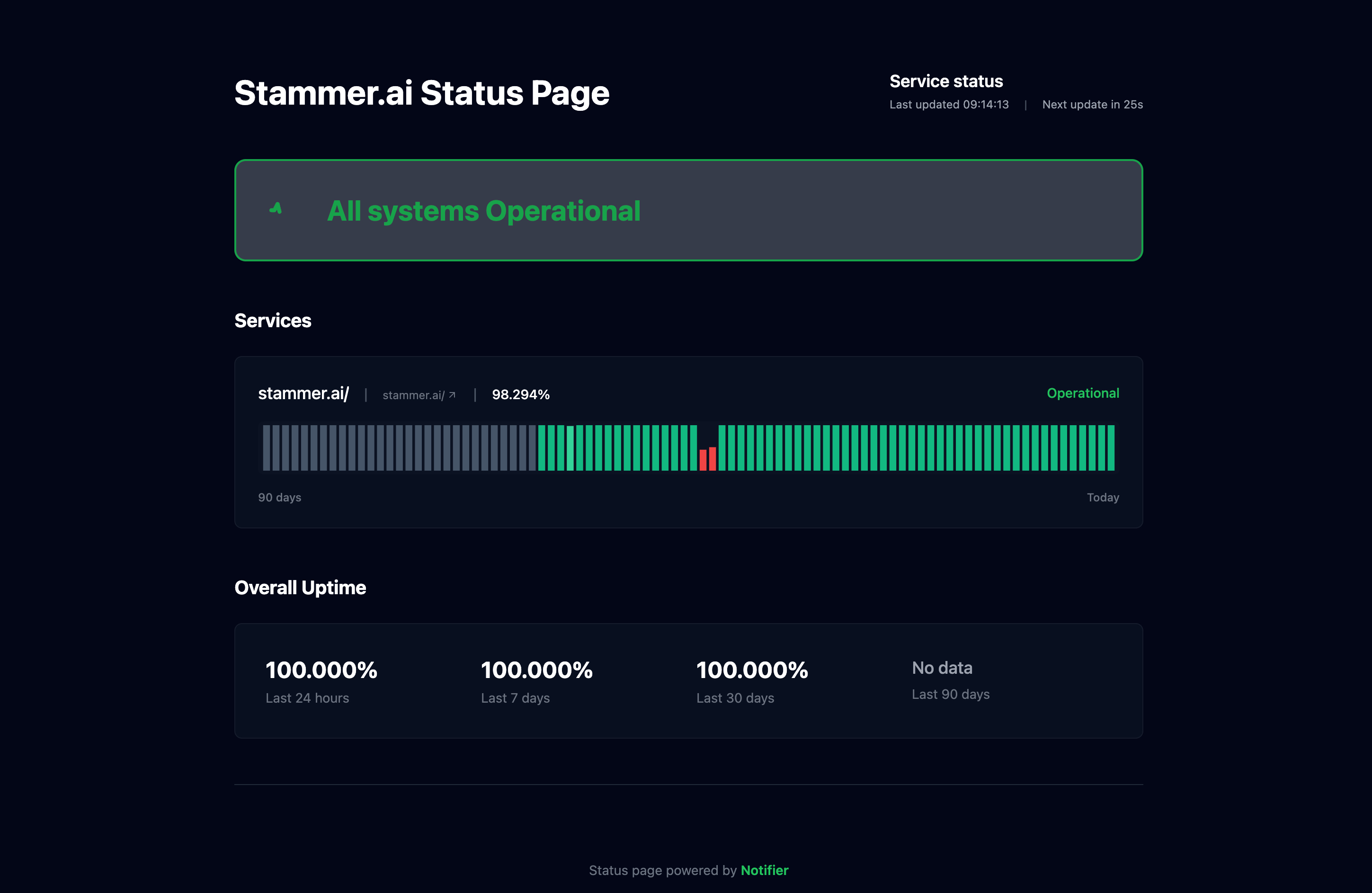
For most users looking for cheap uptime monitoring, we recommend starting with Notifier. Here's why:
- Transparent pricing: What you see is what you pay. No per-SMS charges, no status page add-ons, no surprise fees.
- Generous free tier: 10 monitors, 5 status pages, SSL monitoring, and SMS/phone alerts at $0/month. Enough to get started and see if it works for you.
- Cheapest paid plan: At $4/month, the Solo plan gives you 1 minute checks and custom domain status pages.
- Simple setup: Add your first monitor in 30 seconds. No complex configuration.
- Real support: Unlike larger competitors, you're dealing with a small team that actually uses the product they build. Reach out via chat or email and get a response in minutes, not days.
If you need 50+ monitors on a free plan for non-commercial use, UptimeRobot is a solid choice. If you need incident management and on-call scheduling, Better Stack is worth the premium. But for most people who just want reliable monitoring without the complexity or cost, Notifier hits the sweet spot.
Bottom line:
You don't need to spend $50 to $100/month on uptime monitoring. A $4/month plan (or even free) covers what 90% of websites actually need. Start with a free tier, upgrade if you need faster checks or more monitors, and avoid services that nickel and dime you with hidden fees.
Cheap Uptime Monitoring FAQ
What is the cheapest uptime monitoring service?
The cheapest paid uptime monitoring service is Notifier.so at $4/month for 20 monitors with 1 minute checks, SMS/phone alerts, SSL monitoring, and custom domain status pages. Several services also offer free tiers, with Notifier providing 10 monitors and UptimeRobot offering 50 monitors (non-commercial use only) at no cost.
How much does UptimeRobot cost in 2026?
UptimeRobot pricing in 2026 starts at $7/month for the Pro plan (50 monitors, 1 minute checks). Annual billing offers a 20% discount. The free plan includes 50 monitors at 5 minute intervals, but is now restricted to non-commercial use only. If you're monitoring a business website, you'll need the Pro plan or an alternative like Notifier ($4/month).
Is there a free downtime notification service?
Yes. Several services offer free downtime monitoring with real alerts. Notifier.so offers 10 monitors with email, SMS, and phone call alerts on the free plan. UptimeRobot offers 50 monitors with email alerts (non-commercial only). Better Stack offers 10 monitors with phone, SMS, and email alerts. These are permanent free tiers, not limited trials.
What should I look for in cheap uptime software?
When evaluating uptime software pricing, focus on these essentials: check frequency (5 minutes is fine for most sites, 1 minute for critical services), alert channels (email at minimum, SMS for anything important), status pages (builds customer trust), and SSL monitoring (prevents certificate expiration surprises). Avoid services that charge per SMS, require separate status page subscriptions, or use per-monitor pricing that scales unpredictably.
Is cheap uptime monitoring reliable?
Yes. Price doesn't determine reliability for uptime monitoring. Budget services like Notifier and UptimeRobot check from multiple global locations to avoid false positives, just like enterprise tools. The main differences between cheap and expensive monitoring are the number of monitors, check frequency, and extras like incident management workflows. For straightforward "is my site up?" monitoring, a $4/month service works just as well as a $100/month one.
What's the cheapest uptime monitoring tool with a centralized dashboard?
Notifier is the cheapest option that includes a single centralized dashboard, public status pages, SSL monitoring, and email/SMS/phone alerts on the free tier. The paid Solo plan is $4/month for 20 monitors with 1 minute checks. UptimeRobot's free tier offers 50 monitors but is restricted to non-commercial use, while Better Stack and StatusCake start at $20+/month for comparable features. For a $100/month budget, you can monitor 200 sites on Notifier's Enterprise plan with 30 second checks, custom domain status pages, and 10 team members included.
What's a cheaper alternative to Uptime.com?
Uptime.com starts at $20/month for 30 monitors and scales up quickly for teams. Notifier offers 100 monitors with 30 second checks, custom domain status pages, and SSL monitoring for $19/month on the Team plan. The free tier covers 10 monitors at $0 and the Solo plan is $4/month, both well under Uptime.com's entry price. UptimeRobot Pro at $7/month is also cheaper but charges extra for SMS beyond 10/month and excludes commercial use on the free tier. For most teams, Notifier delivers Uptime.com's core monitoring and alerting at roughly half the cost.
Which uptime monitoring tools are best for small businesses on a budget?
For small businesses prioritizing affordability, the best cheap uptime monitoring tools in 2026 are Notifier ($4/month Solo, $19/month Team), UptimeRobot Pro ($7/month, with extra SMS charges), and HetrixTools ($10/month for 60 monitors with 1 minute checks but no built-in status pages). Notifier is the best fit when you also need public status pages, SSL monitoring, and SMS/phone alerts without per-message charges. UptimeRobot makes sense if you need 50+ monitors and don't need built-in status pages. Avoid services with per-monitor pricing models for budget predictability as your site count grows.
