At a Glance
- •Uptime Kuma is free, open source, and self-hosted. UptimeRobot is a cloud service with a free tier (50 monitors, non-commercial only) and paid plans starting at $8/month.
- •The biggest risk with Uptime Kuma is reliability: if your server goes down, monitoring goes down with it. Cloud services like UptimeRobot and Notifier run on separate infrastructure, so they keep monitoring when your servers fail.
- •UptimeRobot's free plan has been restricted to non-commercial use since December 2024. For business websites, you need either a paid UptimeRobot plan, Uptime Kuma on your own server, or a cloud alternative.
- •Uptime Kuma supports 90+ notification integrations and unlimited monitors, but lacks native SMS/phone alerts, multi-location monitoring, and requires ongoing server maintenance.
- •Notifier offers cloud-hosted monitoring with SMS and phone alerts on the free plan, SSL monitoring included, and paid plans from $4/month. No server required, no maintenance, commercial use allowed.
Uptime Kuma and UptimeRobot are two of the most popular uptime monitoring tools, but they solve the same problem in fundamentally different ways. Uptime Kuma is free, open source, and self-hosted. UptimeRobot is a cloud service with a generous free tier.
The right choice depends on whether you want total control over your monitoring infrastructure or zero maintenance. This guide compares both tools honestly, covering features, pricing, limitations, and the scenarios where each one makes the most sense.
Pricing update (May 2026): UptimeRobot retired the old Pro tier and now charges $9/month annually (or $10/mo monthly) for Solo, $38/month annually ($45/mo monthly) for Team, and $69/month annually ($82/mo monthly) for Enterprise. For comparison, Notifier is $4/month for Solo and $19/month for Team — roughly half the price at every paid tier. See our complete UptimeRobot pricing breakdown for 2026.
The Core Difference: Self-Hosted vs Cloud
Every other difference between Uptime Kuma and UptimeRobot flows from this one decision: do you want to run your own monitoring server, or do you want someone else to run it for you?
| Factor | Uptime Kuma | UptimeRobot |
|---|---|---|
| Hosting | You host it on your own server | Cloud SaaS (managed for you) |
| Recurring cost | $0 (plus server cost) | Free tier or $8+/month |
| Setup time | 15 to 60 minutes | Under 2 minutes |
| Maintenance | Manual updates, backups, server upkeep | Zero maintenance |
| Data ownership | 100% yours, stored locally | Stored on UptimeRobot's servers |
Self-hosted monitoring has one critical weakness: if the server running Uptime Kuma goes down, your monitoring goes down with it. You lose visibility at the exact moment you need it most. Cloud services like UptimeRobot monitor your sites from infrastructure that is independent of yours, so a server failure on your end does not take your monitoring offline.
Uptime Kuma: What You Get
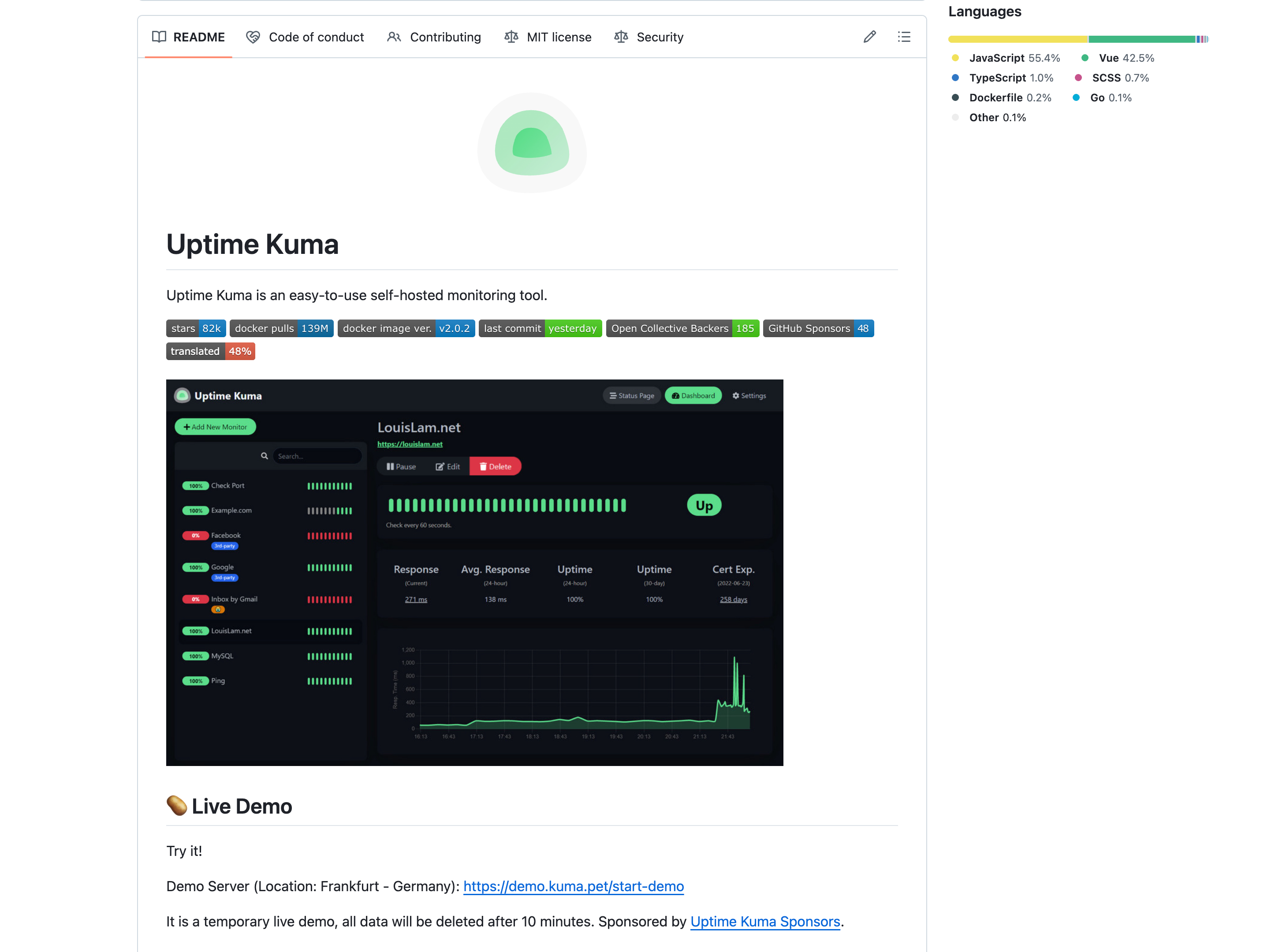
Uptime Kuma is an open source monitoring tool created by Louis Lam. It has over 83,000 GitHub stars and a very active community. The current version is 2.x, which introduced MariaDB support, a refreshed UI, and rootless Docker images.
Strengths
- Unlimited monitors: No cap on the number of monitors you can create. Add as many as your server can handle.
- Fast check intervals: Checks as frequently as every 20 seconds, faster than most cloud services.
- Unlimited status pages: Create as many public status pages as you need, with custom domain mapping.
- 90+ notification integrations: Telegram, Discord, Slack, email (SMTP), Signal, Gotify, Pushover, ntfy.sh, and many more.
- Rich monitor types: HTTP(S), TCP, Ping, DNS, keyword matching, JSON queries, WebSocket, Docker containers, and Steam game servers.
- Full data ownership: All monitoring data stays on your server. Nothing is sent to a third party.
- Clean UI: Despite being self-hosted, the web interface is modern and polished.
Limitations
- Single point of failure: If your server goes down, monitoring goes down. This is the biggest drawback of any self-hosted monitoring tool.
- No native SMS or phone call alerts: You need third-party services (Twilio, etc.) to get SMS or voice alerts. Configuration requires developer skills.
- Single-location monitoring: Your checks come from one server in one location. No built-in multi-region support to reduce false positives or catch regional outages.
- Limited multi-user support: Multi-user was introduced in v2.0 but is still in early stages. There is no role-based access control.
- Scalability ceiling: Performance degrades beyond 150 to 500 monitors depending on your server specs and check intervals.
- Maintenance burden: Updates, security patches, database backups, and server upkeep are all your responsibility.
Deployment
The easiest way to run Uptime Kuma is with Docker:
docker run -d --restart=always -p 3001:3001 -v uptime-kuma:/app/data --name uptime-kuma louislam/uptime-kuma:2
After that, open http://your-server:3001 to access the web interface. You will need a VPS or server to host it. Budget VPS options start around $4 to $6/month (Hetzner, DigitalOcean, Vultr).
UptimeRobot: What You Get
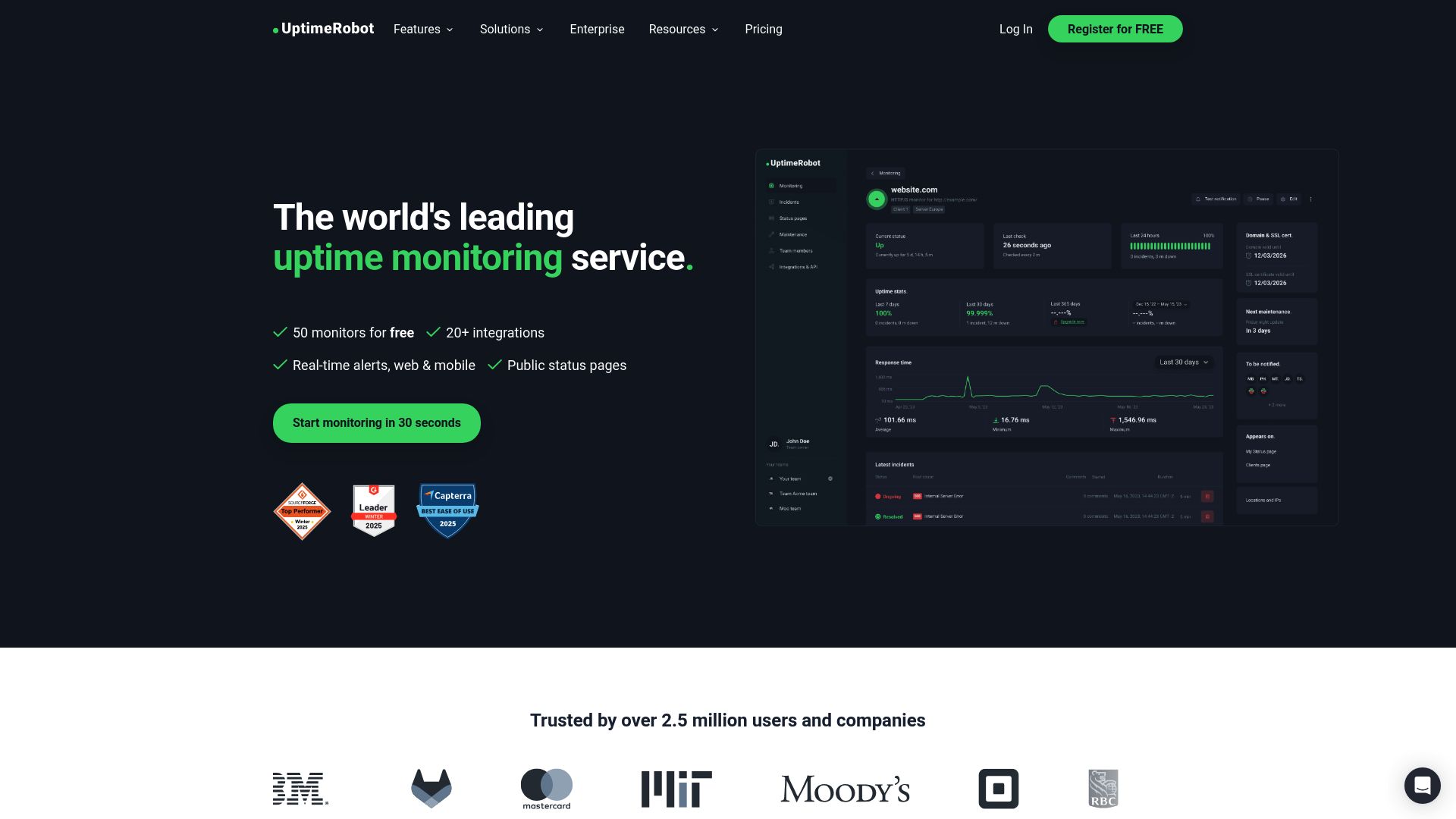
UptimeRobot is one of the longest-running uptime monitoring services, founded in 2010 with over 2 million users. It was acquired by Pale Fire Capital in 2019 and has gone through significant pricing changes since then.
Strengths
- 50 free monitors: The most generous free monitor count among cloud services (though with restrictions, see below).
- Zero setup: Create an account, add a URL, and monitoring starts immediately. No server, no Docker, no config files.
- Multi-location monitoring: Checks from multiple geographic locations, reducing false positives from local network issues.
- Reliable infrastructure: Your monitoring stays online even when your servers go down.
- Mature ecosystem: Well-documented API, integrations with Slack, Teams, PagerDuty, Zapier, and more (though many are locked to paid plans).
- Monitor types: HTTP(S), Ping, Port, Keyword, Heartbeat/Cron, SSL certificate, Domain expiry, DNS record.
Limitations
- Free plan restricted to non-commercial use: Since December 2024, UptimeRobot's free plan is limited to personal, non-commercial projects. Businesses, freelancers, and anyone monitoring commercial websites must use a paid plan.
- SMS credits are one-time, not monthly: You get a small welcome bundle of SMS credits when you sign up. They do not renew each month. Extra credits cost $3 for 10 or $15 for 100.
- Solo plan drops to 10 monitors: If you upgrade from Free (50 monitors) to Solo ($9/month annually, $10/month monthly), your monitor count actually drops to 10 at the entry tier. You need Team ($38/month annually) for 100 monitors.
- Integrations gated by plan: Free gets 5 integrations (email, SMS, voice, push). Slack and Teams require Solo. Webhooks, Zapier, and PagerDuty require Team ($38/month annually).
- 30-second checks only on Enterprise: The fastest check interval (30 seconds) requires the Enterprise plan at $69/month annually ($82/month monthly).
UptimeRobot Free Plan: Non-Commercial Only
Since October 2024, UptimeRobot's free tier is restricted to personal and non-commercial use. Open source, educational, and nonprofit projects are exempt. If you are monitoring a business website, SaaS product, or client site, you must use a paid plan starting at $9/month annually ($10/month monthly).
Feature Comparison Table
Here is how Uptime Kuma, UptimeRobot, and Notifier compare across the features that matter most.
| Feature | Uptime Kuma | UptimeRobot (Free) | UptimeRobot (Solo) | Notifier (Free) |
|---|---|---|---|---|
| Monitors | Unlimited | 50 | 10 | 10 |
| Check interval | 20 seconds | 5 minutes | 1 minute | 5 minutes |
| Status pages | Unlimited | 1 (branded) | 3 | 5 |
| SSL monitoring | Yes | No (paid only) | Yes | Yes (free) |
| SMS alerts | Via third-party | One-time credits | One-time credits | Yes (included) |
| Phone call alerts | Via third-party | One-time credits | One-time credits | Yes (included) |
| Slack integration | Yes (built-in) | No (paid only) | Yes | Yes (free) |
| Multi-location checks | No (single server) | Yes | Yes | Coming soon |
| Commercial use | Yes | No (personal only) | Yes | Yes |
| Maintenance required | Yes (you manage it) | None | None | None |
| Monthly cost | $0 + server ($4 to $6/mo) | $0 | $9/month annual ($10/mo monthly) | $0 |
Pricing Breakdown: The Real Cost
Uptime Kuma: Free Software, Not Free Infrastructure
Uptime Kuma itself costs nothing. But you need a server to run it on. Here is what that actually costs:
- Budget VPS (Hetzner, Vultr, DigitalOcean): $4 to $6/month for a basic server that can run Uptime Kuma with 50 to 100 monitors.
- Existing server: $0 if you already have a VPS or home server with spare capacity.
- Time cost: Initial setup takes 15 to 60 minutes. Ongoing maintenance (updates, backups, troubleshooting) adds 1 to 2 hours per month.
If you are a developer who already manages servers, the total cost is near zero. If you are a business owner or non-technical user, the setup and maintenance time makes this option less practical.
UptimeRobot: Free With Strings Attached
UptimeRobot's free tier is generous with 50 monitors, but the non-commercial restriction means most businesses need a paid plan. Here is what the paid plans cost:
| Plan | Monthly | Monitors | Interval |
|---|---|---|---|
| Free | $0 | 50 | 5 min |
| Solo | $8/mo | 10 | 1 min |
| Team | $34/mo | 100 | 1 min |
| Enterprise | $64/mo | 200 | 30 sec |
The awkward gap in UptimeRobot's pricing is between Free and Solo. You go from 50 monitors to 10 when you start paying at the entry tier. For commercial use with more than 10 monitors, you jump straight to the Team plan at $38/month annually ($45/month monthly).
Cost at Scale
| Scenario | Uptime Kuma | UptimeRobot | Notifier |
|---|---|---|---|
| 10 monitors (commercial) | ~$5/mo (VPS) | $9/mo annual (Solo) | $0 (free plan) |
| 20 monitors (commercial) | ~$5/mo (VPS) | $34/mo (Team) | $4/mo (Solo) |
| 100 monitors (commercial) | ~$5 to $10/mo (VPS) | $34/mo (Team) | $19/mo (Team) |
| 200 monitors (commercial) | ~$10/mo (VPS) | $64/mo (Enterprise) | $35/mo (Enterprise) |
Uptime Kuma wins on raw cost at every tier, but only if you exclude the time cost of maintenance. UptimeRobot gets expensive fast once you need commercial use. Notifier sits in the middle: cloud hosted (no maintenance), but at a fraction of UptimeRobot's price.
Who Should Use Which Tool?
Choose Uptime Kuma If:
- You are a developer who is comfortable with Docker, Linux administration, and self-hosting. You enjoy having full control over your stack.
- Data privacy matters to you. If regulatory requirements or company policy demand that monitoring data stays on your own infrastructure, Uptime Kuma is the clear choice.
- You already have a server. If you have a VPS or home server with spare capacity, adding Uptime Kuma costs nothing and takes minutes.
- You need specific integrations. Uptime Kuma supports 90+ notification channels out of the box, including niche options like Gotify, ntfy.sh, and Signal that cloud services rarely offer.
- You are monitoring non-critical, personal projects. The single-point-of-failure risk is acceptable when the monitored sites are personal projects, lab environments, or internal tools.
Choose UptimeRobot If:
- You want zero maintenance. You do not want to update software, manage servers, or worry about your monitoring tool crashing.
- You are monitoring a personal project. The free plan with 50 monitors is excellent for personal, non-commercial websites.
- Multi-location monitoring matters. UptimeRobot checks from multiple locations, which reduces false alarms and catches regional outages that Uptime Kuma cannot detect from a single server.
- You need a mature API. UptimeRobot has a well-documented REST API for automating monitor management, which Uptime Kuma lacks.
The reliability paradox
Self-hosted monitoring creates a paradox: the tool meant to watch over your infrastructure shares the same failure modes. If your server crashes, your network goes down, or your hosting provider has an outage, Uptime Kuma goes offline at the same time as the services it monitors. External monitoring avoids this entirely because it runs on separate infrastructure. For production services that generate revenue, external monitoring is the safer choice.
Consider Notifier: Hosted Monitoring Without the Overhead

If neither Uptime Kuma nor UptimeRobot feels right, Notifier offers a third option. It combines the simplicity of a cloud service with pricing closer to what you would pay for a VPS.
- Free plan with commercial use: 10 monitors, 5 status pages, SSL certificate monitoring, and email/SMS/phone call alerts. No restrictions on commercial use.
- Affordable paid plans: Solo at $4/month for 20 monitors with 1-minute checks. Team at $19/month for 100 monitors with 30-second checks and 3 team members.
- SMS and phone call alerts included: No credit system, no per-message fees, no third-party setup. Alerts work out of the box on all plans, including free.
- Status pages with custom domains: Included on all paid plans. See our guide to creating a status page.
- Slack integration on the free plan: Connect Slack in one click with OAuth. See our Slack alerts setup guide.
- Zero maintenance: Cloud hosted, no servers to manage, no updates to apply. Just add your URLs and configure alerts.
- Real support from real people: Email support@notifier.so or use the chat widget. Response times are typically minutes, not days.
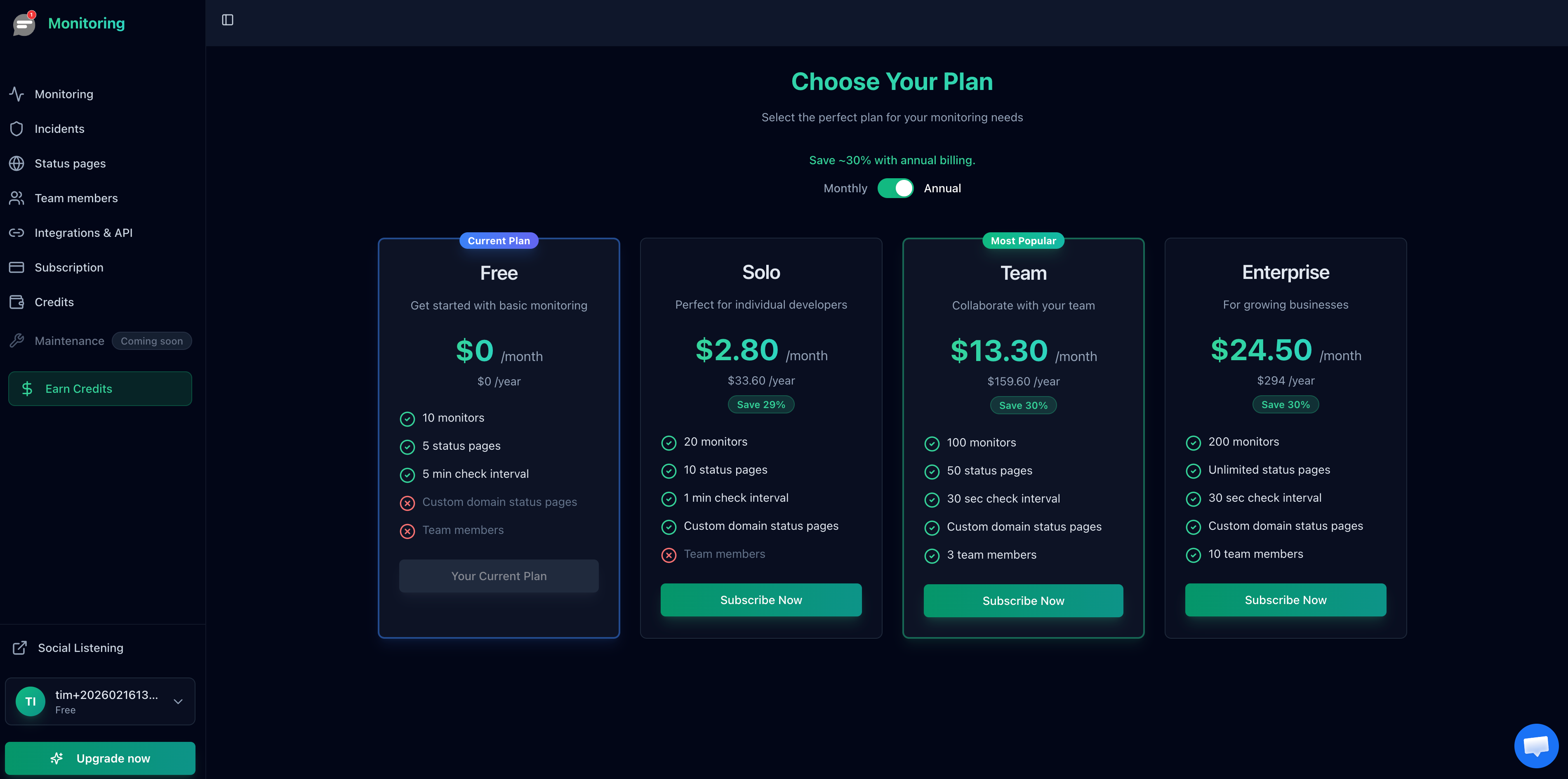
For most teams, Notifier gives you more than UptimeRobot at a lower price, and more reliability than Uptime Kuma without the maintenance. The free plan is enough to evaluate everything, and you can sign up in under a minute.
Frequently Asked Questions
Is Uptime Kuma really free?
The software is free and open source (MIT license). However, you need a server to run it on. A basic VPS costs $4 to $6 per month. If you already have a server, it costs nothing. You also need to account for the time spent on setup, updates, and maintenance.
Can I use UptimeRobot's free plan for my business website?
No. Since October 2024, UptimeRobot's free plan is restricted to personal, non-commercial use. Businesses must use a paid plan starting at $9/month annually ($10/month monthly) for Solo. Open source, educational, and nonprofit projects are exempt from the restriction.
What happens to Uptime Kuma if my server goes down?
Monitoring stops entirely. You will not receive any alerts about your other services being down because the monitoring tool itself is offline. This is the primary risk of self-hosted monitoring. Cloud-based tools (UptimeRobot, Notifier) run on separate infrastructure, so they continue monitoring even when your servers fail.
Can I run Uptime Kuma and a cloud service together?
Yes, and many teams do exactly this. Use Uptime Kuma for internal infrastructure monitoring (where data privacy matters) and a cloud service like Notifier for external monitoring of public-facing websites. This gives you the best of both worlds: data ownership for sensitive internal checks and reliable external monitoring that works even when your server is down.
Does Uptime Kuma support SMS alerts?
Not natively. To get SMS alerts with Uptime Kuma, you need to configure a third-party service like Twilio, which requires setting up an account, getting API credentials, and configuring the integration manually. Cloud services like Notifier include SMS and phone call alerts out of the box on all plans, including the free tier.
Which tool is better for monitoring 100+ websites?
At scale, a cloud service is more practical. Uptime Kuma can handle 100+ monitors, but performance may degrade and you are still limited to single-location monitoring. UptimeRobot requires the Team plan ($38/month annually, $45/month monthly) for 100 monitors. Notifier's Team plan covers 100 monitors at $19/month with 30-second checks, 50 status pages, and SSL monitoring included — half the price of UptimeRobot.
Can Uptime Kuma monitor from multiple locations?
Not from a single instance. Uptime Kuma runs on one server, so all checks originate from that server's location. You could technically run multiple Uptime Kuma instances in different regions, but there is no built-in way to coordinate them or aggregate results. Cloud services handle multi-location monitoring automatically. For more on why this matters, see our guide on monitoring from multiple countries.
