At a Glance
- •NET::ERR_CERT_COMMON_NAME_INVALID means the hostname in your address bar is not listed in the certificate. The certificate is usually valid, unexpired, and correctly issued, it just names a different site, which is what separates it from NET::ERR_CERT_DATE_INVALID and NET::ERR_CERT_AUTHORITY_INVALID.
- •Despite the name, browsers no longer read the Common Name field. Chrome stopped using it for hostname verification in version 58 back in 2017, so what actually failed is the Subject Alternative Name list inside the certificate.
- •The fastest visitor check is to try the address with and without www. If one form loads and the other does not, the certificate is missing that hostname and only the site owner can fix it.
- •If you own the site, the leading causes in order are a certificate covering the apex but not www, a wildcard that does not cover the root domain or two-level subdomains, the wrong virtual host answering because of an SNI mismatch, and a new subdomain that was never added to the certificate. One openssl command prints the exact list of hostnames a certificate covers.
- •Notifier includes SSL certificate monitoring free on every plan, including the free tier of 10 monitors, and checks each hostname separately so a broken www form does not go unnoticed. Paid plans start at $4/month.
Chrome blocks the page with "Your connection is not private" and prints NET::ERR_CERT_COMMON_NAME_INVALID underneath. The certificate is not expired. It was issued by a real certificate authority. The site is up and the server is running. The certificate simply belongs to a different hostname than the one in your address bar.
This is the certificate error that most often has nothing to do with the visitor. Unlike a wrong system clock or an antivirus product intercepting traffic, a name mismatch is almost always a server configuration problem, which means the fix usually belongs to whoever runs the site. This guide covers both sides: what a visitor can reasonably try, and the ranked list of causes if the site is yours, starting with the one that accounts for most cases.
What NET::ERR_CERT_COMMON_NAME_INVALID Actually Means
An HTTPS certificate is bound to specific hostnames. When your browser connects, it compares the hostname you typed against the list of names inside the certificate. If the name you asked for is not in that list, the browser refuses to continue, because a certificate that does not name this site proves nothing about this site.
The error name is misleading, and this trips up a lot of people. It says "Common Name," which is an old certificate field holding a single hostname. Chrome stopped reading that field for hostname verification back in version 58, released in 2017, and every other current browser did the same. What actually gets checked today is the Subject Alternative Name extension, usually shortened to SAN, which holds the full list of hostnames the certificate covers.
So despite the wording, this error means one thing: the hostname in your address bar is not in the certificate's SAN list. A certificate can have the correct Common Name and still throw this error if the SAN list is missing or does not include that name.
Why this matters for the fix:
Adding a hostname to the Common Name field will not fix anything. When you reissue the certificate, the new hostname has to land in the SAN list, which is what happens automatically when you pass multiple -d flags to certbot or list multiple domains with a commercial certificate authority.
How Each Client Words It
The same mismatch produces very different text depending on what is connecting, which makes searching for the exact string frustrating. All of these mean the hostname did not match:
| Client | What You See |
|---|---|
| Chrome, Edge, Brave | "Your connection is not private" with NET::ERR_CERT_COMMON_NAME_INVALID |
| Firefox | "Warning: Potential Security Risk Ahead" with SSL_ERROR_BAD_CERT_DOMAIN |
| Safari | "This Connection Is Not Private" and "Safari can't verify the identity of the website" |
| curl | curl: (60) SSL: no alternative certificate subject name matches target host name |
| Python requests | certificate verify failed: Hostname mismatch |
| Java and Android | SSLPeerUnverifiedException: Hostname not verified |
How It Differs From the Other Certificate Errors
Browsers throw four common HTTPS errors and they fail at four different stages. Identifying which one you have tells you which fixes are worth trying and which are a waste of time:
| Error | What Failed | Typical Cause |
|---|---|---|
| ERR_CERT_COMMON_NAME_INVALID | Hostname is not in the certificate's SAN list | Missing www, wildcard depth, access by IP, wrong vhost |
| ERR_CERT_DATE_INVALID | The validity dates do not include today | Expired certificate or a wrong device clock |
| ERR_CERT_AUTHORITY_INVALID | The chain could not be traced to a trusted root | Missing intermediate, self-signed certificate, TLS interception |
| ERR_SSL_PROTOCOL_ERROR | The handshake broke before any certificate was checked | TLS version or cipher mismatch, missing ssl keyword on the listener |
A name mismatch is the only one of the four where the certificate is typically valid, unexpired, and correctly chained. Everything about it is fine except who it was issued to.
Visitor Fixes, Ranked by How Often They Work
Be realistic here. If a public site is serving a certificate for the wrong hostname, no amount of clearing your cache will change what the server sends. These are the cases where the problem genuinely is on your side, ordered by how often they turn out to be the answer.
1. Try the Address With and Without www
The single most common version of this error. A site has a certificate for example.com but not www.example.com, or the other way round. If you typed one, try the other. If one form loads with a padlock and the other throws the error, you have confirmed the cause in five seconds, and the fix belongs to the site owner.
2. Check the Hostname You Actually Typed
A typo in a domain name often lands on a parked page or a shared hosting server whose certificate names a completely unrelated site. Read the address bar carefully. Also check whether you followed an old bookmark to a subdomain such as shop.example.com that no longer exists.
3. Are You Connecting to an IP Address?
Visiting https://203.0.113.10 instead of a domain name produces this error almost every time. Public certificates are issued for domain names, and while certificates for IP addresses do exist, they are rare and most servers do not have one. Use the hostname instead.
4. Disable Antivirus HTTPS Scanning
Avast, AVG, ESET, Kaspersky, and Bitdefender all offer a feature that decrypts and re-signs HTTPS traffic. When it re-signs badly, you get certificate errors on sites that work fine everywhere else. Look for a setting called HTTPS scanning, SSL/TLS filtering, Web Shield, or Encrypted connection scanning, turn it off, and reload. If the site loads, the antivirus was rewriting the certificate.
The tell for this cause is scope. If you get certificate errors on many unrelated sites, the problem is on your machine. If it happens on exactly one site, it is that site's configuration.
5. Public Wi-Fi and Captive Portals
Hotel, airport, and cafe networks intercept the first HTTPS request to push you to a login page, and that interception presents their certificate rather than the site's. Open a plain HTTP page such as http://neverssl.com, complete the portal login, then retry. Corporate and school networks running TLS inspection appliances cause the same thing, though there the certificate error is usually ERR_CERT_AUTHORITY_INVALID instead.
6. Clear the SSL State and Test in Incognito
A cached failure can outlive the fix. In Chrome, visit chrome://net-internals/#dns and clear the host cache, then open the site in an incognito window with extensions disabled. On Windows you can also clear the system SSL state by running inetcpl.cpl, opening the Content tab, and clicking Clear SSL state.
Do not click "Proceed anyway" on a public site
A hostname mismatch means the certificate being presented belongs to someone else. That is exactly what an interception attack looks like from the browser's point of view, and the browser cannot tell the difference between a misconfigured server and an attacker. Anything you type after clicking through, including passwords and card details, could be read by whoever presented that certificate. Bypassing the warning is only reasonable on a server you own, such as a local development box.
Diagnose the Mismatch With One Command
Rather than guessing, ask the server what names its certificate actually covers. This works on Mac, Linux, and Windows with WSL or Git Bash:
echo | openssl s_client -connect example.com:443 -servername example.com 2>/dev/null \
  | openssl x509 -noout -subject -ext subjectAltName
A healthy result looks like this:
subject=CN = example.com
X509v3 Subject Alternative Name:
    DNS:example.com, DNS:www.example.com
Now compare that DNS list against the hostname in your address bar. If the name you are visiting is not there, you have found your answer, and the certificate needs reissuing with that name included. A very common broken result looks like this, where the www form was left out:
subject=CN = example.com
X509v3 Subject Alternative Name:
    DNS:example.com
Get the Honest Second Opinion From curl
curl performs the same hostname verification a browser does, without any cached state or extensions confusing the picture:
curl -Iv https://www.example.com 2>&1 | grep -i "subject\|subjectAltName\|SSL certificate"
If curl reports SSL: no alternative certificate subject name matches target host name, that is the same failure the browser is reporting, confirmed from a second client.
Check Whether the Server Is Serving the Wrong Site's Certificate
This is the test that catches virtual host misconfiguration, and almost nobody runs it. Modern clients send the hostname during the handshake using a TLS feature called SNI, so the server knows which certificate to present. If your virtual hosts are wrong, the server ignores that and hands back whichever site it considers the default. Compare the two:
# What the server sends when asked for your hostname
openssl s_client -connect 203.0.113.10:443 -servername www.example.com </dev/null 2>/dev/null \
  | openssl x509 -noout -subject

# What the server falls back to when no hostname is requested
openssl s_client -connect 203.0.113.10:443 </dev/null 2>/dev/null \
  | openssl x509 -noout -subject
If the first command returns a certificate for a different site entirely, your server is not matching the request to the right virtual host. That is a server configuration problem, not a certificate problem, and reissuing the certificate will not fix it. Jump to the Nginx and Apache section below.
If You Own the Site: Causes Ranked by Frequency
1. The Certificate Covers the Apex but Not www
This is the leading cause by a wide margin. Someone issues a certificate for example.com, tests it, sees a padlock, and ships. Months later a customer follows an old link to www.example.com and hits a full page security warning.
A certificate for example.com does not automatically cover www.example.com. They are separate hostnames and both must be listed. The fix is to reissue with both names, covered in the reissue section below.
Redirecting www to the apex does not avoid this. The redirect itself is served over HTTPS, so the browser has to validate the certificate for the www hostname before it ever sees your redirect. The certificate must cover the name being redirected away from.
2. A Wildcard Certificate That Does Not Cover What You Think
Wildcards are misunderstood constantly. A certificate for *.example.com matches exactly one label in that position:
| Hostname | Covered by *.example.com? |
|---|---|
| www.example.com | Yes |
| api.example.com | Yes |
| example.com | No, the apex needs listing separately |
| dev.api.example.com | No, that is two labels deep |
| staging.example.co.uk | No, different domain entirely |
The two that catch people out are the apex and the multi level subdomain. If you need both example.com and everything under it, the certificate must list both example.com and *.example.com. If you need dev.api.example.com, you need a second wildcard for *.api.example.com or that exact hostname listed.
3. The Wrong Virtual Host Is Answering
If you run several sites on one server and one of them is missing or has a typo in its hostname configuration, requests for that site fall through to whichever virtual host the server treats as the default. The visitor then receives a perfectly valid certificate belonging to a completely different site. The SNI test in the diagnosis section confirms this in seconds.
4. A New Subdomain That Was Never Added to the Certificate
You launch status.example.com or app.example.com, point DNS at the server, and the web server happily answers, using the existing certificate that never mentioned the new name. DNS was updated, the certificate was not.
5. A Domain Migration Where the Certificate Was Left Behind
After a rebrand or a domain change, the old certificate keeps working for the old hostname and fails for the new one. The same happens when a site is moved to a new host and the certificate never made the trip, leaving the new host serving its own default certificate.
6. A Load Balancer or CDN Terminating TLS With a Stale Certificate
If something sits in front of your origin and handles HTTPS, that is where the certificate matters, and updating the origin does nothing. Check the certificate attached to the AWS ALB listener, the Cloudflare edge certificate, or your CDN's TLS settings. A frequent version of this is an AWS Certificate Manager certificate that lists the apex but was never issued with the additional names, so the load balancer serves a certificate that covers only some of your hostnames.
Fixing Virtual Hosts in Nginx and Apache
If the SNI test showed the wrong site's certificate, the certificate itself is fine and the routing is broken. Fix that first.
Nginx
Every hostname you serve must appear in a server_name directive, and both the apex and www forms belong in the same block when they share a certificate:
server {
    listen 443 ssl;
    listen [::]:443 ssl;
    server_name example.com www.example.com;

    ssl_certificate     /etc/letsencrypt/live/example.com/fullchain.pem;
    ssl_certificate_key /etc/letsencrypt/live/example.com/privkey.pem;

    # your location blocks
}
Then add a catch all block so that unmatched hostnames are refused rather than being handed a certificate belonging to another site. Without this, Nginx uses the first matching server block on that port as the default:
server {
    listen 443 ssl default_server;
    listen [::]:443 ssl default_server;
    server_name _;

    ssl_certificate     /etc/letsencrypt/live/example.com/fullchain.pem;
    ssl_certificate_key /etc/letsencrypt/live/example.com/privkey.pem;

    return 444;
}
Always validate before reloading, so a typo does not take the server down:
nginx -t && systemctl reload nginxApache
Apache uses ServerName for the primary hostname and ServerAlias for every additional one. Forgetting the alias for www is the classic mistake:
<VirtualHost *:443>
    ServerName example.com
    ServerAlias www.example.com

    SSLEngine on
    SSLCertificateFile    /etc/letsencrypt/live/example.com/fullchain.pem
    SSLCertificateKeyFile /etc/letsencrypt/live/example.com/privkey.pem

    DocumentRoot /var/www/example.com
</VirtualHost>
Print the virtual host map to see exactly which block Apache will use for each hostname, and which one it treats as the default:
apachectl -SThen test the configuration and reload:
apachectl configtest && systemctl reload apache2Reissue the Certificate With Every Hostname
If the certificate genuinely does not list the hostname, no configuration change will help. You need a new certificate that includes it.
Let's Encrypt With Certbot
Pass one -d flag per hostname. The --expand flag tells certbot to replace the existing certificate rather than create a second one alongside it, which is the step people miss:
# Nginx
certbot --nginx -d example.com -d www.example.com --expand

# Apache
certbot --apache -d example.com -d www.example.com --expand

# Add a new subdomain to an existing certificate
certbot --nginx -d example.com -d www.example.com -d app.example.com --expand
Every hostname you list must already resolve in DNS and point at this server, otherwise the validation challenge fails for that name and the whole request is rejected. Confirm the result:
certbot certificatesWildcards Need DNS Validation
Let's Encrypt will not issue a wildcard through the standard HTTP challenge. You need the DNS challenge, which requires adding a TXT record. Remember to include the apex separately, since the wildcard does not cover it:
certbot certonly --manual --preferred-challenges dns \
  -d example.com -d "*.example.com"
Verify Before You Announce the Fix
After reloading, run the diagnosis command again for each hostname, not just the one you tested first:
for host in example.com www.example.com app.example.com; do
  echo "== $host"
  echo | openssl s_client -connect "$host":443 -servername "$host" 2>/dev/null \
    | openssl x509 -noout -ext subjectAltName
done
While you are in there, it is worth confirming the chain is complete too, since pointing at cert.pem instead of fullchain.pem causes a different error that behaves inconsistently across devices. Our guide to NET::ERR_CERT_AUTHORITY_INVALID covers that one in detail.
Cloudflare and Managed Hosts
Cloudflare Universal SSL and Deep Subdomains
Cloudflare's free Universal SSL certificate covers your apex domain and one level of subdomain, which is to say example.com and *.example.com. It does not cover a second level such as dev.api.example.com. That hostname will throw a name mismatch even though everything else on the domain works perfectly.
You have three options: flatten the hostname to a single label such as dev-api.example.com, add a certificate covering that pattern through Cloudflare's Advanced Certificate Manager or Total TLS, or upload your own certificate that lists the name.
Universal SSL Still Provisioning
On a domain newly added to Cloudflare, the edge certificate takes time to issue. During that window visitors can receive a certificate that does not name your site. Check SSL/TLS then Edge Certificates in the dashboard and wait for the status to become Active before assuming something is broken.
Managed Platforms
- Squarespace, Wix, and Shopify: certificates are issued automatically after you connect a custom domain, but only once DNS fully points at them. If you connected the apex but not the www record, the www form fails. Add both records and let the platform reissue. Our Squarespace monitoring guide covers what else to watch on these platforms.
- WP Engine, Kinsta, and Cloudways: certificates are per domain and must be added for each hostname in the dashboard, including www. Adding a domain alias without requesting a certificate for it is the usual cause. See our WordPress monitoring guide for related failure modes.
- cPanel and Plesk with AutoSSL: AutoSSL only issues for hostnames it can validate. If a subdomain's DNS points elsewhere, it is silently skipped and left without coverage. Check the AutoSSL log for excluded domains.
How to Stop This Reaching Visitors Again
The reason name mismatches sit undetected for months is that they usually affect one hostname while everything else looks fine. Your dashboard is green, your homepage loads, and the broken hostname is the www form, a subdomain, or a checkout path that nobody on the team happens to visit. The first report comes from a customer.
Monitor Every Hostname Separately
This is the single most effective habit. Add a monitor for each hostname you actually serve, not just the canonical one:
- The apex domain and the www form as two separate monitors
- Every subdomain: app, api, status, shop, blog, docs
- Any hostname used by a webhook, a mobile app, or a payment callback, since those fail hard and silently long before a human notices
A monitor checking https://www.example.com performs the same certificate verification a browser does. If the hostname is not covered, the check fails and you get an alert, which means you find out from your phone rather than from a customer email.
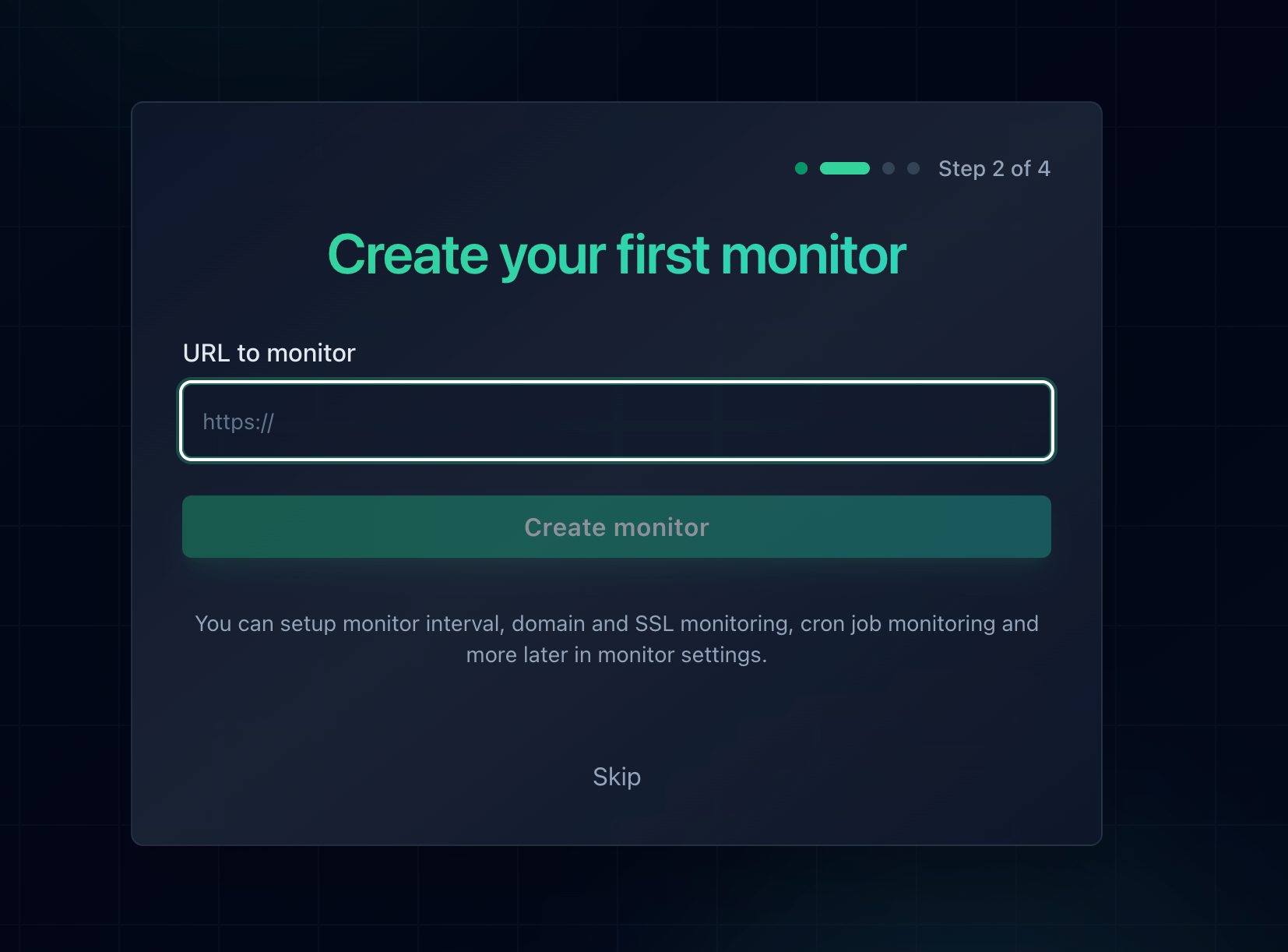
Add each hostname as its own monitor. SSL certificate monitoring is enabled automatically for HTTPS URLs.
Track Certificate Expiry at the Same Time
A name mismatch and an expired certificate produce different errors but the same outcome: a full page browser warning that stops every visitor. Once you are monitoring a hostname, you may as well be warned about both. Notifier includes SSL certificate monitoring free on every plan, including the free tier, and alerts you 30 days before a certificate lapses. Our SSL certificate monitoring guide goes deeper on setting that up across many sites.
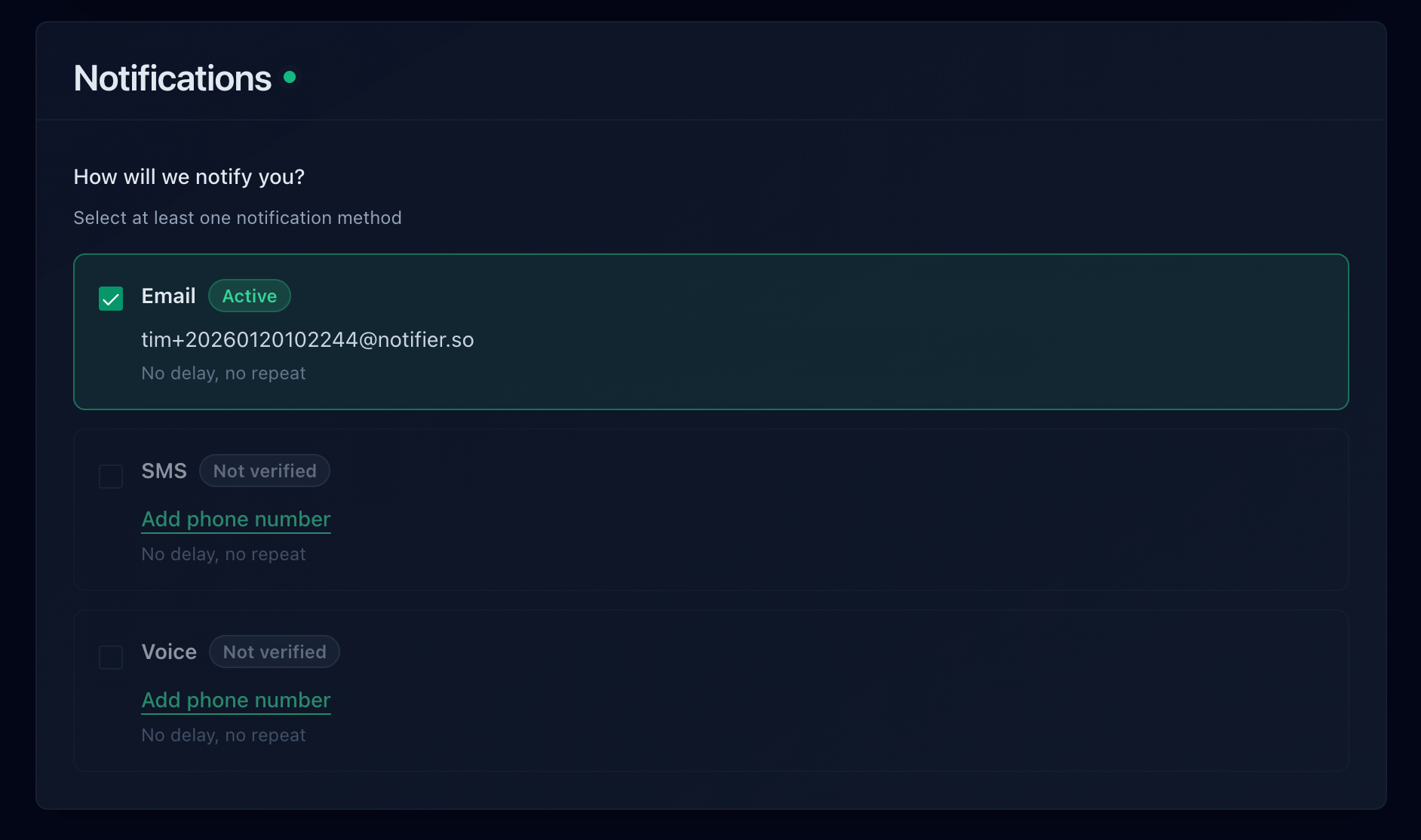
Choose how you want to be told: email, SMS, phone call, or Slack.
Which Monitoring Tools Include SSL Monitoring
Most monitoring tools offer certificate monitoring, but several treat it as a separate metered resource, so the free tier covers a single certificate while you are running a dozen hostnames. Here is how the common options handle it:
| Tool | SSL Monitoring on Free Plan | Notes |
|---|---|---|
| Notifier | Yes, on every HTTPS monitor | Free tier is 10 monitors with SSL and DNS monitoring included and no separate SSL quota. Paid plans from $4/month. Free tier is fine for commercial use. |
| UptimeRobot | Yes, but free tier is non-commercial | The free plan is restricted to non-commercial use, so a business or client site needs a paid plan. See the note below the table. |
| StatusCake | One SSL monitor only | The free plan includes 10 uptime monitors but just 1 SSL monitor, so extra hostnames are not covered. Status pages are sold separately. |
| Better Stack | Yes, checked hourly | Capable, but the free plan checks every 3 minutes and is limited to email and Slack alerts, with pricing that climbs quickly per responder. |
| Uptime Kuma | Yes, self-hosted | Free and unlimited, but you host and maintain it yourself, and it cannot alert you if the server it runs on is the one that fails. |
Important: In October 2024, UptimeRobot limited its free plan to non-commercial use only. If the hostnames you are monitoring belong to a business, a client, or a SaaS product, you technically need a paid plan there. Notifier's free tier has no such restriction.
Verify current pricing before you commit, since these plans change. For a fuller breakdown see our comparison of free website monitoring tools.
Check After Every DNS or Certificate Change
Name mismatches are almost always introduced by a change: a new subdomain, a migration, a rebrand, a move behind a CDN. Make the verification command from this guide part of your deployment checklist, and run it against every hostname rather than the one you happened to open in a browser. Our website monitoring checklist covers the rest of what belongs in that routine, and how to set up website monitoring walks through the initial setup end to end.
Frequently Asked Questions
Why does the error say Common Name if browsers ignore that field?
The error string is a leftover from an earlier era. Chrome stopped using the Common Name field for hostname verification in version 58, released in 2017, and now reads only the Subject Alternative Name extension. The error name was never updated. In practice, treat it as meaning the hostname is missing from the SAN list, and make sure any reissued certificate lists every hostname there.
Does a wildcard certificate cover my root domain?
No. A certificate for *.example.com covers www.example.com and api.example.com, but not example.com itself. The apex has to be listed as its own name. It also does not cover deeper hostnames such as dev.api.example.com, because the wildcard matches exactly one label.
Is it safe to click "Proceed anyway" on this warning?
Only on a server you own and control, such as a local development environment. On a public site the browser cannot distinguish a misconfigured server from an attacker presenting someone else's certificate, so anything you submit afterwards, including passwords and payment details, could be readable by whoever served that certificate. If it is a site you use but do not run, contact the owner instead.
The site works without www but not with it. What is wrong?
The certificate lists example.com but not www.example.com. They are separate hostnames and both need to be in the certificate. Redirecting www to the apex does not help, because the browser validates the certificate for the www hostname before it ever follows the redirect. Reissue with both names, for example with certbot --nginx -d example.com -d www.example.com --expand.
Can I get an SSL certificate for an IP address?
Certificates for public IP addresses exist but are uncommon, and Let's Encrypt did not historically issue them, so most servers have no certificate covering their IP. Browsing to an IP address over HTTPS therefore produces a name mismatch on nearly every server. Use the hostname. If you genuinely need HTTPS on an internal IP, issue a certificate from a private certificate authority and add that authority to the trust store of the machines that need it.
I reissued the certificate and reloaded, but the error persists. What now?
Check three things in order. First, run the openssl command against the exact failing hostname and confirm the SAN list now contains it, since certbot may have created a second certificate instead of expanding the first if --expand was omitted. Second, check whether a CDN or load balancer terminates TLS in front of your origin, because that is where the certificate must be updated. Third, clear your own browser SSL and host cache at chrome://net-internals/#dns, since a cached failure can outlive the fix.
Does Notifier charge extra for SSL monitoring?
No. SSL certificate monitoring is included on every Notifier plan, including the free tier of 10 monitors, with no separate SSL monitor quota. DNS monitoring is included too. Every HTTPS URL you add is checked automatically and you get an alert 30 days before the certificate expires, delivered by email, SMS, phone call, or Slack. Paid plans start at $4/month for 1-minute checks.