At a Glance
- •Cloudflare error 521 means your origin server actively refused the connection from Cloudflare, sending back a TCP reset instead of a response. The error page appears almost instantly, which is the tell that separates it from a 522.
- •The four leading causes, in order: the web server process has stopped, nothing is listening on the port Cloudflare used, a firewall or fail2ban rule is rejecting Cloudflare IP ranges, and an SSL mode of Full or Full (strict) pointing at an origin with no HTTPS listener on port 443.
- •The fastest test is curl with --resolve against your origin IP. Connection refused reproduces exactly what Cloudflare sees, while a page that loads for you means the firewall is blocking Cloudflare specifically.
- •Switching the SSL mode to Flexible makes the error disappear but sends traffic to your origin unencrypted and often causes a redirect loop. Install a free Cloudflare Origin CA certificate, listen on 443, and use Full (strict) instead.
- •Cloudflare returns a real HTTP 521 status code, so any uptime monitor catches it on the next check. Notifier is free for 10 monitors with SSL and DNS monitoring included, and paid plans start at $4/month for 1-minute checks.
Instead of your site you get a grey Cloudflare page reading Error 521: Web server is down, with Cloudflare marked green and your host marked with a red error. The page appeared instantly. That speed is the single most useful clue you have.
A 521 means Cloudflare reached your server and your server said no. Not silence, not a slow response. An outright refusal, returned in milliseconds. That narrows the problem enormously, because only a few things refuse a TCP connection that fast: nothing is listening on the port Cloudflare tried, the web server process has stopped, or a firewall rule is rejecting Cloudflare's traffic on purpose.
This guide works through those causes in the order they actually turn out to be responsible, with the commands to confirm each one. If you do not run the site, skip ahead to the visitor section. It is short, because there is nothing you can fix from your end.
What Cloudflare Error 521 Actually Means
When your domain is proxied through Cloudflare (the orange cloud in your DNS settings), every visitor request lands on a Cloudflare data center first. Cloudflare then opens its own connection to your origin server to fetch the page. A 521 is Cloudflare telling you that second connection was refused.
At the network level, Cloudflare sent a TCP SYN packet to your origin and got back an RST packet. RST means "reset": go away, nothing here. An operating system sends an RST when a connection arrives on a port where no process is listening, or when a firewall rule is configured to reject rather than silently discard the packet. Both answers come back in one round trip, which is why the error page renders in well under a second.
Three consequences follow from that, and they shape the whole diagnosis:
- Cloudflare is working. The 521 page had to be generated and served by something, and that something was the Cloudflare edge nearest your visitor. Pausing Cloudflare will hide the symptom without touching the cause.
- Your DNS is working. Cloudflare knew which address to connect to and got a response from it. If the address in your DNS record were unroutable you would see a 523 instead, and if the hostname did not resolve at all your visitors would see a browser level ERR_NAME_NOT_RESOLVED rather than a Cloudflare page.
- Something answered. A refusal is an answer. The machine at that IP address is powered on and its network stack is running. That rules out a great many things people waste time on, including "the server is down" in the literal sense. Usually the server is fine and one service on it is not.
A 521 almost always affects the entire site rather than one page. If your homepage loads and only a report or export URL fails after a long wait, you are looking at a 524 timeout, which is a completely different problem.
Cloudflare Errors 520 to 526 Compared
Cloudflare's 5xx errors all render nearly the same grey page, so they get mixed up constantly and people apply the wrong fix. Each number points at a different stage of the connection between the edge and your origin.
| Error | Wording | What Failed | Timing Tell |
|---|---|---|---|
| 520 | Web server returned an unknown error | Origin answered with something invalid | Varies, often instant |
| 521 | Web server is down | Origin actively refused the connection | Instant, under a second |
| 522 | Connection timed out | Origin never answered the connection attempt | About 15 seconds |
| 523 | Origin is unreachable | Cloudflare could not route to the address at all | Fast |
| 524 | A timeout occurred | Connection opened, response never finished | About 100 seconds |
| 525 | SSL handshake failed | TLS negotiation with the origin broke down | Fast |
| 526 | Invalid SSL certificate | Origin certificate failed validation | Fast |
The distinction that matters most is 521 against 522, because the two have almost no overlap in cause. A 521 is a refusal, so start with whether anything is listening. A 522 is silence, so start with packets being dropped and with server capacity. Our guide to Cloudflare error 522 covers that side in full. If you are actually looking at a 525 or 526, the problem is a certificate rather than a connection, and the ERR_SSL_PROTOCOL_ERROR guide covers the same ground from the browser side.
If You Are Just Trying to Visit the Site
The honest answer is that you cannot fix this. A 521 is generated by Cloudflare after someone else's server refused it, and none of your local settings were involved in that exchange. Two things are still worth doing before you give up.
- Wait a few minutes and reload. Many 521s last exactly as long as a deploy or a service restart. A hard reload with Ctrl and F5 (Cmd, Shift and R on a Mac) avoids showing you a cached error page.
- Confirm it is not just you. This one is worth a moment because a 521 is site wide by nature, so if the site loads for other people the error you are seeing may be something else entirely. Our guide on whether a site is down for everyone or just you lists the checkers worth using.
What will not help: flushing your DNS cache, switching resolvers, clearing cookies, rebooting your router, or turning off your VPN. Those address client side failures such as ERR_CONNECTION_REFUSED, where your own machine is the one being refused. If you need the site, message the owner and include the Ray ID printed at the bottom of the error page. It lets them find that exact request in their Cloudflare logs in seconds.
Diagnose It in Five Minutes
Three commands separate the possible causes. Run them in order and you will know which section below applies before you change anything.
Step 1: Confirm the Status Code and the Timing
curl -s -o /dev/null -w "status=%{http_code} total=%{time_total}s\n" https://example.com/A genuine 521 looks like this:
status=521 total=0.184sNote both numbers. If the status is 522 and the total is around 15 seconds, you are in the wrong guide. If the status is 521 but the total is several seconds, Cloudflare probably tried more than one origin address before giving up, which points at a DNS record with multiple A records where only some are dead.
Step 2: Hit the Origin Directly
This is the test that splits the problem in half. Get your origin IP from your Cloudflare DNS dashboard, not from a lookup, because a lookup on a proxied hostname returns Cloudflare's addresses rather than yours:
# Replace 203.0.113.10 with the IP in your Cloudflare DNS record
curl -sv --resolve example.com:443:203.0.113.10 https://example.com/ -o /dev/null --max-time 10

# Also test plain HTTP, which tells you whether only the TLS listener is missing
curl -sv --resolve example.com:80:203.0.113.10 http://example.com/ -o /dev/null --max-time 10
Read the result like this:
| What curl Says | What It Means | Go To |
|---|---|---|
| Connection refused | You are seeing exactly what Cloudflare sees. Nothing is listening on that port. | Server stopped, or wrong port |
| Refused on 443, works on 80 | No HTTPS listener, and your Cloudflare SSL mode is Full or Full (strict). | SSL mode and port 443 |
| The page loads fine | Your IP is allowed and Cloudflare's is not. Something is rejecting the edge specifically. | Firewall rejecting Cloudflare |
| Connection timed out | Packets are being dropped rather than refused, which is the 522 pattern. | The 522 guide |
Step 3: Ask the Server What It Is Listening On
Log into the origin over SSH and look at the actual listening sockets. This one command resolves most 521s outright:
sudo ss -tlnp | grep -E ':(80|443|8080) '
Healthy output looks like this, with the wildcard address 0.0.0.0 or * meaning the socket accepts connections from anywhere:
LISTEN 0  511  0.0.0.0:80    0.0.0.0:*  users:(("nginx",pid=8123,fd=6))
LISTEN 0  511  0.0.0.0:443   0.0.0.0:*  users:(("nginx",pid=8123,fd=8))
Empty output means nothing is listening and the cause is in the next section. Output showing 127.0.0.1:443 instead of 0.0.0.0:443 means the service is bound to localhost only, which refuses every connection from outside the machine including Cloudflare's.
Why the server looks perfectly healthy from inside
A very common trap: you SSH in, run curl localhost, get your homepage, and conclude the server is fine. It is not. Localhost bypasses the public interface, the firewall's INPUT chain, and the cloud security group, which is exactly where the refusal is happening. Always test with --resolve against the public IP from a different machine.
Cause 1: The Web Server Is Not Running
This is the literal reading of "web server is down" and it is the most common cause. Nginx, Apache, or your application process is stopped, so the kernel refuses connections on port 80 and 443 immediately.
Check the Service and Read Why It Stopped
# Nginx
sudo systemctl status nginx --no-pager
sudo journalctl -u nginx -n 50 --no-pager

# Apache (Debian and Ubuntu)
sudo systemctl status apache2 --no-pager

# Apache (RHEL, Rocky, Alma)
sudo systemctl status httpd --no-pager
Do not simply restart it and move on. The journal output tells you whether this will happen again in an hour. Resist the urge to skip that step at 2 AM, because a service that stopped once for a reason you did not read will stop again.
Validate the Config Before Restarting
The classic sequence behind a 521 is: someone edits a config file, runs a restart, the config has a typo, the service exits, and the site is refusing connections until someone notices. Always test first:
# Nginx: test, then reload without dropping connections
sudo nginx -t && sudo systemctl reload nginx

# Apache
sudo apachectl configtest && sudo systemctl reload apache2
A frequent variant of this involves certificate renewal. If a renewal hook restarts Nginx while a certificate file is missing or half written, the service fails to start and stays down until the next manual intervention.
The Four Reasons the Process Died
-
Out of memory. The kernel's OOM killer terminates the largest process, which on a small VPS is often the database or PHP-FPM, and the web server follows. Check with
sudo dmesg -T | grep -i "killed process". -
Disk full. Nginx cannot write its PID file or logs and refuses to start. Check both blocks and inodes, because a directory full of tiny session files exhausts inodes while
df -hstill shows free space:df -h && df -i. -
Not enabled at boot. The server rebooted for a kernel update and the service never came back. Fix it permanently with
sudo systemctl enable nginx. This is worth checking on every server you own right now rather than waiting to find out. -
A port conflict. Another process grabbed 443 first, usually a stray instance of your app or a container left running. The service log will say "address already in use". Find the culprit with
sudo ss -tlnp | grep :443.
If your site runs directly on Node, Gunicorn, or a similar application server without a reverse proxy in front, check its process manager instead, whether that is systemctl status yourapp, pm2 list, or docker ps. A container that exited leaves its published port unbound, which produces the same instant refusal.
Cause 2: Listening on the Wrong Port or the Wrong Address
Here the process is running perfectly. It is simply not reachable at the place Cloudflare is knocking, and an unused port refuses connections just as fast as a stopped service does.
Bound to Localhost Instead of All Interfaces
Most application frameworks bind to 127.0.0.1 by default because that is the safe choice in development. Push that same configuration to production without a reverse proxy in front and every external connection gets refused:
# Refuses external connections          # Accepts them
python manage.py runserver 127.0.0.1:8000   python manage.py runserver 0.0.0.0:8000
node server.js  (app.listen(8080))          app.listen(8080, '0.0.0.0')
gunicorn -b 127.0.0.1:8000 app:app          gunicorn -b 0.0.0.0:8000 app:app
docker run -p 127.0.0.1:8080:8080 img       docker run -p 8080:8080 img
Do not just change the bind address and walk away. Binding an application server straight to a public interface means it is exposed to the whole internet, not only to Cloudflare. If you do this, pair it with the firewall rules in the next section so that only Cloudflare's ranges can reach the port. The better pattern is Nginx or Apache on 443 with your app still bound to 127.0.0.1 behind it.
A Port Cloudflare Does Not Proxy
Cloudflare's proxy only forwards HTTP and HTTPS traffic on a specific list of ports. If your origin listens on 3000, 5000, or 8000, the proxy will never reach it, and requests on the standard ports get refused because nothing is there:
| Protocol | Ports Cloudflare Proxies |
|---|---|
| HTTP | 80, 8080, 8880, 2052, 2082, 2086, 2095 |
| HTTPS | 443, 2053, 2083, 2087, 2096, 8443 |
Anything outside that list needs either a reverse proxy on a supported port, a Cloudflare Tunnel, or Cloudflare Spectrum on a paid plan. For a normal website, the answer is Nginx or Apache on 443 forwarding to your app internally.
An IPv6 Record Pointing at Nothing
This one produces maddening intermittent 521s. If you have both an A record and an AAAA record in Cloudflare, the edge may use either. When your server listens on IPv4 only but an AAAA record still points at an address from a previous host, a portion of requests get refused while the rest work fine. Either delete the stale AAAA record or make the service listen on IPv6 as well:
# Nginx, in the server block
listen 443 ssl;
listen [::]:443 ssl;

# Confirm both are bound
sudo ss -tlnp | grep :443
Cause 3: A Firewall Is Rejecting Cloudflare
If step 2 of the diagnosis loaded the site from your own machine but Cloudflare still gets a 521, your server is refusing Cloudflare specifically. The distinction between a reject and a drop decides which error you get, and it is the cleanest way to understand these two error codes:
| Firewall Action | What the Server Sends Back | Cloudflare Shows |
|---|---|---|
| REJECT | An RST or ICMP unreachable, immediately | 521, instantly |
| DROP | Nothing at all, the packet disappears | 522, after about 15 seconds |
Host firewalls such as ufw, CSF, and fail2ban commonly use REJECT, which is why they produce 521s. Cloud security groups in AWS and similar platforms silently drop instead, which is why a misconfigured security group produces a 522.
Find the Rule
# Any reject rules at all, IPv4 and IPv6
sudo iptables -S | grep -i reject
sudo ip6tables -S | grep -i reject

# ufw
sudo ufw status numbered

# ConfigServer Firewall, check one Cloudflare range
sudo csf -g 173.245.48.0/20

# fail2ban: is a jail holding a large number of bans?
sudo fail2ban-client status
sudo fail2ban-client status nginx-limit-req
Why fail2ban Bans Cloudflare and Takes Your Whole Site Down
This deserves its own explanation because it catches people repeatedly. Once your site is behind Cloudflare, every request arriving at your origin comes from a Cloudflare IP address. If your server has not been configured to restore the real visitor IP, your access logs record Cloudflare's addresses for all traffic. One bot hammering your login page then trips fail2ban, fail2ban bans the address it sees, and that address is a Cloudflare edge node serving thousands of your visitors. The result is an instant, total 521.
Unban the address to restore service, then fix the underlying cause by restoring real visitor IPs:
# Immediate: unban the Cloudflare address
sudo fail2ban-client set nginx-limit-req unbanip 172.68.0.1

# Permanent: build a real IP config for Nginx from Cloudflare's live ranges
{ curl -s https://www.cloudflare.com/ips-v4; curl -s https://www.cloudflare.com/ips-v6; } \
  | sed 's|^|set_real_ip_from |; s|$|;|' | sudo tee /etc/nginx/cloudflare-realip.conf
echo "real_ip_header CF-Connecting-IP;" | sudo tee -a /etc/nginx/cloudflare-realip.conf

# Include it inside the http block of nginx.conf, then
sudo nginx -t && sudo systemctl reload nginx
On Apache the equivalent is mod_remoteip with RemoteIPHeader CF-Connecting-IP and a RemoteIPTrustedProxy line per Cloudflare range. Once this is in place, your logs show real visitors, fail2ban bans the right addresses, and rate limiting starts working the way you thought it already was.
Allowlist Cloudflare's Current Ranges
Cloudflare publishes its IP ranges at cloudflare.com/ips and they change occasionally, so pull them live rather than copying a list from an old forum thread:
# ufw, both address families
for ip in $(curl -s https://www.cloudflare.com/ips-v4); do
  sudo ufw allow from $ip to any port 443 proto tcp
done
for ip in $(curl -s https://www.cloudflare.com/ips-v6); do
  sudo ufw allow from $ip to any port 443 proto tcp
done

# ConfigServer Firewall
curl -s https://www.cloudflare.com/ips-v4 >> /etc/csf/csf.allow
curl -s https://www.cloudflare.com/ips-v6 >> /etc/csf/csf.allow
sudo csf -r
The IPv6 ranges are the ones people forget, and forgetting them produces a 521 that appears for some visitors and not others depending on which edge node handles them. Once the ranges are allowed, you can safely close ports 80 and 443 to everyone else, which stops attackers bypassing Cloudflare by connecting to your origin IP directly.
Cause 4: SSL Mode Expects a Listener on Port 443
If your 521 started the day you moved the site behind Cloudflare, or the day you changed an SSL setting, this is almost certainly it. Your Cloudflare SSL/TLS encryption mode decides which port Cloudflare connects to on your origin:
| Mode | Connects To Origin On | Origin Needs |
|---|---|---|
| Off | Port 80 | Nothing, and visitors get no encryption |
| Flexible | Port 80 | An HTTP listener, traffic to origin is unencrypted |
| Full | Port 443 | Any certificate, including a self-signed one |
| Full (strict) | Port 443 | A valid certificate from a trusted CA or Cloudflare Origin CA |
| Strict (SSL-Only Origin Pull) | Port 443 | A publicly trusted certificate |
On Full or Full (strict), Cloudflare only tries port 443. An origin that serves plain HTTP and has never had a certificate installed has nothing listening there, so it refuses, and you get a 521 across the entire site. This is exactly what step 2 of the diagnosis detects when HTTP works and HTTPS is refused.
The Right Fix: Put a Certificate on the Origin
Cloudflare issues free Origin CA certificates that are valid for up to 15 years, which removes renewal from the equation entirely. Create one under SSL/TLS in the Cloudflare dashboard, install it, and add an HTTPS listener:
server {
    listen 443 ssl;
    listen [::]:443 ssl;
    server_name example.com www.example.com;

    ssl_certificate     /etc/ssl/cloudflare/origin.pem;
    ssl_certificate_key /etc/ssl/cloudflare/origin.key;

    # your location blocks
}
Then set the mode to Full (strict). Let's Encrypt works equally well here and has the advantage of staying valid if you ever move off Cloudflare.
A Cloudflare Origin CA certificate is not publicly trusted. It only validates for connections coming from Cloudflare. If you later set that DNS record to DNS only (grey cloud), or if a webhook provider connects to your origin hostname directly, they will see a certificate error such as NET::ERR_CERT_AUTHORITY_INVALID. Use Let's Encrypt on any hostname that needs to work outside the proxy.
Why Switching to Flexible Is Not the Fix
Flexible mode makes the 521 disappear in ten seconds, which is why so many threads recommend it. It is still the wrong answer. Flexible sends every request between Cloudflare and your origin in plain text over the public internet, so your visitors see a padlock that is describing only half the journey. Worse, if your origin already redirects HTTP to HTTPS, Cloudflare arrives on port 80, gets redirected to HTTPS, comes back through the proxy on port 80 again, and the site fails with ERR_TOO_MANY_REDIRECTS. You have traded a clear error for a confusing one. Spend the fifteen minutes to install a certificate.
Cloudflare Settings and Managed Hosts
A DNS Record Left Behind After a Migration
If you moved hosts recently, check the IP address in your Cloudflare DNS record against the IP your new host gave you. When the old server has been decommissioned and the address reassigned to a different customer, that machine refuses connections on your ports and you get a permanent 521. This produces a site that is completely down while everything on the new server looks perfect.
The Grey Cloud Test
Setting the record to DNS only sends traffic straight to your origin and bypasses the proxy, which confirms in one step whether the origin serves the site at all. It is a useful test and a bad long term state.
This publishes your origin IP address permanently. Passive DNS services record the change within minutes and keep it forever, so attackers can bypass Cloudflare and hit your server directly from then on. If you run the test, keep it to a few minutes, and never leave a production record grey clouded as a workaround for a 521.
Cloudflare Tunnel Removes the Problem
A Cloudflare Tunnel runs a small daemon on your origin that makes an outbound connection to Cloudflare. There is no inbound port to open, no IP range to allowlist, and no origin IP to leak, so three of the four causes in this guide stop being possible. It is free, it works on the free plan, and it is the strongest structural fix if you keep running into connection level errors between the edge and your server.
Shared and Managed Hosting
On shared hosting you usually cannot edit firewall rules, and the host's own protection layer is often what is rejecting Cloudflare. Three things are worth doing:
- Ask support to allowlist Cloudflare. Reference cloudflare.com/ips and ask specifically whether their CSF, Imunify360, or equivalent layer has banned any of those ranges for your account.
- Check whether the account is suspended or over a resource limit. Some hosts stop the account's web service outright when it exceeds CPU or entry process limits, which refuses connections in exactly the way that produces a 521.
- Confirm the domain is actually configured on the host. Managed WordPress platforms including WP Engine, Kinsta, and Cloudways route by hostname. If the domain has not been added to the site in their dashboard, their edge refuses the request and Cloudflare reports a 521 even though the server is healthy.
For WordPress specifically, a security plugin operating at the PHP level will return a 403 rather than a 521, so if you are seeing a Cloudflare 521 the block is happening lower down at the firewall. Our guides on WordPress uptime monitoring and fixing a 403 forbidden error cover that other case.
How to Find Out Before Your Customers Do
Most 521s take about ten minutes to fix once you are looking at the right thing. The expensive part is the six hours between the service stopping and someone telling you about it. Cloudflare does not email you when your origin starts refusing connections. It keeps serving the error page, indefinitely, without complaint.
Because Cloudflare returns a genuine HTTP 521 status code rather than a 200 containing an error page, any monitor that validates status codes catches it on the very next check.

Any non-2xx response, including Cloudflare's 521, flips the monitor to down on the next check.
Monitor Both Sides of the Proxy
One monitor tells you the site is broken. Two tell you which leg failed, which for a 521 is the entire diagnosis:
-
The proxied hostname:
https://example.com. This is what your visitors get, and it is what turns red the moment a 521 starts. -
An unproxied origin hostname: a DNS only record such as
origin.example.compointing at the same server. If the proxied monitor is down and the origin monitor is up, Cloudflare is being refused specifically and the cause is a firewall rule. If both are down, the web server itself has stopped. Weigh that against the fact that the hostname exposes your origin IP, and skip it if the site is a likely attack target. - Critical paths, not only the homepage: checkout, login, and any API your app depends on. A 521 takes everything down at once, but its cousins do not. Our website monitoring checklist covers what else belongs on the list.
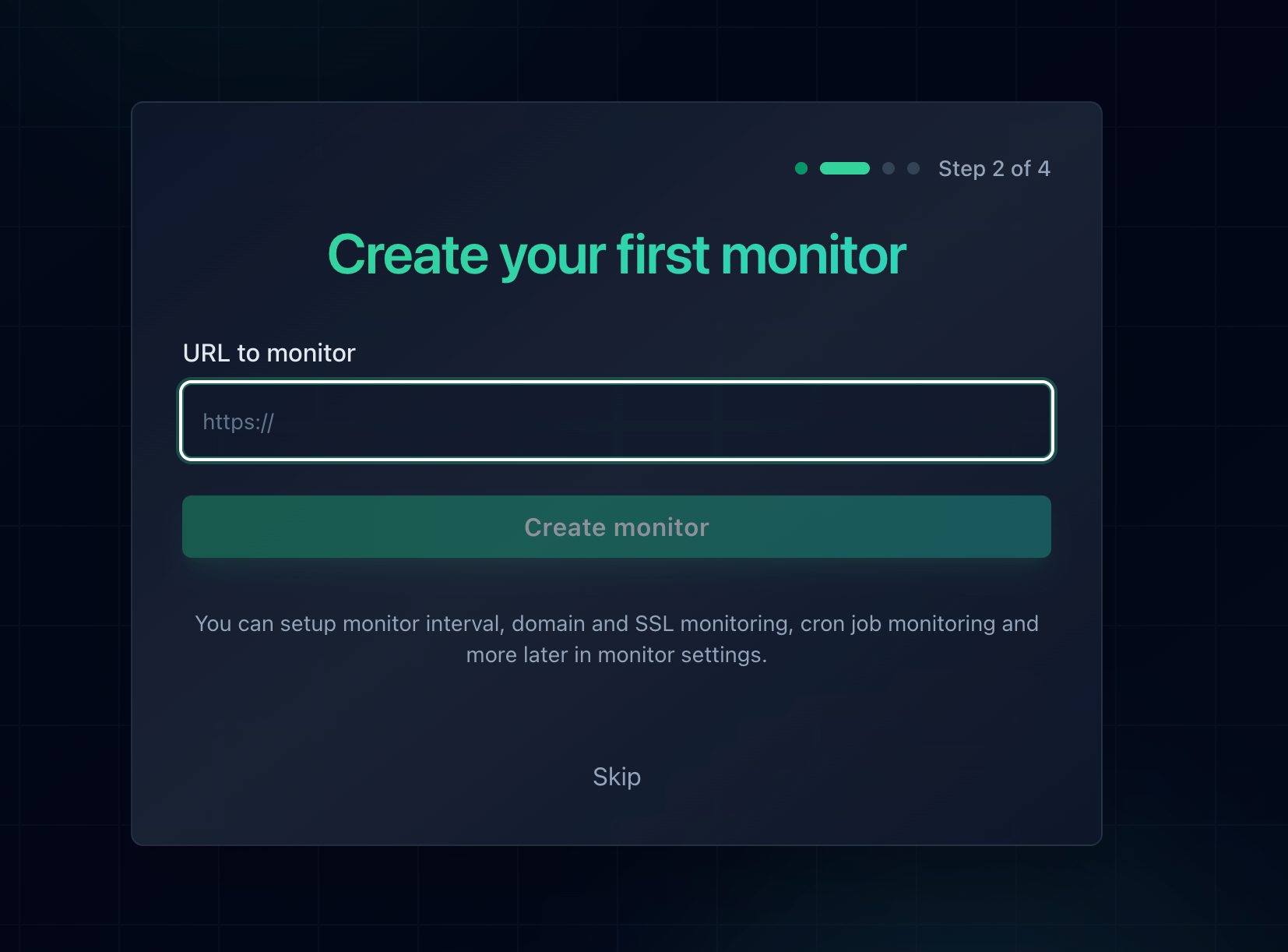
Adding a monitor takes about thirty seconds per URL.
Watch the Certificate Too
Once you have followed the SSL section above, your origin depends on a certificate that can expire. An expired origin certificate under Full (strict) produces a 526 rather than a 521, but it is the same outage from your customers' point of view. Notifier includes SSL certificate monitoring and DNS monitoring free on every plan, including the free tier, so the whole family of failures in the table at the top of this guide is covered by one setup. Our SSL certificate monitoring guide goes into what to watch and when.
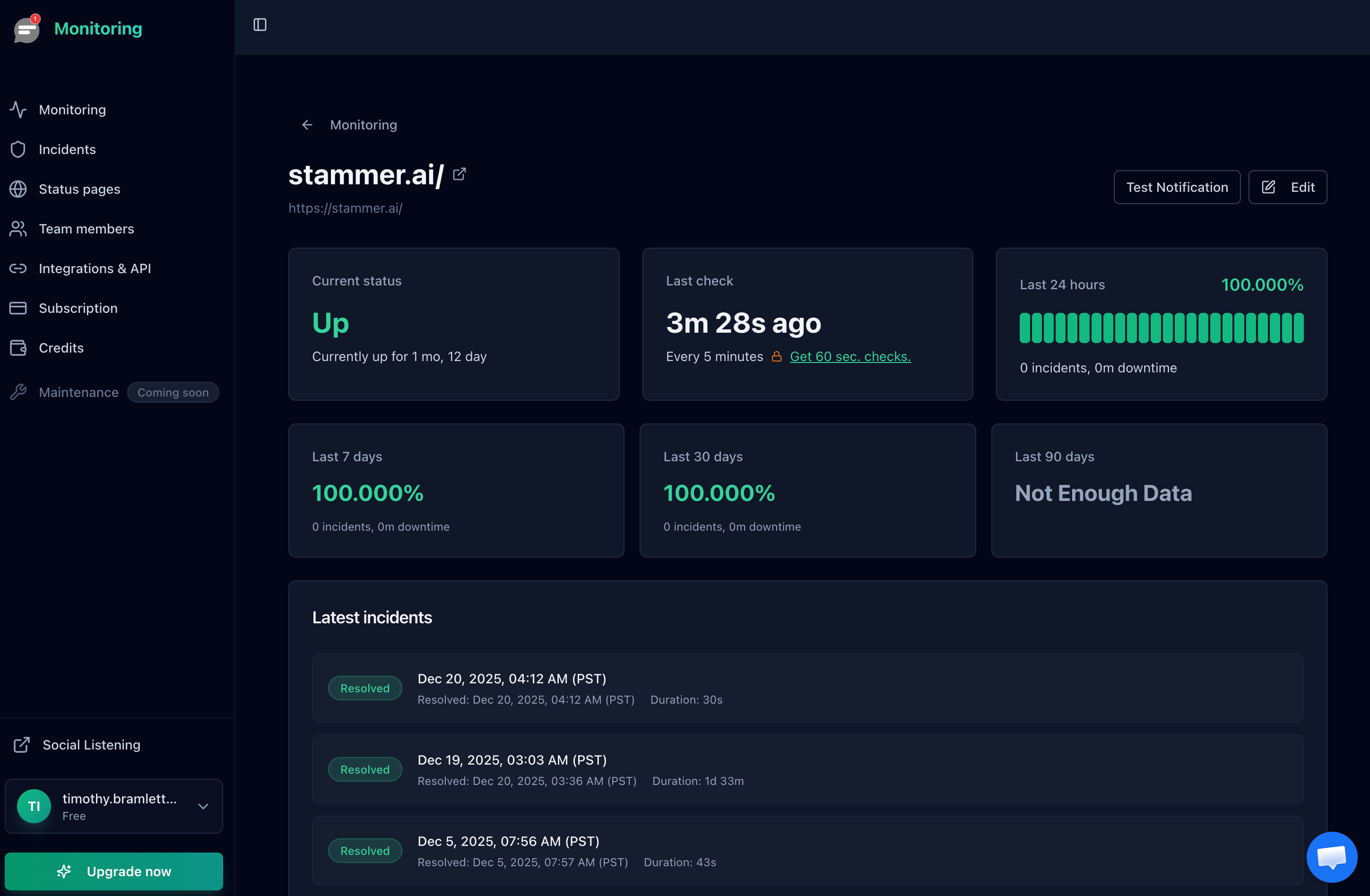
Uptime history also gives you the exact duration of the outage, which is what a status page update and a postmortem need.
Get the Alert Somewhere You Will See It
An email alert at 3 AM is worth nothing. For anything that makes money, use a channel that wakes you up. Notifier sends email, SMS, phone call, and Slack alerts on every plan including the free tier.
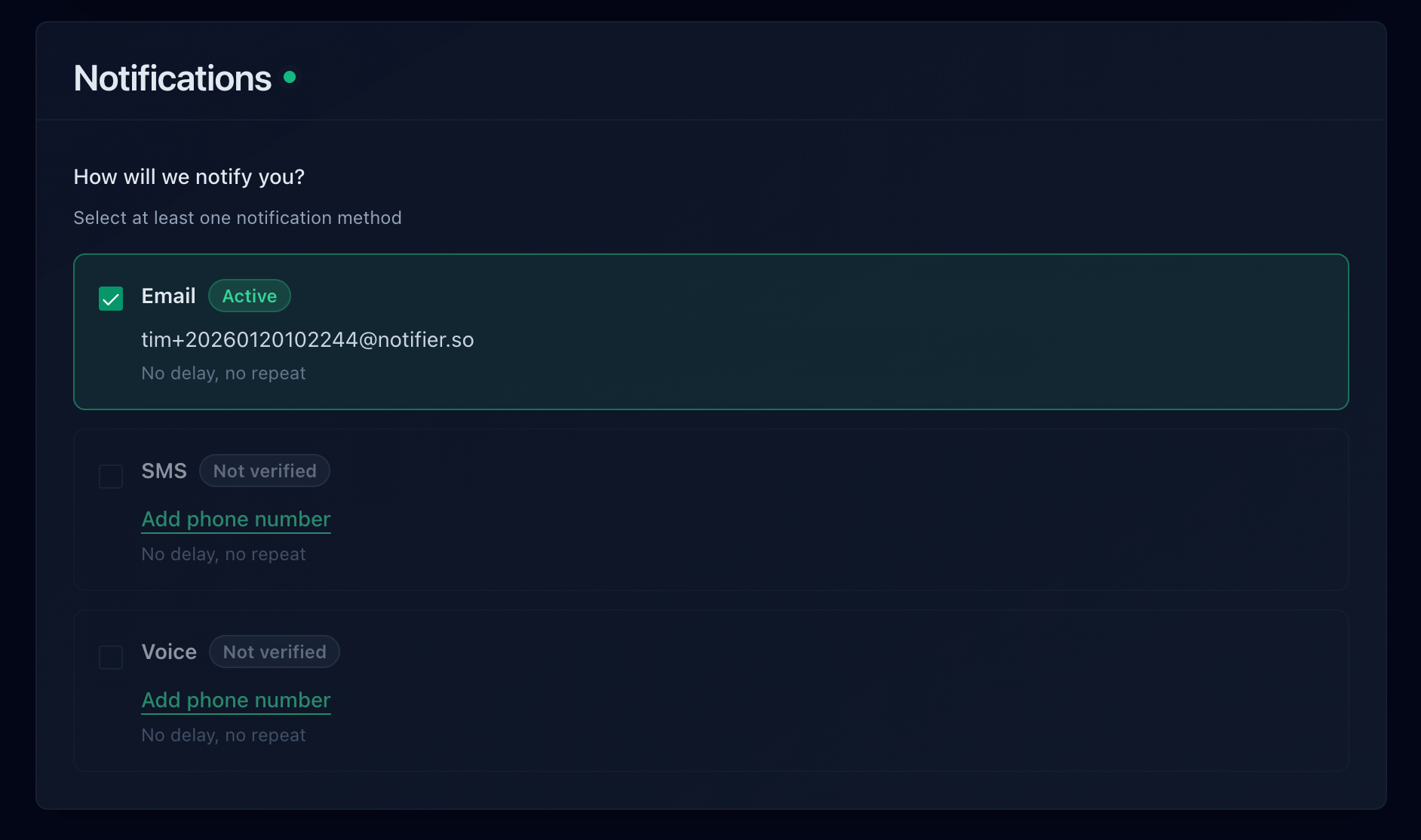
Email, SMS, phone call, and Slack are all available, including on the free plan.
How Quickly Each Tool Would Have Told You
Check interval is the number that matters here, because it sets your worst case detection delay. Here is how the common options compare on their free plans:
| Tool | Free Plan | Alert Channels on Free | Notes |
|---|---|---|---|
| Notifier | 10 monitors, 5 min checks, 5 status pages | Email, SMS, phone, Slack | SSL and DNS monitoring included on every plan. Free tier is fine for commercial use. Solo is $4/month for 20 monitors at 1 minute. |
| UptimeRobot | 50 monitors, 5 min checks, 1 status page | Free plan is non-commercial only. SMS and voice run on one-time credit bundles. Paid plans start at $8/month for 10 monitors. | |
| Better Stack | 10 monitors, 3 min checks, 1 status page | Email, Slack | Capable incident management, but pricing is per responder at $34/month and climbs quickly for a team. |
| StatusCake | 10 monitors, 5 min checks | Only 1 SSL monitor on free. The first paid tier is $24.49/month. | |
| Uptime Kuma | Unlimited, self-hosted | Many, via integrations | Free and flexible, but you host it, and it cannot alert you if it is running on the server that just refused connections. |
Important: UptimeRobot restricted its free plan to non-commercial use only in October 2024. If the site behind Cloudflare belongs to a business or a client, that free tier is not an option. Notifier's free tier has no such restriction.
Pricing changes, so verify before you commit. Our comparison of free website monitoring tools goes through each free tier in detail, and how to set up website monitoring walks through the whole setup end to end.
Frequently Asked Questions
What is the difference between Cloudflare error 521 and 522?
A 521 means your origin actively refused the connection by sending back a TCP reset, so the error page appears almost instantly. A 522 means your origin said nothing at all, so Cloudflare waited about fifteen seconds before giving up. That difference decides where you look. A refusal points at a stopped web server, nothing listening on the port Cloudflare used, or a firewall rule set to REJECT. Silence points at a firewall set to DROP, a cloud security group, or a server too overloaded to accept new connections.
Does error 521 mean my server is actually down?
Usually not. The wording is misleading. To refuse a connection the machine has to be powered on with a working network stack, so in most cases the server is running fine and only the web service is unavailable. The exceptions are a server that has just been rebooted and has not started its services yet, or a suspended hosting account. Log in over SSH and run sudo ss -tlnp to see whether anything is listening on ports 80 and 443.
Can I fix a Cloudflare 521 error as a visitor?
No. Clearing your cache, flushing DNS, changing resolvers, or disabling a VPN will not help, because none of your local state was involved. Cloudflare generated the error after being refused by someone else's server. Wait a few minutes and reload, since many 521s clear on their own once a deploy or restart finishes. If you need the site, contact the owner and include the Ray ID printed at the bottom of the error page.
Why did my site start showing a 521 right after I enabled Cloudflare?
Two causes account for almost all of these. The first is an SSL/TLS mode of Full or Full (strict) against an origin that only serves plain HTTP, because those modes make Cloudflare connect on port 443 where nothing is listening. The second is a firewall or security tool on your host that does not recognize Cloudflare's IP ranges and rejects them. Test both by running curl against your origin IP on port 443 and on port 80, since HTTP working while HTTPS is refused identifies the SSL mode case immediately.
Does switching SSL mode to Flexible fix error 521?
It hides it. Flexible makes Cloudflare connect on port 80 instead of 443, so if your origin serves HTTP the site comes back. The cost is that all traffic between Cloudflare and your server travels unencrypted across the public internet while your visitors see a padlock, and if your origin redirects HTTP to HTTPS you get an infinite redirect loop instead. Install a certificate on the origin and use Full (strict). Cloudflare's free Origin CA certificates are valid for up to 15 years.
Why does fail2ban cause Cloudflare 521 errors?
Because behind Cloudflare every request reaching your origin arrives from a Cloudflare IP address. Without a real IP configuration, your logs record those addresses for all visitors, so a single bot triggers a ban against a Cloudflare edge node that serves thousands of your users. The site goes fully down in an instant. Unban the address to restore service, then configure set_real_ip_from with real_ip_header CF-Connecting-IP on Nginx, or mod_remoteip on Apache, so bans land on real visitors.
Will uptime monitoring catch a Cloudflare 521 error?
Yes. Cloudflare returns the error with a real HTTP 521 status code rather than a 200 containing an error page, so any monitor that validates status codes flags it on the next check. Notifier alerts by email, SMS, phone call, or Slack within a minute on a paid plan and within five minutes on the free tier. Adding a second monitor on an unproxied origin hostname also tells you immediately whether the web server stopped or whether Cloudflare alone is being refused.