At a Glance
- •Cloudflare error 523 means Cloudflare could not find a network path to the IP address in your DNS record. It never reached a server at all, so nothing refused the connection and nothing timed out. Cloudflare itself is working.
- •The most common cause by far is a DNS record pointing at an old or wrong IP address, usually after a hosting migration, a server rebuild, or a cloud instance restart that handed out a new public IP.
- •The other causes in order: the origin server or its network is offline, a firewall replying with an ICMP "host prohibited" message (the firewalld and Oracle Cloud default), and a routing problem between Cloudflare and your hosting provider.
- •Test it without Cloudflare by running curl with --resolve against the IP in your DNS record from another machine. "No route to host" reproduces what Cloudflare sees, while a page that loads means the problem is specific to the path from Cloudflare.
- •Cloudflare returns a real HTTP 523 status code, so any uptime monitor catches it on the next check, and a ping monitor on the origin IP shows whether the machine itself is reachable. Notifier is free for 10 monitors with SSL and DNS monitoring included, and paid plans start at $4/month.
Your site has been replaced by a grey Cloudflare page reading Error 523: Origin is unreachable. Cloudflare is marked as working and your host is marked with a red error. The wording is more literal than it looks, and taking it literally is the fastest way to fix it.
A 523 means Cloudflare never reached a server. Not a server that refused, not a server that went quiet, not a server that answered badly. The network between Cloudflare and the IP address in your DNS record reported that there was no way to get there. So the question is not "what is wrong with my server" but "is Cloudflare knocking on the right door, and can anything get to that door at all".
In most cases the answer is that Cloudflare is knocking on the wrong door: an old IP address left in the DNS record after a migration, a rebuild, or a cloud instance restart. This guide works through that and the other causes in the order they actually turn up, with the commands to confirm each one. If you do not run the site, the visitor section is short, but it contains the one Cloudflare error tip where a VPN genuinely can help.
What Cloudflare Error 523 Actually Means
When your domain is proxied through Cloudflare (the orange cloud in your DNS settings), visitors connect to a Cloudflare data center, and Cloudflare opens a second connection to the IP address stored in your DNS record to fetch the page. That IP address is your origin. A 523 means Cloudflare could not route that second connection to it.
At the network level, Cloudflare sent a TCP SYN packet toward your origin, and instead of a reply from your server, a router somewhere along the way sent back an ICMP "destination unreachable" message. That router is saying it has no route to the address, or that the address has no machine behind it, or that it has been told to turn the traffic away. Either way the packet never arrived at anything that could be called your web server.
The cleanest way to hold the three connection errors in your head:
- 521: a machine answered, and the answer was no. Something is at the address, but nothing is listening, or a firewall refused. Covered in our Cloudflare error 521 guide.
- 522: nothing answered at all, and Cloudflare gave up after about fifteen seconds. Covered in our Cloudflare error 522 guide.
- 523: the network answered on the machine's behalf, saying it could not get there. That is an addressing or routing failure first and a server failure only sometimes.
Two things follow. First, Cloudflare is working, because the error page was generated and served by the Cloudflare edge nearest your visitor. Second, your public DNS is working too: visitors found Cloudflare, and Cloudflare found a record for your hostname. If the hostname did not resolve at all, visitors would get a browser error such as ERR_NAME_NOT_RESOLVED rather than any Cloudflare page. What is wrong is the content of the record, or the path to the address it contains.
Cloudflare Errors 520 to 526 Compared
Cloudflare's 5xx errors all render nearly the same grey page, so they are easy to confuse and easy to fix wrongly. Each number points at a different stage of the connection between the Cloudflare edge and your origin, and 523 is the earliest stage of all.
| Error | Wording | What Failed | Timing Tell |
|---|---|---|---|
| 520 | Web server returned an unknown error | Origin answered with something invalid | Varies, often instant |
| 521 | Web server is down | Origin actively refused the connection | Instant, under a second |
| 522 | Connection timed out | Origin never answered the connection attempt | About 15 seconds |
| 523 | Origin is unreachable | No network path to the origin address | Fast, from under a second to a few seconds |
| 524 | A timeout occurred | Connection opened, response never finished | About 100 seconds |
| 525 | SSL handshake failed | TLS negotiation with the origin broke down | Fast |
| 526 | Invalid SSL certificate | Origin certificate failed validation | Fast |
Everything after 523 in the table assumes a packet reached your machine. A 523 is the only one where it did not, which is why web server logs, PHP settings, and certificate checks are all irrelevant here. If a TCP connection had been made, you would be looking at one of the other errors, and the 520, 524, 525, and 526 guides cover those.
One more pattern is worth knowing: the same underlying mistake can produce a 521, 522, or 523 depending on what now sits at the wrong address. Point Cloudflare at an IP you no longer own and you might get a refusal from someone else's server, silence from a provider that drops the traffic, or an unreachable message from a router that knows nobody is there. If you have just migrated and are bouncing between those three codes, check the IP in your DNS record before anything else.
If You Are Just Trying to Visit the Site
In almost every case you cannot fix a 523. It is generated by Cloudflare after it failed to reach someone else's server, and your cache, cookies, and DNS settings were never involved. There are still three things worth doing.
- Wait a few minutes and reload. Some 523s last exactly as long as a server reboot or a provider network blip. Use a hard reload (Ctrl and F5, or Cmd, Shift and R on a Mac) so you are not looking at a cached error page.
- Check whether it is down for everyone. Our guide on whether a site is down for everyone or just you lists the checkers worth using. With a 523 the answer is not always simple, as the next point explains.
- Try a VPN in another region. This is normally useless advice for Cloudflare errors, but a 523 can be regional. Each Cloudflare data center takes its own route to the origin, and when one route is broken, visitors served by that data center fail while everyone else loads the site. A VPN changes which data center handles you, and sometimes that is enough.
If you need the site, message the owner and include the Ray ID printed at the bottom of the error page, plus the city shown under the Cloudflare icon in the diagram at the top. That city is the Cloudflare data center that served you, which is exactly what the owner needs to spot a regional routing problem.
Diagnose It in Five Minutes
Three steps separate the causes. The middle one resolves the majority of 523s on its own, so do not skip ahead to the routing tools.
Step 1: Confirm the Status Code and the Data Center
curl -s -o /dev/null -w "status=%{http_code}  total=%{time_total}s\n" https://example.com/

# Which Cloudflare data center handled you
curl -s https://example.com/cdn-cgi/trace | grep -E "^(colo|ip)="
A genuine 523 comes back quickly:
status=523  total=1.206s
colo=AMS
ip=198.51.100.24
The trace endpoint is served by Cloudflare itself, so it works even while your origin is unreachable. Note the colo code. If a colleague or customer in another region gets a working site and a different colo, you are almost certainly in the routing section. If the status is 522 and the total is around fifteen seconds, you are in the wrong guide and want the 522 guide instead.
Step 2: Compare the IP in Cloudflare With Your Server's Real IP
This is the step that fixes most 523s. Do not look the address up with dig or nslookup, because a proxied hostname returns Cloudflare's addresses, not yours. Read it from the DNS page of your Cloudflare dashboard, or from the API:
# Every record for the hostname, with its content and proxy status
curl -s "https://api.cloudflare.com/client/v4/zones/$ZONE_ID/dns_records?name=example.com" \
  -H "Authorization: Bearer $CF_API_TOKEN" \
  | jq -r '.result[] | "\(.type)  \(.content)  proxied=\(.proxied)"'
Then ask the server which public address it actually has. Cloudflare's own trace endpoint is a convenient way to do it:
# Run these on the origin server
curl -4 -s https://www.cloudflare.com/cdn-cgi/trace | grep ^ip=
curl -6 -s https://www.cloudflare.com/cdn-cgi/trace | grep ^ip=
On a normal VPS or dedicated server, the address printed here should match the A record in Cloudflare exactly, and the IPv6 address should match any AAAA record. If they differ, you have found your problem and can go straight to cause 1. One caveat: servers behind a cloud NAT gateway or load balancer send outbound traffic from a different address than the one they receive on, so on those, read the public or load balancer address from your provider's console instead.
Step 3: Test the Path Without Cloudflare
From a machine that is not the origin (your laptop is fine), connect to the address in the DNS record directly, keeping the right hostname so the correct site answers:
# Replace 203.0.113.10 with the IP from your Cloudflare DNS record
curl -sv --resolve example.com:443:203.0.113.10 https://example.com/ -o /dev/null --max-time 10
Read the result like this:
| What curl Says | What It Means | Go To |
|---|---|---|
| No route to host | You are seeing what Cloudflare sees. Either nothing is at that address, or a firewall is answering with an ICMP rejection. | Wrong IP, origin offline, or firewall |
| Network is unreachable | No route to that network from your side. For an IPv6 address, first confirm your own connection has IPv6 at all. | Wrong IP or routing |
| The page loads fine | The address works from your network but not from Cloudflare. Something treats Cloudflare's path or ranges differently. | Firewall, or routing to your provider |
| Connection timed out | Your path drops the packets silently while Cloudflare's path gets an unreachable reply. Usually an origin that is powered off or cut off. | Origin or network offline |
| Connection refused | Something is live at the address now and refusing. Either the problem changed or you are not testing the address Cloudflare uses. | Recheck step 2, then the 521 guide |
If the path fails, find out where it ends. mtr in TCP mode follows the same kind of packet Cloudflare sends:
sudo mtr -rwzbc 30 -T -P 443 203.0.113.10Loss that starts at one hop and continues all the way to the end is where the path dies, and the AS number shown next to that hop tells you whose network it is. Loss at a single hop in the middle that recovers on later hops is just a router deprioritizing replies to mtr, and means nothing. If the path ends inside your hosting provider's network, the provider is either routing the address nowhere or the machine behind it is gone.
Cause 1: The DNS Record Points at the Wrong Address
This is the dominant cause of 523 errors, and it has a characteristic feature: it nearly always follows a change, and quite often a change somebody else made. When your DNS is managed at Cloudflare, nothing updates the origin address automatically. Your host cannot change it, your cloud provider cannot change it, and your server has no idea it is being looked for at the old address.
Your Host Moved You to a New Server
Shared and managed hosts periodically migrate accounts to new hardware, and the new server has a new IP. The host updates its own nameservers, sends an email you may not have read, and considers the job done. If your nameservers point at Cloudflare, none of that reaches your DNS. The old server is decommissioned, its address goes unrouted or reassigned, and you get a 523 that appears overnight with no change on your side.
On cPanel hosting the current address is shown in the General Information panel as the Shared IP Address. Compare it to the A record in Cloudflare and update the record if they differ. Search your inbox for "migration" or "new server" from your host while you are at it, because the email usually lists every address that changed.
Your Cloud Instance Got a New Public IP
Cloud providers hand out temporary public addresses by default. On AWS, stopping and starting an EC2 instance that has no Elastic IP gives it a new public IPv4 address. On Google Cloud, an ephemeral external IP is released when the instance stops. Destroying and recreating a VPS on almost any provider does the same. A reboot keeps the address, which is why this bites people who normally reboot but once used stop and start instead.
The fix is to reserve a static address (an Elastic IP on AWS, a static external IP on Google Cloud, a reserved or floating IP elsewhere), attach it to the instance, and put that in Cloudflare. It is the difference between fixing this once and fixing it every time someone resizes the instance.
The Address Was Copied From the Wrong Place
On cloud VMs, ip addr shows the private VPC address, something like 10.0.1.23 or 172.31.5.8, because the public address is mapped at the provider's edge rather than configured on the machine. That private address only means something inside the provider's network. The same goes for a home server's LAN address like 192.168.1.20. A proxied record pointing at a private address usually produces Cloudflare error 1002 rather than 523, but typos in a public address, a transposed digit, or the address of a different server in your account produce a textbook 523.
An IPv6 Only Record Cloudflare Has to Use
When a hostname has both an A and an AAAA record, Cloudflare prefers IPv4 when connecting to your origin, so a stale AAAA record sitting beside a correct A record rarely causes trouble. The problem case is a hostname with only an AAAA record. Cloudflare has to use IPv6, and if that address is wrong, you get a 523 with no IPv4 fallback. Common versions are a link local address beginning with fe80:: copied from ip addr (it is never reachable from outside the local network), and a provider assigned IPv6 block that was never actually configured on the server's interface.
# On the server: does it really have a global IPv6 address?
ip -6 addr show scope global

# From another machine with IPv6: can the address be reached?
curl -6 -sv --resolve 'example.com:443:[2001:db8::10]' https://example.com/ -o /dev/null --max-time 10
If the server has no global IPv6 address, add an A record for its IPv4 address and delete the AAAA record, or configure IPv6 properly before relying on it.
A CNAME That Still Resolves, to the Wrong Place
Some hosts give you a CNAME target rather than an IP. If that target stops existing, Cloudflare shows error 1016 (origin DNS error), not 523. But if the old target still resolves to an address that is no longer routed, which happens when a host retires a cluster but leaves its DNS in place, the result is a 523. Check the target in your host's dashboard today, not the one you set up years ago.
Cause 2: The Origin or Its Network Is Offline
If the address in Cloudflare is correct and still unreachable, the machine behind it is not on the network. The way the failure looks from outside depends on the provider. When a server in a data center goes offline, the router in front of it tries to find the machine on the local network, fails after a few seconds, and in many networks sends back a host unreachable message. That is a 523. Other providers just discard the traffic, which is a 522. Same outage, different code.
Check the Provider's Console, Not SSH
If the origin is unreachable, SSH will be too, so start in your provider's control panel:
- Is the instance running? A server stopped by a billing failure, an expired trial, or an accidental shutdown is the simplest version of this. Check the billing page as well as the instance list.
- Is the account or IP suspended? Providers suspend servers for abuse reports and null route addresses under a large DDoS attack. Both usually generate an email and a notice in the control panel.
- Did it boot with working networking? Open the provider's web or serial console. A kernel panic, a filesystem check waiting for input, or a network configuration that broke on reboot (a bad netplan edit, a renamed interface, a firewall service that came up before the network) all leave a server that is "running" in the dashboard but invisible on the internet.
# From the provider's web console, once logged in
ip -br addr          # does the public interface have its address and state UP?
ip route             # is there a default route?
ping -c 3 1.1.1.1    # can the server reach the internet at all?
An interface with no address or no default route explains a 523 completely. On Ubuntu, sudo netplan try is the safe way to test a network change, because it rolls back automatically if you lose connectivity and do not confirm.
A Provider Network Outage
If your server looks healthy from the console but nothing outside can reach it, check your provider's status page. Data center network incidents take out every server in a location at once, and your mtr output from step 3 will show the path dying at the provider's edge routers. There is nothing to fix on your side, but it is exactly the case that makes an origin in a second location, or a standby with a different provider, worth the cost. Our guide on what causes website downtime covers where that kind of redundancy actually pays for itself.
Cause 3: A Firewall Replying "No Route to Host"
This is the cause almost nobody expects, because the server is up, the address is correct, and the web server is listening. The firewall is rejecting the connection, and the specific way it rejects decides which Cloudflare error you see:
| Firewall Action | Where You See It | Connection Fails With | Cloudflare Shows |
|---|---|---|---|
| REJECT with tcp-reset | ufw reject rules, many host firewalls | Connection refused | 521 |
| REJECT with icmp-port-unreachable | The plain iptables REJECT default | Connection refused | 521 |
| REJECT with icmp-host-prohibited or icmp-admin-prohibited | firewalld, older RHEL and CentOS rules, Oracle Cloud images | No route to host | 523 |
| DROP | Cloud security groups, many hardening guides | Nothing, until a timeout | 522 |
The third row is the one that matters here. An ICMP "host prohibited" reply tells the connecting machine that the host cannot be reached, so the connection fails with the same "No route to host" message a genuine routing failure produces. System administrators on RHEL based systems have been confused by this for years when a closed port reports itself as a missing route. Behind Cloudflare, the same confusion produces a 523 on a server that is running perfectly. Treat the mapping as the usual outcome rather than a guarantee, since it depends on how the edge's operating system reports the failure, but if you run firewalld and see a 523, check the firewall first.
firewalld on RHEL, Rocky, Alma, CentOS, and Fedora
firewalld rejects anything not explicitly allowed in the active zone with exactly this ICMP message. A fresh server with a web server installed but HTTP and HTTPS never added to the zone produces a 523 the moment it goes behind Cloudflare:
# What is allowed in the active zone?
sudo firewall-cmd --list-all

# Simple fix: allow web traffic from anywhere
sudo firewall-cmd --permanent --add-service=http --add-service=https
sudo firewall-cmd --reload

# Stricter fix: allow HTTPS only from Cloudflare's published ranges
for ip in $(curl -s https://www.cloudflare.com/ips-v4); do
  sudo firewall-cmd --permanent --add-rich-rule="rule family=ipv4 source address=$ip port port=443 protocol=tcp accept"
done
for ip in $(curl -s https://www.cloudflare.com/ips-v6); do
  sudo firewall-cmd --permanent --add-rich-rule="rule family=ipv6 source address=$ip port port=443 protocol=tcp accept"
done
sudo firewall-cmd --reload
Oracle Cloud Instances
Oracle Cloud is popular for small sites and side projects because of its generous free tier, and it catches almost everyone the same way. There are two firewalls. You open ports 80 and 443 in the VCN security list, and the site still fails, because the Ubuntu images also ship with iptables rules on the instance that end in a REJECT with icmp-host-prohibited. (Oracle Linux images use firewalld instead, covered above, with the same result.) Opening the security list alone gets you a 523. On Ubuntu, insert allow rules above the reject:
# Find the line number of the REJECT rule
sudo iptables -L INPUT -n --line-numbers | grep -i reject

# Insert the allow rule at that line number (6 in this example), pushing REJECT down
sudo iptables -I INPUT 6 -p tcp -m state --state NEW -m multiport --dports 80,443 -j ACCEPT

# Persist across reboots on Ubuntu images
sudo netfilter-persistent save
Any Other Host
On other systems, search the rule set for ICMP rejections directly:
sudo iptables -S | grep -E "reject-with icmp-(host|net|admin)"
sudo ip6tables -S | grep -E "reject-with icmp6-(adm|addr|no-route)"
sudo nft list ruleset | grep -iE "reject with icmp"
A match that applies to ports 80 or 443, or a catch-all rule at the end of the INPUT chain, is your answer. Hardware firewalls and provider level network ACLs can send the same kind of reply, so if the server's own rules are clean but step 3 loaded the page for you while Cloudflare still gets a 523, ask your provider whether an upstream firewall is filtering Cloudflare's ranges. The 521 guide also covers the real visitor IP configuration that stops tools like fail2ban from banning Cloudflare's edge in the first place.
Cause 4: A Routing Problem Between Cloudflare and Your Provider
If the address is right, the server is up, the firewall is clean, and the site loads when you test it directly, the remaining explanation is the path itself. Cloudflare operates hundreds of data centers, and each reaches your provider over its own route. If one of those routes breaks, only the visitors served by that data center get a 523.
Regional 523s
The signature is inconsistency by geography: customers in one country report the error, while you, in another, see a working site. Collect the data center codes. The trace endpoint from step 1 gives you yours, and for affected users, the city on their error page or the cf-ray response header (which ends in the three letter data center code) gives you theirs. If every failure comes from one or two data centers, it is a routing issue between those locations and your provider, usually at a peering point or transit link neither you nor Cloudflare controls directly. These often resolve within hours as networks reroute. If one does not, open a ticket with your host, and another with Cloudflare support if your plan includes it.
RPKI: Reachable From Everywhere Except Cloudflare
This one is rare, but when it happens it is baffling. Cloudflare validates internet routes with RPKI and discards any route marked invalid. If your hosting provider publishes a route origin authorization that does not match how it actually announces your address block, typically after renumbering or when it announces a smaller block than its authorization permits, Cloudflare drops the route entirely. Networks that do not validate keep delivering traffic normally. The result is a server reachable from your laptop, your monitoring, and most of the internet, and a 523 from every Cloudflare data center at once.
You can check the RPKI status of your origin's address block on bgp.tools or with the RPKI validation lookup in RIPEstat. If it shows invalid, only your hosting provider can fix it, and pointing them at that result will save you a long support thread.
What to Send Your Host
A generic "my site is down" ticket gets a generic answer. This gets an engineer:
- The origin IP and confirmation that it matches what the provider assigned.
- Timestamps in UTC of failures, plus the Ray IDs and colo codes from the error pages.
- mtr output in TCP mode on port 443, from at least two different networks, showing where the path ends.
- The direct curl result from step 3, which shows the server itself answers when reached.
- A request to check upstream ACLs and the RPKI status of the address block.
Home Servers, Dynamic IPs, and Cloudflare Tunnel
A large share of 523 reports come from self hosted setups: a home lab, a NAS, a Raspberry Pi, or a small office server behind a consumer router. Three problems are specific to that environment.
Your Home IP Changed
Most residential connections have a dynamic public IP that changes after a router reboot, a lease expiry, or ISP maintenance. If the tool that keeps your Cloudflare record up to date (ddclient, a DDNS container, or your router's built-in updater) has stopped, crashed, or lost its API token, the record keeps the old address and you get a 523 the next time the IP rotates. Check the updater's logs, and confirm your current address with the trace endpoint from step 2. If you stay with port forwarding, a small script on a five minute cron job is enough:
#!/bin/sh
# Keep a Cloudflare A record in sync with this network's public IPv4
ZONE_ID="your_zone_id"
RECORD_ID="your_record_id"
TOKEN="api_token_with_zone_dns_edit"
API="https://api.cloudflare.com/client/v4/zones/$ZONE_ID/dns_records/$RECORD_ID"

IP=$(curl -4 -s https://www.cloudflare.com/cdn-cgi/trace | sed -n 's/^ip=//p')
CURRENT=$(curl -s "$API" -H "Authorization: Bearer $TOKEN" | jq -r '.result.content')

if [ -n "$IP" ] && [ "$IP" != "$CURRENT" ]; then
  curl -s -X PATCH "$API" -H "Authorization: Bearer $TOKEN" \
    -H "Content-Type: application/json" --data "{\"content\":\"$IP\"}"
fi
You Are Behind Carrier Grade NAT
Many ISPs, especially mobile, fixed wireless, and some fiber providers, put customers behind carrier grade NAT. Your router's WAN address is then in the 100.64.0.0/10 range or otherwise differs from the IP the trace endpoint reports. The public address you see belongs to the ISP's gateway, shared with many other customers, and no inbound connection can reach you through it. Port forwarding on your router cannot fix that, and neither can any DNS change. You need either a public IP from your ISP (some sell one as an add-on) or a tunnel.
Cloudflare Tunnel Removes the Problem
A Cloudflare Tunnel runs a small daemon, cloudflared, on your server. It makes an outbound connection to Cloudflare, and traffic for your hostname flows back through it. No inbound port, no public IP, no DNS record holding an address, and therefore no 523 from any of the causes in this guide. It works behind CGNAT, survives IP changes, and is free on every Cloudflare plan. From the command line:
cloudflared tunnel login
cloudflared tunnel create homelab

# Delete the old A record for the hostname first, then
cloudflared tunnel route dns homelab app.example.com
cloudflared tunnel run --url http://localhost:8080 homelab
The Tunnels section of the Cloudflare Zero Trust dashboard offers the same setup with a single install command, and installs cloudflared as a service so it survives reboots. Tunnels fail differently, which is useful to know when you read the next error: error 1033 means the tunnel is not connected to Cloudflare, and a 502 means the tunnel is connected but cloudflared cannot reach the local service. Neither is a 523.
Cloudflare Settings and Managed Hosts
Related Codes That Mean "Cloudflare Could Not Find Your Origin"
Several Cloudflare errors sit close to 523, and telling them apart points you at the right record:
| Error | Meaning | Usual Fix |
|---|---|---|
| 523 | The record has an address, but there is no route to it | Correct the IP, bring the origin back, or fix the firewall |
| 1016 | Origin DNS error: a CNAME target does not resolve | Update the CNAME to the host's current target |
| 1002 | The record points at a Cloudflare IP, or a local or disallowed address | Replace it with your real public origin IP |
| 1033 | The hostname routes to a Cloudflare Tunnel that is not connected | Start or reinstall cloudflared |
| 530 | The HTTP status Cloudflare returns alongside a 1xxx error | Read the 1xxx code on the page and fix that |
The last row matters for monitoring: if a monitor reports HTTP 530 rather than 523, the error page will name a 1xxx code such as 1016 or 1033, and that is the error to fix.
You Rarely Need the Grey Cloud Test Here
For most Cloudflare errors, switching the record to DNS only is a common test. For a 523 it adds almost nothing, because step 3 already connects to the same address without Cloudflare in the path, and does it without changing anything public.
Grey clouding publishes your origin IP address permanently. Passive DNS services record the change within minutes and keep it forever, so attackers can bypass Cloudflare and hit your server directly from then on. Use curl with --resolve instead, and never leave a production record grey clouded as a workaround.
Shared and Managed Hosting
- Use the address the host shows today. Managed WordPress platforms and site builders publish their current target, sometimes as an IP and sometimes as a CNAME, in the domain settings of their dashboard. Platforms occasionally change these during infrastructure moves, and the one you copied years ago may be retired.
- Check for a suspended account. A hosting account suspended for billing or resource abuse sometimes has its address pulled entirely, which looks like a 523 rather than a suspension page.
- Ask whether the server moved. If support confirms a migration, ask for every IP that changed, including any dedicated IP add-on, and update each record in Cloudflare. For WordPress sites, our WordPress uptime monitoring guide covers what else is worth watching after a host move.
How to Find Out Before Your Customers Do
A 523 is almost never spontaneous. It follows an IP change, a migration, a stop and start, or a firewall change, and quite often one made by your host, your cloud provider, or your ISP without asking you. Cloudflare does not email you when your origin becomes unreachable. It serves the error page, indefinitely, to everyone, and the first report you get is usually from a customer.
Because Cloudflare returns a genuine HTTP 523 status code rather than a 200 containing an error page, any monitor that validates status codes catches it on the very next check.

Any non-2xx response, including Cloudflare's 523, flips the monitor to down on the next check.
Pair It With a Ping Monitor on the Origin IP
A 523 is a question about whether an address is reachable, so the most useful second monitor is a ping check against your origin IP directly. It needs no DNS record, so unlike an unproxied origin hostname it does not publish your address to passive DNS. Allow ICMP echo from the internet in your firewall and security group first, since many cloud providers block it by default.
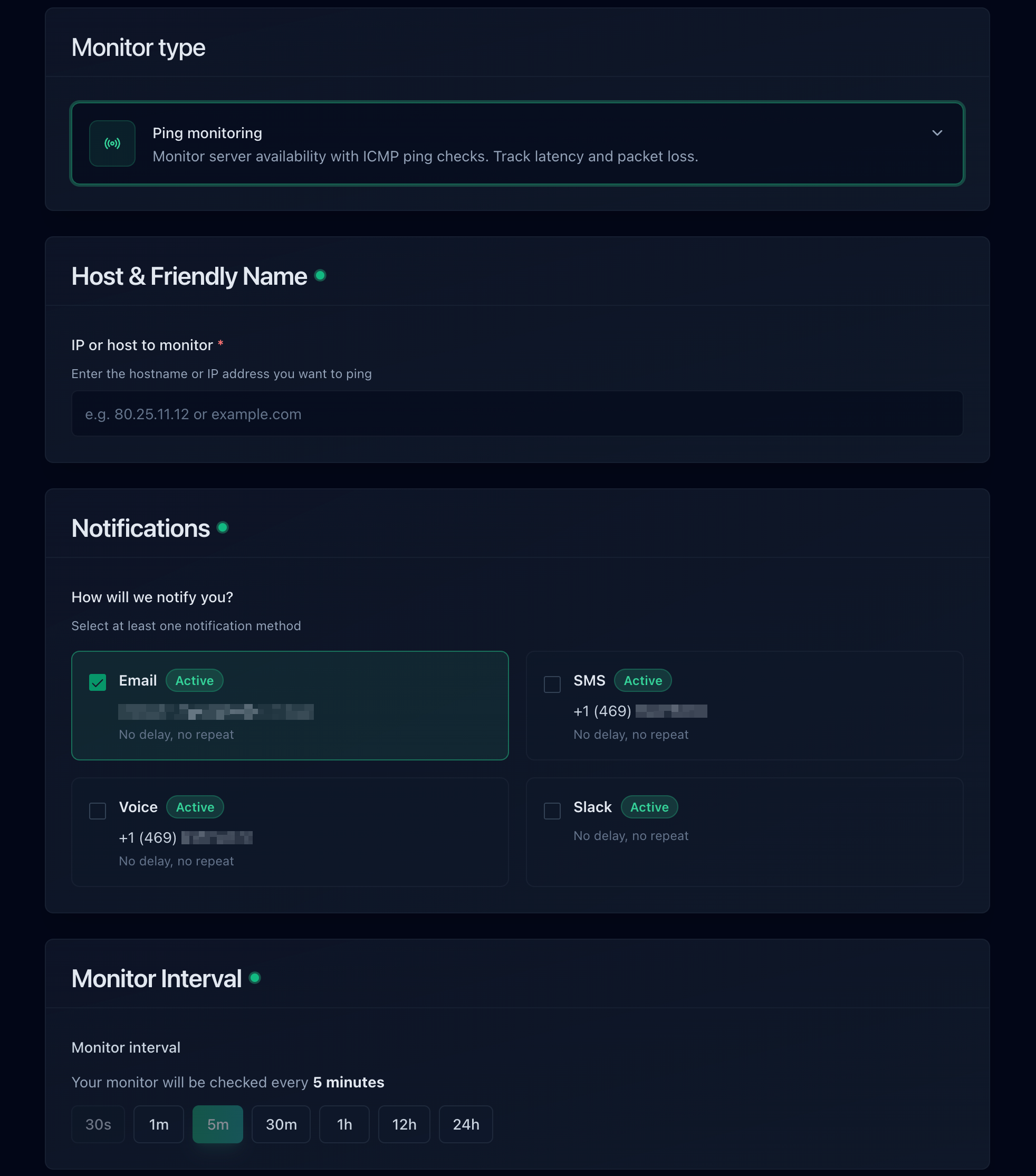
A ping monitor takes a raw IP address, so it watches the origin without any DNS record at all.
With both in place, the alert combination tells you which section of this guide to open:
| Site (Proxied) | Ping to Origin IP | Most Likely Cause |
|---|---|---|
| Down, 523 | Down | The server or its network is offline. Open the provider console. |
| Down, 523 | Up | The machine is fine. Either the Cloudflare record no longer holds this IP, a firewall is rejecting web ports, or the path from Cloudflare is broken. |
| Up | Down | Visitors are fine. Usually ICMP was blocked by a firewall change, which is worth knowing before it hides a real outage. |
Watch Records That Should Never Change
Proxied records return Cloudflare's addresses to the public, so a DNS check on them cannot see your origin IP. Unproxied records are different. If you keep hostnames that should never change, such as mail, an API on another provider, or anything not behind the proxy, DNS monitoring alerts you the moment one is edited or starts resolving somewhere unexpected. Notifier includes DNS monitoring and SSL certificate monitoring free on every plan, including the free tier. Certificate monitoring covers the other end of this family, since an expired origin certificate under Full (strict) turns into a 526, and our SSL certificate monitoring guide explains what to watch.
Regional Failures Need Regional Checks
A regional 523 only shows up for visitors served by the affected Cloudflare data centers, so a monitor checking from one location can miss it entirely. Multi-country monitoring locations are coming soon to Notifier, and existing users will get access automatically when they launch. Our guide on monitoring a website from multiple countries covers why location matters and what to do in the meantime.
Get the Alert Somewhere You Will See It
An IP that changed at 2 AM should wake someone up if the site makes money. Notifier sends email, SMS, phone call, and Slack alerts on every plan including the free tier, and if you run into trouble setting it up, the support team usually replies within minutes through the chat widget or support@notifier.so.
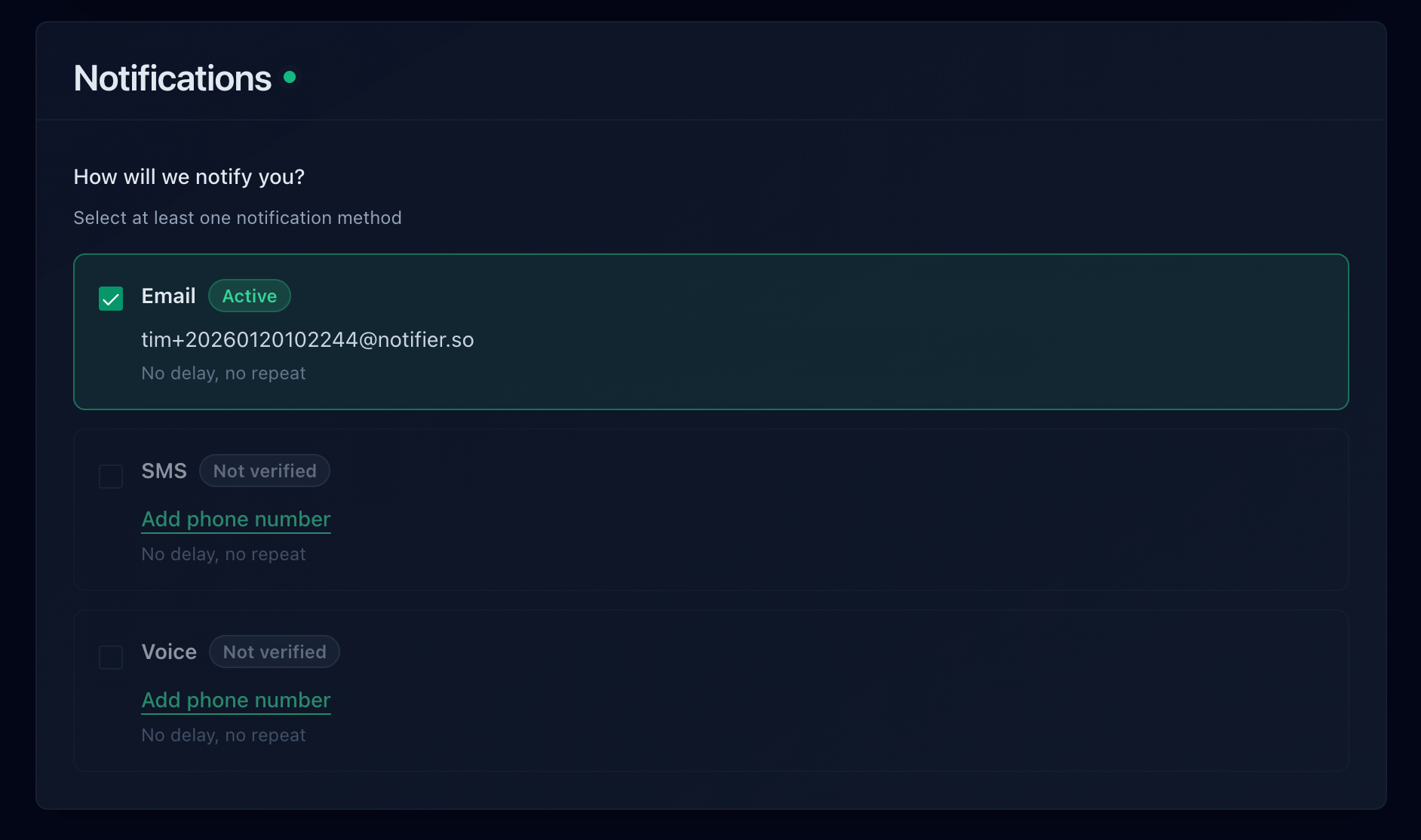
Email, SMS, phone call, and Slack are all available, including on the free plan.
How Quickly Each Tool Would Have Told You
Check interval sets your worst case detection delay, and ping support decides whether you can watch the origin address as well as the site. Here is how the common options compare on their free plans:
| Tool | Free Plan | Alert Channels on Free | Notes |
|---|---|---|---|
| Notifier | 10 monitors, 5 min checks, 5 status pages | Email, SMS, phone, Slack | SSL and DNS monitoring included on every plan. Free tier is fine for commercial use. Solo is $4/month for 20 monitors at 1 minute. |
| UptimeRobot | 50 monitors, 5 min checks, 1 status page | Free plan is non-commercial only. SMS and voice run on credit bundles, and the entry paid plan drops you to 10 monitors. | |
| Better Stack | 10 monitors, 3 min checks, 1 status page | Email, Slack | Capable incident management, but pricing is per responder at $34/month and climbs quickly for a team. |
| StatusCake | 10 monitors, 5 min checks | Only 1 SSL monitor on free, and status pages are sold separately. The first paid tier is $24.49/month. | |
| Uptime Kuma | Unlimited, self-hosted | Many, via integrations | Free and flexible, but you host it, and if it runs on the network that just became unreachable it goes silent along with your site. |
Important: UptimeRobot restricted its free plan to non-commercial use only in October 2024. If the site behind Cloudflare belongs to a business or a client, that free tier is not an option. Notifier's free tier has no such restriction.
Pricing changes, so verify before committing. Our comparison of free website monitoring tools goes through each free tier in detail, how to set up website monitoring walks through the whole setup in about five minutes, and the website monitoring checklist covers what else belongs on the list.
Frequently Asked Questions
What does Cloudflare error 523 origin is unreachable mean?
It means Cloudflare could not find a network path to the IP address in your DNS record. A router along the way reported that the address was unreachable, so the connection never reached a server. Cloudflare and your public DNS are both working. The most common reason is that the record holds an old or wrong IP address after a hosting migration, a server rebuild, or a cloud instance restart.
What is the difference between Cloudflare error 521, 522, and 523?
A 521 means a machine at your origin address answered and refused the connection, usually because the web server stopped or a firewall rejected it. A 522 means nothing answered, and Cloudflare gave up after about fifteen seconds. A 523 means the network reported that the address could not be reached at all, so no machine was ever contacted. Start a 521 with the web server, a 522 with dropped packets and server load, and a 523 with the IP address in your DNS record.
Why did I get error 523 after moving hosts or restarting my server?
Because your server's public IP changed and the A record in Cloudflare did not. When your DNS is managed at Cloudflare, nothing updates the origin address for you. Hosting migrations assign new IPs, AWS gives an instance without an Elastic IP a new address when it is stopped and started, and Google Cloud releases ephemeral IPs on stop. Compare the record in your Cloudflare DNS dashboard with the address your provider shows today, and reserve a static IP so it cannot happen again.
Can a firewall cause Cloudflare error 523?
Yes. A firewall that rejects connections with an ICMP "host prohibited" message makes the connection fail with "No route to host", which Cloudflare reports as a 523 even though the server is running. That is the default behavior of firewalld on RHEL, Rocky, Alma, and Fedora, and of the iptables rules shipped on Oracle Cloud images. Allow HTTP and HTTPS in the firewall, or allow Cloudflare's published IP ranges on port 443.
Why does my home server show Cloudflare error 523?
Usually because your home IP changed and your dynamic DNS updater did not update the Cloudflare record, or because your ISP uses carrier grade NAT, which makes inbound connections impossible no matter what the DNS says. Cloudflare Tunnel fixes both. The cloudflared daemon connects outbound to Cloudflare, so you need no public IP, no port forwarding, and no address in your DNS record.
Can I fix Cloudflare error 523 as a visitor?
Usually not, because the failure is between Cloudflare and the website's server. Clearing your cache or flushing DNS will not help. A 523 can be regional, though, since each Cloudflare data center takes its own route to the origin, so a VPN in another region sometimes gets you through. Otherwise wait a few minutes and reload, and send the site owner the Ray ID from the bottom of the error page.
Will uptime monitoring catch a Cloudflare 523 error?
Yes. Cloudflare returns the error with a real HTTP 523 status code, so any monitor that validates status codes flags it on the next check. Notifier alerts by email, SMS, phone call, or Slack within a minute on a paid plan and within five minutes on the free tier. Adding a ping monitor on your origin IP also shows immediately whether the machine itself is unreachable or whether only the path from Cloudflare is broken.