At a Glance
- •Cloudflare error 526 means Cloudflare reached your origin server and completed the TLS handshake, then rejected the certificate your server presented. Your DNS, network, firewall, and TLS configuration are all working.
- •A 526 only happens when your SSL/TLS encryption mode is Full (strict) or Strict. Under Full, Cloudflare encrypts the origin connection but validates nothing, so it accepts expired and self-signed certificates and can never produce this error.
- •The four causes in order: an expired certificate, a chain missing its intermediate (usually cert.pem installed where fullchain.pem belongs), a self-signed or private CA certificate, and a certificate that does not cover the hostname Cloudflare requested.
- •Diagnose it with one command: openssl s_client -connect ORIGIN_IP:443 -servername yourdomain.com -verify_hostname yourdomain.com. The verify return code names the exact failure. Do not test in desktop Chrome, which quietly fetches missing intermediates that Cloudflare will not.
- •Switching to Full makes the error vanish by turning validation off, which is a rollback rather than a fix. Cloudflare returns a real HTTP 526 status code, so a monitor catches it on the next check, and certificate monitoring warns you weeks earlier. Notifier includes SSL monitoring free on every plan, with 10 monitors free and paid plans from $4/month.
Error 526: Invalid SSL certificate is the one Cloudflare error that means exactly what it says. Cloudflare reached your origin server, completed the TLS handshake, looked at the certificate your server presented, and refused to trust it. Everything below the certificate worked perfectly.
That precision is useful, because it makes a 526 the most solvable error in the Cloudflare 5xx family. There are only four things wrong with a certificate that Cloudflare will reject, and one command tells you which one you have. No firewall archaeology, no capacity investigation, no reading application logs.
The trap is different here. A 526 is easy to make disappear by weakening your encryption mode, and a lot of advice online recommends exactly that. This guide covers why that is a bad trade, what each of the four causes looks like, and the one test that stops you chasing a certificate that was never broken. If you do not run the site, skip to the visitor section. It is short, because there is nothing on your end to fix.
What Cloudflare Error 526 Actually Means
When a visitor loads your site, Cloudflare's edge has to make its own connection to your origin server. On an encrypted setup that connection runs through five stages, in this order:
- 1. Resolve the origin address from your Cloudflare DNS record.
- 2. Open a TCP connection to it.
- 3. Negotiate a TLS version and cipher suite.
- 4. Receive and validate the certificate the origin presents.
- 5. Send the HTTP request and read the response.
A 526 is a failure at stage four and only stage four. Stages one, two, and three all succeeded, which is a lot of information handed to you for free.
Three things follow from that, and each one rules out a large category of advice you will find elsewhere.
- Your server, network, and TLS stack are all working. DNS points somewhere real, the machine accepted the connection, the port is open through every firewall in the path, and your origin successfully negotiated encryption. Checking firewall rules, restarting Nginx, and looking for resource exhaustion are all wasted steps on a 526.
- Your SSL/TLS encryption mode is Full (strict) or Strict. This is the single most useful fact about the error. Under Full, Cloudflare encrypts the origin connection but performs no validation at all, so it happily accepts expired and self-signed certificates. Under Flexible and Off it connects on port 80 in plain text. None of those three modes can produce a 526 under any circumstances.
- Something changed recently. A certificate that validated yesterday and fails today either expired, was replaced, or is being judged by a stricter rule than it was before. Certificates do not degrade on their own. Start by asking what changed rather than by rebuilding your TLS configuration.
What Cloudflare requires from an origin certificate
Under Full (strict), the certificate your origin presents must satisfy four conditions at once: it must be within its validity dates, it must chain to a certificate authority Cloudflare trusts (any public CA, or the free Cloudflare Origin CA), the chain must be complete because Cloudflare will not go fetch a missing intermediate for you, and it must cover the hostname Cloudflare asked for. Break any one of the four and you get a 526. The rest of this guide is those four conditions in the order they turn out to be responsible.
Cloudflare Errors 520 to 526 Compared
Cloudflare's 5xx errors all render nearly the same grey page, which is why they get confused constantly and the wrong fix gets applied. Each number points at a different stage of the connection between the edge and your origin.
| Error | What Failed | Timing Tell | Where to Look |
|---|---|---|---|
| 520 | Response arrived but was empty, truncated, or unparseable | Varies, often intermittent | Web server error log, OOM killer, cookie size |
| 521 | Origin refused the connection with a TCP reset | Under a second | Stopped service, wrong port, firewall REJECT |
| 522 | Origin never answered the connection attempt | About 15 seconds | Firewall DROP, security group, no capacity |
| 523 | Origin was unreachable at the network level | Fast | Wrong DNS record, routing, decommissioned host |
| 524 | Request delivered, response never finished in time | About 100 seconds | Slow query, external API call, work needing a queue |
| 525 | TCP connected, then the TLS handshake failed | Fast, usually under two seconds | Missing TLS listener, cipher list, SNI, client cert requirement |
| 526 | Handshake succeeded, then the certificate failed validation | Fast, usually under two seconds | Expiry date, chain completeness, issuer, hostname coverage |
The pair worth separating carefully is 525 and 526, because both involve TLS and both fail fast. A 525 is a negotiation failure: Cloudflare and your origin never agreed on how to speak TLS, so no certificate was ever examined. A 526 is a validation failure: they agreed, the certificate arrived, and Cloudflare rejected it. The practical difference is where you spend your afternoon. A 525 sends you to your listener and cipher configuration. A 526 sends you to the certificate file itself.
If the error you are looking at is a 520, a 521, a 522, or a 524, those guides cover the rest of the family. For the browser side view of the same certificate problems, our guides to NET::ERR_CERT_DATE_INVALID, NET::ERR_CERT_AUTHORITY_INVALID, and NET::ERR_CERT_COMMON_NAME_INVALID map onto causes one, two and three, and four below.
If You Are Just Trying to Visit the Site
There is no client side fix for a 526, and it is worth saying plainly because most search results for browser certificate warnings will hand you a list of local fixes that do not apply here.
Your system clock is not the problem. Your browser is not the problem. Clearing your cache, flushing DNS, switching to 1.1.1.1, disabling your antivirus, updating your root certificates, and turning off your VPN will all do nothing. Your connection to Cloudflare succeeded, which is why you are reading a Cloudflare error page rather than a browser warning. The rejected certificate belongs to a server you never connected to.
Two things are genuinely worth doing. Reload in a few minutes, because if the owner is mid renewal the fix can land quickly. And if you need the site, contact the owner and include the Ray ID from the bottom of the error page along with the time you saw it. That string lets them find the exact request in Cloudflare's logs, which is far more actionable than "your site is broken."
If you want to confirm it is not just you before reporting it, our guide on checking whether a site is down for everyone covers the fastest ways to verify.
Diagnose It in Three Steps
You need your origin's real IP address, which is the address in your Cloudflare DNS record behind the orange cloud. Substitute it for 203.0.113.10 below, and your hostname for example.com.
Step 1: Confirm It Is a 526 and Not a 525
Cloudflare returns a real HTTP status code alongside its error page, so you never have to read the page to know which error you have:
curl -s -o /dev/null -w "status=%{http_code} time=%{time_total}s\n" https://example.com/
A result of status=526 in a second or two is the signature. If you get a 525 instead, the handshake never completed and your certificate is not the problem, so go to the 525 guide and stop reading here.
Step 2: Read the Certificate Cloudflare Sees
This is the command that solves most 526s, because it validates the certificate the same way Cloudflare does and names the reason it failed:
openssl s_client -connect 203.0.113.10:443 -servername example.com \
  -verify_hostname example.com </dev/null 2>&1 | tail -20
The -servername flag is not optional. It sends the SNI extension that tells your server which site is being requested. Cloudflare always sends it, so a test without it can succeed against a default virtual host while Cloudflare fails against the real one, and you will conclude the origin is fine when it is not.
The last line of the output is the answer. Match the verify return code against this table:
| Verify Return Code | Message | Cause |
|---|---|---|
| 10 | certificate has expired | Expired certificate |
| 9 | certificate is not yet valid | Wrong server clock or a future dated certificate |
| 20 or 21 | unable to get local issuer certificate | Missing intermediate certificate |
| 18 | self signed certificate | Self-signed certificate |
| 19 | self signed certificate in certificate chain | Private or internal certificate authority |
| 62 | hostname mismatch | Certificate does not cover the hostname |
A verify return code of 0 with an ok message means your certificate is valid to a normal public trust store, which narrows the problem to two remaining possibilities: the certificate is issued by a CA that Cloudflare does not include in its origin trust bundle, or a different server is answering Cloudflare than the one you just tested. Both are covered in the Cloudflare and managed hosts section.
Do not use a desktop browser as your test
This is the single biggest time sink on a 526. Desktop Chrome and Firefox quietly paper over a missing intermediate certificate: Chrome fetches it from the URL embedded in your certificate, and Firefox often has it cached from another site you visited. So your site loads perfectly in your browser while Cloudflare, curl, Android, and every webhook provider fail on the same certificate. Trust the openssl output, not the padlock icon.
Step 3: Compare the File on Disk to What Is Being Served
Before editing anything, check whether your certificate is actually broken or whether a good certificate is sitting on disk unused. This catches the most common false alarm in the whole error:
# What the file on disk says
openssl x509 -in /etc/letsencrypt/live/example.com/fullchain.pem -noout -dates

# What your server is actually serving right now
openssl s_client -connect 203.0.113.10:443 -servername example.com </dev/null 2>/dev/null \
  | openssl x509 -noout -dates
If the file on disk has a future expiry date and the live connection shows an expired one, your certificate renewed successfully and your web server was never told about it. Nothing is wrong with your certificate. Reload the service and the 526 disappears immediately:
sudo nginx -t && sudo systemctl reload nginx
# or, for Apache
sudo apachectl configtest && sudo systemctl reload apache2
Cause 1: The Certificate Expired
This is the leading cause by a wide margin, and it has an unmistakable signature: the site was completely fine and then went completely down at a precise moment, with no deploy and no config change anywhere near it. Compare the notAfter timestamp from step 2 against when the errors started. If they match to the minute, you have your answer.
Under Full (strict) an expired origin certificate takes the entire site offline, not just the pages that were mid request. There is no partial degradation and no graceful fallback. That severity is why the prevention section at the end matters more for this error than for any other in the family.
Renew It Right Now
If you use Let's Encrypt with certbot, the immediate fix is usually two commands:
sudo certbot renew --force-renewal
sudo systemctl reload nginx
If that fails, read the error rather than retrying it. Renewal breaks in a small number of predictable ways, and the message names which one you hit.
Why Automated Renewal Failed Silently
The interesting question is not how to renew the certificate. It is why the automation you set up months ago stopped working without telling you. In rough order of frequency:
- The renewal ran but the service was never reloaded. The new certificate sits on disk while your web server keeps serving the old one from memory until it restarts. Confirm with the two commands in step 3, then fix it permanently with a deploy hook so it never happens again.
- The HTTP challenge is being intercepted. Let's Encrypt fetches a file from
/.well-known/acme-challenge/over plain HTTP. A blanket HTTPS redirect, a Cloudflare page rule, an "Always Use HTTPS" setting, a WordPress plugin rewriting URLs, or a security rule blocking dotted paths will all break it. Test withsudo certbot renew --dry-run. - The timer is not running. A distribution upgrade, a container rebuild, or a manual
systemctl maskduring troubleshooting can leave the schedule disabled. Check withsystemctl list-timers | grep certbot, which should show a next run within the next twelve hours. - DNS validation credentials expired. Wildcard certificates require DNS validation, and the API token you gave certbot can be rotated or revoked by someone who has no idea it was in use.
- The disk is full. Renewal writes new files. When it cannot, it fails, and the failure is buried in a log nobody reads. Check both
df -handdf -i, since running out of inodes looks identical to the application and shows plenty of free space in the first command. - A domain in a multi domain certificate stopped resolving. Certbot renews the whole certificate as a unit, so one decommissioned subdomain that still sits in the SAN list fails validation and takes the renewal down with it. Remove it and reissue.
Make the Reload Automatic
The deploy hook runs only when a certificate is actually renewed, which makes it the correct place for the reload:
# Add it once, and every future renewal reloads the server
sudo certbot renew --deploy-hook "systemctl reload nginx"

# Or make it permanent for every certificate on the machine
echo '#!/bin/sh
systemctl reload nginx' | sudo tee /etc/letsencrypt/renewal-hooks/deploy/reload-nginx.sh
sudo chmod +x /etc/letsencrypt/renewal-hooks/deploy/reload-nginx.sh

# Verify the whole path end to end without waiting 60 days
sudo certbot renew --dry-run
Run the dry run on a calendar reminder every few months. It is the only way to find out that renewal is broken while you still have weeks of validity left rather than at the moment it takes the site down.
If the certificate is not yet valid. Verify return code 9 means the certificate's start date is in the future, which on a real server almost always means the clock is wrong rather than the certificate. Check with timedatectl and enable NTP. A server whose clock has drifted will also break token expiry, log correlation, and scheduled jobs, so it is worth fixing properly rather than setting the date by hand.
Cause 2: The Certificate Chain Is Incomplete
Your certificate is signed by an intermediate certificate, and that intermediate is signed by a root that Cloudflare trusts. Your server has to present both the leaf and the intermediate, because Cloudflare only has the root. Send just the leaf and Cloudflare cannot connect it to anything it trusts, so it rejects a certificate that is otherwise completely valid.
This is the cause people spend the longest on, for one reason: the site works in their browser. Desktop Chrome fetches the missing intermediate automatically from the address embedded in your certificate, and Firefox often has it cached already. Cloudflare does neither. Neither does curl, Android, Java, Python's requests library, or any webhook provider calling your API. Our guide to NET::ERR_CERT_AUTHORITY_INVALID covers this asymmetry in detail from the browser side.
Confirm It in One Command
Count how many certificates your server actually sends:
openssl s_client -connect 203.0.113.10:443 -servername example.com -showcerts </dev/null 2>/dev/null \
  | grep -c "BEGIN CERTIFICATE"
A result of 1 is your problem. A modern Let's Encrypt setup sends 2, and most commercial CAs send 2 or 3. You can see the same thing in the Certificate chain block at the top of the full openssl output, where a complete chain shows each certificate's subject matching the next one's issuer all the way up.
The cert.pem Versus fullchain.pem Mistake
Certbot writes several files into /etc/letsencrypt/live/example.com/ and only one of them is the right answer. cert.pem is the leaf alone. chain.pem is the intermediate alone. fullchain.pem is both, and it is the one Nginx wants:
server {
    listen 443 ssl;
    http2 on;
    server_name example.com www.example.com;

    # Correct: leaf plus intermediate
    ssl_certificate     /etc/letsencrypt/live/example.com/fullchain.pem;
    ssl_certificate_key /etc/letsencrypt/live/example.com/privkey.pem;

    # Wrong: this is the leaf on its own and produces a 526
    # ssl_certificate   /etc/letsencrypt/live/example.com/cert.pem;
}
Apache 2.4.8 and later behaves the same way, taking the full chain in SSLCertificateFile:
# Apache 2.4.8 and later
SSLCertificateFile      /etc/letsencrypt/live/example.com/fullchain.pem
SSLCertificateKeyFile   /etc/letsencrypt/live/example.com/privkey.pem

# Apache 2.4.7 and earlier needs the intermediate in a separate directive
SSLCertificateFile       /etc/letsencrypt/live/example.com/cert.pem
SSLCertificateChainFile  /etc/letsencrypt/live/example.com/chain.pem
If you assembled a bundle by hand from a commercial CA, order matters. The leaf goes first, then each intermediate in ascending order toward the root. A bundle in the wrong order fails validation just as thoroughly as a missing one, and it is worth re-running the certificate count command after any manual edit.
When the Root Itself Is the Problem
Occasionally the chain is complete and Cloudflare still will not trust it, because the root at the top is one Cloudflare's origin trust bundle does not include. This is rare with mainstream certificate authorities and much less rare with regional CAs, resellers of unusual brands, and hosting panels that issue from their own infrastructure. Roots also get retired: when DST Root CA X3 expired in September 2021 it broke chains worldwide overnight for exactly this reason. If you are on an obscure CA and everything else checks out, reissuing from Let's Encrypt or installing a Cloudflare Origin CA certificate is faster than arguing the point.
Cause 3: The Certificate Is Self-Signed or From a Private CA
Verify return code 18 or 19 means the certificate was signed by something Cloudflare has no reason to trust, usually the server itself. This almost always happens for one of four reasons:
- A default placeholder certificate is still installed. Fresh Debian and Ubuntu installs ship a snakeoil certificate, Plesk and cPanel install a self-signed one until AutoSSL runs, and Kubernetes ingress controllers serve a "Fake Certificate" until a real one is issued. All four are self-signed by design.
- Someone generated one to get the site working. An
openssl req -x509certificate created during setup works fine under Full and breaks the instant somebody switches to Full (strict). - The origin uses an internal corporate CA. Perfectly valid inside your network, invisible to Cloudflare.
- You just switched encryption modes. Nothing changed on the server at all. Full was tolerating a certificate that Full (strict) will not, and the error appeared the moment you saved the setting.
Fix It With a Cloudflare Origin CA Certificate
Cloudflare issues free origin certificates valid for up to fifteen years, specifically for this connection. Generate one under SSL/TLS then Origin Server then Create Certificate, save the certificate and private key to your server, and point your web server at them:
sudo mkdir -p /etc/ssl/cloudflare
sudo nano /etc/ssl/cloudflare/origin.pem      # paste the certificate
sudo nano /etc/ssl/cloudflare/origin.key      # paste the private key
sudo chmod 600 /etc/ssl/cloudflare/origin.key
server {
listen 443 ssl;
http2 on;
server_name example.com www.example.com;
ssl_certificate /etc/ssl/cloudflare/origin.pem;
ssl_certificate_key /etc/ssl/cloudflare/origin.key;
}Test the configuration, reload, and set the encryption mode to Full (strict). The 526 clears on the next request. Fifteen years of validity also removes this origin from your renewal calendar entirely, which is a meaningful reduction in moving parts.
Origin CA certificates are trusted only by Cloudflare. They are not publicly trusted, so anything connecting to your origin directly will reject them: a browser hitting the IP address, a payment provider posting a webhook, a partner API, or an uptime monitor pointed at an unproxied hostname. If any of those exist, use a publicly trusted certificate from Let's Encrypt instead. It works for Cloudflare and for everyone else.
Or Issue a Public Certificate
If direct clients need to reach your origin, Let's Encrypt is the better choice. Issuing one on a host behind Cloudflare has one wrinkle worth knowing: the HTTP challenge has to reach your origin, so either pause the proxy briefly, allow /.well-known/acme-challenge/ through without redirection, or use DNS validation, which sidesteps the problem entirely:
sudo certbot certonly --nginx -d example.com -d www.example.com
sudo nginx -t && sudo systemctl reload nginx
Cause 4: The Certificate Does Not Cover the Hostname
The certificate is current, properly chained, and issued by a trusted CA, and Cloudflare rejects it anyway because the hostname it asked for is not in the certificate's Subject Alternative Name list. Verify return code 62 with the -verify_hostname flag confirms it. Print the list of names your certificate actually covers:
openssl s_client -connect 203.0.113.10:443 -servername example.com </dev/null 2>/dev/null \
  | openssl x509 -noout -text | grep -A1 "Subject Alternative Name"
Then compare that list against every hostname you have proxied through Cloudflare. The gaps are your 526s waiting to happen. Four patterns account for nearly all of them.
The Apex and www Split
A certificate issued for example.com alone does not cover www.example.com. A redirect does not save you, because Cloudflare has to complete a valid TLS connection before it can receive the redirect. Issue for both names:
sudo certbot --expand -d example.com -d www.example.comWildcards Cover Less Than People Expect
| Hostname | Covered by *.example.com? |
|---|---|
| www.example.com | Yes |
| api.example.com | Yes |
| example.com | No, the apex needs its own entry |
| staging.api.example.com | No, a wildcard covers one level only |
Both of the No rows produce a 526 the moment you proxy that hostname. Cover the apex by requesting it explicitly alongside the wildcard, and cover deeper subdomains with either a second wildcard for that level or named entries.
A New Subdomain Nobody Added to the Certificate
Adding a proxied DNS record in Cloudflare takes ten seconds and requires no certificate work at the edge, because Universal SSL covers the visitor facing side automatically. The origin side is a separate certificate that nobody thought about. The new hostname starts returning 526 while every existing hostname keeps working perfectly, which makes the error look far stranger than it is.
The Wrong Virtual Host Is Answering
If a hostname is genuinely in the certificate and still fails, a different server block is picking up the request. Compare a working hostname against the broken one on the same IP address and see whether the certificate changes:
for host in example.com www.example.com api.example.com; do
  echo "== $host"
  openssl s_client -connect 203.0.113.10:443 -servername "$host" </dev/null 2>/dev/null \
    | openssl x509 -noout -subject -enddate
done
A different subject on the failing hostname confirms the wrong vhost. Run nginx -T or apachectl -S to see exactly which hostnames your server believes it serves, then fix the server_name or ServerAlias entry. Our guide to certificate name mismatches covers the SNI mechanics behind this in more depth.
Cloudflare Settings and Managed Hosts
What Each Encryption Mode Does
The setting lives under SSL/TLS then Overview, and it decides whether a 526 is even possible:
| Mode | Origin Connection | Certificate Validated? | Can Produce 526? |
|---|---|---|---|
| Off | Plain HTTP on port 80 | No certificate involved | No |
| Flexible | Plain HTTP on port 80 | No certificate involved | No |
| Full | HTTPS on port 443 | No, any certificate is accepted | No |
| Full (strict) | HTTPS on port 443 | Yes, dates, chain, issuer, hostname | Yes |
| Strict (SSL-Only Origin Pull) | HTTPS only, Enterprise | Yes | Yes |
Downgrading to Full is not a fix. It is the most recommended answer to this error online and it works instantly, because it turns validation off rather than making the certificate valid. Your origin traffic stays encrypted, but Cloudflare will now accept literally any certificate, including one presented by someone who has managed to intercept the path to your server. That is the entire protection Full (strict) exists to provide. Use it as a ten minute rollback while you renew a certificate under pressure, then switch back. Do not leave it there and consider the problem solved.
Universal SSL Is a Different Certificate
Cloudflare's Universal SSL certificate secures the connection between your visitors and Cloudflare's edge. It has nothing to do with a 526, which happens on the connection between Cloudflare and your origin. Reissuing Universal SSL, changing the Minimum TLS Version, or toggling Always Use HTTPS will not affect this error, because none of those settings touch the origin leg. Every certificate change that matters here happens on your server.
The Grey Cloud Test
Setting the DNS record to DNS only, the grey cloud, takes Cloudflare out of the path and confirms whether the origin is healthy on its own. It is a valid diagnostic and it comes with a permanent cost.
Grey clouding publishes your origin IP address permanently. Passive DNS services record it within minutes and keep it indefinitely, so re-enabling the orange cloud later does not undo the exposure. Anyone who has that address can bypass Cloudflare entirely unless your firewall only accepts connections from Cloudflare's IP ranges. If you can reach the origin directly with curl and --resolve, you already have the same information without the exposure.
Cloudflare Tunnel Removes the Whole Category
A Cloudflare Tunnel runs a small daemon on your server that dials outward to Cloudflare and holds the connection open. Because the edge no longer connects inbound to a TLS listener you maintain, there is no origin certificate to expire, chain, or scope to a hostname. Every cause in this guide stops existing, along with the origin IP exposure problem. For a server whose only job is serving sites behind Cloudflare, it is usually the better architecture.
Managed Hosts and Shared Hosting
On WP Engine, Kinsta, Cloudways, SiteGround, cPanel hosts, and similar platforms you do not control the certificate directly, and the cause is nearly always the same: the host has not issued one for that hostname yet. Their platform issues certificates for the domains registered in their control panel, so a hostname they do not know about gets a default certificate that Cloudflare will reject.
The order matters. Add the domain in the host's panel first, wait for the certificate to issue, verify it with the openssl command from step 2, and only then point Cloudflare at it with Full (strict) enabled. On cPanel specifically, AutoSSL runs on a schedule rather than instantly, so a newly added domain can sit without a valid certificate for hours. Some managed hosts also require you to disable their own Cloudflare integration before pointing an external Cloudflare account at them, which is worth asking support directly rather than guessing.
How to Find Out Before Your Customers Do
A 526 is the most preventable outage in this entire error family, and also one of the most damaging. Certificate expiry is the leading cause, expiry dates are known months ahead, and under Full (strict) the failure is total: every page, every API endpoint, every checkout, all at once, at a timestamp you could have written on a calendar.
Two layers of monitoring close the gap. Certificate monitoring warns you weeks before the date arrives. Uptime monitoring catches it within a check interval if the warning gets missed anyway, and Cloudflare returns a real HTTP 526 status code rather than a 200 containing an error page, so any monitor that validates status codes flags it on the very next check.

Any non-2xx response, including Cloudflare's 526, flips the monitor to down on the next check.
Watch the Certificate, Not Just the Site
Uptime monitoring tells you the certificate expired. Certificate monitoring tells you it is going to. That difference is the whole point, because the second one arrives while you still have time to do something calmly. Notifier includes SSL certificate monitoring on every plan including the free tier, so an expiry that would have taken the site down at 2 AM becomes an email several weeks earlier.
This matters more than it sounds, because renewal automation fails quietly. A disabled certbot timer, a redirect blocking the challenge, or a missing reload hook produces no error anybody sees until validity runs out. Certificate monitoring is what turns that silence into a warning. Our guide to SSL certificate monitoring covers what to watch and why automated renewal breaks more often than people expect.
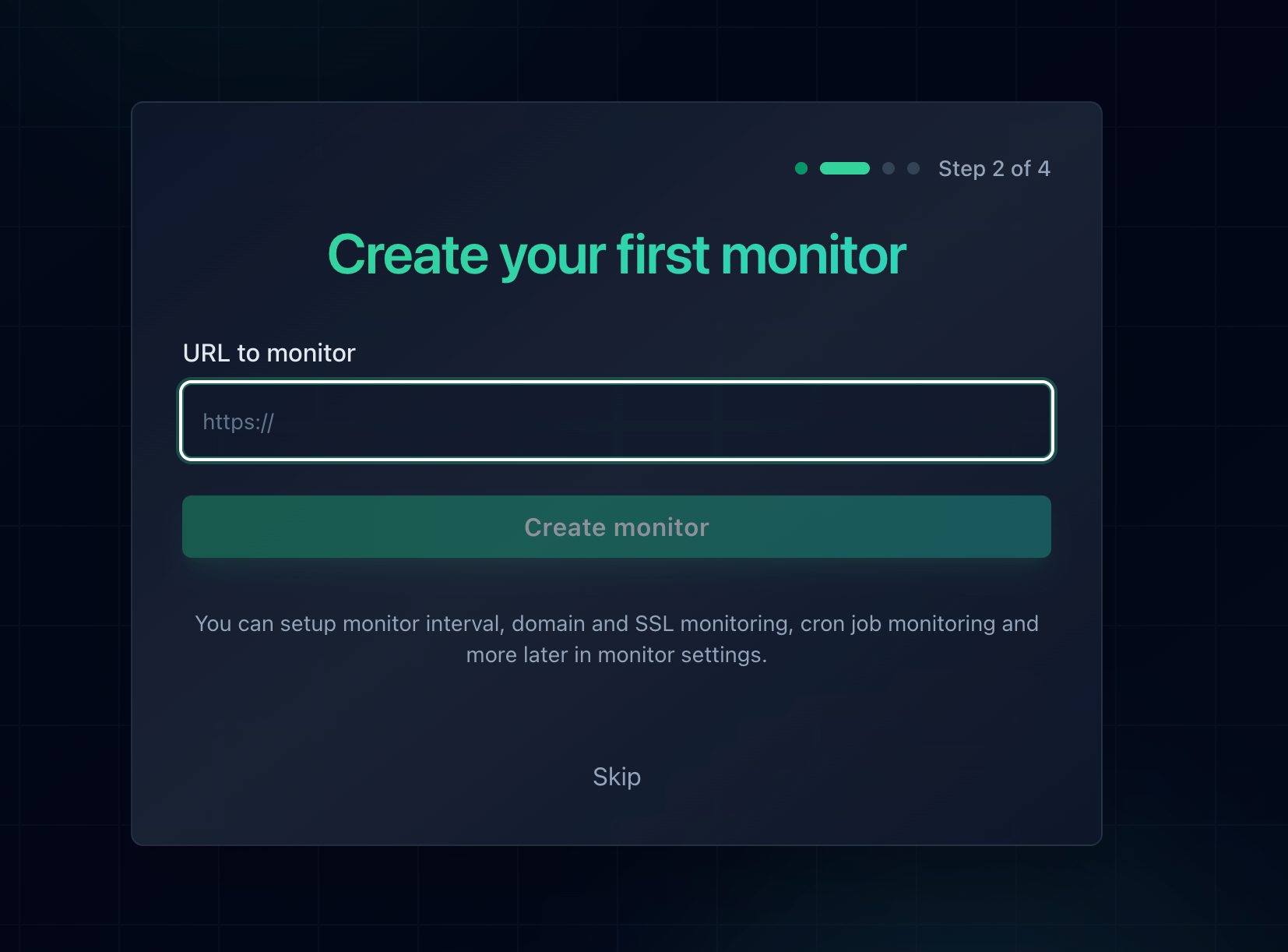
Adding a monitor takes about thirty seconds per URL, and SSL monitoring is included.
Monitor Every Hostname Separately
Cause four is invisible to a single monitor. If example.com is covered and www.example.com is not, a homepage monitor reports 100% uptime while half your inbound links land on a 526. The same applies to an API subdomain, a checkout host, or a staging domain that quietly went live. One monitor per proxied hostname is the fix, and monitor counts are cheap enough that there is no reason to economise here.
Monitor Both Sides of the Proxy
For a site behind Cloudflare, two monitors beat one. Point the first at your normal proxied hostname, which is what visitors experience. Point the second at an unproxied hostname resolving straight to the origin. The combination tells you which leg failed before you open a terminal:
| Proxied Monitor | Origin Monitor | What It Means |
|---|---|---|
| Down | Down | The origin certificate is broken for everyone. Expiry, chain, or hostname coverage. Start at step 2. |
| Down | Up | The certificate satisfies a normal trust store but not Cloudflare's. Look at the issuing CA and at which vhost answers Cloudflare's SNI. |
| Up | Down | Usually a Cloudflare Origin CA certificate, which the origin monitor cannot trust by design. Expected, not a fault. |
The same trade-off applies. An unproxied origin hostname publishes your origin IP address in public DNS permanently. If your origin firewall only accepts Cloudflare's IP ranges, the exposure is manageable. If it does not, monitor only the proxied hostname and accept a slightly slower diagnosis.
Get the Alert Somewhere You Will See It
Certificates expire at whatever time of day they were issued, which is frequently the middle of the night. An email nobody reads until morning turns a two minute fix into an eight hour outage. Notifier sends email, SMS, phone call, and Slack alerts on every plan including the free tier, with no per-message fees on paid plans.
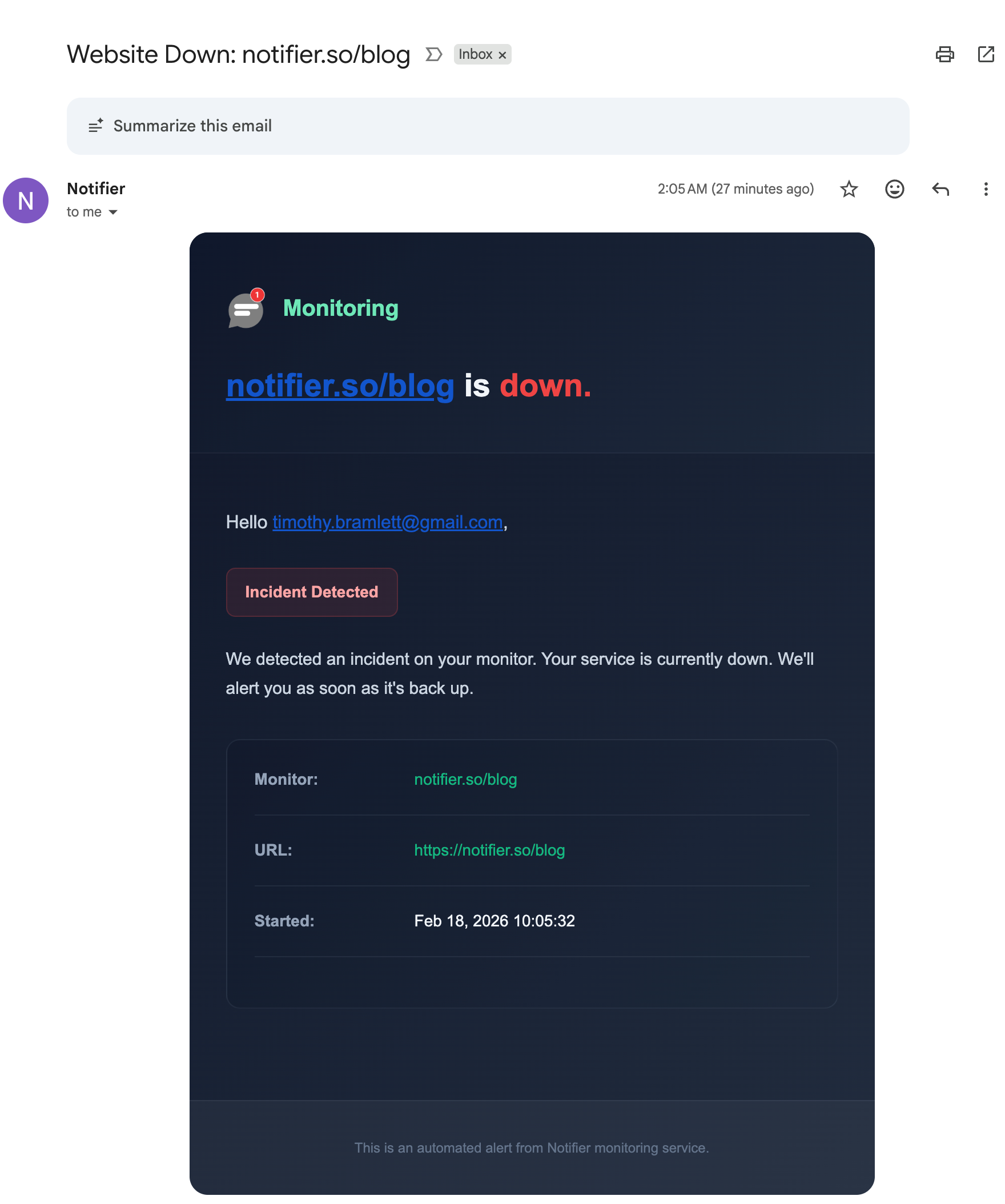
A downtime alert names the monitor and the time, so you know immediately which hostname broke.
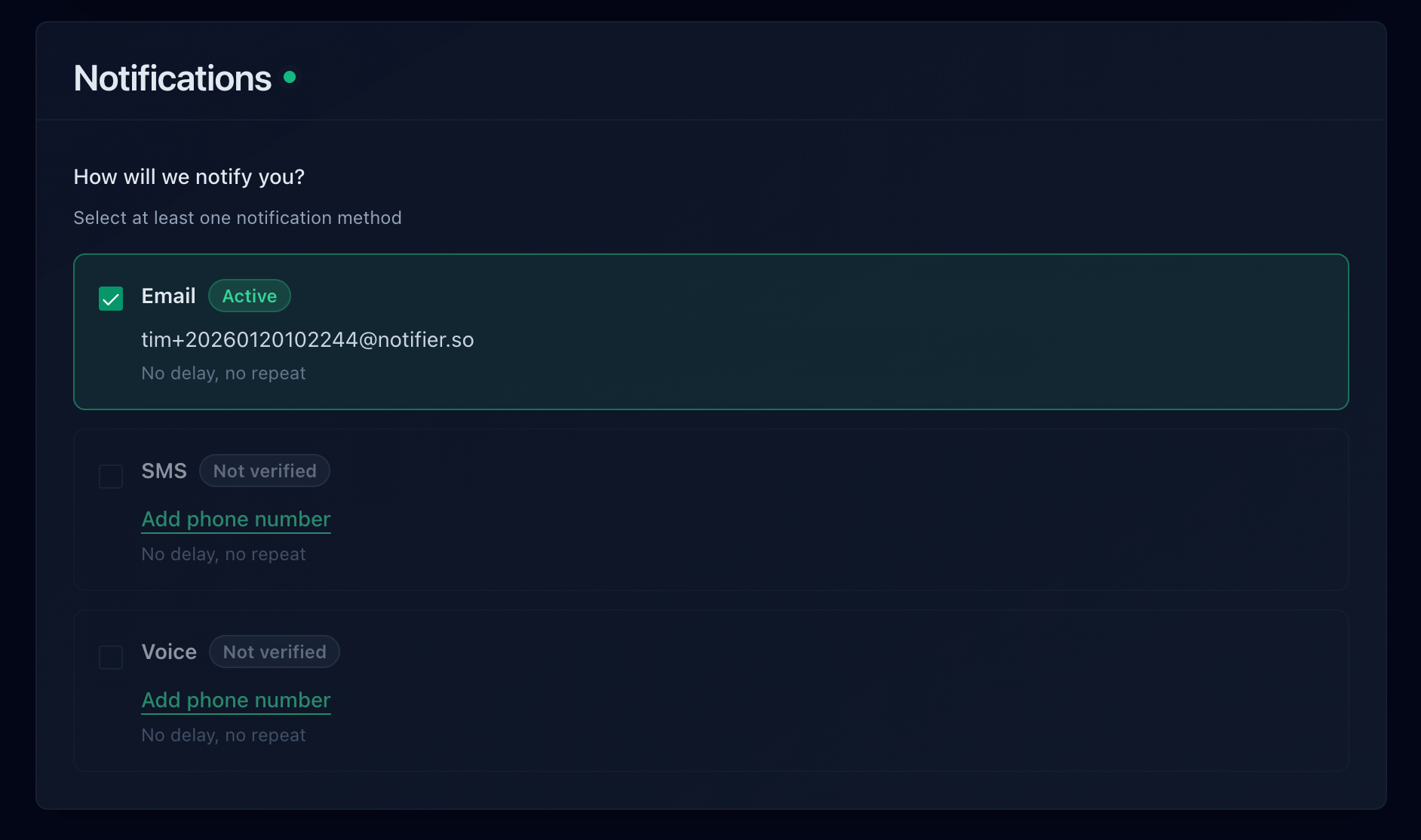
Email, SMS, phone call, and Slack are all available, including on the free plan.
How Quickly Each Tool Would Have Told You
Two things decide your worst case here: the check interval, and whether the tool watches certificate expiry as well as status codes. Here is how the common options compare on their free plans:
| Tool | Free Plan | SSL Monitoring | Notes |
|---|---|---|---|
| Notifier | 10 monitors, 5 min checks, 5 status pages | Free on every plan | Email, SMS, phone, and Slack alerts on every plan. DNS monitoring included. Free tier is fine for commercial use. Solo is $4/month for 20 monitors at 1 minute. |
| UptimeRobot | 50 monitors, 5 min checks, 1 status page | Included | Free plan is non-commercial only. Email alerts only on free, with SMS and voice on one-time credit bundles. Paid plans start at $8/month for 10 monitors. |
| Better Stack | 10 monitors, 3 min checks, 1 status page | Included | Capable incident management, but pricing is per responder at $34/month and climbs quickly for a team. |
| StatusCake | 10 monitors, 5 min checks | 1 SSL monitor on free | Email alerts on free. The first paid tier is $24.49/month. |
| Uptime Kuma | Unlimited, self-hosted | Included | Free and flexible, but you host it, and it cannot alert you if it runs on the same server whose certificate just expired. |
Important: UptimeRobot restricted its free plan to non-commercial use only in October 2024. If the site behind Cloudflare belongs to a business or a client, that free tier is not an option. Notifier's free tier has no such restriction.
Pricing changes, so verify before committing. Our comparison of free website monitoring tools goes through each free tier in detail, the website monitoring checklist covers everything worth watching beyond uptime, and how to set up website monitoring walks through the whole setup end to end.
Frequently Asked Questions
What is the difference between Cloudflare error 526 and 525?
A 526 is a validation failure and a 525 is a negotiation failure. With a 526, Cloudflare completed the TLS handshake with your origin, received a certificate, and rejected it because it was expired, incompletely chained, self-signed, or issued for a different hostname. With a 525, the handshake itself collapsed before any certificate was examined, usually because nothing was serving TLS on the port, no TLS version or cipher suite was shared, or the origin demanded a client certificate. The practical difference is where you look: a 526 sends you to the certificate file, a 525 sends you to your listener and cipher configuration.
Can I fix a Cloudflare 526 error as a visitor?
No. Your system clock, browser, antivirus, VPN, DNS resolver, and root certificate store were all uninvolved, because your connection to Cloudflare succeeded. That is why you see a Cloudflare error page rather than a browser certificate warning. The rejected certificate belongs to a server you never connected to. Reload in a few minutes in case the owner is mid renewal, and if you need the site, send them the Ray ID printed at the bottom of the error page along with the time you saw it.
Should I switch from Full (strict) to Full to fix a 526?
Only as a short rollback while you fix the certificate. Switching to Full ends the error instantly, but only because it stops validating the certificate at all. Traffic to your origin stays encrypted, yet Cloudflare will then accept any certificate at all, including one presented by an attacker who has managed to intercept the path to your server. That protection is the entire reason Full (strict) exists. Renew or reissue the certificate, then switch back the same day.
Does a Cloudflare 526 always mean my SSL certificate expired?
Expiry is the most common cause but not the only one. Cloudflare also returns a 526 when the chain is missing an intermediate certificate, when the certificate is self-signed or issued by a private CA it does not trust, and when the certificate does not cover the hostname it requested. Run openssl s_client against your origin with the servername flag and read the verify return code: 10 means expired, 20 or 21 means a missing intermediate, 18 or 19 means self-signed, and 62 means a hostname mismatch.
Why does my certificate work in Chrome but cause a 526?
Because desktop Chrome hides a missing intermediate certificate and Cloudflare does not. Chrome fetches the missing intermediate from the address embedded in your certificate, and Firefox often already has it cached from another site. Cloudflare performs no such lookup, and neither does curl, Android, Java, or any webhook provider. Count the certificates your server sends with openssl s_client and the showcerts flag. If the answer is 1, you are serving cert.pem where fullchain.pem belongs, which is the single most common version of this cause.
Will a Cloudflare Origin CA certificate fix a 526?
Yes, for the expiry, chain, and self-signed causes, and it is the right answer when nothing except Cloudflare connects to your origin. Cloudflare issues them free for up to fifteen years, which also removes that origin from your renewal calendar. The limitation is that they are trusted only by Cloudflare, so anything reaching your origin directly will reject them, including payment webhooks, partner APIs, and any uptime monitor pointed at an unproxied origin hostname. If you have direct clients, use a publicly trusted certificate from Let's Encrypt instead.
Does Cloudflare Universal SSL have anything to do with error 526?
No, and this is a common detour. Universal SSL is the certificate Cloudflare serves to your visitors on the edge side of the connection. A 526 happens on the completely separate connection between Cloudflare and your origin server. Reissuing Universal SSL, changing the Minimum TLS Version, or toggling Always Use HTTPS will not affect the error. Every change that resolves a 526 happens on your own server or in the SSL/TLS Overview encryption mode setting.
Will uptime monitoring catch a Cloudflare 526 error?
Yes, and this is the error where monitoring pays for itself most clearly. Cloudflare returns a real HTTP 526 status code rather than a 200 containing an error page, so any monitor validating status codes flags it on the next check. More useful still, certificate monitoring warns you before it happens at all, since expiry is the leading cause and the date is known months ahead. Notifier includes SSL certificate monitoring free on every plan and alerts by email, SMS, phone call, or Slack within a minute on a paid plan and within five minutes on the free tier.