At a Glance
- •Cloudflare error 1020 Access Denied means a security rule on that site matched your request and blocked it. It arrives as HTTP 403. Nothing is broken: the server is healthy, Cloudflare is working exactly as configured, and somebody decided this request should not get through.
- •As a visitor, turn off your VPN or proxy first, because shared VPN addresses are the single most common trigger. Then clear that site's cookies, try a private window with extensions off, and try mobile data. Screenshot the Ray ID at the bottom of the block page, since it is the only way the site owner can find the exact rule.
- •Site owners find the cause in one place: Security and then Events in the Cloudflare dashboard, filtered by the Ray ID. The Service column names which product blocked the request, whether that is a custom rule, a managed ruleset, an IP access rule, rate limiting, bot protection, or Cloudflare Access. On Free and Pro plans those events are sampled and kept for only 24 hours, so investigate the same day.
- •The most common self inflicted cause is a rule that blocks datacenter and hosting ASNs, or every country except one. That quietly blocks Stripe and GitHub webhooks, your CI pipeline, your payment provider callbacks, and your uptime monitor, because all of them originate from cloud IP ranges rather than homes and phones.
- •Roll every new rule out with the Log action for a day before switching it to Block, and allowlist your monitor before you turn it on, because a blocked check looks exactly like real downtime. Notifier is free for 10 monitors with SSL and DNS monitoring included, and paid plans start at $4/month for 1-minute checks.
Error 1020: Access denied is unusual among the errors people search for, because nothing has gone wrong. The server is up. DNS resolved, the connection opened, TLS negotiated, and Cloudflare read the whole request. Then a rule matched it and Cloudflare did precisely what that rule told it to do.
That makes 1020 a very different problem from a 522 or a 502. There is no failure to chase, no log line where something crashed, and no amount of waiting that changes the outcome. Somewhere in a Cloudflare dashboard there is a rule with a condition, and your request satisfied it. The entire job is finding which rule, and deciding whether it was right.
This guide covers what to do if you are a visitor who cannot get into a site, how a site owner finds the exact rule in under a minute using the Ray ID, the five causes behind nearly every 1020, and the one that catches people out most: a rule written to stop bots that also blocks your payment webhooks, your deploy pipeline, and your uptime monitor, because all of them arrive from cloud IP ranges. If you do not run the site, skip straight to the visitor section.
What Cloudflare Error 1020 Actually Means
Cloudflare sits in front of the site as a reverse proxy. Every request passes through a chain of security products before it is ever forwarded to the origin server: IP access rules, custom rules, managed WAF rulesets, rate limiting, bot protection, and Cloudflare Access. If any of them decides to block, Cloudflare answers the request itself and the origin never hears about it.
Error 1020 is the page Cloudflare serves when that happens. It is delivered with HTTP status 403, which matters for anything automated: to a script or an API client this is an ordinary 403 Forbidden with an HTML body, not a JSON error your code knows how to read.
Three things a 1020 proves straight away:
- The site is not down. Cloudflare only reaches the point of evaluating security rules on a request it has fully received. Other people are almost certainly using the site normally right now.
- It is not a Cloudflare outage. Cloudflare did not decide anything. It applied a configuration that belongs to whoever runs the site, or to their host.
- It is deterministic. The same request from the same place will be blocked identically every time. Refreshing, retrying, and waiting all achieve nothing, which is the opposite of a 429 where waiting is the whole fix.
The one piece of information on the block page that is worth anything is the Ray ID, the short hexadecimal string printed at the bottom next to your IP address. It is the unique identifier for that single request in Cloudflare's logs. With it, a site owner can find the exact rule that fired in about thirty seconds. Without it, they are guessing.
1020 Compared to the Other Cloudflare Block Codes
Cloudflare has a whole family of 1xxx codes that all render as some variation of "access denied" or "you have been blocked." They look interchangeable and they are not. The code narrows down which product blocked you before you open a single dashboard.
| Code | What Blocked You | Where the Owner Fixes It |
|---|---|---|
| 1020 | A firewall rule matched and blocked the request | Security and then WAF, or Cloudflare Access policies |
| 1015 | Rate limited for sending too many requests too quickly | Rate limiting rules. Usually resolves itself by waiting |
| 1010 | Your browser signature was flagged as automation | Bot protection settings, browser integrity check |
| 1006, 1007, 1008 | Your specific IP address is on a block list | IP access rules, or the origin's own firewall |
| 1009 | Your country is blocked | A country condition in an IP access rule or custom rule |
| 1003 | You reached a Cloudflare IP by address rather than hostname | Nothing to fix. Use the domain name, not the IP |
| Plain 403 | The origin server refused, with no Cloudflare branding | Server permissions, WordPress security plugins, ModSecurity |
| 522, 521, 523 | Cloudflare could not reach the origin at all | Origin server, firewall, or DNS. A genuine outage |
Check whether the page is branded. A Cloudflare block page carries Cloudflare's layout, your IP address, and a Ray ID. A bare 403 with your site's own theme, or an Apache or Nginx default page, did not come from Cloudflare at all and none of the fixes below apply. In that case read the 403 Forbidden guide instead, because the block happened on the origin server.
If You Are a Visitor: What Actually Works
Be honest about the odds first. A 1020 is a decision made by the site, so you cannot fix it from your side in the way you could fix a DNS problem or a stale cache. What you can do is change the characteristics of your request that the rule was matching on. These are worth trying, roughly in order of how often they work.
1. Turn off your VPN or proxy
This is the single most common cause and the easiest to test. VPN exit nodes are shared by thousands of people and live in datacenter IP ranges, so they accumulate terrible reputation scores and get caught by rules aimed at abuse. Disconnect entirely, do not just switch servers, then reload the page. If it works, the VPN was the trigger. Some VPNs offer residential or dedicated IP options that avoid this.
2. Clear that site's cookies
Some rules match on a cookie, a stale session, or a Cloudflare clearance token that has expired. Clear cookies for that one domain rather than wiping everything. In Chrome, click the icon to the left of the address bar, then site settings, then delete data. In Firefox, use the shield or padlock icon and clear cookies and site data.
3. Try a private window with no extensions
Ad blockers, privacy extensions, user agent switchers, and automation helpers all modify requests in ways that look like scripted traffic. A private window usually loads without extensions, which isolates the problem in one step. If a private window works, re enable extensions one at a time.
4. Switch networks
Turn off Wi-Fi and load the page on mobile data. This changes your IP address and your network provider in one move. If mobile data works and your home connection does not, the rule is matching on your address or your provider's range, often because someone else on that range did something abusive previously. A router restart sometimes gives you a fresh address on connections with dynamic IPs.
5. Use a normal browser, normally
Requests that skip the page and hit a deep URL directly, headless browsers, download managers, and old browser versions with unusual TLS fingerprints all raise the score that bot protection uses. Update your browser, and navigate from the homepage rather than pasting a deep link.
If none of that works, the only real fix is to tell the site owner.
Screenshot the whole block page so the Ray ID and your IP address are visible, note the time, and send it to the site through any channel that is not the blocked one: email, social media, or a phone call. With the Ray ID the owner can find the exact rule immediately. Without it, they have to search through thousands of events. Do not bother reporting it to Cloudflare, who cannot change another customer's rules for you.
Security events on Free and Pro plans are kept for 24 hours only, and are sampled. That is a practical deadline. If you report a 1020 four days later, the record of your request has aged out and the owner genuinely cannot look it up. Report it the same day.
Site Owners: Find the Rule That Fired
Everything below this point assumes you have access to the Cloudflare account for the domain. Do not start by reviewing your rules and guessing which one looks suspicious. Go and read the answer.
Step 1: Reproduce it and capture a Ray ID
If a user reported it, use their Ray ID. If you can reproduce it yourself, curl gives you the status code and the Ray ID in one command:
curl -s -D - -o /dev/null https://example.com/the-blocked-path

# Just the two fields that matter
curl -s -D - -o /dev/null https://example.com/the-blocked-path | grep -iE "^HTTP|^cf-ray"
A blocked request returns HTTP/2 403 along with a cf-ray header. Note that curl with no user agent is itself frequently blocked, which can be a useful signal: if curl is blocked but your browser is not, you are looking at bot protection or a user agent rule rather than an IP rule. Compare the two:
# Default curl user agent
curl -s -o /dev/null -w "%{http_code}\n" https://example.com/

# Pretending to be a browser
curl -s -o /dev/null -w "%{http_code}\n" \
  -H "User-Agent: Mozilla/5.0 (Macintosh; Intel Mac OS X 10_15_7) AppleWebKit/537.36 (KHTML, like Gecko) Chrome/140.0 Safari/537.36" \
  https://example.com/
Step 2: Look it up in Security Events
In the Cloudflare dashboard, open the domain, then Security and then Events (older accounts show this as Firewall and then Events, and newer Security Center layouts place it under Analytics). Add a filter for Ray ID and paste the value. One row comes back. Expand it.
The expanded row answers the whole question. The fields to read, in order of usefulness:
| Field | What It Tells You |
|---|---|
| Service | Which product blocked it: Custom Rules, Managed Rules, IP Access Rules, Rate Limiting, Bot Management, Browser Integrity Check, or Access. This alone tells you which page to go and edit. |
| Rule ID or name | The exact rule. For custom rules it is the name you gave it. For managed rules it is an ID you will need in order to write an exception. |
| Action taken | Block, Managed Challenge, JS Challenge, or Log. Only Block produces a 1020. A failed challenge produces a different page. |
| ASN and country | Whether the request came from a residential provider, a mobile network, or a datacenter. Datacenter ASNs are the giveaway for a blocked webhook, monitor, or CI job. |
| User agent | Identifies the client. Payment providers, monitors, and crawlers all identify themselves here, which makes them easy to allowlist. |
| Path and method | Whether this was a page view, an API call, or a POST to a webhook endpoint. |
Step 3: Look at the shape of the blocking, not just one event
Before you change anything, clear the Ray ID filter and filter by action equals block over the last 24 hours. Group by rule, then by country, then by user agent. The pattern tells you what kind of problem you have:
- One rule producing nearly all blocks: that rule is too broad. Go straight to it.
- Blocks spread evenly across countries and user agents: you are probably blocking real visitors at scale, which is an urgent revenue problem, not a security win.
- A cluster on one path such as /api/ or /webhooks/: an integration is broken and nobody has noticed, because the sending service is retrying quietly.
- A handful of blocks from one datacenter ASN: your own tooling is being blocked. Monitors, cron jobs, and deploy scripts all look like this.
Cause 1: A Custom Rule You Wrote Is Too Broad
This is the most common cause of a 1020 on a site you run, and it is almost always a rule written months ago in response to one incident, then forgotten. Custom rules live under Security, then WAF, then Custom rules.
The rules that cause the most damage
- Block every country except one. Written to stop overseas spam, it also blocks travelling customers, anyone on a VPN, and services that route through other regions. If the site sells anything, this rule costs money every day it is on.
- Block all datacenter or hosting ASNs. Covered in detail in the next section, because it breaks far more than people expect.
- Block on a user agent substring. A rule matching "bot" blocks Googlebot. A rule matching "python" blocks your own scripts. A rule matching an empty user agent blocks a surprising amount of legitimate software.
-
Block a path prefix. A rule protecting
/wp-adminthat matches with "contains" rather than "starts with" can catch unrelated URLs. Worse, blocking/wp-jsonoutright breaks the WordPress block editor and most plugins. - Block a single IP after an incident. Harmless, until that address is reassigned to a customer by their provider months later.
Rule order matters more than people realise
Custom rules run in the order they are listed, and the first terminating action wins. If your allowlist rule sits below your block rule, it never runs. Drag the Skip rule to the top. Note that Cloudflare replaced the old Allow action with Skip, which lets you choose exactly what to bypass, and a Skip that does not include the right components can still let a later product block the request.
A well scoped rule looks like an expression, not a blanket. Instead of blocking a country outright, block that country only on the endpoint being abused:
# Too broad: blocks every visitor from these countries, everywhere
(ip.geoip.country in {"XX" "YY"})

# Better: only the endpoint that was actually being abused
(ip.geoip.country in {"XX" "YY"} and http.request.uri.path eq "/wp-login.php")

# Better still: challenge instead of block, so real humans can continue
# Action: Managed Challenge rather than Block
Switching the action from Block to Managed Challenge is the single highest value change most people can make. Automated abuse fails the challenge. A real person sees a brief interstitial and carries on. You stop the attack without a 1020 page and without the support emails that follow it.
Cause 2: Datacenter and Bot Blocking Catches Your Own Tools
Cloudflare classifies every IP address by its autonomous system number, and addresses belonging to AWS, Google Cloud, Azure, DigitalOcean, Hetzner, and similar providers are tagged as hosting or datacenter traffic. Blocking those ASNs, or enabling an aggressive bot setting, feels like free protection because almost no human browses from a datacenter.
The problem is what else lives there. Effectively every machine to machine integration you depend on runs in a datacenter:
| What Gets Blocked | How You Find Out |
|---|---|
| Payment webhooks (Stripe, PayPal, Paddle) | Orders are paid for but never marked complete. Often days later, from a customer |
| Git and CI callbacks (GitHub, GitLab) | Deploys stop triggering. The delivery log shows 403 |
| Transactional email and SMS callbacks | Bounce and delivery status stops updating |
| Uptime monitoring checks | A down alert for a site that is perfectly healthy |
| Link previews (Slack, social platforms) | Shared links render with no title or image |
| SEO crawlers and site audit tools | Reports come back showing the whole site as inaccessible |
| Your own cron jobs hitting your own URLs | Scheduled work silently stops. See our cron job monitoring guide |
Notice how many of those are discovered late and by accident. A blocked webhook does not raise an alarm on your side. The sender retries a few times, gives up, and logs a 403 in a dashboard you do not check.
Bot Fight Mode and Super Bot Fight Mode
These settings live under Security and then Bots. Super Bot Fight Mode splits traffic into definitely automated, likely automated, and verified bots. Setting definitely automated to Block is where most people get into trouble, because "definitely automated" includes every well behaved script that identifies itself honestly, including yours.
The verified bots category covers search engine crawlers and a list of known good services that Cloudflare maintains. Leave that allowed. If your tooling is not on the list, allowlist it explicitly with a Skip rule.
How to allowlist your own tooling properly
Put a Skip rule at the very top of your custom rules list, above every block rule. Match on whatever your integration reliably sends. Published IP ranges are the most robust option, because user agent strings can be spoofed by anybody:
# Skip rule, placed first. Action: Skip, with all remaining custom rules,
# rate limiting, and bot protection selected.

# By published IP range (most reliable)
(ip.src in {203.0.113.0/24 198.51.100.0/24})

# By path, for webhook endpoints that are safe to leave open
(http.request.uri.path contains "/webhooks/")

# By user agent, for tools that do not publish IP ranges
(http.user_agent contains "YourMonitorName")
For webhook paths, the right security control is the signature the provider already sends, verified in your application code, rather than an IP rule at the edge. Stripe, GitHub, and most serious providers sign every payload precisely so the endpoint can be publicly reachable and still be safe.
Cause 3: Managed Ruleset False Positives
Cloudflare's managed rulesets, including the OWASP Core Ruleset, inspect request contents for attack patterns. They are good, and they also produce false positives on perfectly ordinary content, because plenty of legitimate text looks like an attack payload when examined out of context.
Classic triggers, all of which we have seen break real sites:
- A CMS or rich text editor saving HTML. A post containing a code sample, an embedded iframe, or a script tag trips XSS rules on save. The author sees a 1020 the moment they press publish.
- Content that reads like SQL. A support ticket, a blog post about databases, or a form field containing the word "select" followed by a quote.
- Long base64 strings. Embedded images, signed tokens, and serialised state in a POST body.
- Page builder layouts. WordPress builders post enormous nested structures that trip several rules at once.
- File paths in a form field. Anything containing
../matches path traversal rules.
The fix is an exception, not a shutdown. Find the rule ID in the Security Events entry, then add an exception scoped as narrowly as you can manage: one rule ID, on one path, for one method. Never disable a whole managed ruleset because of a single false positive, and never set the OWASP paranoia level high without watching the events for a day afterwards.
A good exception is boring:
Skip rule ID 981176 when the path equals /wp-admin/post.php and the method is POST. That leaves the rule protecting every other URL on the site. Compare it to the exception people usually create in a hurry, which is "disable the WordPress ruleset," and which removes protection from the most attacked software on the internet.
Cause 4: Cloudflare Access Policies
A 1020 can also come from Cloudflare Access, part of Zero Trust, which is a completely different product from the WAF and has its own dashboard, its own policies, and its own logs. If Security Events shows nothing at all for your Ray ID, Access is the first place to look next.
Access does not block based on how the request looks. It blocks based on who is making it. The usual situations:
- An application policy covers more than intended. A policy protecting
staging.example.comwith a wildcard that also captures the API subdomain. - The identity does not satisfy the policy. Someone signed in with a personal address when the policy requires an email ending in your company domain, or a group membership changed in your identity provider.
- An automated client has no identity at all. Machines cannot complete a login flow. They need a service token, sent as the client ID and client secret headers, with a policy whose action is Service Auth.
- A webhook path sits behind Access. The sender has no identity and no token, so every delivery is refused. Add a Bypass policy for that specific path, and rely on signature verification in your application for security.
Access decisions are logged separately, under Zero Trust and then Logs and then Access. That log shows the email address that attempted the request and which policy denied it, which is usually enough to fix it in one edit. Use Bypass sparingly and only for endpoints that are genuinely safe to expose, since it removes Access enforcement entirely for traffic that matches.
Cause 5: Rules You Did Not Write
Plenty of 1020s come from rules nobody on your team created. Before you spend an afternoon searching your own configuration, check whether the configuration is even yours to search.
- Your host manages Cloudflare for you. Managed WordPress hosts and platform providers often run Cloudflare in front of your site through their own account. You will not see the rules in any dashboard you can log into. Ask support to check their firewall events for your Ray ID.
- A WordPress plugin created rules through the API. Security plugins and Cloudflare integration plugins can add rules with an API token. They appear in your dashboard as rules you do not remember writing.
- A colleague or previous developer added a rule. Check Cloudflare's audit log, which records who changed what and when, and is retained far longer than security events.
- A default that was enabled for you. Browser Integrity Check, Security Level, and Bot Fight Mode all ship enabled or semi enabled and block traffic without anybody writing a rule.
- Cloudflare for SaaS. If your domain is a custom hostname on somebody else's platform, their Cloudflare configuration applies, not yours.
When Your Code Hits a 1020
If you are writing the client rather than running the site, a 1020 has two consequences worth handling explicitly.
First, it is an HTML page delivered with a 403. Code that assumes every response from an API is JSON will throw a parse error somewhere far away from the real cause, and the stack trace will say nothing about Cloudflare. Check the status code before parsing, and log the first few hundred characters of the body along with the cf-ray header. A log line containing "error 1020" and a Ray ID turns an hour of debugging into a support message.
import requests

resp = requests.get(url, timeout=10)

if resp.status_code == 403 and "error code: 1020" in resp.text.lower():
    ray = resp.headers.get("cf-ray", "unknown")
    raise RuntimeError(
        f"Blocked by a Cloudflare firewall rule. Ray ID {ray}. "
        "Send this to the site owner: it is a configuration change on "
        "their side, not something a retry will solve."
    )

resp.raise_for_status()
data = resp.json()
Second, do not retry. A 1020 is deterministic, so a retry loop with backoff will make the identical blocked request until it gives up, and will look like an attack to the rule that is already blocking you, which on some configurations escalates to an IP ban. Retries belong on 429, 502, 503 and timeouts. Fail immediately, and alert a human, exactly as you would for a 401.
If you are scraping or automating a site that does not want to be automated, a 1020 is the answer to your question. Check whether the site publishes an API, and contact them for access rather than trying to disguise your client.
Prevention: Stop Blocking the People You Want
Firewall rules fail in a particularly unhelpful direction. When a rule is too loose, you find out from an attack. When a rule is too tight, you find out from nothing at all, because blocked customers do not file bug reports, they leave. These habits close that gap.
Deploy every rule in Log mode first
Create the rule with the action set to Log, leave it for a day, then read what it would have caught. On Free and Pro plans the Log action is limited, so the equivalent discipline is to use Managed Challenge rather than Block and watch the challenge solve rate. Either way, never set a new broad rule to Block on a Friday.
Prefer Managed Challenge to Block
A challenge stops automation and lets humans through. A block stops both. For anything short of a live attack, challenge is the right default, and it eliminates almost all accidental 1020 pages for real customers.
Keep a written allowlist
Maintain one Skip rule at the top of the list covering your payment provider, your CI system, your monitoring, and your own cron jobs, and add to it whenever you integrate something new. Also give every rule a name that says why it exists and when it was added, because "Rule 3" tells the next person nothing and they will be too nervous to delete it.
Review blocked events on a schedule
Once a week, open Security Events, filter by block, and group by rule and by country. It takes two minutes and it is the only way to notice that a rule started catching real traffic after an unrelated change. This is one item on the broader website monitoring checklist.
Smoke test after every firewall change
#!/bin/bash
# Run after any Cloudflare firewall change.
# Anything returning 403 with a Cloudflare Ray ID is a rule that went too far.

for path in / /pricing /login /api/health /webhooks/stripe; do
  out=$(curl -s -o /tmp/body -D /tmp/head -w "%{http_code}" "https://example.com${path}")
  ray=$(grep -i '^cf-ray' /tmp/head | tr -d '\r' | cut -d' ' -f2)
  if [ "$out" = "403" ] && grep -qi "1020" /tmp/body; then
    echo "BLOCKED  ${path}  (ray ${ray})"
  else
    echo "ok       ${path}  ${out}"
  fi
done
Monitor from outside, and allowlist the monitor
External monitoring is what turns "a customer emailed us three days later" into "we knew in five minutes." A monitor requests your pages from outside your network on a schedule and alerts you when a check fails. Because a 1020 is served as a 403, it counts as a failed check and triggers an alert, which is exactly what you want when a rule change accidentally blocks your homepage.
The flip side is the trap described earlier: monitoring checks run from cloud infrastructure, so a datacenter ASN block will block your monitor and produce a down alert for a site that is working perfectly. Put your monitoring in the Skip rule before you enable that kind of block, and you get an honest signal in both directions.
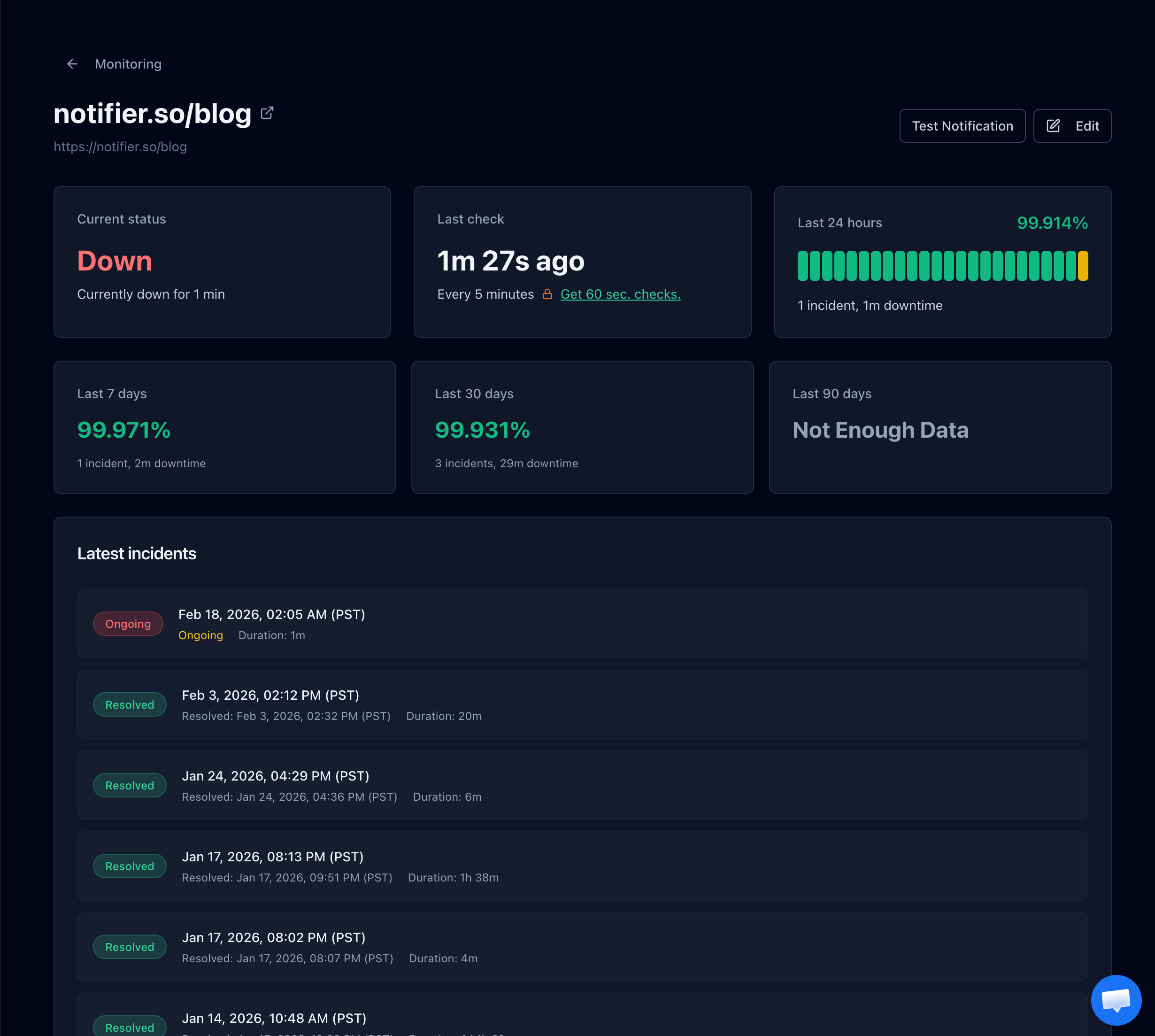
Incident history gives you the exact minute a page started failing, which usually lines up with the firewall change that caused it.
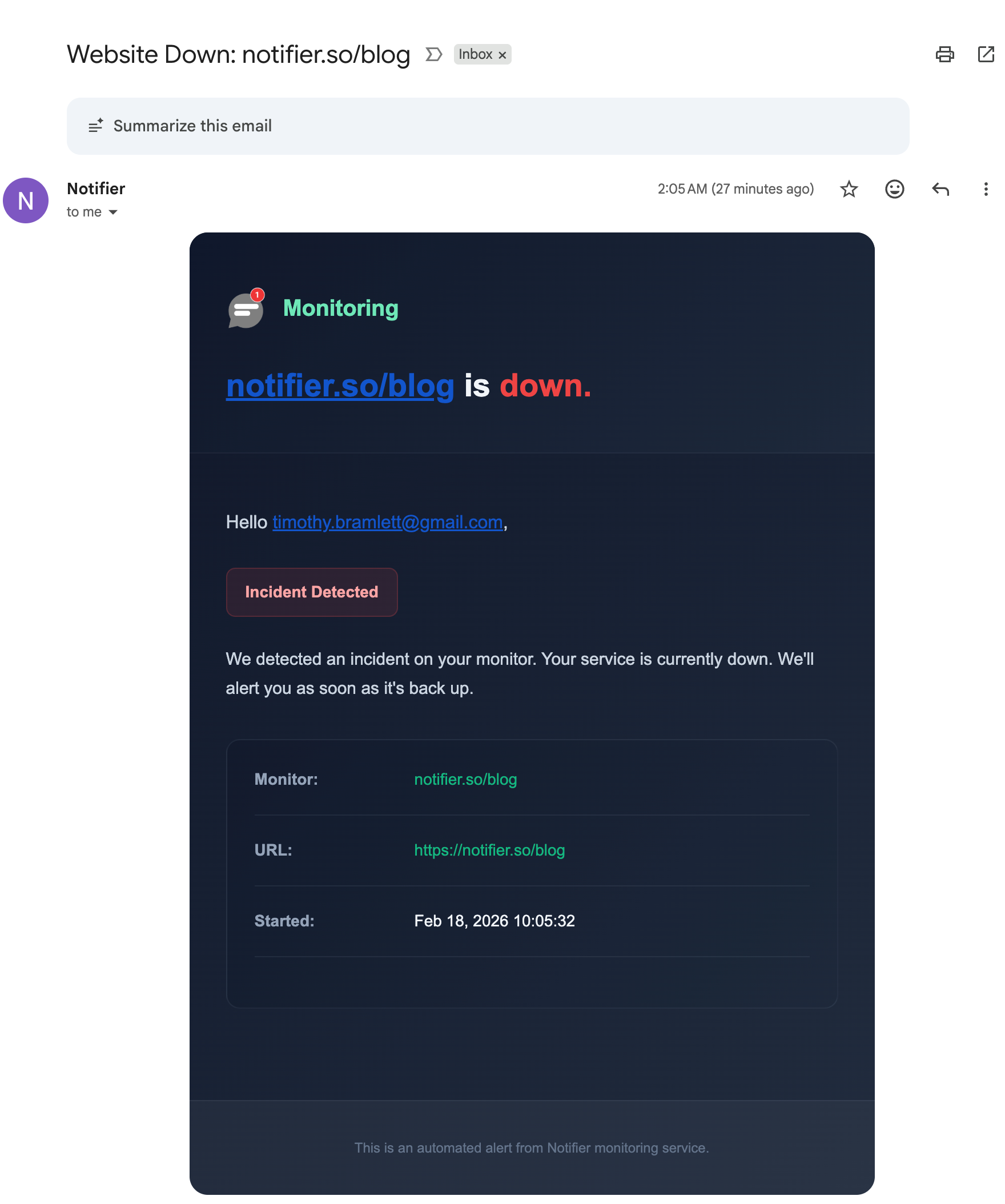
Alerts arrive by email, SMS, phone call, or Slack, so the person who can revert the rule finds out immediately.
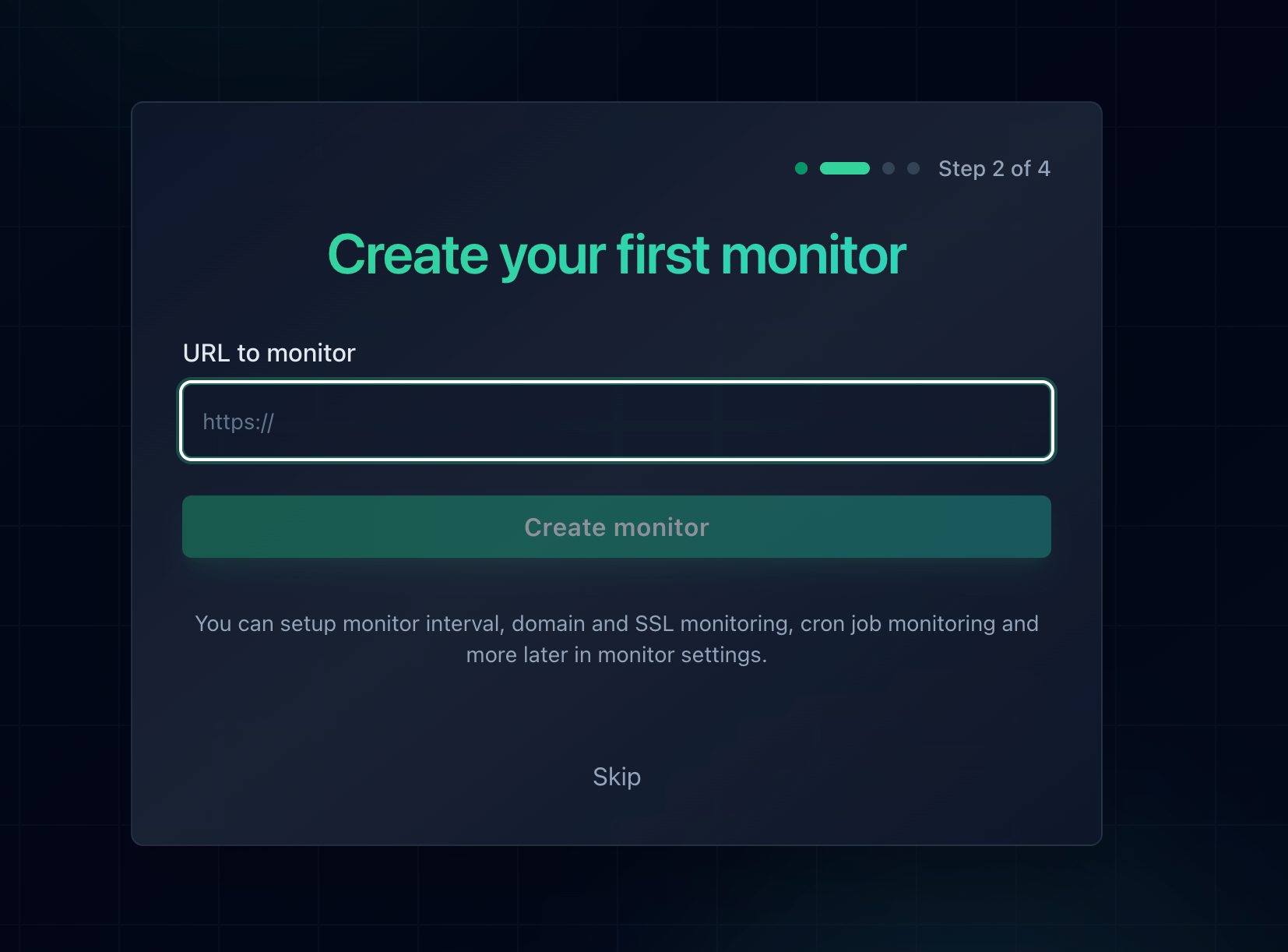
Monitor the paths a firewall rule is most likely to break: the homepage, the login page, and any public API endpoint.
Free Monitoring Tiers Compared
You do not need to spend anything to know when a page stops responding. Here is what the main free tiers give you:
| Tool | Free Tier | SSL Monitoring | Notes |
|---|---|---|---|
| Notifier | 10 monitors, 5 min checks, 5 status pages | Free on every plan | Email, SMS, phone call, and Slack alerts on the free plan. DNS monitoring included. Solo is $4/month for 20 monitors at 1 minute checks. |
| UptimeRobot | 50 monitors, 5 min checks, 1 status page | Included | The most monitors on a free tier. Email only for alerts, with SMS and voice sold as paid credits. |
| Better Stack | 10 monitors, 3 min checks, 1 status page | Included | Strong incident management, but pricing is per responder and adds up quickly for a team. |
| StatusCake | 10 monitors, 5 min checks | 1 SSL monitor on free | Status pages are a separate paid product, and SMS uses paid credits. |
| Uptime Kuma | Unlimited, self hosted | Included | Free and flexible, but you host and maintain it, and it cannot tell you your server is unreachable if it runs on that server. |
Pricing and plan limits change, so verify before committing. Our comparison of free website monitoring tools covers each free tier in detail, and how to set up website monitoring walks through setup in about five minutes. If blocked pages are one of several recurring problems, what causes website downtime covers the wider set of failure patterns, and SSL certificate monitoring covers the expiry that takes sites offline with no warning at all.
Frequently Asked Questions
What does Cloudflare error 1020 Access Denied mean?
It means a security rule on that website matched your request and blocked it before it ever reached the server. Cloudflare serves the block page itself with HTTP status 403. Nothing has failed: the site is up, Cloudflare is working, and the request was refused on purpose by a rule that belongs to the site owner or their host. Because it is a decision rather than a fault, refreshing and waiting will not change the result.
How do I fix error 1020 as a visitor?
Try these in order. Turn off your VPN or proxy completely, since shared VPN addresses are the most common trigger. Clear cookies for that one site. Open a private window so extensions are disabled. Switch to mobile data to change your IP address and network provider. Make sure your browser is up to date and navigate from the homepage rather than pasting a deep link. If none of that works, the rule is matching something you cannot change, and the only fix is to contact the site with a screenshot showing the Ray ID.
Why does a VPN cause Cloudflare error 1020?
VPN exit nodes are shared by large numbers of people and sit in datacenter IP ranges rather than residential ones. That means two things at once: the address carries whatever reputation the other users have given it, and it is tagged as hosting traffic, which many sites block outright because almost no genuine visitor browses from a datacenter. Disconnecting the VPN entirely, rather than switching to a different server, is the fastest way to confirm this is the cause.
What is the Ray ID and why does it matter?
The Ray ID is the unique identifier Cloudflare assigns to every request, printed at the bottom of the block page and also returned in the cf-ray response header. A site owner can paste it into the Ray ID filter in Security Events and get back the single row describing exactly which rule blocked that request and why. Reporting a 1020 without it means the owner has to search thousands of events for a request they cannot identify, which is why a screenshot of the full page is far more useful than a description of the problem.
How do I find which rule caused the 1020?
In the Cloudflare dashboard, select the domain, open Security and then Events, add a Ray ID filter, and expand the matching row. The Service field names the product responsible, whether that is Custom Rules, Managed Rules, IP Access Rules, Rate Limiting, Bot Management, or Access, and the rule name or ID identifies the exact rule. If no event appears at all, check the Zero Trust Access logs, because Cloudflare Access records its decisions separately.
Why can I not find the event in Security Events?
The usual reason is retention. Free and Pro plans keep sampled security events for around 24 hours, Business for a few days, and Enterprise for around a month, so a report from last week has nothing left to look up. Other possibilities: the block came from Cloudflare Access, which logs separately under Zero Trust; the domain is proxied through a host's Cloudflare account rather than yours; or the page was not a Cloudflare block page at all and your origin server returned the 403.
Why is my payment webhook getting a 1020?
Almost certainly because a rule blocks datacenter or hosting ASNs, or bot protection is set to block definitely automated traffic. Payment providers, git hosts, and email services all send webhooks from cloud infrastructure, so they match those rules exactly. Fix it with a Skip rule placed above your block rules, matching either the provider's published IP ranges or the webhook path. The security you lose is minimal, because providers sign every payload, and verifying that signature in your application is a stronger control than an IP rule at the edge.
Should my code retry a request that returns 1020?
No. The block is deterministic, so an identical request from the same source will be refused identically every time. A retry loop only delays the failure, and a burst of repeated blocked requests can look like an attack and escalate you to a longer IP ban. Retries belong on 429, 502, 503 and timeouts. Detect the 1020 explicitly, log the cf-ray header with it, and fail loudly so a human can get the rule changed.
What is the difference between error 1020 and error 1015?
Error 1015 means you were rate limited for sending too many requests in a short window, and it clears by itself once the window passes, so waiting genuinely works. Error 1020 means a firewall rule matched and blocked the request on its own merits, independent of how many requests you sent, so waiting changes nothing. If you see 1015, slow down. If you see 1020, something about the request itself, such as your IP address, country, user agent, or the path you requested, is what the rule is matching.
Will uptime monitoring tell me if my firewall starts blocking visitors?
It tells you about the blocks that affect everyone. Because a 1020 is served as a 403, it counts as a failed check and triggers an alert, so a rule that accidentally blocks your homepage or a public API path is caught within minutes. It will not catch a rule that blocks only one country or only logged in sessions, since a monitor checks from a fixed set of locations and sends no cookies, so pair monitoring with a weekly review of blocked events. Notifier is free for 10 monitors with SSL and DNS monitoring included, and paid plans start at $4/month for 1-minute checks with email, SMS, phone call, and Slack alerts.