At a Glance
- •Cloudflare error 1001 DNS resolution error means a request reached Cloudflare for a hostname Cloudflare has no working DNS answer for. The visitor resolved the name and connected fine, so the failure is entirely in configuration, not in the network or the browser.
- •The most common cause is a domain that is not on Cloudflare pointing a CNAME at a domain that is. Cloudflare receives the request, finds no zone matching that Host header, and refuses it. Pointing one company's domain at another company's Cloudflare site never works on its own.
- •The second most common cause is simply a missing record. The apex works and the subdomain does not, because there is no A, AAAA, or CNAME entry for that specific hostname in the Cloudflare DNS tab.
- •Error 1001 and error 1016 look identical and are not the same thing. 1001 means Cloudflare could not resolve the hostname the visitor asked for. 1016 means it resolved that fine but could not resolve the origin your record points at. Both usually arrive as HTTP 530, so read the number on the page, not the status code.
- •Visitors cannot fix a 1001. It is server side, it affects everyone, and refreshing will not help. Site owners catch it in minutes with external monitoring: Notifier is free for 10 monitors with SSL and DNS monitoring included, and paid plans start at $4/month for 1-minute checks.
Error 1001: DNS resolution error is confusing because of where it appears. You reached Cloudflare. Your computer resolved the name, opened a connection, completed a TLS handshake, and got an HTML page back. Every part of that requires DNS to have worked. And then the page says DNS did not work.
Both things are true, because two different lookups are involved. Yours succeeded. The one Cloudflare performed on the other side, after it read the Host header and went looking for a configuration matching it, did not. A 1001 is Cloudflare saying it has no idea what site you are asking for, or that the record it does have leads nowhere.
That narrows things down enormously. Nothing is overloaded, nothing crashed, and no firewall rule fired the way it does in a 1020. Somebody added a hostname without adding the record it needs, or pointed a domain at a Cloudflare site that has never heard of it. This guide covers all five ways that happens, how to tell 1001 from the near identical 1016, and how to catch the next one within a minute instead of finding out from a customer. If you do not run the site, skip to the visitor section, which is short and honest about what you can do.
What Cloudflare Error 1001 Actually Means
When a domain is proxied through Cloudflare, its public DNS records resolve to Cloudflare's anycast addresses rather than to your server. Every visitor connects to the nearest Cloudflare data centre, and the only thing telling Cloudflare which of its millions of sites you actually want is the Host header in your request, or the SNI value in the TLS handshake.
Cloudflare takes that hostname and looks it up internally: which zone does this belong to, and what record tells me where to send the request? Error 1001 is what you get when that lookup comes back empty or broken. There is no zone for the hostname, or the zone exists but the specific hostname has no record in it, or the record is a CNAME whose target does not resolve to anything.
Three things a 1001 tells you immediately:
- Your server is almost certainly fine. Cloudflare never got far enough to contact it. The origin has no idea the request happened, so there is nothing in its access logs and nothing in its error logs.
- It affects everyone equally. Unlike a blocked IP or a regional routing problem, a missing DNS record is missing for the whole world. If one person can load the page and another cannot, the cause is something else, usually stale caching on one side.
- Waiting only helps in one case. If you changed DNS in the last hour, old answers may still be cached and it will clear on its own. If you changed nothing, waiting will achieve nothing, because a record that does not exist will not start existing.
The status code matters for anything automated. Cloudflare serves the 1001 page with a 5xx status, most commonly 530, the catch all it uses across this whole family of origin DNS problems. So your uptime monitor, your CI job, and your browser's network tab will all report a number that tells you almost nothing, while the page body carries the number that tells you everything. Our guide to Cloudflare error 530 covers the other codes that hide behind the same status.
1001 Compared to 1016 and the Rest of the DNS Family
Cloudflare has several codes that all amount to "a name did not resolve," and people routinely apply the fix for one to a different one. The distinction that matters most is which name failed: the one the visitor typed, or the one your DNS record points at.
| Code | Which Lookup Failed | Where You Fix It |
|---|---|---|
| 1001 | The hostname the visitor requested. Cloudflare has no zone or no record for it | Add the record, or stop pointing an outside domain at a Cloudflare site |
| 1016 | The origin your record points at. The hostname itself resolved fine | Update the record to your host's current target or IP address |
| 1000 | Nothing. The record resolves to a Cloudflare address, so the request loops | Point the record at your real origin IP, not at a proxy in front of it |
| 1003 | Nothing. You used an IP address instead of a hostname | Nothing to fix. Request the domain name |
| 1014 | Nothing. A Cloudflare domain CNAMEs into a different Cloudflare account | The target account must allow it, or use Cloudflare for SaaS |
| 1033 | Nothing. The record points at a Cloudflare Tunnel that is not connected | Restart cloudflared, or repoint the record |
| 522, 523 | Nothing. DNS resolved, but Cloudflare could not open a connection | Origin server, its firewall, or its route. A genuine outage |
| NXDOMAIN in the browser | The visitor's own lookup. They never reached Cloudflare at all | Nameserver delegation, or an expired domain registration |
Check that the page is actually branded Cloudflare
A real 1001 is a full Cloudflare page with a Ray ID at the bottom and the error number in the heading. If you are looking at a plain browser page saying DNS_PROBE_FINISHED_NXDOMAIN or ERR_NAME_NOT_RESOLVED, the request never reached Cloudflare and none of the fixes below apply. That is a delegation or registration problem one level higher up.
Diagnose It in Four Commands
You can identify which of the five causes you have in about a minute. Run these in order and stop when one of them answers the question.
1. Confirm it really is a 1001
Do not trust a screenshot. Get the status code and the error number in one shot:
curl -sS -o /tmp/body.html -w "%{http_code}\n" https://app.example.com/
grep -o "Error [0-9]\{4\}" /tmp/body.html | head -1
Typical output:
530
Error 1001
If the second line prints Error 1016 instead, you are on the wrong guide and the problem is your origin record rather than the hostname. The cf-ray response header is worth grabbing too, since it proves Cloudflare answered:
curl -sSI https://app.example.com/ | grep -i "^cf-ray\|^server"2. See what the hostname resolves to
dig +short app.example.com
dig +short CNAME app.example.com
Read the answer against this table. It is usually enough on its own to name the cause:
| What dig Returns | What It Means |
|---|---|
| Cloudflare addresses only, no CNAME | The hostname is served from a Cloudflare zone. Check that a record for this exact hostname exists in the DNS tab |
| A CNAME to a domain you do not own | Cause 2. You are pointing into somebody else's Cloudflare site, which they have to configure on their end |
| A CNAME with no address after it | Cause 3. The chain is broken. Resolve the target on its own to see where it stops |
| A CNAME ending in cdn.cloudflare.net | A partial zone setup. Correct in principle, but see Cause 4 before you test it by hand |
| Nothing at all | The request is not reaching Cloudflare. This is not a 1001, it is a delegation problem |
3. Check who is authoritative for the domain
This distinguishes a full Cloudflare zone from a domain that merely points at one, which is the single most useful fact in the whole diagnosis:
dig +short NS example.com
If the answer is a pair of ns.cloudflare.com names, the domain is fully on Cloudflare and you should be looking at its DNS tab. If it is your registrar, your host, or a third party DNS provider, the domain is not on Cloudflare, and any CNAME from it into a Cloudflare proxied hostname is Cause 2.
4. Ask whether the failure is universal
Query a resolver other than your own. If a public resolver sees something different from your machine, you are looking at a cached answer rather than a live one:
dig +short app.example.com @1.1.1.1
dig +short app.example.com @8.8.8.8
dig app.example.com | grep -E "^app\.example\.com"
The last command shows the TTL, which tells you how long a stale answer can survive. A TTL of 86400 means a change you made this morning may not be visible to some people until tomorrow. Our guide on whether a site is down for everyone or just you goes deeper on separating local caching from real outages.
Cause 1: There Is No Record for That Specific Hostname
The most ordinary cause, and the one that produces the classic symptom: example.com works perfectly, app.example.com returns 1001. The zone is active, Cloudflare is answering for it, but there is no A, AAAA, or CNAME entry for the subdomain, so there is nothing to forward the request to.
People get caught by this in a specific way. They add the subdomain somewhere else first: a virtual host on the server, a domain alias in the hosting panel, a custom domain field in a platform dashboard. All of that is real work that makes the destination ready. None of it creates the DNS record, and the platform that asked for the custom domain usually cannot create it for you, because your nameservers are at Cloudflare.
The fix
- 1. Open the DNS tab for the zone and search for the exact hostname. Search for the label only, such as
app, because the dashboard displays names in shortened form and a filter on the full name may show nothing even when the record exists. - 2. Add the missing record. An A record with your origin's IPv4 address, an AAAA record if you serve IPv6, or a CNAME if your platform gave you a hostname to point at. Use whatever your host documented, not what you remember.
- 3. Decide on the proxy status. Orange cloud routes traffic through Cloudflare and gives you caching, WAF, and an edge certificate. Grey cloud is DNS only. Start with orange unless your platform explicitly tells you to use DNS only, which some do during certificate validation.
- 4. Test with a fresh resolver rather than your browser, since your browser may hold the failed answer for a while:
dig +short app.example.com @1.1.1.1
The wildcard trap
A wildcard record such as *.example.com covers only names that have no record of their own, and it covers only one level. It will answer for app.example.com but not for api.app.example.com. Teams that rely on a wildcard for tenant subdomains hit 1001 the first time somebody creates a two level name, and the wildcard looks like it should have worked.
The newly added zone version
A variation shows up right after moving a domain onto Cloudflare. Cloudflare scans your existing DNS during onboarding and imports what it finds, but that scan is best effort. Records it could not enumerate, particularly subdomains that were never publicly listed, silently do not make the move. The domain goes live, the important pages work, and three days later somebody reports that the staging subdomain or the mail tracking hostname returns an error. Compare the imported zone against an export from your old provider rather than assuming the import was complete.
Cause 2: An Outside Domain Points a CNAME Into a Cloudflare Site
This is the cause worth understanding properly, because it is the one people retry endlessly in the belief that they made a typo. They did not. The configuration is simply not something Cloudflare will serve.
The shape is always the same. A domain that is not on Cloudflare, say shop.partner.com, has a CNAME pointing at a hostname that is proxied by Cloudflare, say www.example.com. The visitor's resolver follows the CNAME, lands on Cloudflare's addresses, and sends a request whose Host header reads shop.partner.com. Cloudflare looks that hostname up, finds no zone anywhere in its system that claims it, and answers 1001.
Why it fails even though the CNAME is correct
A CNAME resolves to an address. It does not carry the target's configuration along with it. Cloudflare's anycast addresses serve an enormous number of unrelated sites, so arriving at the right IP proves nothing about which site you want. The hostname has to be registered with Cloudflare independently before Cloudflare will admit to knowing it, and pointing a record at it is not registration.
Places this pattern turns up constantly:
- A client points their own domain at an agency's Cloudflare hosted site so the agency can serve it.
- A vanity domain is CNAMEd at a marketing site, a help centre, or a documentation site behind Cloudflare.
- An acquired brand's domain is aimed at the parent company's main site instead of being redirected.
- A SaaS customer CNAMEs their subdomain at the vendor's app hostname without the vendor having enrolled it.
The three ways out
- Add the outside domain to Cloudflare. The cleanest fix when you control both. Once
partner.comis an active zone in a Cloudflare account, Cloudflare recognises the hostname and serves it, and you can point it wherever you like. - Use Cloudflare for SaaS. The right answer when the two domains belong to different organisations, which is exactly the vendor and customer case. The site owner enrols the external hostname as a custom hostname, the customer points a CNAME at the target they are given, and Cloudflare issues a certificate for it. See the Cloudflare for SaaS section below.
- Bypass the proxy entirely. Point the outside domain at the origin's IP address with an A record instead, and let the origin serve it. You lose Cloudflare's protection on that hostname and you become responsible for its certificate, but it works today and needs no cooperation from anyone.
One important variant produces a different code. If both domains are on Cloudflare but in different accounts, you get error 1014 rather than 1001, because Cloudflare recognises the hostname and then refuses the cross account reference. Same conversation, different number.
Cause 3: The CNAME Target No Longer Resolves
Here the record exists and Cloudflare is happy to serve the hostname, but the chain it has to follow dead ends. A CNAME is a pointer, and pointers rot. The name it aims at was deleted, the platform that provided it renamed its endpoints, or the DNS provider hosting the target is itself unreachable.
Follow the chain manually. This is the fastest way to see exactly which hop dies:
# Walk the full CNAME chain and show every hop
dig +trace app.example.com | tail -20

# Resolve the target on its own
dig +short myapp-prod.herokudns.com

# If that prints nothing, the target is gone. Confirm with the status code:
dig myapp-prod.herokudns.com | grep -E "status:"
A status: NXDOMAIN on the target means it genuinely does not exist. A status: SERVFAIL means the nameservers responsible for it are failing to answer, which is a different problem with the same symptom and is usually not yours to fix.
Where dead targets come from
| Situation | What Happened |
|---|---|
| App deleted on a PaaS | The generated hostname is released the moment the app is torn down, and the DNS record pointing at it is left behind |
| Environment renamed | A rename on the platform side issues a new endpoint. Nothing updates the record that referenced the old one |
| Trial or subscription lapsed | The provider reclaims the hostname when the account is suspended, often with no warning to whoever set up the DNS |
| Target domain expired | The CNAME points at a domain nobody renewed. Covered in domain expiration monitoring |
| Target's DNS provider is down | Intermittent and maddening. The same hostname resolves on some attempts and not others |
The last row is the one that generates support tickets nobody can reproduce. If a target's nameservers are partially failing, Cloudflare's lookup succeeds most of the time and fails occasionally, so the site flickers. A human refreshing twice will usually see it recover and conclude it was a fluke. This is precisely the failure mode that a site that keeps going down is made of, and it only becomes visible when something checks continuously and keeps a record.
Cause 4: You Requested the CNAME Target Directly
A smaller cause, but it wastes a lot of time because it produces a 1001 on a setup that is completely correct.
In a partial zone setup, sometimes called a CNAME setup and available on Business and Enterprise plans, you leave your nameservers where they are and CNAME individual hostnames at a Cloudflare provided target that looks like www.example.com.cdn.cloudflare.net. That target is machinery. It is meant to be the destination of a CNAME, never the hostname in a request.
Paste it into a browser or into curl and Cloudflare receives a request for a hostname ending in cdn.cloudflare.net, which belongs to no customer zone, and returns 1001. Nothing is wrong. You asked the wrong question.
# Wrong: requests the internal target as a hostname
curl -sI https://www.example.com.cdn.cloudflare.net/

# Right: request your hostname, and use --resolve if you need to
# force it through a specific address for testing
curl -sI https://www.example.com/
The same logic explains error 1003, where somebody requests a Cloudflare IP address directly instead of a hostname. Both are cases of the Host header not naming a site Cloudflare serves. If you are building health checks, point them at the hostname your users actually use. Our guide to monitoring an API endpoint covers how to construct a check that exercises the same path a real client takes.
Cause 5: Cloudflare for SaaS Custom Hostnames
Cloudflare for SaaS is the supported way to serve your customers' own domains through your Cloudflare zone. Your customer adds a CNAME from status.customer.com to a target you provide, you enrol that hostname in your account, Cloudflare validates ownership and issues a certificate, and it starts working. It is the correct fix for Cause 2 in a vendor and customer relationship.
It is also its own source of 1001s, in two ways.
The customer pointed before you enrolled
Onboarding instructions tend to say "add this CNAME" and stop there. If the customer adds it before the custom hostname is created on your side, or if creation fails validation and nobody notices, the CNAME is live and pointing at a hostname Cloudflare does not recognise. That is Cause 2 exactly, wearing a friendlier name. The customer sees an error on their own domain and reports it as your outage.
Check the custom hostname's status in the SSL/TLS Custom Hostnames section. Anything other than active means the hostname is not being served yet, whatever the DNS says. Build the enrolment into the flow that hands the customer their CNAME instructions, rather than leaving it as a manual step somebody has to remember.
Always Online on a custom hostname
Always Online serves archived copies of pages when your origin is unreachable, which is a good feature on a normal zone. On a Cloudflare for SaaS custom hostname it is a documented cause of error 1001. If you run custom hostnames and see 1001s that correlate with origin trouble rather than with configuration changes, turn Always Online off and see whether they stop.
Monitor customer hostnames, not just your own
If you serve fifty customer domains, your own dashboard being green tells you very little. Each custom hostname has its own certificate, its own validation state, and its own DNS record that somebody outside your company controls and can change without telling you. A monitor per customer domain is the only thing that turns "a customer emailed us three days later" into an alert the same minute.
If You Are a Visitor Seeing Error 1001
The honest answer first: this is not your problem to solve, and unlike a 1020 there is no VPN to switch off or cookie to clear that will change the outcome. The site's DNS configuration is incomplete, and it is incomplete for everybody. There are only three things worth trying, and they all amount to ruling out a stale answer on your side.
- 1. Check the hostname. Genuinely check it. A 1001 on a subdomain nobody uses, or a slightly misremembered name, looks identical to a real outage. Navigate from the site's homepage rather than from a bookmark or a link in an old email.
- 2. Flush your DNS cache. If the site was working an hour ago, you may be holding an answer that has since changed. On macOS run
sudo dscacheutil -flushcache; sudo killall -HUP mDNSResponder, on Windowsipconfig /flushdns, and in Chrome clear the browser's own cache atchrome://net-internals/#dns. - 3. Try a different network. Mobile data uses a different resolver. If the site loads there and not on your home connection, your resolver is holding a stale record and it will sort itself out. If it fails on both, the problem is definitively at the site's end.
After that, the useful thing to do is tell them, because a 1001 on one subdomain is exactly the kind of failure a site owner can go a long time without noticing. Screenshot the whole page including the Ray ID at the bottom, and say which address you were trying to reach. That is enough for them to find it in seconds.
Platforms, Integrations, and API Clients
Automated clients handle 1001 badly, and the reason is the status code. Cloudflare returns 530, which sits in the 5xx range that every HTTP library treats as a temporary server fault. So a client with sensible retry logic will back off and retry a request that is never going to succeed, sometimes for hours, because a missing DNS record is not a transient condition.
- Do not retry a 530 indefinitely. Give it a small number of attempts, then treat it as a configuration failure and surface it. An unbounded retry loop against a 1001 burns your rate limit and hides the actual problem behind a wall of timeouts.
- Log the response body, not just the code. The error number lives only in the HTML. Extract the four digit code and log it alongside the
cf-rayheader so the next person to read the logs does not have to reproduce it. - Detect HTML where you expect JSON. An API client asking for JSON and getting a Cloudflare error page will usually fail with a parse error that names a stray angle bracket. Check the content type before parsing so the error message says what actually happened.
- Validate custom domains at the moment they are added. If your product lets customers bring their own domain, resolve it and fetch it server side as part of onboarding, and refuse to mark it active until it returns a real response. Catching it there costs one request. Catching it later costs a support conversation.
The webhook case is worth calling out on its own. A webhook receiver behind a hostname returning 1001 will consume its sender's entire retry budget and then be disabled, and most providers notify you about that by email to an address nobody reads. You discover it when the data is days out of date.
Preventing the Next One
Every cause above has the same shape: a hostname stops matching its configuration, and nobody finds out until a person tries to use it. The prevention is correspondingly simple.
Test the hostname, not the deployment
Add a check to your deploy pipeline that requests the real public hostname and fails the build on anything unexpected. A 1001 is invisible to a deployment that only verifies the application started:
#!/bin/bash
# Verify every public hostname answers for real after a deploy
HOSTS="example.com www.example.com app.example.com api.example.com"
FAILED=0

for HOST in $HOSTS; do
    CODE=$(curl -sS -o /tmp/check.html -w "%{http_code}" --max-time 15 "https://$HOST/")
    CFERR=$(grep -o "Error [0-9]\{4\}" /tmp/check.html | head -1)

    if [ -n "$CFERR" ]; then
        echo "FAIL $HOST: HTTP $CODE, Cloudflare $CFERR"
        FAILED=1
    elif [ "$CODE" -ge 400 ]; then
        echo "FAIL $HOST: HTTP $CODE"
        FAILED=1
    else
        echo "OK   $HOST: HTTP $CODE"
    fi
done

exit $FAILED
Keep the DNS zone honest
- Delete records when you delete the thing they point at. Tearing down a staging app and leaving its CNAME behind creates a 1001 that will sit there for months, and in the worst case leaves a hostname somebody else can claim on the platform it pointed at.
- Export the zone after every significant change. Cloudflare will hand you a zone file. Keeping it in version control turns "why does this record exist" into a question with an answer and a date.
- Lower TTLs before a migration, raise them after. Drop to 300 seconds a day before you move anything. A mistake then costs five minutes instead of a day, and you can raise it back once the new configuration has settled.
- Write down which hostnames exist and who owns each one. Most 1001s on a mature domain involve a hostname somebody set up years ago for a system nobody currently maintains.
Monitor every hostname separately
This is the part that actually changes outcomes. A 1001 is per hostname, so monitoring the apex domain tells you nothing about the subdomain that broke. Every public hostname needs its own check: the apex, www, the app, the API, the documentation site, the status page, and every customer domain you serve.
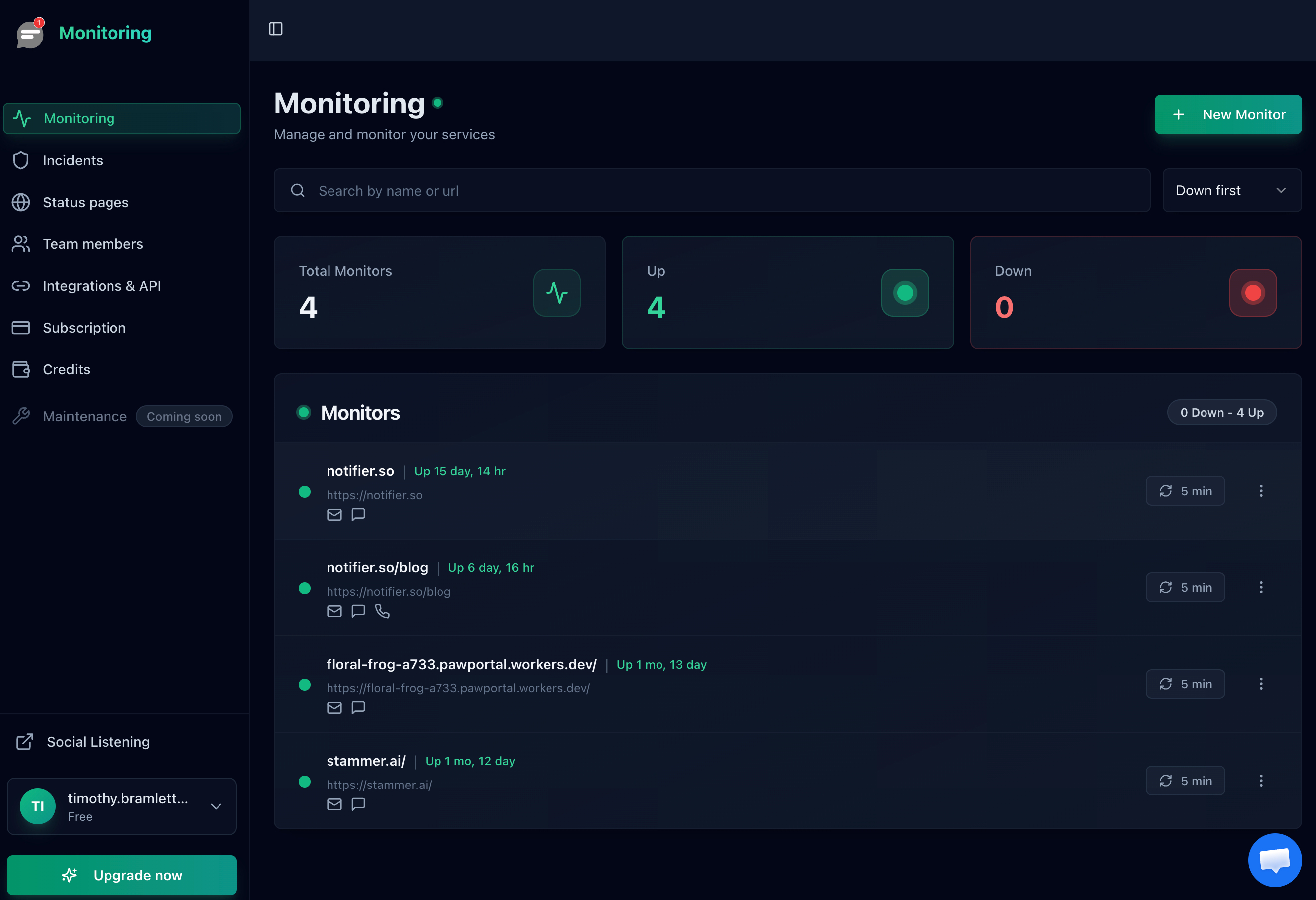
One monitor per hostname. The apex being healthy says nothing about a subdomain whose record was never created.
An external monitor catches a 1001 immediately and without ambiguity, because 530 is unmistakably a failed check. That matters more than it sounds: of all the ways a site breaks, this is among the easiest to miss, since the main site keeps working and nothing in your own logs records the requests that never arrived.
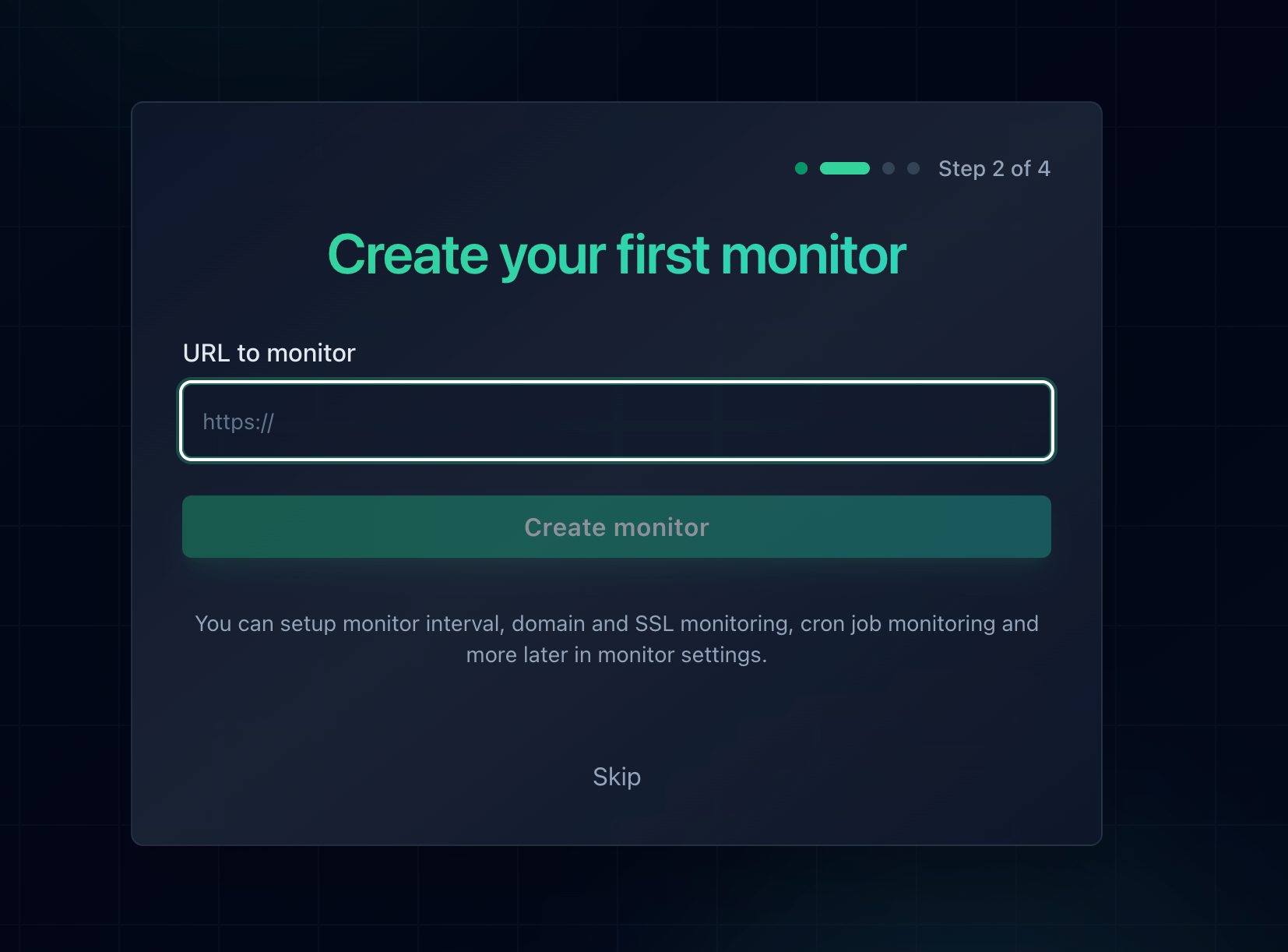
Adding a monitor takes about thirty seconds, which is less time than reading one more forum thread about error 1001.
Pair it with DNS monitoring, which watches the records themselves rather than the page they serve, so a CNAME that changes or stops resolving registers as a change even during a window when the site happens to be serving from cache. DNS monitoring and SSL certificate monitoring are both included free on every Notifier plan, including the free one.
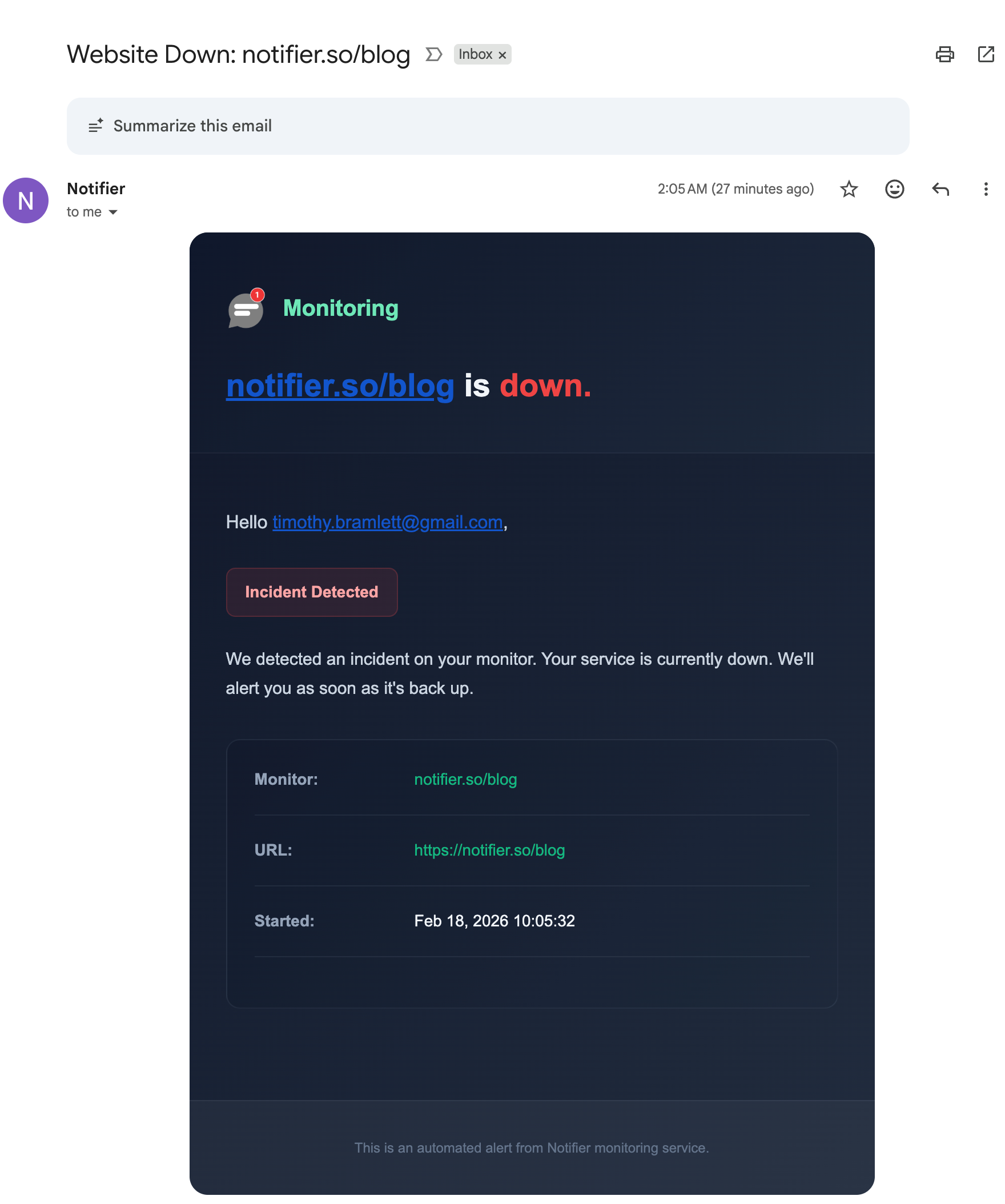
Alerts go out by email, SMS, phone call, or Slack, so whoever can add the missing record hears about it first.
Free Monitoring Tiers Compared
You do not have to pay anything to cover a handful of hostnames. Here is what the main free tiers offer, with DNS monitoring called out because it is directly relevant to this error:
| Tool | Free Tier | DNS and SSL Monitoring | Notes |
|---|---|---|---|
| Notifier | 10 monitors, 5 min checks, 5 status pages | Both free on every plan | Email, SMS, phone call, and Slack alerts available on the free plan. Solo is $4/month for 20 monitors at 1 minute checks. |
| UptimeRobot | 50 monitors, 5 min checks, 1 status page | SSL included, DNS on paid plans | The largest monitor count on a free tier, but free use is restricted to non commercial projects. Email only, with SMS and voice sold as credits. |
| Better Stack | 10 monitors, 3 min checks, 1 status page | SSL included, check DNS availability | Strong incident management and on call scheduling, but pricing is per responder and rises quickly for a team. |
| StatusCake | 10 monitors, 5 min checks | 1 SSL monitor on free | Status pages are a separate paid product, and SMS alerts run on paid credits. |
| Uptime Kuma | Unlimited, self hosted | Both included | Free and very flexible, but you run and patch it yourself, and it cannot report that a server is unreachable if it lives on that server. |
UptimeRobot's free plan is non commercial only
Since October 2024, UptimeRobot's free tier has been limited to non commercial use. If you are monitoring anything connected to a business, including a client site or a product that takes payments, the free plan is not an option and you need a paid tier. Worth knowing before you build fifty monitors on it.
Plans and prices change, so confirm before committing. Our comparison of free website monitoring tools covers each free tier in more detail, how to set up website monitoring walks through the setup in about five minutes, and the website monitoring checklist covers everything else worth watching alongside uptime. If DNS problems are a recurring theme, what causes website downtime puts them in context, and SSL certificate monitoring covers the other silent expiry that takes hostnames offline without warning.
Frequently Asked Questions
What does Cloudflare error 1001 DNS resolution error mean?
It means a request arrived at Cloudflare for a hostname Cloudflare could not resolve to a working origin. Either no Cloudflare zone claims that hostname, or the zone exists but has no record for that specific name, or the record is a CNAME whose target does not resolve. Your own lookup worked, which is why you reached Cloudflare at all. The failure is the second lookup, the one Cloudflare performs after reading the Host header.
What is the difference between error 1001 and error 1016?
They differ in which name failed to resolve. Error 1001 means Cloudflare could not resolve the hostname the visitor requested, so it does not know which site you want. Error 1016 means it identified the site perfectly well, but the A or CNAME record in that zone points at an origin that does not resolve. Roughly: 1001 is a problem with the front of the request, 1016 is a problem with the back. Both are usually served as HTTP 530, so read the four digit number printed on the page rather than trusting the status code.
Why does my main domain work but my subdomain returns 1001?
Because DNS records are per hostname. The apex having an A record does not give app.example.com an A record, and a wildcard covers only one level and only names with no record of their own. Open the DNS tab for the zone, search for the subdomain label rather than the full name, and check whether a record exists at all. This is the single most common cause of a 1001 and the fastest to confirm.
Can I point my domain at someone else's Cloudflare site with a CNAME?
Not on its own. A CNAME resolves to Cloudflare's shared addresses, but arriving at the right IP does not tell Cloudflare which site you want, and your hostname is not registered anywhere in their system, so it answers 1001. You have three options: add your domain to Cloudflare as its own zone, have the site owner enrol your hostname through Cloudflare for SaaS, or skip the proxy and point an A record at the origin's IP address directly. If both domains are already on Cloudflare but in different accounts, you get error 1014 instead.
Is error 1001 my fault or the website's fault?
The website's, in essentially every case. A 1001 comes from configuration that only the site owner can change, and it fails identically for every visitor in the world. The one exception is a stale cached answer on your side, which you can rule out in a minute by flushing your DNS cache and trying the site on mobile data. If it fails on both networks, there is nothing left for you to fix.
How long does it take for a new DNS record to fix a 1001?
Adding a record inside a Cloudflare zone takes effect within seconds at Cloudflare's edge, because Cloudflare is authoritative for the zone and does not wait on anybody else. The delay you may still see comes from resolvers and browsers that cached the previous failure, bounded by the TTL on the old record. Test with dig against a public resolver such as 1.1.1.1 rather than by refreshing your browser, since the browser is the most likely thing in the chain to be lying to you.
Why do I get 1001 when I visit the cdn.cloudflare.net hostname I was given?
Because that hostname is a CNAME target, not a website. It exists to be pointed at in a partial zone setup, and it belongs to no customer zone, so a request naming it directly resolves to nothing Cloudflare serves. Your configuration is fine. Request your own hostname instead, and if you need to force the connection through a specific address for testing, use the curl resolve option rather than substituting the target hostname.
Should my code retry a request that returns error 1001?
Only a couple of times, then stop. Cloudflare returns 530 for a 1001, which HTTP libraries treat as a temporary server error and retry aggressively, but a missing DNS record is not temporary and no amount of backoff will produce a different answer. The exception is the case where a target's nameservers are intermittently failing, where a retry genuinely can succeed. Cap the attempts, extract the error number from the response body, log it next to the cf-ray header, and raise it as a configuration failure rather than absorbing it as a blip.
Will uptime monitoring catch a Cloudflare 1001?
Yes, and this is one of the errors monitoring is best at. A 1001 is served as HTTP 530, which any monitor counts as a failed check, so you get alerted within minutes of a record being deleted or a CNAME target disappearing. The critical detail is coverage: the error is per hostname, so you need a monitor on each public hostname rather than one on the apex. Notifier is free for 10 monitors with SSL and DNS monitoring included on every plan, and paid plans start at $4/month for 1-minute checks with email, SMS, phone call, and Slack alerts.