At a Glance
- •405 Method Not Allowed means the server recognises the URL but will not accept that HTTP method on it. The URL exists, which is what separates a 405 from a 404, and only the verb (GET, POST, PUT, PATCH, DELETE) was refused.
- •Read the Allow header on the response, which a 405 is required to include. Run curl -s -D - -o /dev/null -X POST against the failing URL. Allow: GET, HEAD on a URL you are posting to means that address is not a form handler.
- •The most common cause on your own site is a form posting to a static file. Nginx returns 405 for a POST to any static file, so a form with no action attribute on a static page fails every time. Never use the error_page 405 =200 workaround: it returns success and silently throws the submitted data away.
- •The hardest cause to find is a redirect. Browsers and most HTTP libraries change a POST to a GET and drop the body on a 301 or 302, so a trailing slash, HTTPS, or www redirect between your form and your handler turns a working submission into a 405. Only 307 and 308 preserve the method.
- •A 405 is never transient, so retrying is pointless, and monitors do not post to your forms. Assert POST endpoints with curl in your deploy script, and use monitoring for outright downtime. Notifier is free for 10 monitors with SSL and DNS monitoring included, and paid plans start at $4/month for 1-minute checks.
405 Method Not Allowed is the error that appears after you press a button. Almost nobody reaches it by typing a URL, because typing a URL sends a GET and GET is the method servers are most willing to accept. A 405 shows up when a form is submitted, when a file is uploaded, when an app calls an API, or when a browser quietly asks permission before a cross origin request.
That narrows the problem enormously. The server is running. DNS resolved, the connection opened, TLS negotiated, and the request was read and understood. The URL exists as far as the server is concerned, which is what separates a 405 from a 404. The server simply refuses to do that verb at that address.
This guide covers what a 405 really means, the one header that answers most of the question before you touch any config, the four causes behind nearly every 405 on a site you run, why a redirect between your form and your handler can turn a working POST into a 405 and lose the submitted data on the way, what to do when a CORS preflight returns one, how API clients should treat it, and how to find out that a form endpoint broke before your customers stop being able to check out. If you do not run the site, skip to the visitor section.
What 405 Method Not Allowed Actually Means
Every HTTP request has two halves that the server matches against its routing table: a method and a path. The method is the verb, usually GET, POST, PUT, PATCH, DELETE, HEAD, or OPTIONS. The path is the noun. A 405 says the noun was recognised and the verb was not permitted on it.
This is why a 405 is far more informative than most error codes. A 500 means your code ran and threw, and you have no idea where. A 502 means a proxy could not reach the thing behind it. A 405 means routing succeeded, the resource is known, and exactly one dimension of the request was wrong. There is usually a single line of configuration or a single route definition responsible, and the response itself is supposed to tell you which methods would have worked.
The header that answers the question:
RFC 9110 requires that a 405 response include an Allow header listing the methods the resource does support. If you see Allow: GET, HEAD on a URL you are posting to, the answer is already in front of you: that address is not a form handler. If the Allow header is missing entirely, that is a clue too, because it usually means the 405 came from a web server or a security module rather than from your application code.
One more property worth knowing before you start: a 405 is not transient. Waiting will not help, refreshing will not help, and retrying the identical request will produce the identical response forever. That is the opposite of a 429, where waiting is the whole fix. If a retry loop in your code is hammering an endpoint that returns 405, it will hammer it until you change the method.
405 Compared to the Codes It Gets Confused With
Several codes mean "the server will not do this" and they point at completely different fixes. This table is the fastest way to confirm you are reading the right one.
| Code | What It Means | Where to Look |
|---|---|---|
| 405 Method Not Allowed | The URL exists, the verb is not permitted on it | Route definitions, form action URLs, server modules |
| 404 Not Found | The server has nothing at that URL for any verb | Rewrite rules, redirect maps, typos in the path |
| 403 Forbidden | The server knows who you are and refuses anyway | Permissions, file ownership, WAF rules |
| 400 Bad Request | The verb was fine, the request itself was malformed | Headers, cookies, JSON body, encoding |
| 415 Unsupported Media Type | Right verb, wrong Content-Type on the body | The Content-Type header your client sends |
| 501 Not Implemented | The server does not support this verb anywhere, not just here | Proxies and old servers seeing PATCH or a custom verb |
| 200 with nothing saved | A workaround turned the 405 into a success and dropped the body | See the static file section, this is the dangerous one |
A 404 on a form submission is often a 405 in disguise. Not every framework returns the correct code when the path matches but the method does not. Ruby on Rails raises a routing error and returns 404 in production. Express has no built in method handling at all, so a POST to a path you only defined with app.get falls straight through to the 404 handler. If a GET to a URL works in the browser and a POST to the same URL returns 404, treat it as a method problem and read the routing section below, not the 404 guide.
If You Hit This on Someone Else's Site
Be warned that this is the least satisfying section in the guide, and it is better to know that up front than to spend twenty minutes on it. A 405 is almost always a mistake in the site's configuration, and nothing on your computer caused it or can fix it. There is no cache to clear, no DNS to flush, no router to restart. The server is healthy and is rejecting the action on purpose.
The short list of things that occasionally do help, in the order they are worth trying:
- Go back and submit the form once, without refreshing. If you reached the error by pressing a button, press the back button and try again from a freshly loaded page. A page that has been open for hours can be submitting to an address that no longer accepts posts after a deploy.
- Do a hard refresh on the page with the form. Ctrl and F5 on Windows, or Cmd and Shift and R on a Mac. If the site updated and your browser is running yesterday's JavaScript, that old script may be calling an endpoint that changed. A hard refresh also bypasses a stale service worker, which is the one piece of local state that can genuinely cause this.
- Try the same action in a private window. This rules out an extension rewriting the request. It is rare, but privacy and script blocking extensions do alter requests, and a private window usually runs without them.
- Check whether you are on the right address. If you typed the URL by hand and landed on a page meant to receive a submission rather than display anything, a 405 is the correct response and there is nothing broken at all.
- Report it, with detail. This is the one that actually fixes it. Tell the site what you clicked, what page you were on, and the exact time. The owner can find that request in their logs in seconds with the information and probably not at all without it.
What will not help: restarting your router, flushing your DNS cache, changing DNS servers, switching to a VPN, turning off your firewall, or trying another browser. All of those operate below HTTP, and a 405 proves that every one of those layers already worked perfectly. The one local exception is the stale service worker above, which a hard refresh clears.
Diagnose It in One Command
Reproduce the request from a terminal and read the headers. This tells you the status code, which methods are allowed, and which layer of your stack answered, all at once:
curl -s -D - -o /dev/null -X POST https://example.com/contact
The -D - flag dumps the response headers to your screen and -o /dev/null throws away the body so the output stays readable. Do not use -I here, because it forces a HEAD request and you would be testing a different method than the one that failed.
A typical result:
HTTP/2 405
server: nginx
allow: GET, HEAD
content-type: text/html
content-length: 157
Two facts in five lines. The allow header says this URL only does GET and HEAD, so it is not a form handler. The server header plus a tiny HTML body says Nginx answered this itself and your application was never called.
Work Out Which Layer Answered
The shape of the response body identifies the culprit, and that determines which config file you open. Add -i instead of -o /dev/null to see it.
| What You See | Who Answered | Where to Fix It |
|---|---|---|
| A styled page with your own navigation | Your application | Route definitions and controllers |
| Plain "405 Not Allowed" with an nginx footer | Nginx, before your app ran | The location block for that path |
| "Method Not Allowed" with an Apache signature | Apache's static file handler or a Limit directive | The vhost config or .htaccess |
| A detailed IIS page naming WebDAVModule | The IIS WebDAV module | web.config, see Cause 4 |
| JSON with a "detail" or "message" field | Your API framework | Route or controller method list |
| XML containing MethodNotAllowed | Amazon S3 static hosting | You cannot POST to S3, see Cause 1 |
| A Cloudflare branded page or a cf-ray header | A WAF or firewall rule at the edge | Your CDN or WAF rule list |
Count Them in Your Access Log
If you want to know how long this has been happening and how many people it touched, the access log has it. For the standard combined format used by both Nginx and Apache, the status code is the ninth field:
# Which method and path is getting rejected, most frequent first
awk '$9 == 405 {print $6, $7}' /var/log/nginx/access.log | sort | uniq -c | sort -rn | head -20

# When did it start? Count 405s per hour
awk '$9 == 405 {print substr($4, 2, 14)}' /var/log/nginx/access.log | uniq -c

# Are real visitors hitting it, or only bots and scanners?
awk '$9 == 405 {print $11}' /var/log/nginx/access.log | sort | uniq -c | sort -rn | head
The method will appear with a leading quote, as "POST, because the request line is quoted in the log format. The hourly count is the valuable one: if 405s start at the exact minute of a deploy, you already know the cause and can go straight to the diff.
Cause 1: Something Posted to a Static File
This is the single most common 405 on the web. A web server will happily hand you a static file when you ask for it with GET, but a static file cannot process a submission, so when a POST arrives the server refuses. Nginx is strict about this and returns 405 Not Allowed for a POST to any static file. Apache's default handler accepts GET and POST on static files but rejects PUT, DELETE and the rest the same way. Amazon S3 website hosting rejects every POST outright.
The usual ways a form ends up pointed at a static file:
- An empty or self referencing form action.
<form method="post">with no action attribute posts back to the current URL. On a static page like/contact.html, that is a POST to an HTML file. - A site converted to a static build. A page that used to be rendered by PHP and now ships as pre rendered HTML keeps the same URL, so the form keeps working in the markup and stops working on the wire.
- A single page app posting to its own route. The server maps unknown paths to
index.html, which is fine for GET navigation and returns 405 the moment the app posts to one of those paths instead of to the API. - A missing trailing piece in the action URL. Posting to
/api/subscribewhen the handler lives at/api/subscribe.phpcan land on a directory index instead of the script.
The Correct Fix
Point the form at something that can execute. If you have an application behind the web server, make sure the submission path reaches it rather than the static file handler:
# Nginx: send this path to the application instead of the filesystem
location = /contact {
    proxy_pass http://127.0.0.1:8000;
    proxy_set_header Host $host;
    proxy_set_header X-Forwarded-For $proxy_add_x_forwarded_for;
    proxy_set_header X-Forwarded-Proto $scheme;
}
If the site is genuinely static, with no application behind it, the form has to submit somewhere else entirely. A serverless function, a form handling service, or a small API on a subdomain. A static host cannot accept a POST no matter how the config is written, and this is the case where people reach for the workaround below and regret it.
Do not use the error_page workaround. Search results for this error are full of the line error_page 405 =200 $uri;, which makes Nginx serve the file with a 200 instead of refusing. It does make the error disappear, and that is precisely the problem. The POST body is discarded, so the form now reports success to every visitor while nothing is ever saved. A visible 405 that you fix this afternoon is far cheaper than three months of silently lost enquiries.
Cause 2: A Redirect Turned Your POST Into a GET
This one is worth reading even if you think it does not apply to you, because it is the cause people spend the longest failing to find. The form posts to a URL that redirects. The redirect looks harmless, it is a 301 you added months ago for HTTPS or for trailing slashes, and the destination handles POST perfectly well. Yet the request arrives as a GET and gets a 405.
The reason is a decades old quirk of HTTP that is now baked into every browser and most HTTP libraries: on a 301 or a 302, the client changes the method to GET and drops the request body before following the redirect. Only 307 and 308 promise to preserve the original method and body.
| Redirect | Method After Following | Request Body |
|---|---|---|
| 301 Moved Permanently | Changed to GET | Discarded |
| 302 Found | Changed to GET | Discarded |
| 303 See Other | Always GET, by design | Discarded |
| 307 Temporary Redirect | Preserved | Resent |
| 308 Permanent Redirect | Preserved | Resent |
Follow the chain and watch the method change with your own eyes. Note that curl behaves exactly like a browser here, which makes the reproduction faithful:
# Follow every hop and print the headers of each one
curl -s -D - -o /dev/null -L -X POST https://example.com/contact

# Force curl to keep POSTing across 301 and 302, to prove the method is the issue
curl -s -D - -o /dev/null -L --post301 --post302 -X POST https://example.com/contact
If the first command returns 405 and the second returns 200, you have found it. The destination accepts POST perfectly well and the redirect was throwing the method away.
The Redirects That Cause This
- Trailing slash normalisation. The form posts to
/api/subscribeand the server redirects to/api/subscribe/, or the reverse. Both directions are common defaults and both break POST. - HTTP to HTTPS. A hardcoded
http://in a form action or an API base URL means every submission takes a redirect hop before it arrives. - Apex to www, or www to apex. Same mechanism, triggered by whichever hostname your form action uses.
- A locale or region prefix. Redirecting
/checkoutto/en/checkoutconverts the checkout POST to a GET on the way.
The fix is to remove the hop rather than to change the redirect type. Make the form action the exact final URL, including the scheme, the hostname, and the trailing slash or its absence. Changing a 301 to a 308 works, but it leaves a redirect in the hot path of every submission for no benefit, and a 308 is permanent and heavily cached so a mistake is expensive to undo.
The Django version of this trap:
Django's APPEND_SLASH setting redirects a URL with no trailing slash to the version with one. With DEBUG = True Django raises a loud RuntimeError telling you the POST data will be lost. In production it just issues the redirect, the browser converts the POST to a GET, and you get a 405 or a mysterious empty form submission with no error anywhere in your logs. If a form works locally and fails in production, check the trailing slash on the action URL first.
Redirects that loop rather than change methods produce a different error entirely. If you see a browser giving up instead of a 405, read how to fix ERR_TOO_MANY_REDIRECTS.
Cause 3: The Route Only Accepts One Method
If the 405 came from your application rather than the web server, a route exists at that path and its method list does not include the one being used. This is the easiest cause to fix and the easiest to create, because a route and its method are declared in the same line and it is trivial to add a form before adding the handler for it.
| Framework | Behaviour on a Method Mismatch | Sends Allow Header |
|---|---|---|
| Flask and Werkzeug | Returns 405, adds HEAD and OPTIONS to GET routes automatically | Yes |
| Django and DRF | Returns 405 from the view when the handler for that method is missing | Yes |
| Laravel | Throws MethodNotAllowedHttpException, renders as 405 | Yes |
| ASP.NET Core | Endpoint routing returns 405, though IIS may answer first | Yes |
| Next.js route handlers | Returns 405 for any method the route file does not export | Yes |
| Express | No method handling, falls through to the 404 handler | No |
| Ruby on Rails | Raises a routing error, returns 404 in production | No |
Print the routing table rather than reading the source. Every framework can tell you exactly which methods it registered for a path, and the answer is usually obvious the moment you see it:
# Flask
flask routes

# Django
python manage.py show_urls        # requires django-extensions

# Laravel
php artisan route:list --path=contact

# Rails
bin/rails routes | grep contact

# Next.js and Express: check the route file exports or the app.METHOD calls
The Cases Worth Checking First
- A route declared for GET only.
@app.route('/contact')in Flask permits GET alone. It needsmethods=['GET', 'POST']to also receive the submission. - PATCH used where the route defines PUT. The two are not interchangeable and most routers register exactly what you wrote. This is the most common 405 in API integrations.
- A DELETE from a browser form. HTML forms can only send GET and POST. Frameworks fake the others with a hidden
_methodfield, and if that field is missing or the middleware that reads it is disabled, a POST arrives at a DELETE only route. - A route registered after a catch all. Order matters in most routers. A wildcard route defined earlier can swallow the path and answer with its own narrower method list.
- HEAD not handled. Some frameworks answer HEAD from the GET handler automatically and some do not. A URL that works in a browser can return 405 to a HEAD request, which matters for monitoring and is covered in the prevention section.
Cause 4: A Server Module or Rule Blocks the Method
If your routing table clearly registers the method and you still get a 405 with no Allow header from your application, something in front of the application is intercepting the request. There are three usual suspects.
IIS and the WebDAV Module
This is the classic one, and it catches every developer who deploys a REST API to IIS for the first time. GET and POST work, PUT and DELETE return 405, and nothing in the application is wrong. The WebDAV module is registered by default, it claims PUT and DELETE for itself, and it refuses them. Remove it for the site:
<configuration>
  <system.webServer>
    <modules>
      <remove name="WebDAVModule" />
    </modules>
    <handlers>
      <remove name="WebDAV" />
    </handlers>
  </system.webServer>
</configuration>
Both removals are needed. Taking out the module without taking out the handler leaves the handler mapping in place, and the 405 continues.
Apache Limit Directives
A hardening guide or a security plugin may have added a block restricting which methods the server accepts. These are easy to get backwards:
# Denies everything that is NOT listed, so PUT, PATCH and DELETE all 405
<LimitExcept GET POST HEAD>
    Require all denied
</LimitExcept>
Search your config and every .htaccess file for these before assuming the application is at fault:
grep -rn "LimitExcept\|<Limit \|RewriteCond.*REQUEST_METHOD" /etc/apache2/ /var/www/
The RewriteCond pattern matters too, because a rule testing %{REQUEST_METHOD} can reject a method with a 405 from a file nobody has opened in two years.
A WAF, CDN, or Managed Host Rule
Cloudflare and other edge providers let you restrict methods, and some managed WordPress hosts block DELETE and TRACE at the platform level by default. The tell is a 405 that never appears in your origin access log at all. If you count 405s with the awk commands above and find nothing while your browser clearly shows the error, the request is being stopped before it reaches your server. Check your WAF rules and your host's documentation, and confirm by bypassing the edge:
# Send the request straight to the origin IP, skipping the CDN entirely
curl -s -D - -o /dev/null -X POST https://example.com/api/orders \
  --resolve example.com:443:203.0.113.10
If the origin returns 200 and the public URL returns 405, the edge is responsible and the fix is in your CDN dashboard rather than on your server.
When the 405 Is a CORS Preflight
If your browser console shows a CORS error and your network tab shows a 405 on a request you never wrote, you are looking at a preflight. Before a browser sends a cross origin request that is not simple, which includes any request with a JSON content type or an Authorization header, it first sends an OPTIONS request asking whether the real one is permitted. If your server has no OPTIONS handler for that path, it answers 405, the preflight fails, and the browser blocks the actual request. The POST you are debugging never leaves the machine.
Reproduce the preflight exactly as the browser sends it:
curl -s -D - -o /dev/null -X OPTIONS https://api.example.com/v1/orders \
  -H "Origin: https://app.example.com" \
  -H "Access-Control-Request-Method: POST" \
  -H "Access-Control-Request-Headers: content-type, authorization"
A working preflight returns 204 or 200 along with Access-Control-Allow-Origin, Access-Control-Allow-Methods, and Access-Control-Allow-Headers. A 405 means nothing is answering OPTIONS. The fixes, in order of preference:
- Install the CORS middleware properly. Most frameworks have one that answers preflights for you. Register it before your routes and before any authentication middleware, because a preflight carries no credentials and an auth layer that runs first will reject it.
- Check the order of your middleware. A preflight returning 401 rather than 405 is the same problem with a different symptom, covered in the 401 guide.
- Make sure OPTIONS is not blocked upstream. The Apache and WAF rules from Cause 4 block OPTIONS surprisingly often, because method allowlists written for security rarely remember that browsers need it.
- Avoid triggering a preflight where you can. It is not always possible, but a same origin API path proxied through your own domain removes the problem completely and saves a round trip on every request.
Getting a 405 From an API You Are Calling
When the 405 comes from somebody else's API, the fix is always in your request. Work through these in order:
- Read the Allow header. It lists what the endpoint accepts. If it says
GET, POSTand you sent PATCH, the answer took one second to find. - Check PUT against PATCH. Many APIs implement one and not the other. PUT replaces the whole resource, PATCH updates part of it, and sending the wrong one at an endpoint that only implements its sibling is the single most common cause here.
- Check the trailing slash. Some APIs route
/v1/ordersand/v1/orders/to different places, and a client library that normalises one of them will fail on exactly the non GET calls thanks to the redirect behaviour described earlier. - Check collection against item. POST usually belongs on the collection,
/v1/orders, while PUT, PATCH and DELETE belong on an item,/v1/orders/123. Swapping them produces a 405 on a URL that is otherwise perfectly valid. - Check the version prefix and base URL. A base URL with a duplicated or missing version segment can land on a real but different resource whose method list does not match.
- Look for a method override. Some APIs accept a POST carrying
X-HTTP-Method-Override: DELETEfor clients stuck behind proxies that strip unusual verbs. Only use it where the API documents it.
Never put a 405 in a retry loop. Retry logic is usually written for 429, 502, 503 and timeouts, all of which can succeed on a second attempt. A 405 cannot. The identical request will be refused identically every time, so a retry with backoff just delays the failure and multiplies your request count. Treat 405 the same way you treat 400 and 404: fail immediately, log the method and the URL, and alert a human.
On the other side of the fence, if you publish an API, returning a proper 405 with an accurate Allow header is one of the cheapest kindnesses in API design. It converts a support ticket into a five second fix. Our guide on how to monitor an API endpoint covers checking that your endpoints keep behaving the way your documentation promises.
Catching This Before Your Customers Do
A 405 has a nasty property: it usually breaks the part of your site that makes money while leaving the part that looks like your site completely intact. The homepage loads, the product pages load, the blog loads. Only the contact form, the signup, or the checkout is broken, and those are the pages your visitors never tell you about. They just leave.
Two things cover it between them. A deploy time smoke test for the submission paths, and continuous monitoring for everything else that can take the site down.
Smoke Test Your Form Endpoints on Every Deploy
A handful of curl calls in your deploy script catches every cause in this guide within seconds of the change that caused it. Post to each critical endpoint and assert that the response is anything other than 405:
#!/bin/bash
# post-deploy-check.sh: fail the deploy if a submission path stops accepting POST

ENDPOINTS=(
  "https://example.com/contact"
  "https://example.com/api/subscribe"
  "https://example.com/api/v1/orders"
)

FAILED=0
for URL in "${ENDPOINTS[@]}"; do
    CODE=$(curl -s -o /dev/null -w "%{http_code}" -X POST "$URL" \
        -H "Content-Type: application/json" -d '{}')

    if [ "$CODE" = "405" ]; then
        echo "FAIL: $URL no longer accepts POST (405)"
        FAILED=1
    else
        echo "OK:   $URL responded $CODE"
    fi
done

exit $FAILED
A 400 or a 422 from an empty body is a pass, because both prove the route accepted the method and got as far as validating the payload. Only 405 fails the check. Use an endpoint or a test payload that does not create real records, for the same reason you would not run a live checkout on every deploy.
Monitor the Rest of the Site Continuously
A smoke test runs when you deploy. Plenty of breakage happens when you are not deploying: a certificate expires, a WAF rule is edited, a host changes a default, a DNS record is updated. Continuous monitoring from outside your network covers that window, checking your URLs the way a stranger with no cache and no session would.
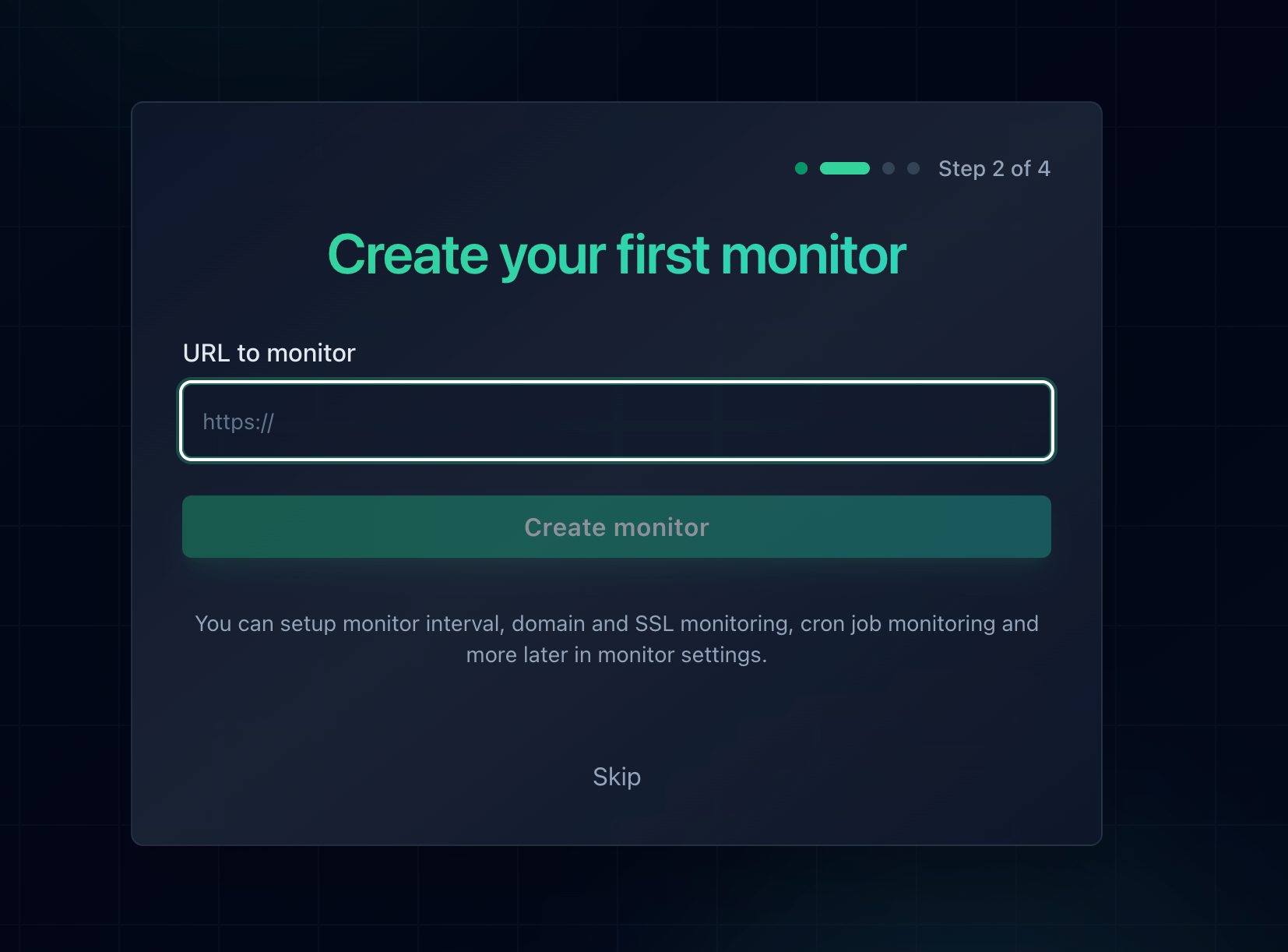
Add the URL and every check arrives clean, with no cache and no session, exactly like a first time visitor.
Why a monitor will not alert you on a 405, and why that is correct:
Uptime checks are read only by design. They request your pages rather than submitting to them, because a monitor that posted to your forms every minute would fill your database with junk. Notifier's standard HTTP check also treats a 405 response as up rather than down, deliberately: a server answering 405 is alive, routed the request, and made a decision, which is the definition of a healthy server. Plenty of perfectly working sites reject HEAD requests that way. Use the smoke test above for method specific breakage, and monitoring for everything that takes pages down outright.
What to Put Under Monitoring
- The page that holds each important form. If the contact page or the checkout page itself stops loading, the form cannot be submitted at all, and that is ordinary downtime a monitor catches immediately.
- One deep URL per route pattern. A blog post, a product page, a category listing. These break when rewrite rules do, while the homepage carries on looking fine.
- Your API health endpoint. A GET endpoint that exercises the same stack your POST endpoints run through, so a broken deploy shows up even though nothing posts.
- Every hostname you own. Apex and www, the app subdomain, the docs, the status page. Method rules and routing are configured per virtual host, so one can break while the others stay healthy.
- Your SSL certificates. A different failure mode that takes the whole site down just as completely. SSL monitoring is free on every Notifier plan, including the free one.
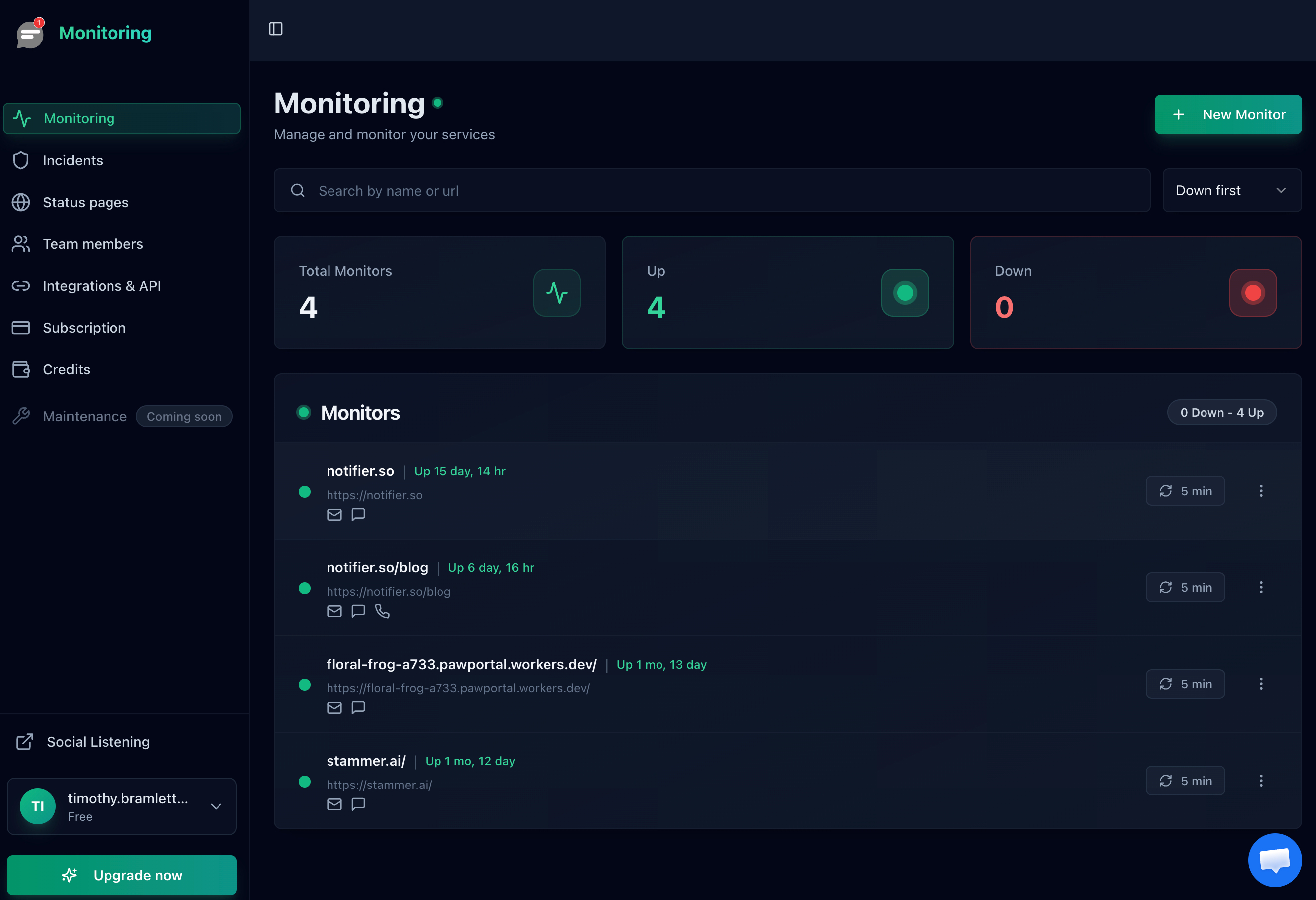
One row per URL, so a checkout page that breaks stands out even while the homepage stays green.
Get the Alert Somewhere You Will See It
An alert sitting in an inbox you read twice a day is barely better than a customer email. A broken checkout on a Friday evening needs to interrupt somebody. Notifier sends alerts by email, SMS, phone call, and Slack on every plan, including the free one, so the person who can roll back the deploy actually finds out.
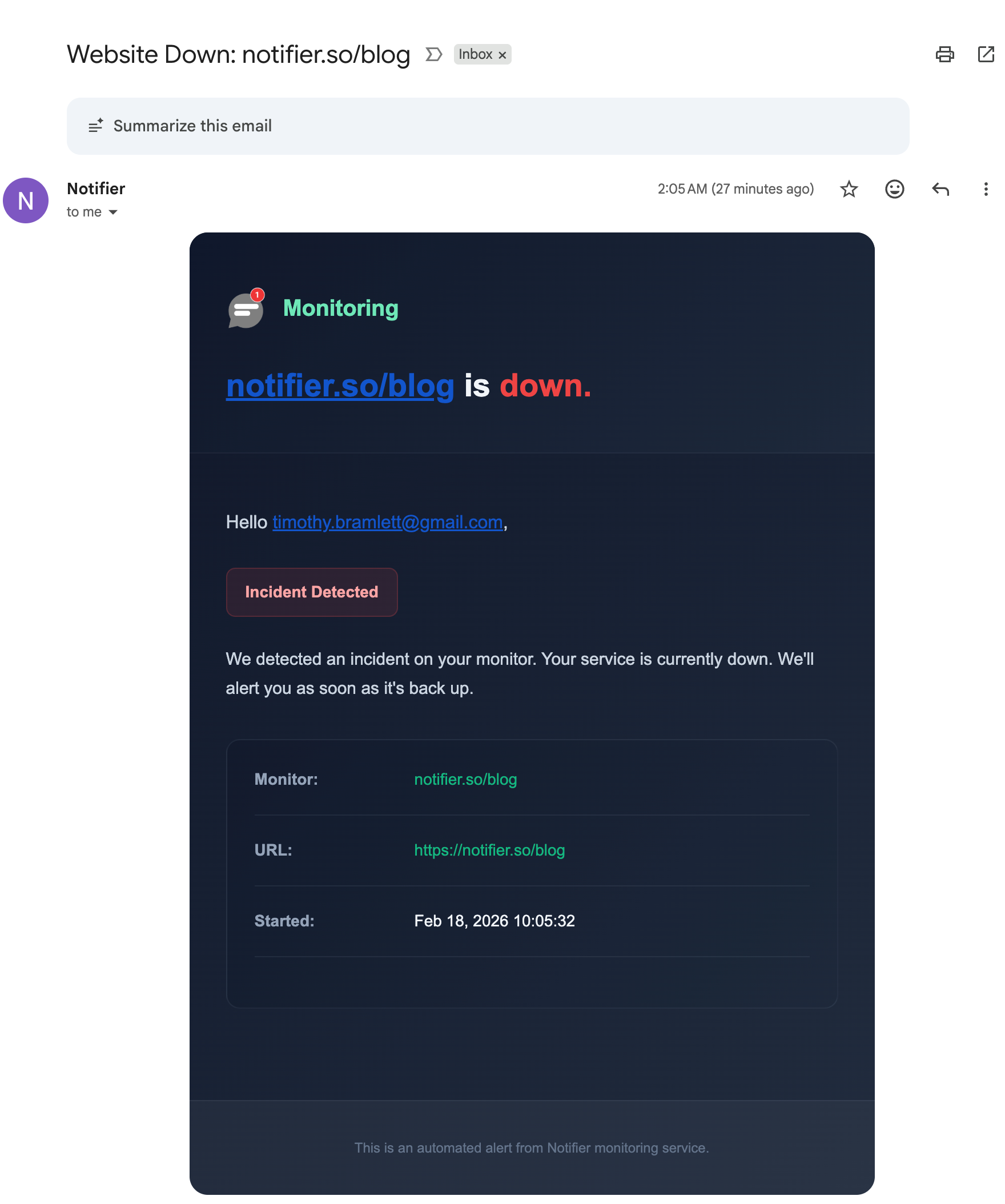
The alert names the monitor and the minute the incident began, which usually points straight at the deploy that caused it.
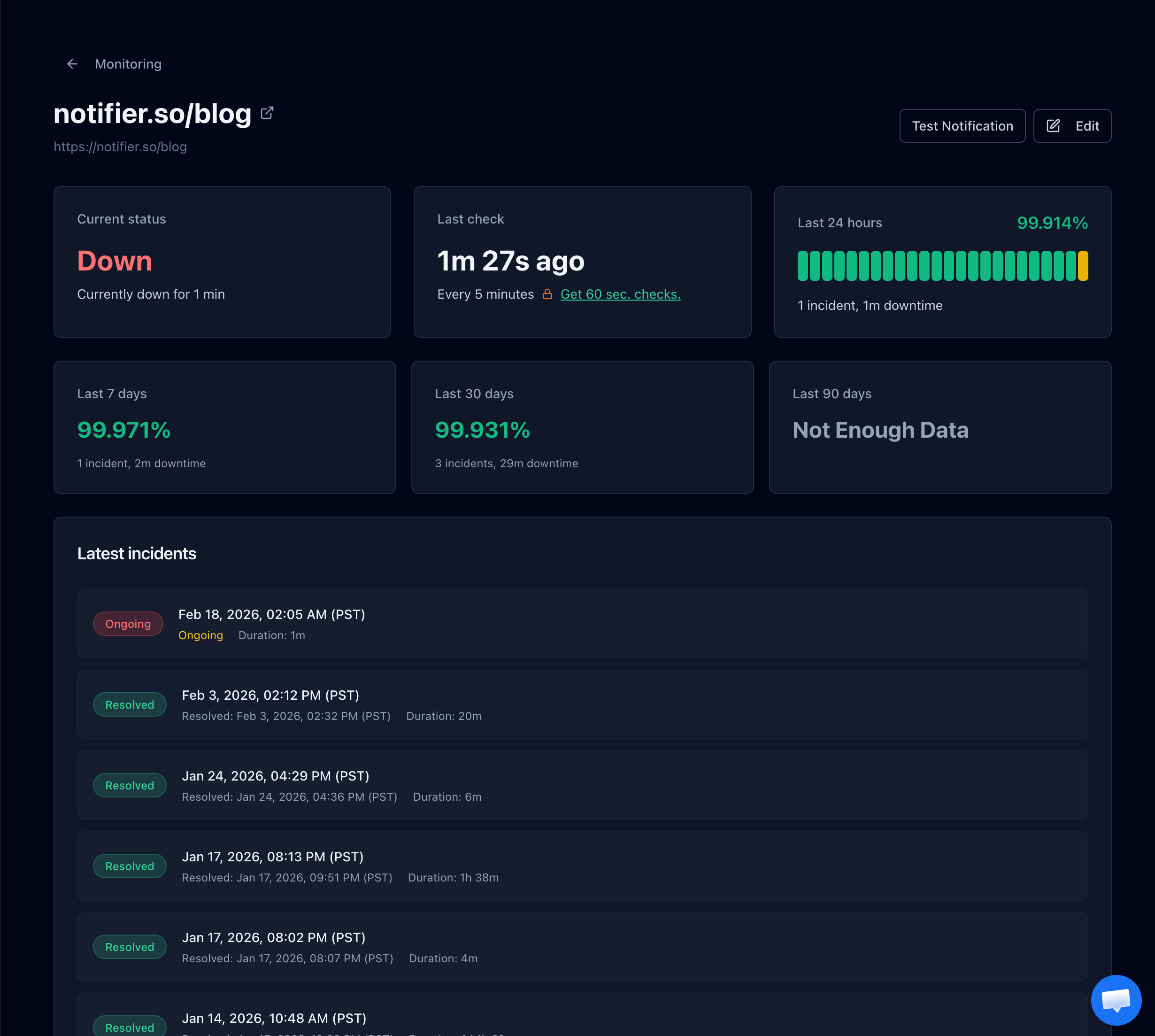
Incident history gives you the exact start time, which is usually enough to identify the change that broke the route.
Free Monitoring Tiers Compared
You do not need to spend anything to know when a page stops responding. Here is what the main free tiers actually give you:
| Tool | Free Tier | SSL Monitoring | Notes |
|---|---|---|---|
| Notifier | 10 monitors, 5 min checks, 5 status pages | Free on every plan | Email, SMS, phone, and Slack alerts on free. Commercial use allowed. Solo is $4/month for 20 monitors at 1 minute. |
| UptimeRobot | 50 monitors, 5 min checks, 1 status page | Included | Free plan is non-commercial only. SMS and voice sold as credits. |
| Better Stack | 10 monitors, 3 min checks, 1 status page | Included | Strong incident management, but pricing is per responder and adds up quickly for a team. |
| StatusCake | 10 monitors, 5 min checks | 1 SSL monitor on free | Status pages are a separate paid product, and SMS uses paid credits. |
| Uptime Kuma | Unlimited, self-hosted | Included | Free and flexible, but you have to host and maintain it, and it cannot tell you your server is unreachable if it runs on that server. |
Important: UptimeRobot restricted its free plan to non-commercial use only in October 2024. If the site belongs to a business or a client, that free tier is not an option. Notifier's free tier has no such restriction.
Pricing changes, so verify before committing. Our comparison of free website monitoring tools covers each free tier in detail, and how to set up website monitoring walks through setup in about five minutes. If broken pages are one of several recurring problems, what causes website downtime covers the wider set of failure patterns, and WordPress uptime monitoring covers the platform where broken form endpoints turn up most often.
Frequently Asked Questions
What does 405 Method Not Allowed mean?
It means the server recognised the URL but refuses to perform that HTTP method on it. Every request pairs a method, such as GET, POST or DELETE, with a path. A 405 says the path is known and the method is not permitted there. The server is healthy and reached the point of making a decision, which is why it is a far more specific error than a 500 or a 502. The response is required to include an Allow header listing the methods that would have worked.
How do I fix a 405 error as a visitor?
Usually you cannot, because it is a misconfiguration on the site and nothing on your device caused it. Worth trying, in order: press back and submit the form once from a freshly loaded page, do a hard refresh with Ctrl and F5 or Cmd and Shift and R to clear stale JavaScript and any service worker, and try the same action in a private window to rule out an extension. Restarting your router, flushing DNS, or using a VPN cannot help, because a 405 proves those layers already worked. Reporting the problem with the page, the button and the time is the thing most likely to get it fixed.
What is the difference between 404 and 405?
A 404 means the server has nothing at that URL for any method. A 405 means the URL exists and the method is the problem, so the same address would work with a different verb. In practice the distinction blurs because not every framework returns the right code. Rails returns 404 for a method mismatch in production and Express falls through to its 404 handler, so if a URL loads fine with GET in a browser and returns 404 when your form posts to it, investigate it as a method problem rather than a missing page.
Why does my contact form return 405 Not Allowed on Nginx?
Almost certainly because the form is posting to a static HTML file. Nginx serves static files for GET and refuses POST on them with a 405, since a file cannot process a submission. This happens with a form that has no action attribute on a static page, with a site that was converted to a static build, or with a single page app posting to one of its own routes rather than to the API. The fix is to point the form at a path that reaches your application, or at an external form handler if the site is fully static. Avoid the error_page 405 =200 workaround found in search results, because it returns success while silently discarding the submitted data.
Can a redirect cause a 405 error?
Yes, and it is the cause that takes people longest to find. On a 301 or 302, browsers and most HTTP libraries change the method to GET and drop the request body before following the redirect. So a POST to a URL that redirects for a trailing slash, for HTTPS, or for www arrives at the destination as a GET, and if that destination only accepts POST you get a 405. Only 307 and 308 preserve the method and body. Prove it with curl by comparing a normal run against one with the post301 and post302 flags, then fix it by making the form action the exact final URL so there is no redirect hop at all.
Why do PUT and DELETE return 405 on IIS?
The WebDAV module is registered by default and claims PUT and DELETE before your application sees them, then refuses them. GET and POST work normally, which makes it look like an application bug. Fix it in web.config by removing both WebDAVModule from the modules section and the WebDAV entry from the handlers section. Removing only one of the two leaves the mapping in place and the 405 continues.
Why is my CORS preflight returning 405?
Before sending a cross origin request that carries a JSON content type or an Authorization header, the browser sends an OPTIONS request to ask permission. If your server has no OPTIONS handler for that path, it replies 405, the preflight fails, and the real request is never sent. Install your framework's CORS middleware and register it before your routes and before any authentication layer, since preflights carry no credentials. Also check that OPTIONS is not blocked by an Apache Limit directive or a WAF rule, which is common because method allowlists written for security often forget that browsers need OPTIONS.
Should my code retry a request that returns 405?
No. A 405 is deterministic, so the identical request will be refused identically every time. Retry logic belongs on 429, 502, 503 and timeouts, where a later attempt can genuinely succeed. Retrying a 405 only delays the failure and inflates your request count. Fail immediately, log the method and the full URL, and alert a human, exactly as you would for a 400 or a 404.
Will uptime monitoring tell me about a 405?
Not directly, and that is intentional. Uptime checks are read only, because a monitor that posted to your forms every minute would fill your database with test records. Notifier's standard HTTP check also counts a 405 response as up rather than down, since a server returning 405 is alive and routing correctly, and many healthy sites reject HEAD requests that way. Use a few curl commands in your deploy script to assert that your submission endpoints still accept POST, and use monitoring for everything that takes pages down outright. Notifier is free for 10 monitors with SSL and DNS monitoring included, and paid plans start at $4/month for 1-minute checks with email, SMS, phone call, and Slack alerts.