At a Glance
- •Freshping shut down permanently on March 6, 2026. All monitors, status pages, and historical data were deleted. There is no replacement from Freshworks.
- •UptimeRobot still works but restricted its free plan to non-commercial use in December 2024. Businesses must pay $8/month or more.
- •Freshping offered 50 free monitors with 1 minute checks. No other free plan matches that combination. UptimeRobot offers 50 monitors with 5 minute checks (non-commercial only).
- •Notifier is the best alternative for former Freshping users: free plan with 10 monitors, 5 status pages, SSL monitoring, and SMS/phone alerts. Commercial use allowed. Paid plans start at $4/month.
Freshping and UptimeRobot were the two most popular free monitoring tools for years. Both offered generous free tiers, and thousands of teams relied on them to keep an eye on their websites without spending a dollar. That comparison is now over.
Freshping shut down on March 6, 2026, and UptimeRobot restricted its free plan to non-commercial use in October 2024. If you're searching for one of these tools, or trying to decide where to migrate, this guide covers exactly what changed and what your options are now.
Pricing update (May 2026): UptimeRobot retired the old Pro tier and now charges $9/month annually (or $10/mo monthly) for Solo, $38/month annually ($45/mo monthly) for Team, and $69/month annually ($82/mo monthly) for Enterprise. For comparison, Notifier is $4/month for Solo and $19/month for Team — roughly half the price at every paid tier. See our complete UptimeRobot pricing breakdown for 2026.
At a Glance
What Happened to Freshping?
Freshping Has Shut Down
Freshworks discontinued Freshping on March 6, 2026. All existing monitors, status pages, and historical data were deleted. Data will be permanently erased around June 4, 2026. Freshping is no longer accepting new signups or logins. If you were a Freshping user, you need a new monitoring tool immediately.
For the full timeline and migration options, see our Freshping shutdown guide.
Freshping was part of the Freshworks ecosystem, which includes Freshdesk, Freshservice, and other business tools. It offered one of the most generous free tiers in monitoring: 50 monitors with 1 minute check intervals, 5 status pages, and checks from 10 global locations. All of this was completely free.
Freshworks announced in January 2026 that Freshping would be discontinued as part of a product portfolio reorganization. By March 6, the service was offline. There is no paid plan, no upgrade path, and no replacement within the Freshworks ecosystem.
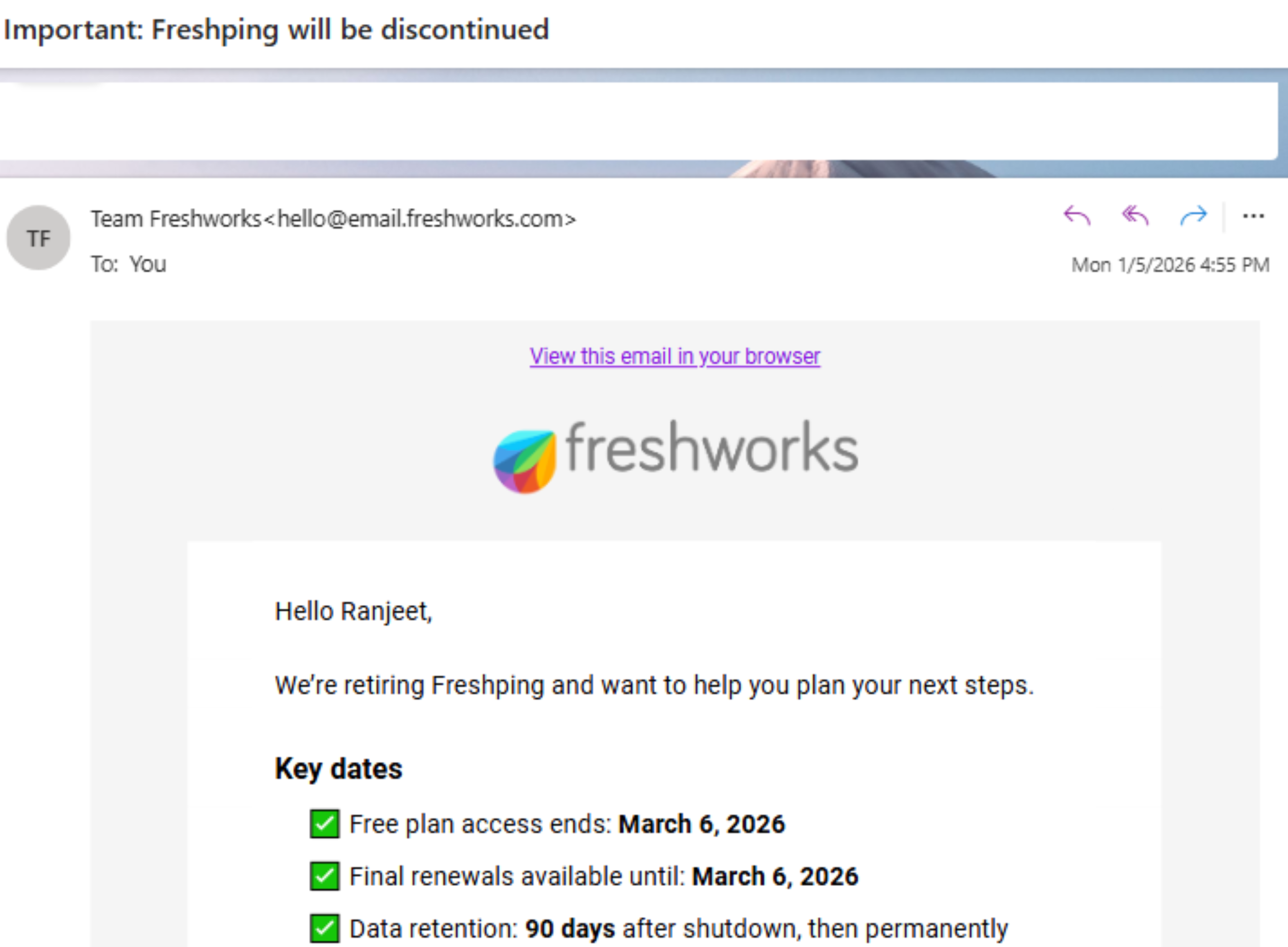
The email Freshworks sent to Freshping users announcing the shutdown.
UptimeRobot: Still Around, But With Restrictions
UptimeRobot has been one of the most well known uptime monitoring tools since 2010. It built its reputation on a generous free tier: 50 monitors with 5 minute check intervals, no cost, no strings attached.
UptimeRobot Free Plan: Non-Commercial Only
Since December 2024, UptimeRobot's free plan is restricted to non-commercial use only. If you use the free plan for a business, SaaS product, client site, or any commercial project, you are violating their terms of service. Open source projects, educational use, and nonprofits are exempt.
UptimeRobot was acquired by Pale Fire Capital, a Czech private equity firm, in 2019. Since then, the product has shifted toward monetization. The free plan still offers 50 monitors, but the commercial restriction means most businesses now need to pay.
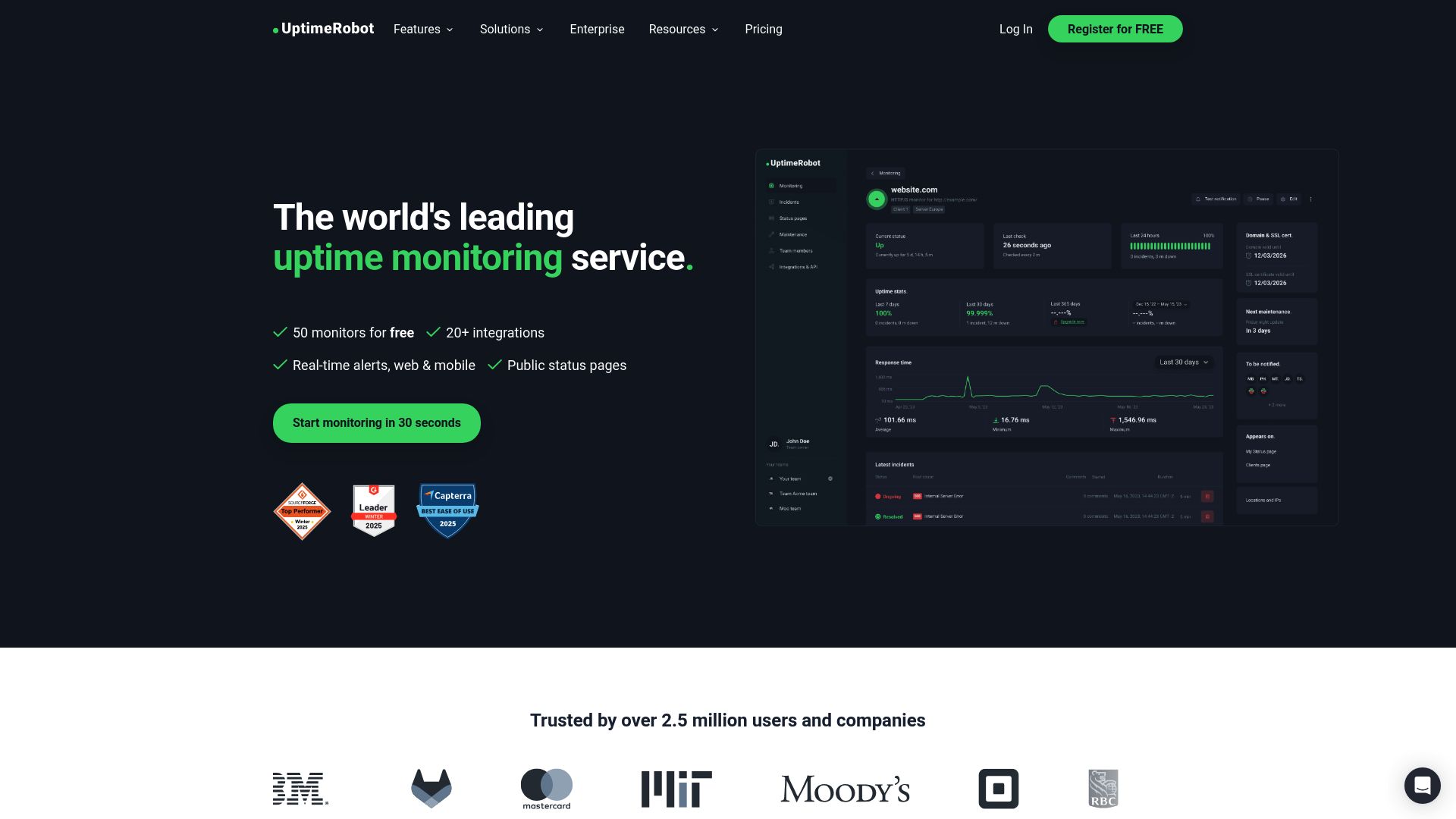
UptimeRobot's homepage.
Free Tier Comparison: Freshping vs UptimeRobot
This is the comparison that used to matter. For reference, here is how the two free tiers stacked up before Freshping shut down:
| Feature | Freshping (Shut Down) | UptimeRobot Free | Notifier Free |
|---|---|---|---|
| Monitors | 50 | 50 | 10 |
| Check interval | 1 min | 5 min | 5 min |
| Status pages | 5 | 1 (branded) | 5 |
| SSL monitoring | No | No (paid only) | Yes (free) |
| SMS/phone alerts | Via Twilio integration | Limited credits (one time) | Included |
| Commercial use | Yes | No (personal only) | Yes |
| Status | Shut down | Active (restricted) | Active |
Freshping's free tier was genuinely more generous than UptimeRobot's. Faster checks (1 minute vs 5 minutes), more status pages (5 vs 1), and no commercial use restriction. But none of that matters now. Freshping is gone, and UptimeRobot's free plan is off limits for businesses.
Pricing Breakdown: UptimeRobot Paid Plans
Since Freshping had no paid plans (it was entirely free), this section focuses on UptimeRobot's paid tiers for users who need commercial monitoring.
| Plan | UptimeRobot | Notifier |
|---|---|---|
| Free | 50 monitors, 5 min, non-commercial only | 10 monitors, 5 min, commercial use allowed |
| Entry paid | Solo: $9/mo annual or $10/mo monthly (10-50 monitors, 60 sec) | Solo: $4/mo (20 monitors, 1 min) |
| Team | $38/mo annual ($45/mo monthly) (100 monitors, 60 sec, 3 seats) | $19/mo (100 monitors, 30 sec, 3 seats) |
| Enterprise | $69/mo annual ($82/mo monthly) (200 monitors, 30 sec) | $35/mo (200 monitors, 30 sec) |
| Status pages | 1 (free), 3 (Solo), 100 (Team) | 5 (free), 10 (Solo), 50 (Team), unlimited (Enterprise) |
| SMS alerts | One time credit bundle (not monthly) | Included on all plans |
| SSL monitoring | Paid plans only | Free on all plans |
The pricing gap is significant. UptimeRobot's Solo plan costs $9/month annually for just 10 monitors at the entry tier. Notifier's Solo plan costs $4/month for 20 monitors flat. At the Team level, UptimeRobot charges $38/month annually for 60-second checks while Notifier charges $19/month for 30-second checks. Notifier is roughly half the price at every paid tier.
UptimeRobot's SMS system also deserves a closer look. You receive a one time bundle of SMS credits when you sign up for a paid plan. These credits do not renew monthly. Once they're gone, you buy more at $3 for 10 credits or $15 for 100. Notifier includes SMS and phone call alerts on all plans with no credit system. For more on affordable monitoring options, see our dedicated guide.
Feature Comparison
| Feature | Freshping | UptimeRobot | Notifier |
|---|---|---|---|
| HTTP/HTTPS monitoring | Yes | Yes | Yes |
| Ping monitoring | Yes | Yes | Yes |
| DNS monitoring | No | Yes | Yes |
| SSL monitoring | No | Paid only | Free on all plans |
| Domain expiry monitoring | No | Yes | Coming soon |
| Heartbeat/cron monitoring | No | Yes | Coming soon |
| Status pages | 5 (free) | 1 (free), more on paid | 5 (free), more on paid |
| Custom domain status pages | No | Team plan ($38/mo annual) | Solo plan ($4/mo) |
| Slack integration | Yes | Solo+ ($9/mo annual) | Free on all plans |
| Email alerts | Yes | Yes | Yes |
| SMS alerts | Via Twilio | Credit system | Included |
| Phone call alerts | No | Credit system | Included |
| Maintenance windows | Yes | Paid only | Solo+ ($4/mo) |
Freshping had a focused feature set: HTTP monitoring with fast checks and good status pages. It lacked SSL monitoring, DNS monitoring, and domain expiry checks. UptimeRobot has a broader feature set with more monitor types, but locks many features behind paid plans. Notifier offers SSL certificate monitoring free on every plan, including the free tier.
Migrating From Freshping
If you were using Freshping and need to set up monitoring again, here is what to consider:
What You Lost
- 50 free monitors with 1 minute checks. No other free plan matches this. UptimeRobot's free plan offers 50 monitors but with 5 minute checks and a non-commercial restriction.
- 5 free status pages. Only Notifier matches this on the free tier (also 5 status pages).
- 10 global monitoring locations. Multi-location monitoring on other tools typically requires a paid plan.
- All historical uptime data. There is no way to recover it. Start tracking fresh with your new tool.
Your Options Now
UptimeRobot (Free, Non-Commercial)
If your monitoring is for a personal project, open source project, or educational use, UptimeRobot's free plan still works. You get 50 monitors with 5 minute checks. But if you are running a business, you need a paid plan starting at $9/month annually for just 10 monitors.
Notifier (Free, Commercial Use Allowed)
Notifier's free plan includes 10 monitors, 5 status pages, SSL monitoring, and SMS/phone alerts. Commercial use is fully allowed. If you need more monitors, the Solo plan at $4/month gives you 20 monitors with 1 minute checks and custom domain status pages.
Step by Step: Setting Up Monitoring After Freshping
The migration process is straightforward since Freshping data is already gone. You're starting fresh.
- 1. List your monitors. Write down every URL you were monitoring on Freshping. Check your email for old Freshping alert emails if you can't remember all of them.
- 2. Sign up for a new monitoring tool. Create a free Notifier account or sign up for UptimeRobot. No credit card needed for either.
- 3. Add your monitors. Enter each URL and select your preferred check interval. If you need bulk uploads, Notifier supports adding monitors in bulk.
- 4. Configure alerts. Set up email, SMS, and Slack notifications. On Notifier, all alert channels are available on the free plan. On UptimeRobot, Slack requires the Solo plan ($9/month annually).
- 5. Recreate your status pages. If you had public status pages on Freshping, create new ones. Notifier includes 5 status pages on the free plan. For guidance, see our status page setup guide.

Adding a new monitor takes about 30 seconds.
Why Notifier Is the Best Freshping Replacement
For former Freshping users, Notifier is the closest match to what you had, and in several ways it's better. Here's why:
- Free plan with commercial use. Unlike UptimeRobot, Notifier's free plan has no commercial restriction. You can monitor your business, SaaS, client sites, or e-commerce store without worrying about terms of service violations.
- 5 free status pages. Freshping offered 5 status pages on its free plan, and Notifier matches that exactly. UptimeRobot gives you just 1 branded status page on free.
- SSL monitoring included free. Freshping did not offer SSL monitoring at all. Notifier includes SSL certificate monitoring on every plan, including free. You get alerts before your certificates expire.
- SMS and phone call alerts on all plans. Freshping required a separate Twilio integration for SMS. UptimeRobot uses a one time credit bundle that doesn't renew. Notifier includes SMS and phone call alerts on every plan. For more about alert options, see our downtime alerts guide.
- Affordable upgrade path. Freshping had no paid plans, so when you hit limits, you were stuck. Notifier's Solo plan at $4/month doubles your monitors to 20 and adds 1 minute check intervals. That's less than half the price of UptimeRobot's Solo plan ($9/month annually, $10/month monthly) with twice the monitors.
- Real human support. Freshping was a small product inside a large company (Freshworks), and support was often slow. Notifier's team typically responds within minutes via chat or email at support@notifier.so.

Notifier's dashboard gives you a clean overview of all your monitors.
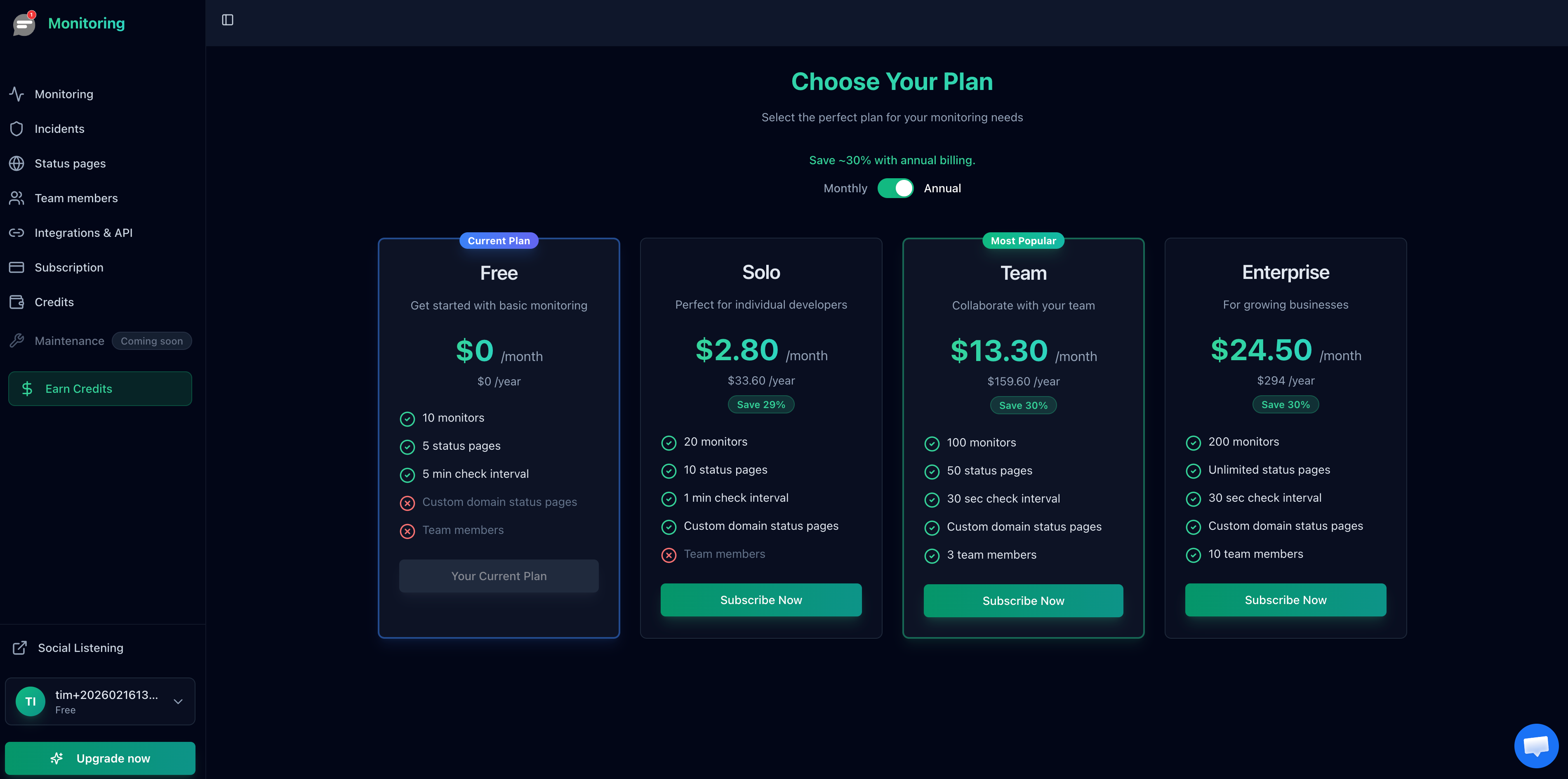
Notifier's pricing starts at $4/month for the Solo plan.
Frequently Asked Questions
Is Freshping coming back?
No. Freshworks has confirmed the shutdown is permanent. There is no replacement product within the Freshworks ecosystem. All Freshping data was deleted on March 6, 2026, and will be permanently erased around June 4, 2026.
Can I still use UptimeRobot for free if I have a business?
No. Since October 2024, UptimeRobot's free plan is restricted to non-commercial use. Businesses, SaaS products, and commercial projects require a paid plan starting at $9/month annually. Nonprofits, open source projects, and educational use are exempt.
What is the best free monitoring tool for businesses in 2026?
Notifier offers the best free plan for commercial use. You get 10 monitors, 5 status pages, SSL monitoring, and SMS/phone alerts with no commercial restriction. For a full comparison, see our guide to the best free monitoring tools.
Can I recover my Freshping data?
No. All monitoring data, uptime history, and status page configurations were deleted when Freshping shut down. You will need to start tracking uptime from scratch with a new tool.
How does Notifier compare to Freshping's 1 minute checks?
Notifier's free plan checks every 5 minutes, similar to UptimeRobot's free tier. For 1 minute checks, Notifier's Solo plan costs $4/month. For 30 second checks, the Team plan costs $19/month. Freshping's free 1 minute checks were unusually generous, and no other tool matches that on a free plan.
Is UptimeRobot still a good choice in 2026?
UptimeRobot is still a functional monitoring tool, but its value proposition has weakened. The free plan is non-commercial only, the Solo plan offers just 10 monitors for $9/month annually ($10/month monthly), and SMS credits are a one time bundle that doesn't renew. For less than half the price, Notifier offers more monitors, faster checks, and included SMS alerts. See our UptimeRobot alternatives guide for a full breakdown.
