At a Glance
- •Developers need monitoring tools with API access, Slack integration, custom HTTP header support for authenticated endpoints, and fast setup that takes minutes rather than hours.
- •UptimeRobot has the most mature REST API, but its free plan is restricted to non-commercial use since December 2024. Uptime Kuma is free and self-hosted but has no official API yet.
- •At 100 monitors, Notifier costs $19/month with 30-second checks and 50 status pages. UptimeRobot charges $34/month, Better Stack roughly $79/month, and Pingdom roughly $95/month.
- •Self-hosted monitoring (Uptime Kuma) gives you full control but creates a single point of failure: when your server goes down, monitoring goes down with it.
- •Notifier includes Slack, SSL monitoring, DNS monitoring, and SMS/phone alerts on all plans including free. Paid plans start at $4/month for 20 monitors with 1-minute checks.
Developers want monitoring tools that fit into existing workflows. That means APIs you can script against, Slack alerts you can pipe into channels, webhook payloads you can parse, and a UI that gets out of the way. Most monitoring tools are built for operations teams and drown you in dashboards you will never open.
This guide ranks seven monitoring tools from a developer's perspective. We focus on what actually matters: API access, webhook support, CLI tooling, alerting flexibility, and how quickly you can go from zero to monitoring a production endpoint.
What Developers Actually Need From a Monitoring Tool
Most "best monitoring tool" lists rank by feature count. Developers care about a different set of criteria.
| Requirement | Why It Matters |
|---|---|
| API access | Create monitors programmatically, pull uptime data into internal dashboards, trigger monitors from CI/CD pipelines |
| Slack integration | Alerts go where the team already communicates. No separate notification inbox to check. |
| Fast setup | Monitoring should take minutes to configure, not hours. No lengthy onboarding wizards. |
| Custom HTTP headers | Monitor authenticated API endpoints with bearer tokens, API keys, or custom auth headers |
| SSL monitoring | Expired certificates break production silently. Monitoring should catch them before browsers do. |
| Status pages | A public status page (status.yourapp.com) communicates incidents without manual updates |
| Affordable scaling | Side projects and production apps both need monitoring. Pricing should scale from free to paid without a cliff. |
With those requirements in mind, here are the seven tools ranked for developer workflows.
1. Notifier (Best Overall for Developers)

Notifier is the fastest path from "I need monitoring" to "my endpoints are monitored." You create an account, add a URL, pick your notification channels, and you are done. The entire flow takes less than a minute.
Why Developers Like It
- Slack integration on all plans: Connect your workspace in one OAuth click. Send downtime and recovery alerts to any channel. Works on the free tier.
- Custom HTTP headers: Monitor authenticated API endpoints with bearer tokens or API keys. See our API endpoint monitoring guide for the full walkthrough.
- SSL certificate monitoring: Free on every plan, including the free tier. You get alerted before your cert expires, not after users see browser warnings.
- DNS monitoring: Catch DNS misconfigurations and propagation issues that would otherwise look like "the site is down but only for some people."
- Status pages with custom domains: Create a status.yourapp.com page on any paid plan. No separate product to buy.
- SMS and phone call alerts: Available on all plans through a credit system. When your payment API goes down at 3 AM, email is not enough.
Pricing
| Plan | Price | Monitors | Interval | Status Pages |
|---|---|---|---|---|
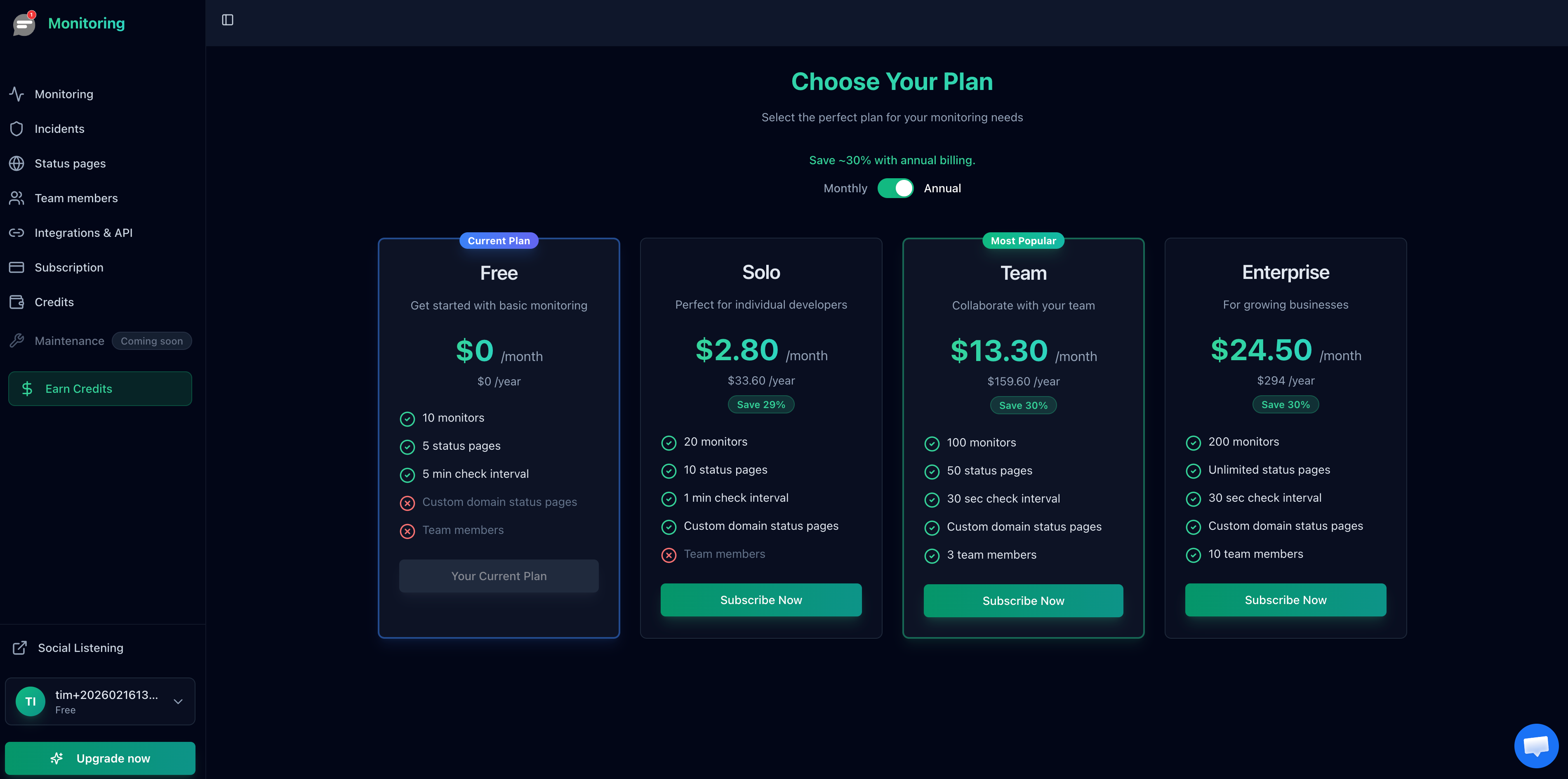
| Free | $0/month | 10 | 5 min | 5 |
| Solo | $4/month | 20 | 1 min | 10 |
| Team | $19/month | 100 | 30 sec | 50 |
| Enterprise | $35/month | 200 | 30 sec | Unlimited |
The free plan covers side projects and staging environments. The Solo plan at $4/month is enough for most indie developers and small production apps. If you need 30-second checks or team access, the Team plan at $19/month covers 100 monitors.
Developer note
If you run into issues or need a feature for your workflow, email support@notifier.so or use the chat widget. The team typically responds within minutes, not days. This is a small team that builds and uses the product themselves.
2. UptimeRobot (Best Free Tier for Non-Commercial Projects)
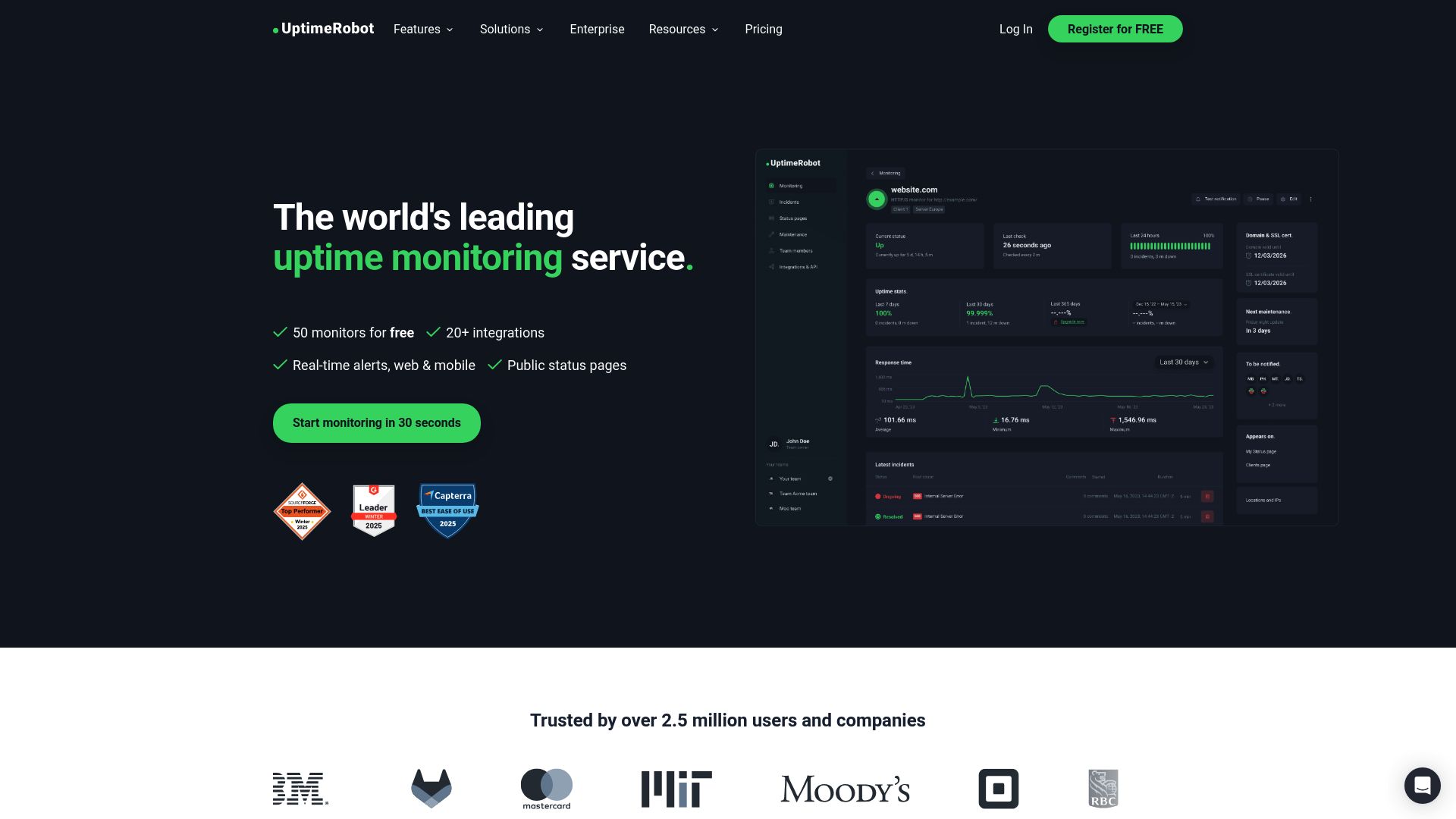
UptimeRobot has been the default developer monitoring tool for years. It has a well documented REST API, a generous free plan (50 monitors), and a large ecosystem of community integrations.
Why Developers Like It
- Documented REST API: Create, update, and delete monitors programmatically. Pull uptime logs and response times into your own dashboards.
- 50 free monitors: Enough for a developer with multiple side projects and staging environments.
- Multiple monitor types: HTTP(S), Ping, Port, Keyword, Heartbeat/Cron, SSL, Domain expiry, and DNS.
- Push notifications: Mobile app with push alerts in addition to email and SMS.
Important: Free plan restricted to non-commercial use
Since December 2024, UptimeRobot's free plan is limited to personal, non-commercial projects. If you are monitoring a business website, a SaaS product, or a client project, you need a paid plan starting at $8/month. Open source, educational, and nonprofit projects are exempt.
Key Limitations
- Webhooks, Zapier, and PagerDuty are locked to the Team plan ($34/month)
- Slack integration requires a paid plan ($8/month+)
- SMS credits are a one-time welcome bundle and do not renew monthly
- 30-second checks require the Enterprise plan ($64/month)
- Solo plan drops to only 10 monitors (fewer than the free tier)
UptimeRobot is still a solid choice for personal projects where the API matters and the non-commercial restriction is not an issue. For production apps, the paid plans are notably more expensive than alternatives at comparable feature sets.
3. Uptime Kuma (Best Self-Hosted Option)
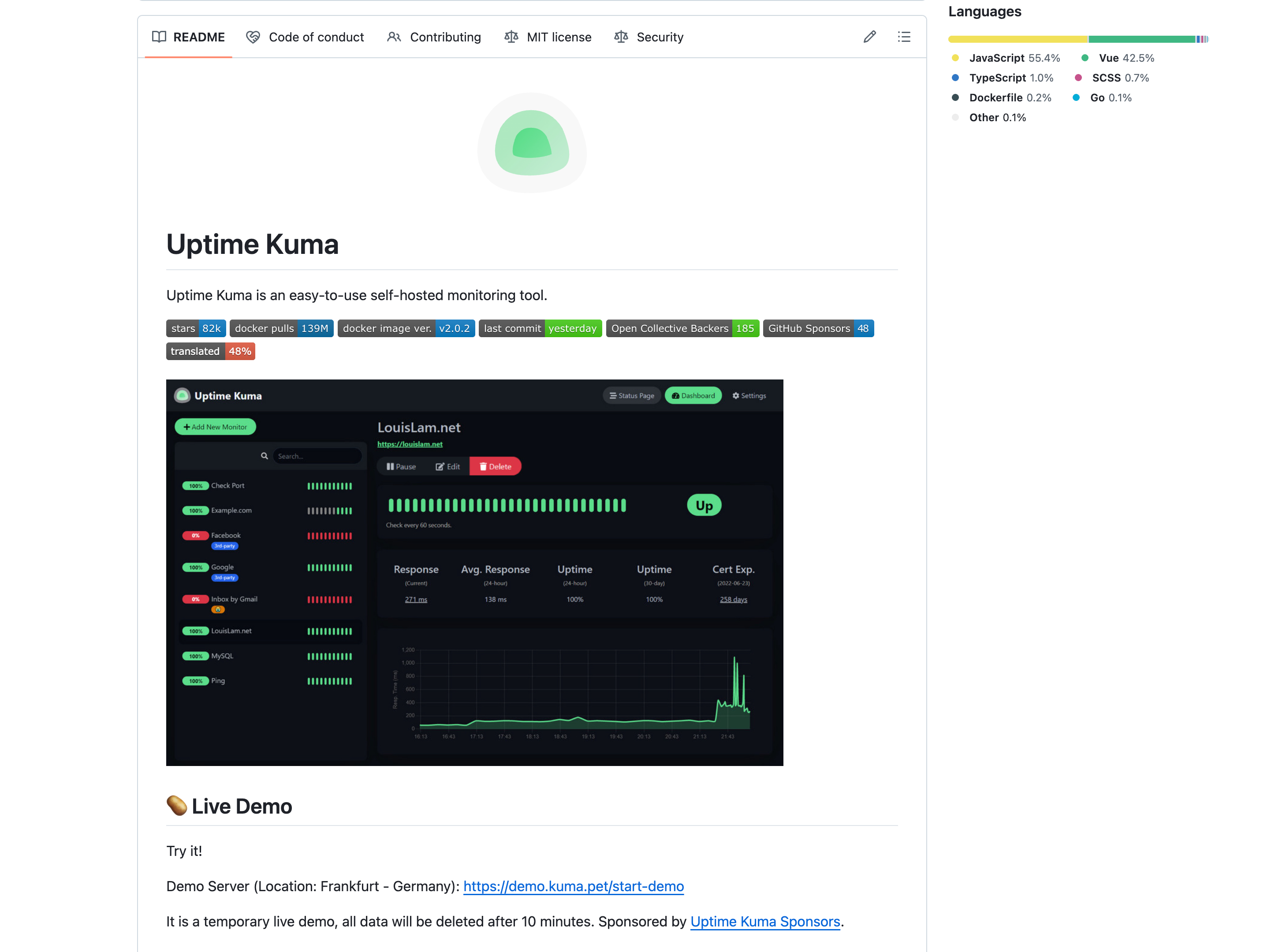
Uptime Kuma is the open source monitoring tool that developers love. It is free, MIT-licensed, and runs anywhere Docker does. With 83,000+ GitHub stars, it has one of the most active communities in the monitoring space.
Why Developers Like It
- Full control: Self-hosted means you own your data, configure everything, and pay nothing for the software itself.
- 90+ notification integrations: Telegram, Discord, Slack, Pushover, ntfy.sh, Gotify, and dozens more.
- One-command Docker setup:
docker run -d --restart=always -p 3001:3001 -v uptime-kuma:/app/data --name uptime-kuma louislam/uptime-kuma:2- Unlimited monitors: No artificial limits. Monitor as many endpoints as your server can handle.
- Check intervals as low as 20 seconds: Faster than most cloud services offer on free or even paid tiers.
Key Limitations
- Single point of failure: if your server goes down, monitoring goes down with it
- No official API (still in development as of v2.1)
- Single-user only (multi-user support is experimental)
- No native SMS or phone call alerts (requires third-party services like Twilio)
- You are responsible for updates, security patches, and backups
- Performance degrades beyond 150 to 500 monitors depending on server specs
Uptime Kuma is ideal for developers who want total control and are comfortable with the maintenance overhead. For a deeper comparison, see our Uptime Kuma vs UptimeRobot guide.
4. Better Stack (Best for Incident Management Workflows)
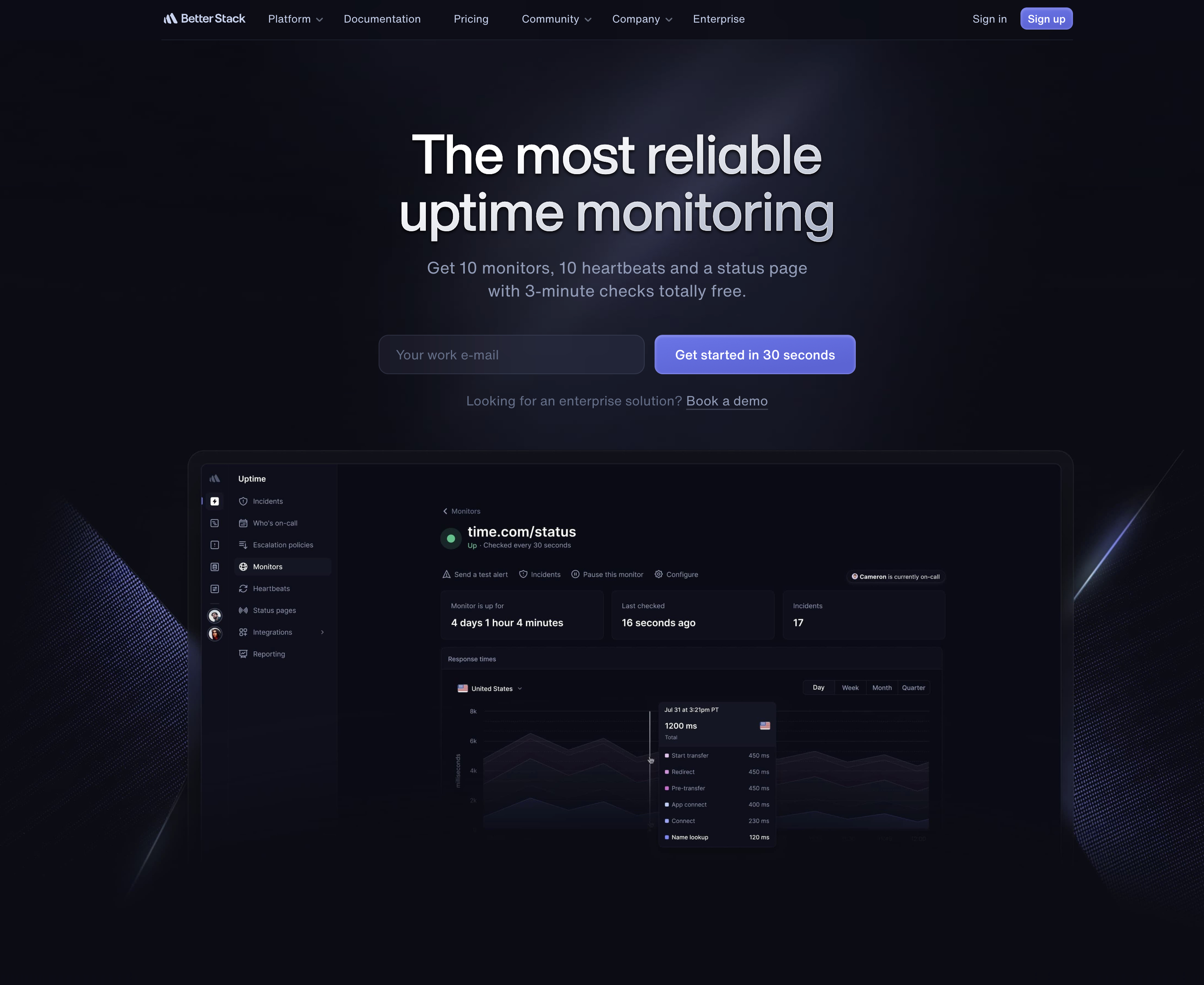
Better Stack (formerly Better Uptime) bundles monitoring with incident management, on-call scheduling, and log aggregation. If your team already uses PagerDuty-style workflows and wants everything in one platform, Better Stack is a strong option.
Why Developers Like It
- All-in-one platform: Monitoring, incident management, on-call schedules, status pages, and log management under one roof.
- Playwright-based transaction monitoring: Test multi-step workflows (login, checkout, form submission) with real browser automation.
- OpenTelemetry support: Send traces and metrics from your application directly into Better Stack for correlated observability.
- Free tier with heartbeat monitoring: 10 uptime monitors plus 10 heartbeat monitors for cron jobs.
Key Limitations
- Confusing a la carte pricing: you pay per responder, per block of monitors, per status page add-on
- Free plan limited to 3-minute check intervals and email/Slack only
- 50 additional monitors cost $25/month on top of the per-responder fee
- A small team (2 responders, 50 monitors, 1 status page) costs roughly $79/month
- Free plan retains incident history for only 2 months and logs for 3 days
Better Stack is worth the cost if you need incident workflows and on-call rotation. If you just need "is my site up, and tell me if it goes down," the complexity and price are hard to justify. See our Better Stack alternatives guide for more options.
5. Pingdom, 6. StatusCake, 7. HetrixTools
5. Pingdom
Pingdom is one of the oldest names in monitoring (founded 2005, now owned by Turn/River Capital via SolarWinds). It offers synthetic monitoring, real user monitoring (RUM), and transaction checks. Developers get 100+ global polling locations and a functional API.
The downsides are steep: no free plan (only a 14-day trial), a confusing 22-tier pricing model starting at $15/month, no native phone call alerts, and only one status page per organization. At 100 monitors, expect to pay roughly $95/month. Pingdom makes sense if you specifically need RUM or transaction monitoring. For standard uptime checks, it is overpriced. See our Pingdom alternatives guide.
6. StatusCake
StatusCake offers 10 free monitors with 5-minute checks and includes page speed monitoring, SSL monitoring, and domain monitoring on paid plans. Developers appreciate the broad alert integrations (Slack, Discord, Telegram, PagerDuty, webhooks) available on all plans including free.
The main drawback is that status pages are sold as a separate product. The free plan includes 0 SMS credits and no server monitoring. Paid plans start at $24.49/month for 100 monitors, which includes 75 SMS credits and 9 team seats. For a detailed breakdown, see our StatusCake vs UptimeRobot comparison.
7. HetrixTools
HetrixTools combines uptime monitoring with server monitoring, blacklist monitoring, and nameserver change detection. The free plan offers 15 monitors with 1-minute check intervals, which is faster than most competitors' free tiers. Alert integrations are extensive (Slack, Discord, Telegram, PagerDuty, webhooks) on all plans.
Developers will notice the dated UI and the 90-day login requirement on free plans (your account gets deactivated if you do not log in every 90 days). There is no heartbeat/cron monitoring, and the free plan includes zero SMS credits. Paid plans start at $9.95/month for 30 monitors. See our HetrixTools vs UptimeRobot comparison.
Comparison Table: Developer Monitoring Tools
| Tool | Free Monitors | API | Slack (Free) | SSL Monitoring | Status Pages | 100 Monitors Cost |
|---|---|---|---|---|---|---|
| Notifier | 10 | Coming soon | Yes | All plans | 5 free, custom domains on paid | $19/mo |
| UptimeRobot | 50 (non-commercial) | REST API | Paid only | All plans | 1 free, 100 on Team | $34/mo |
| Uptime Kuma | Unlimited (self-hosted) | In development | Yes | Automatic | Unlimited | $0 + server |
| Better Stack | 10 + 10 heartbeats | REST API | Yes (basic) | Hourly checks | 1 free, add-ons $12+ | ~$79/mo |
| Pingdom | 0 (trial only) | REST API | Yes | Automatic | 1 per org | ~$95/mo |
| StatusCake | 10 | REST API | Yes | Paid plans | Separate product | $24.49/mo |
| HetrixTools | 15 | REST API (paid) | Yes | All plans | Unlimited | ~$49.95/mo |
At 100 monitors, Notifier ($19/month) is less than a quarter of what Better Stack or Pingdom charges. It includes 50 status pages, 30-second checks, SSL monitoring, and Slack on the same plan. UptimeRobot's API is more mature, but you pay almost double for the same monitor count.
Frequently Asked Questions
Do I need an API to manage monitors programmatically?
For most developers, no. If you have fewer than 50 monitors, the web UI is the fastest way to manage them. APIs become valuable when you need to auto-create monitors from a CI/CD pipeline, sync monitors with your infrastructure-as-code setup, or pull uptime data into internal reporting dashboards. UptimeRobot and Better Stack have the most mature APIs today. Notifier's API is coming soon.
Should I self-host monitoring or use a cloud service?
Use a cloud service unless you have a specific reason to self-host (data sovereignty, airgapped networks, or you genuinely enjoy maintaining infrastructure). The fundamental problem with self-hosted monitoring is that your monitor runs on your infrastructure. When your servers go down, your monitoring goes down at exactly the moment you need it most. Cloud services run on separate infrastructure, so they keep watching even when everything you own is offline.
How many monitors does a typical developer project need?
For a single web application: 3 to 5 monitors (homepage, API health endpoint, login page, and one or two critical pages). For a microservices architecture: one monitor per service health endpoint, plus key user-facing URLs. A typical developer with a production app and a couple of side projects uses 10 to 20 monitors. Most free tiers cover this comfortably.
What check interval should I use?
For production apps: 1-minute checks are the sweet spot between fast detection and reasonable resource use. For staging or development environments: 5-minute checks are sufficient. For payment or authentication endpoints: 30-second checks catch outages before they accumulate meaningful user impact. For side projects and personal sites: 5-minute checks are fine. See our response time monitoring guide for more on intervals.
Is SSL certificate monitoring really necessary?
Yes. Expired SSL certificates break your entire site for users, and browsers now show prominent security warnings that prevent people from even reaching your content. Even with auto-renewal (Let's Encrypt, Cloudflare), renewals can fail silently due to DNS changes, server misconfiguration, or provider outages. SSL monitoring catches these failures days before the certificate actually expires. For more details, see our SSL certificate monitoring guide.
Can I use UptimeRobot's free plan for my SaaS product?
No. Since December 2024, UptimeRobot's free plan is restricted to non-commercial, personal use. Monitoring a SaaS product, client website, or any commercial project requires a paid plan starting at $8/month. Open-source projects, educational institutions, and nonprofits are exempt from this restriction.
