Every website goes down eventually. Servers crash, DNS records expire, SSL certificates lapse, deploys go wrong. The question is not whether your site will experience downtime. The question is whether you will know about it before your customers do.
Uptime monitoring is the practice of automatically checking your website at regular intervals and alerting you immediately when something goes wrong. It sounds simple because it is. But the consequences of not doing it are anything but simple: lost revenue, damaged search rankings, eroded customer trust, and recovery costs that far exceed what monitoring would have cost in the first place.
This article breaks down exactly why uptime monitoring matters, with real numbers, real consequences, and a practical path to getting set up.
What Happens When Your Site Goes Down
When your website goes offline, the impact radiates outward in every direction at once:
- Visitors see an error page. They leave. Most never come back.
- Search engines try to crawl your site and fail. Repeated failures lead to ranking drops that take weeks to recover.
- Revenue stops. Every minute your e-commerce store or SaaS app is down, transactions aren't happening.
- Your team doesn't know. Without monitoring, the typical way you find out about downtime is a customer email or a tweet. By then, the damage is already done.
The average small business experiences approximately 14 hours of unplanned downtime per year. Without monitoring, most of those hours go undetected until a customer complains. With monitoring, you get an alert within minutes and can start fixing the problem immediately.
The discovery gap
Without monitoring, the average time to discover an outage is measured in hours, not minutes. Your site could be down at 2 AM and you wouldn't know until customers start complaining at 9 AM. That's 7 hours of lost traffic, lost sales, and accumulated SEO damage. With monitoring, you get an alert within 30 seconds to 5 minutes depending on your check interval.
The Financial Cost of Downtime
The cost of downtime varies dramatically by business size, but it is never zero. Let's look at real numbers.
By Business Size
| Business Size | Cost Per Minute | Cost Per Hour |
|---|---|---|
| Small business | $137 to $427 | $8,220 to $25,620 |
| Mid-size company | $1,000 to $5,000 | $60,000 to $300,000 |
| Enterprise | $5,600+ | $336,000+ |
Even at the low end, a small business losing $137 per minute during an outage would lose over $8,000 in a single hour. If that outage happens overnight and goes undetected for 6 hours, that's nearly $50,000 in losses.
Calculate Your Own Cost
Here's a simple formula to estimate what downtime costs your business:
Downtime cost formula:
Monthly revenue ÷ 43,800 (minutes in a month) = your cost per minute of downtime
A SaaS doing $10,000/month in revenue loses about $0.23 per minute, or $13.70 per hour. That might sound small, but a 4 hour outage costs $55. An overnight outage costs $110. And that's only the direct revenue loss. It doesn't include the SEO damage, lost leads, or customer churn that follow.
An e-commerce store doing $50,000/month loses $1.14 per minute, or $68 per hour. A 6 hour overnight outage: $411 in direct lost sales plus the indirect damage.
Recovery Costs Add Up
Direct revenue loss is only part of the picture. When an outage happens, you also pay for:
- Emergency labor: Waking up engineers at 3 AM, paying overtime, or hiring emergency contractors
- Customer support surge: Handling a flood of "is it just me?" tickets and emails
- Refunds and credits: SaaS businesses with SLAs may owe service credits for unplanned downtime
- Post-incident analysis: Time spent investigating root causes and writing postmortems
Monitoring costs as little as $0 to $4 per month. A single hour of downtime costs more than a lifetime of monitoring.
How Downtime Damages Your Search Rankings
Google doesn't explicitly penalize sites for brief downtime. But the indirect effects on SEO are real and can take weeks to recover from.
Crawl Errors Accumulate
When Googlebot visits your site during an outage, it receives a 500 error (or no response at all). If this happens repeatedly, Google reduces how often it crawls your site. Fewer crawls means slower indexing of new content and updates.
Research by Moz found that intermittent 500 errors caused tracked keywords to drop out of the top 20 entirely, and affected pages received fewer daily crawls going forward.
The Recovery Timeline
Google engineer John Mueller has stated that even a single day of downtime can cause ranking fluctuations that take one to three weeks to stabilize. Extended outages lasting multiple days can cause ranking drops that take months to fully recover.
| Downtime Duration | SEO Recovery Time |
|---|---|
| Under 1 hour | Usually no impact |
| 1 to 6 hours | Minor fluctuations, resolves in days |
| 6 to 24 hours | 1 to 3 weeks to stabilize |
| Multiple days | Weeks to months for full recovery |
The Compound Effect
SEO damage compounds. If your site goes down once, the impact is minimal. But if it happens repeatedly (even briefly), Google starts to see your site as unreliable. Crawl frequency drops. Pages fall out of the index. Competitors who stay up take your spots. Recovering from this pattern is far harder than preventing it.
This is especially painful for businesses that invest heavily in content marketing and SEO. Months of effort building rankings can be undermined by a few undetected outages.
The Customer Trust Problem
Revenue recovers when your site comes back up. Search rankings stabilize within weeks. But customer trust, once broken, is much harder to rebuild.
First Impressions Are Final
Studies show that 88% of online consumers are less likely to return to a site after a bad experience. When a new visitor encounters your site for the first time and sees an error page, you've likely lost that customer forever. They'll click back to Google and try the next result.
Research from Akamai found that 9% of visitors who encounter a downed website never return at all. For a site with 10,000 monthly visitors, that's 900 potential customers permanently lost per outage incident.
Repeat Downtime Destroys Loyalty
For existing customers, the tolerance for downtime is slightly higher but still fragile. A survey found that 57% of millennials report an immediate negative shift in brand perception after a single downtime event. After multiple incidents, a third say they wouldn't return to that brand at all.
The Silent Churn Problem
The most dangerous type of customer loss from downtime is the kind you never see. Most unhappy customers don't complain. They simply leave. Splunk research found that 29% of respondents had lost customers due to downtime, while 44% said it damaged their reputation. The customers who leave silently are the hardest to count but often represent the largest portion of the loss.
Status pages build trust during outages
When downtime does happen (and it will), a public status page shows customers you're aware of the issue and working on it. This transparency reduces support tickets, prevents social media complaints, and preserves trust. Monitoring tools like Notifier include status pages on every plan, including the free tier.
How Uptime Monitoring Actually Works
If you're new to uptime monitoring, the concept is straightforward. For a deeper technical explanation, see our complete guide to uptime monitoring. Here's the short version:
The Basics
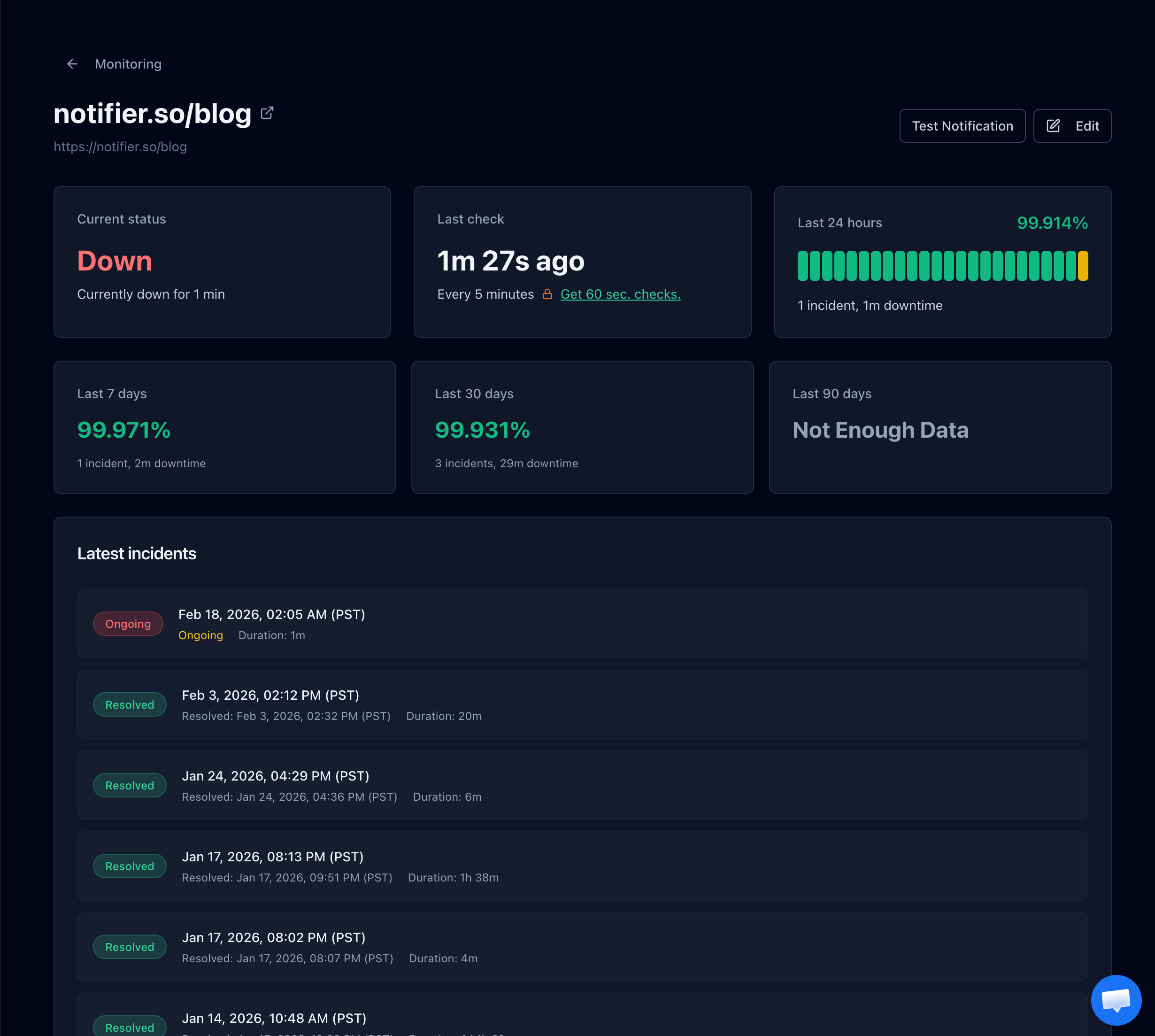
- You give the monitoring service your URL. For example,
https://yoursite.com. - The service checks your site at regular intervals. Every 30 seconds, every minute, or every 5 minutes, depending on your plan. Each check sends an HTTP request to your URL and verifies the response.
- If the check fails, you get an alert. The service sends notifications through your chosen channels: email, SMS, phone call, Slack, or all of the above.
- When your site comes back up, you get a recovery alert. This tells you the issue is resolved and how long the downtime lasted.
Multi-Location Checks
Good monitoring services check your site from multiple geographic locations. This matters because your site might be reachable from New York but down for users in London. Multi-location checks also reduce false positives: if one location can't reach your site but three others can, it's likely a network blip rather than a real outage.
What Gets Monitored
Modern monitoring goes beyond just "is the site up or down." Here's what you can track:
- HTTP status codes: A 200 means your site responded correctly. A 500 means something broke on the server. A 403 or 404 means the page is inaccessible or missing.
- Response time: How long your server takes to respond. A site that takes 10 seconds to load is technically "up" but effectively unusable.
- SSL certificates: Get alerted before your SSL certificate expires and your site shows security warnings.
- Domain expiration: Domain registrations expire. If you miss the renewal, your entire site disappears.
What to Look for in a Monitoring Tool
Not all monitoring tools are created equal. Here's what actually matters when choosing one:
Check Frequency
How often the service checks your site determines how quickly you'll know about an outage. A 5 minute interval means you could be down for up to 5 minutes before the first alert. A 30 second interval cuts that to half a minute. For most websites, 1 minute checks strike the right balance between speed and cost.
Alert Channels
Email alerts are table stakes. But email can be missed, delayed, or filtered to spam. The best monitoring tools offer multiple channels so you can layer your alerts:
- Email for documentation and non-urgent notifications
- Slack for team visibility and real time awareness
- SMS for critical alerts that need immediate attention
- Phone calls for the alerts that absolutely cannot be missed
For more on choosing alert channels and building redundant alerting, see our dedicated guides.
Status Pages
A public status page shows your customers the current state of your services. During an outage, it reduces support tickets and builds trust. Some monitoring tools include status pages; others charge extra or don't offer them at all. If your business serves customers who depend on your site, a status page is essential.
Transparent Pricing
Watch out for monitoring tools that advertise low prices but tack on fees for SMS alerts, phone calls, status pages, or additional team members. The cheapest looking option isn't always the cheapest once you add the features you actually need. For a full pricing breakdown, see our guide to cheap uptime monitoring.
Setting Up Monitoring in Under 2 Minutes
If you've read this far and don't yet have monitoring set up, here's how to fix that right now. The process takes less than 2 minutes with Notifier.
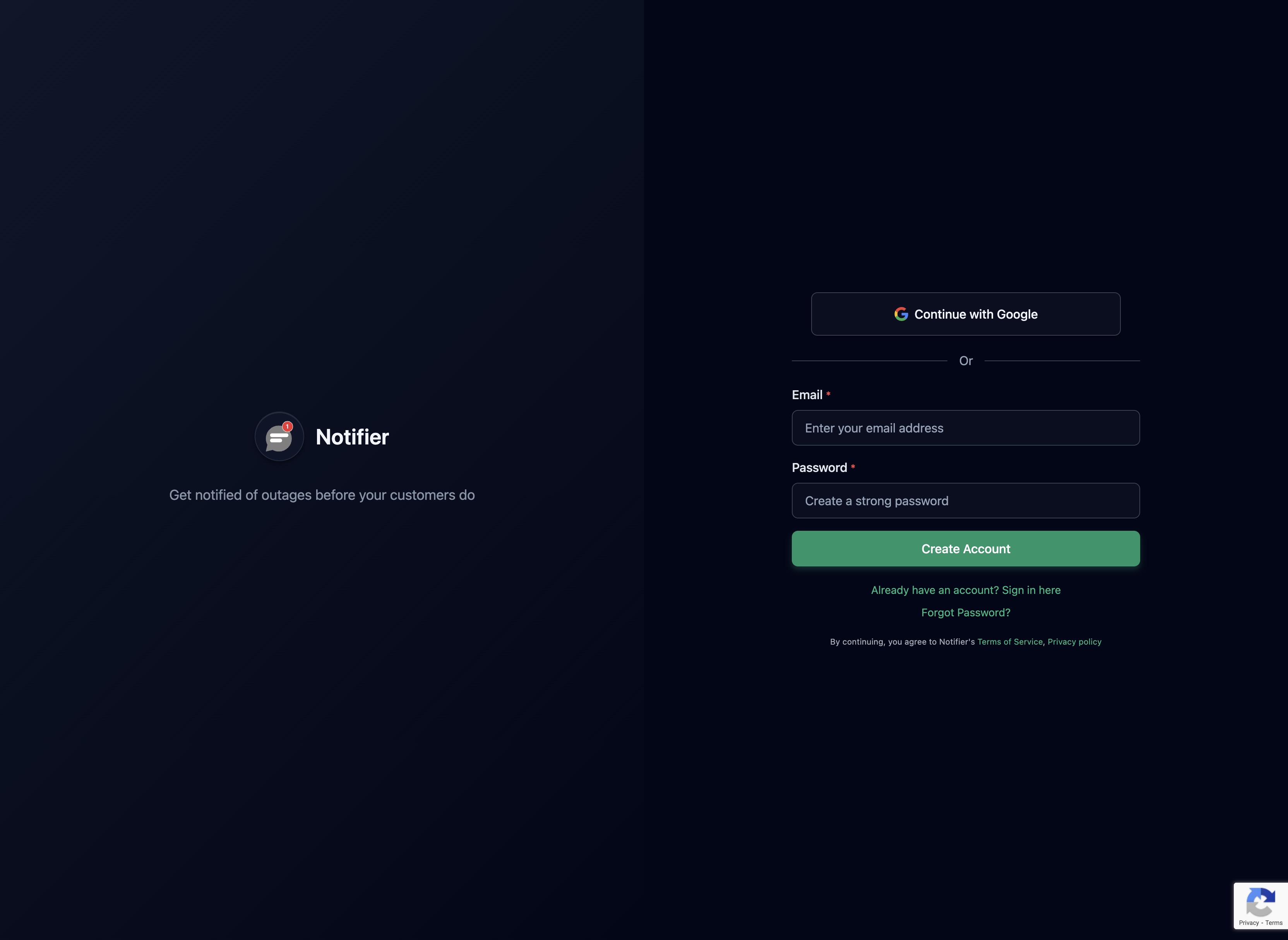
Step 1: Create an Account
Sign up at notifier.so/register. No credit card required. The free plan includes 10 monitors and 5 status pages.
Step 2: Add Your First Monitor
Enter your website URL, choose a check interval, and select your notification preferences. You can enable email, SMS, phone call, and Slack alerts all on the same monitor.

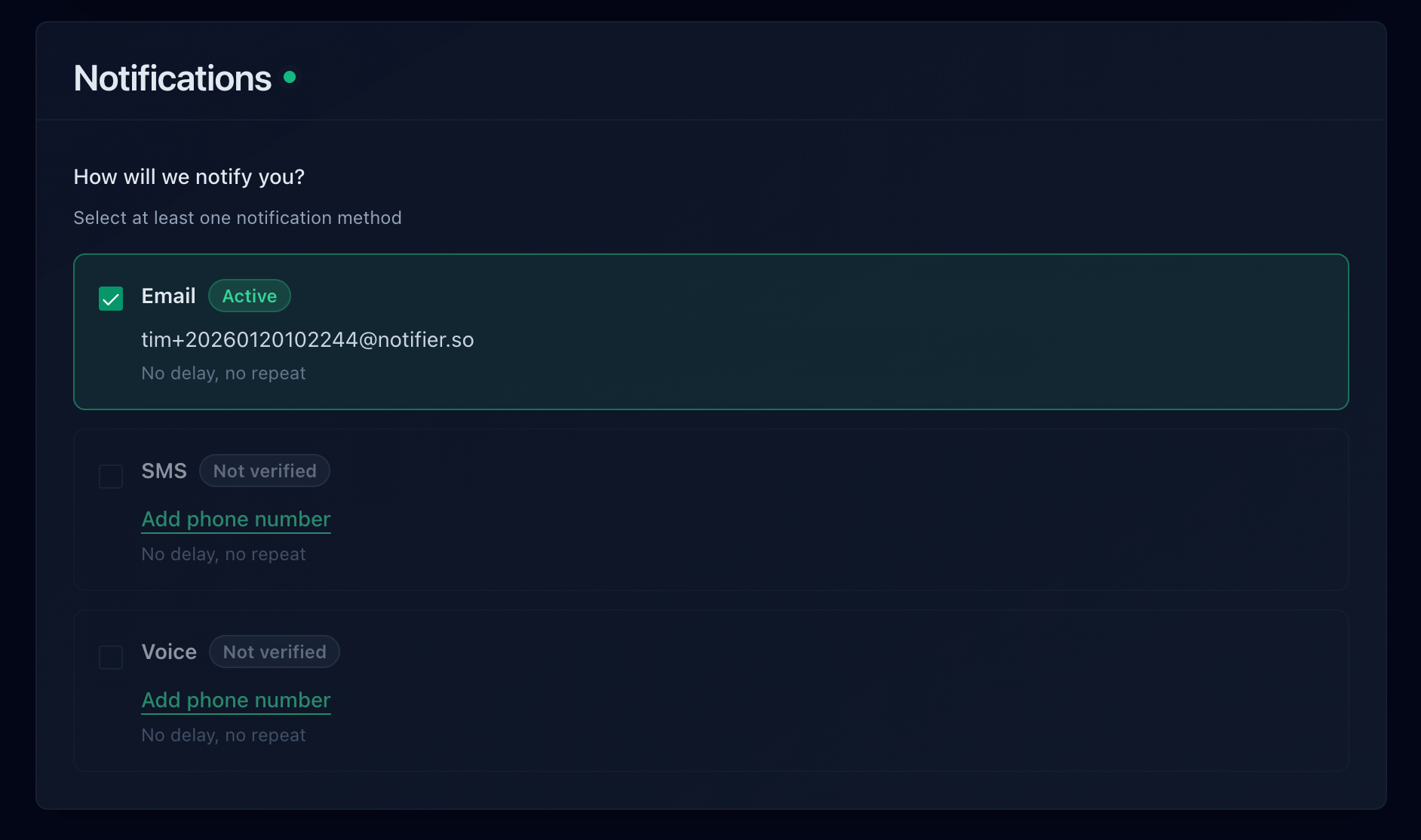
Step 3: Choose Your Alert Channels
Pick how you want to be notified. For most sites, email plus one additional channel (SMS or Slack) provides solid coverage. For critical production sites, use all available channels.
Step 4: You're Done
That's it. Notifier starts checking your site immediately. Your dashboard shows real time status, response time history, and uptime percentage.

For a detailed walkthrough with every option explained, see our step-by-step setup guide.
Why Notifier?
The free plan includes 10 monitors and 5 status pages. Paid plans start at $4/month for 20 monitors with 1 minute checks, SMS, phone call, and Slack alerts. No hidden fees, no per-SMS charges, no surprise pricing. If you run into issues, the support team typically responds within minutes via chat or email.
Frequently Asked Questions
Is free uptime monitoring good enough?
For personal projects and small websites, absolutely. Free tiers from services like Notifier (10 monitors, 5 minute checks) provide real protection. The main limitation is check frequency. Free plans typically check every 5 minutes, meaning you could be down for up to 5 minutes before the first alert. For business-critical sites, upgrading to 1 minute or 30 second checks is worth the small cost.
What uptime percentage should I aim for?
99.9% uptime (often called "three nines") allows about 8.7 hours of downtime per year and is a reasonable target for most businesses. 99.99% (four nines) allows only 52 minutes of downtime per year and requires serious infrastructure investment. For a detailed breakdown, see our guide to uptime percentages.
How often should my site be checked?
For most websites, 1 minute checks are the sweet spot. They catch outages quickly without generating excessive data. If your site generates significant revenue per minute (e-commerce, SaaS), 30 second checks are worth the upgrade. For personal blogs or low-traffic sites, 5 minute checks on a free plan are perfectly adequate.
Do I need monitoring if my hosting provider has its own uptime guarantee?
Yes. Your hosting provider's uptime guarantee is a billing credit, not a prevention mechanism. It means they'll refund a portion of your hosting fee if they fall below their SLA. It does not mean they'll alert you when your site goes down. It also doesn't cover issues caused by your application code, expired SSL certificates, DNS problems, or third-party service failures. You need independent monitoring that checks from outside your hosting environment.
What's the difference between uptime monitoring and performance monitoring?
Uptime monitoring checks whether your site is accessible and responding correctly. Performance monitoring (also called APM) tracks how fast your site responds, where bottlenecks are, and how individual components perform. Uptime monitoring answers "is it working?" while performance monitoring answers "is it working well?" Most businesses should start with uptime monitoring and add performance monitoring as they scale. For developer-focused monitoring approaches, see our developer monitoring guide.
Can I monitor more than just my website?
Yes. Most monitoring tools can check any URL that returns an HTTP response. This includes APIs, webhooks, admin panels, staging environments, and third-party services your business depends on. If it has a URL, you can monitor it.
