Your website could be down right now. Would you know? Most website owners find out about outages the worst way possible: from angry customers, lost sales, or a sudden drop in traffic.
Uptime monitoring solves this problem. It watches your website 24/7 and alerts you the moment something goes wrong. This guide explains what uptime monitoring is, how it works, and why it matters for your business.
What is Uptime Monitoring?
Uptime monitoring is the practice of continuously checking whether your website, server, or application is available and responding correctly. Instead of manually visiting your site to see if it loads, automated systems do this for you around the clock.
Think of it like a security guard who checks your storefront every few minutes. If the door is locked when it should be open, they immediately call you. Uptime monitoring does the same thing for your website.
The "uptime" part refers to the percentage of time your website is operational. If your site was down for 1 hour in a month, your uptime would be about 99.86%. Most businesses aim for 99.9% uptime or higher. Monitoring helps you track this number and take action when it drops.
Simple definition:
Uptime monitoring automatically checks if your website is online and working, then alerts you immediately if something goes wrong.
How Does Uptime Monitoring Work?
Uptime monitoring works by sending automated requests to your website from external servers located around the world. These requests happen at regular intervals, typically every 30 seconds to 5 minutes.
The Basic Process
- 1. The monitoring service sends a request to your website URL, just like a visitor's browser would.
- 2. Your server receives the request and sends back a response (hopefully a "200 OK" status code).
- 3. The monitoring service checks the response to verify your site is working correctly.
- 4. If something is wrong (no response, error code, slow response), the service triggers an alert.
- 5. You receive a notification via email, SMS, phone call, or Slack so you can fix the problem.
Multi-Location Monitoring
Good uptime monitoring services check your site from multiple locations around the world. This matters because your website might work fine in New York but be unreachable from London due to a regional network issue.
Multi-location monitoring also prevents false alarms. If one monitoring server has a local network problem, others can confirm whether your site is actually down or if it was just a temporary glitch.
Types of Uptime Checks
Different types of uptime monitoring check different aspects of your infrastructure. Here are the most common:
HTTP/HTTPS Monitoring
The most common type of uptime monitoring. It sends a web request to your URL and checks for a successful response (status code 200). This is what most people need to monitor websites and web applications.
Ping Monitoring
Uses ICMP requests (the same protocol as the "ping" command) to check if a server is reachable. It's lightweight and useful for basic server availability checks, but it only confirms the server exists, not that your website is working.
Port Monitoring
Checks whether specific ports are open and accepting connections. Useful for monitoring database servers (port 3306 for MySQL), email servers (port 25 for SMTP), or custom applications running on specific ports.
Keyword/Content Monitoring
Goes beyond checking if the page loads. It verifies that specific text appears on the page. For example, you might check that your homepage contains "Welcome" or that your checkout page includes "Add to Cart." This catches situations where the page loads but displays an error message.
DNS Monitoring
Checks that your domain name resolves correctly to the right IP address. DNS issues can make your site unreachable even when the server itself is working fine.
SSL Certificate Monitoring
Monitors your SSL/TLS certificates and alerts you before they expire. An expired certificate makes your site show scary "Not Secure" warnings to visitors. Some uptime monitoring services like Notifier.so include free SSL monitoring on all plans.
Heartbeat/Cron Monitoring
Works in reverse. Instead of the monitoring service checking your site, your application sends periodic "I'm alive" signals to the monitoring service. If the signal doesn't arrive on schedule, you get an alert. This is useful for monitoring scheduled tasks, background jobs, and cron scripts.
Why Does Uptime Monitoring Matter?
Downtime is expensive. But how expensive? The numbers are sobering:
The Cost of Downtime
- Average cost: $14,056 per minute for mid-size businesses (Enterprise Management Associates, 2024)
- Large enterprises: $23,750 per minute, with over 90% reporting costs exceeding $300,000 per hour
- Small businesses: Approximately $427 per minute, with some experiencing $1 million per year in combined losses
These numbers include direct revenue loss, but the real damage goes deeper.
Customer Trust
Research shows that 74% of consumers say a reliable website drives their trust in a business. Even more concerning: 64% of consumers are less likely to trust a business after experiencing a website crash.
When your site goes down, 15 to 25% of customers who switch to competitors during the outage never come back. Your competitors typically see 30 to 50% traffic increases during your downtime.
SEO Impact
Search engines don't like unreliable websites. If Google's crawlers can't access your site, it affects your rankings. Repeated outages signal that your site isn't trustworthy, which can hurt your search visibility for months.
The Speed Advantage
The faster you know about a problem, the faster you can fix it. Without uptime monitoring, the average business discovers outages through customer complaints, which means you're already losing money and trust. With monitoring, you can often fix issues before most customers even notice.
Alert Channels: How Uptime Monitoring Services Notify You
Monitoring is only useful if alerts reach you quickly. Different channels have different strengths:
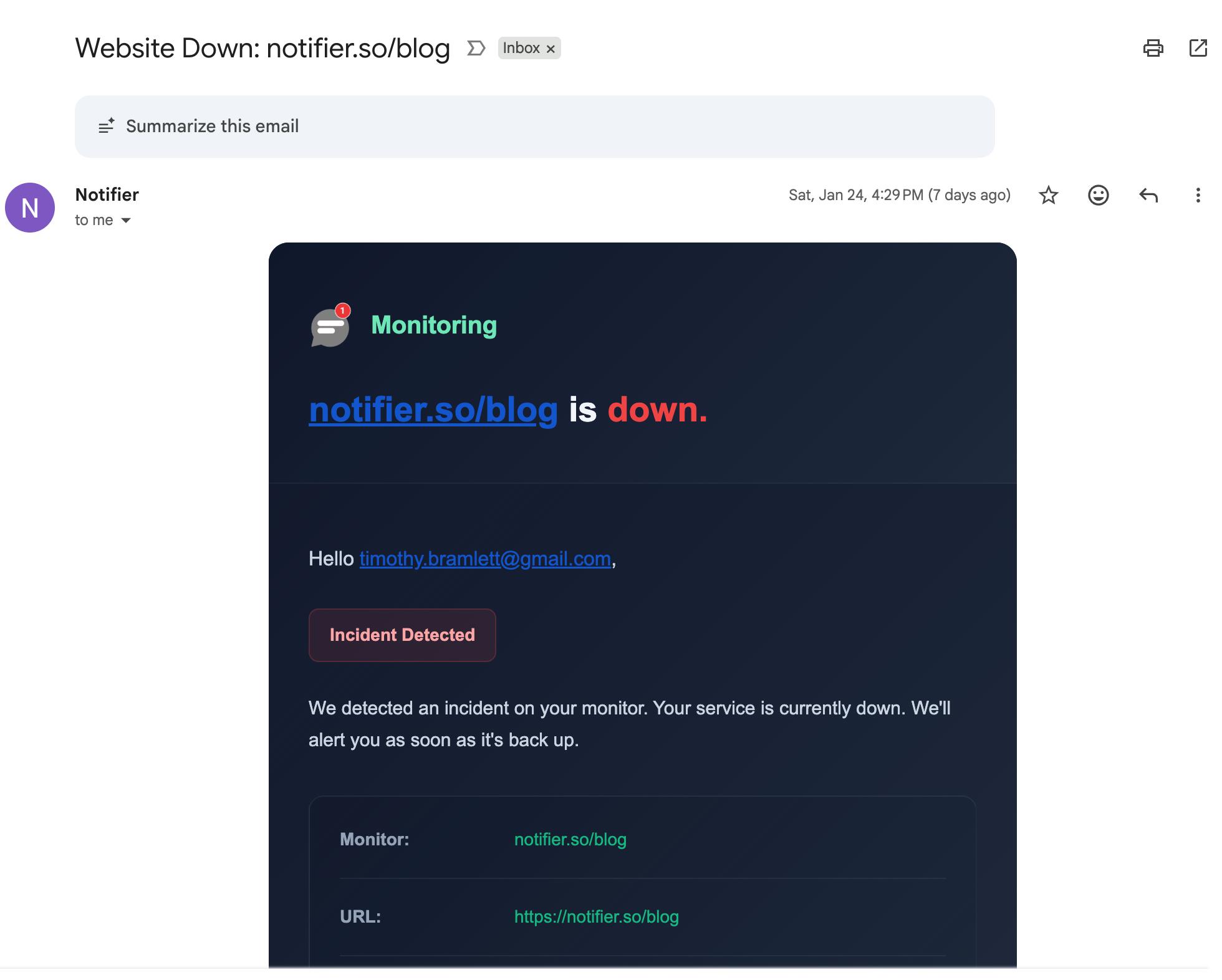
The most common alert method. Reliable and creates a paper trail, but can be slow if you don't check email constantly. Emails can also get buried in spam or overlooked during busy periods.
SMS
Faster and more attention-grabbing than email. Most people notice a text message within minutes. Good for urgent issues, though some services charge extra per message.
Phone Calls
The most immediate option. A ringing phone is hard to ignore, even at 3 AM. Best reserved for critical systems where every minute counts.
Slack and Discord
Great for team visibility. Everyone on the channel sees the alert and can coordinate a response. Works well during business hours when your team is online.
Webhooks
For technical users who want to build custom integrations. Webhooks can trigger automated responses: restart a service, spin up a backup server, or notify a custom dashboard.
Best practice:
Use multiple channels. Email for documentation, SMS or phone for urgent issues, and Slack for team awareness. Redundancy ensures you never miss an alert.
What to Look For in an Uptime Monitoring Service
Not all uptime monitoring services are created equal. Here's what matters:
Check Frequency
How often does the service check your site? 5 minute intervals mean you might not know about an outage for 5 minutes. 30 second checks catch problems faster. For most websites, 1 minute intervals provide a good balance. Critical e-commerce sites might want 30 second checks.
Multi-Location Monitoring
Does the service check from multiple geographic locations? This catches regional outages and reduces false positives. Look for services with servers in at least 3 to 5 different regions.
Alert Options
Can you get notified via email, SMS, phone, and Slack? Are there limits on alerts? Some services charge extra for SMS or cap the number of messages per month.
Status Pages
Public status pages show your customers that you take reliability seriously. They reduce support requests during outages because customers can check the status themselves. Look for services that include status pages, especially ones that support your own custom domain.
SSL Certificate Monitoring
Expired SSL certificates cause browser warnings that scare away visitors. A good uptime monitoring service should track your SSL certificates and alert you before they expire. Notifier.so includes free SSL monitoring on all plans, even the free tier.
Pricing Transparency
Watch out for hidden costs. Some services advertise low prices but charge extra for SMS alerts, status pages, or additional team members. Look for straightforward pricing where you know exactly what you're paying.
Support Quality
When something goes wrong, can you reach a human? Some services offer only email support with multi-day response times. Others provide live chat with quick responses. If monitoring is critical to your business, support quality matters.
Free vs Paid Uptime Monitoring
Many uptime monitoring services offer free tiers that are genuinely useful. Here's how they typically compare to paid plans:
What Free Tiers Offer
- Monitors: Usually 5 to 50 websites/endpoints
- Check intervals: Typically 3 to 5 minutes
- Alerts: Email usually included; SMS may be limited or absent
- Status pages: Often 1 to 5 pages included
- History: Usually 30 to 90 days of uptime data
When to Upgrade to Paid
- Faster checks: If 5 minute intervals aren't fast enough, paid plans offer 1 minute or 30 second checks
- More monitors: Free tiers have limits; paid plans scale up
- SMS and phone alerts: Often require a paid plan or cost extra
- Team features: Multiple users and shared access
- Custom domains: Status pages on your own domain
Avoid Hidden Costs
Some services advertise low prices but add charges for:
- Per-SMS or per-call fees
- Status pages as a separate product
- Per-monitor pricing that adds up quickly
- Annual billing disguised as monthly rates
For a detailed breakdown of costs across services, see our guide to cheap uptime monitoring.
Getting Started with Uptime Monitoring
You don't need to be a DevOps expert to start uptime monitoring. Modern tools make setup simple. Here's how to get started with Notifier:
Step 1: Create an Account
Sign up at Notifier.so. No credit card required for the free tier, which includes 10 monitors, 5 status pages, and free SSL certificate monitoring.
Step 2: Add Your First Monitor
Click "Add Monitor" and enter your website URL. Choose your check interval (5 minutes on free, down to 30 seconds on paid plans).

Step 3: Configure Alerts
Choose how you want to be notified: email, SMS, phone calls, or Slack. You can set up multiple channels for redundancy.
Step 4: Create a Status Page (Optional)
Add a public status page to keep your customers informed. You can customize it with your branding and add it to your own domain on paid plans.
That's it. Your website is now being monitored 24/7. You'll get an alert the moment something goes wrong.
Why Notifier?
We recommend Notifier because it's simple, affordable, and transparent. The free tier is genuinely useful (not a 7 day trial), paid plans start at just $4/month, and there are no hidden fees for SMS or status pages. Free SSL monitoring is included on all plans. If you run into issues, their support team typically responds within minutes via chat or email. Unlike larger competitors, you're dealing with a small team that actually uses the product they build.
Ready to start uptime monitoring? Create your free account and add your first monitor in under a minute.
Frequently Asked Questions
What is uptime monitoring?
Uptime monitoring is the practice of automatically checking whether your website, server, or application is online and responding correctly. A monitoring service sends requests to your site at regular intervals (every 30 seconds to 5 minutes) from servers around the world. If your site doesn't respond or returns an error, you get an instant alert via email, SMS, phone call, or Slack so you can fix the problem before customers are affected.
Why do I need uptime monitoring?
Without monitoring, most businesses discover outages through customer complaints, which means you're already losing revenue and trust. Downtime costs small businesses approximately $427 per minute and can damage your SEO rankings if Google's crawlers can't access your site. Uptime monitoring lets you catch and fix problems in minutes instead of hours, often before customers even notice.
Is free uptime monitoring good enough?
For many websites, yes. Free tiers from services like Notifier.so include 10 monitors, 5 status pages, SSL monitoring, and email/SMS/phone alerts. The main limitation is check frequency (5 minutes vs 30 seconds on paid plans). If your site generates significant revenue or you need faster detection, upgrading to a paid plan (starting at $4/month with Notifier) is worth it.
How often should uptime monitoring check my site?
For most websites, 5 minute intervals are a good starting point. E-commerce sites and SaaS applications that generate revenue every minute should consider 1 minute or 30 second checks. The trade-off is cost: faster intervals usually require paid plans. With Notifier.so, 5 minute checks are free, 1 minute checks start at $4/month, and 30 second checks start at $19/month.
What's the difference between uptime monitoring and server monitoring?
Uptime monitoring checks whether your website is accessible from the outside (like a customer visiting it). Server monitoring tracks internal metrics like CPU usage, memory, and disk space. You can have a server running at 100% CPU (server issue) while your website still loads fine, or your server could be healthy but your website could be down due to a software error. Both types are useful, but uptime monitoring is what most website owners need first.
