At a Glance
- •E-commerce downtime costs roughly $1.90 per minute for every $1M in annual revenue, and 2x to 5x that when you factor in lost trust and wasted ad spend.
- •Monitor more than just your homepage. Checkout, cart, product pages, payment gateway status, and SSL certificates all need separate monitors.
- •Use 30-second check intervals for checkout and payment pages. For everything else, 1 to 5 minutes is sufficient.
- •Set up SMS or phone call alerts for revenue-critical endpoints. Email alone is too slow during peak sales events.
- •Notifier monitors all of this (including SSL certificates) free for up to 10 URLs. Paid plans start at $4/month.
When a SaaS tool goes down, users complain. When an e-commerce store goes down, you lose money. Every minute your storefront is unreachable, customers take their credit cards somewhere else. Shopping carts expire. Ad spend burns with no conversions. And search engines notice.
E-commerce downtime is uniquely expensive because the revenue loss is immediate and measurable. A blog can recover from an hour of downtime with no lasting damage. An online store running a flash sale cannot. This guide covers exactly what to monitor on your e-commerce site, how to calculate downtime costs, and how to set up monitoring that alerts you before customers start leaving.
Why E-Commerce Sites Are Especially Vulnerable to Downtime
Not all websites are created equal when it comes to downtime impact. E-commerce stores face a unique set of risks that make monitoring critical.
Immediate Revenue Loss
Unlike content sites or SaaS products with monthly subscriptions, e-commerce revenue is transactional. If a customer can't complete a purchase right now, that sale is gone. Research from Gartner estimates the average cost of IT downtime at $5,600 per minute. For high-traffic online stores during peak seasons, the number can be significantly higher.
Cart Abandonment Escalation
The average cart abandonment rate is already around 70%. When your site experiences slowdowns or partial outages, that number climbs even higher. A checkout page that takes more than 3 seconds to load will lose a significant percentage of buyers. And unlike a slow page that a user might retry, an error page during checkout creates distrust. Many of those customers will never return to complete the purchase.
SEO Damage
Google crawls e-commerce sites frequently because product pages change often. If Googlebot encounters errors during a crawl, it affects your indexing. Repeated downtime can lead to dropped rankings for product pages, category pages, and your homepage. For stores that depend on organic search traffic for sales, this creates a compounding problem: downtime costs you revenue today AND reduces traffic tomorrow. For more context, see our guide on why uptime monitoring matters.
Complex Infrastructure
A typical e-commerce store depends on more moving parts than a simple website. Your storefront connects to payment processors (Stripe, PayPal, Square), inventory management systems, shipping calculators, tax services, CDN layers, and often a separate CMS. Any one of these failing can take down the checkout flow even if your homepage looks fine. This complexity means more potential failure points that need monitoring.

A monitoring dashboard tracking multiple endpoints for an online store.
What to Monitor on Your Online Store (Beyond the Homepage)
Most store owners set up a single monitor on their homepage and call it done. That catches maybe 30% of the failures that actually cost you money. Here's the full list of what to track.
| What to Monitor | Why It Matters | Recommended Interval |
|---|---|---|
| Homepage / Storefront | First impression, where most traffic lands | 1 min |
| Checkout page | Where revenue is collected; failures here are the most expensive | 30 sec |
| Cart page | A broken cart means zero conversions | 1 min |
| Product pages (sample) | Catches database or template rendering failures | 5 min |
| Search functionality | Broken search means customers can't find products | 5 min |
| API / REST endpoints | Powers mobile apps, headless storefronts, integrations | 1 min |
| Payment gateway status | Stripe/PayPal outages stop all transactions | 1 min |
| SSL certificate | Expired SSL kills trust and blocks checkout | Daily |
| DNS resolution | DNS failure makes your entire store unreachable | 5 min |
Platform Specific Endpoints
Different e-commerce platforms have different critical URLs to monitor:
-
Shopify: Your storefront URL,
/checkout,/cart, and/collections/all. See our Shopify monitoring guide for the complete list. -
WooCommerce: Homepage,
/checkout/,/cart/,/my-account/, and the REST API at/wp-json/wc/v3/. Our WooCommerce monitoring guide covers this in detail. -
Magento / Adobe Commerce: Storefront, checkout, admin panel at
/admin, and API endpoints. Magento's Elasticsearch/OpenSearch dependency is a common failure point. -
Custom / Headless: Monitor both your frontend URL and every backend API endpoint that powers the storefront, especially
/api/products,/api/cart, and/api/checkout.
Practical tip:
Don't just check that pages return a 200 status code. A checkout page can return 200 while the payment form is broken because a JavaScript dependency failed to load. Keyword monitoring (verifying that critical content like "Add to Cart" or "Place Order" appears in the response body) is coming soon to Notifier. Sign up free to be among the first to use it when it launches.
E-Commerce Downtime Cost Calculator
Knowing the cost of downtime helps you justify the investment in monitoring. Here's how to calculate it for your store.
The Formula
Downtime Cost per Minute = (Annual Revenue / 525,600 minutes) x Revenue Impact Factor

Revenue Impact Factor:
  Total outage (site unreachable) = 1.0
  Checkout broken (browsing works) = 0.7
  Slow performance (> 5s load)     = 0.3
Example Calculations
| Annual Revenue | Cost per Minute (Total Outage) | Cost per Hour | 1 Hour During Black Friday (3x) |
|---|---|---|---|
| $100,000 | $0.19 | $11.42 | $34.25 |
| $500,000 | $0.95 | $57.08 | $171.23 |
| $1,000,000 | $1.90 | $114.16 | $342.47 |
| $5,000,000 | $9.51 | $570.78 | $1,712.33 |
| $10,000,000 | $19.03 | $1,141.55 | $3,424.66 |
These numbers only account for direct revenue loss. They don't include the cost of damaged customer trust, wasted ad spend during the outage, support tickets, or the SEO impact of extended downtime. The true cost is typically 2x to 5x the direct revenue loss.
Put it in perspective:
A store doing $1M in annual revenue loses about $114 per hour of downtime in direct sales alone. Notifier's Solo plan costs $4 per month. That means one hour of prevented downtime pays for nearly 2.5 years of monitoring.
SSL Certificate Monitoring for E-Commerce
SSL certificates are the foundation of e-commerce trust. That padlock icon in the browser tells customers their payment information is encrypted. When your SSL certificate expires, the consequences are severe and immediate.
What Happens When Your SSL Expires
- Browsers block access: Chrome, Firefox, and Safari display a full-page warning that says "Your connection is not private." Most customers will leave immediately.
- Payment processing stops: Payment gateways like Stripe and PayPal require valid SSL. Without it, checkout literally cannot function.
- PCI compliance violation: If you handle credit card data, an expired SSL certificate puts you out of PCI DSS compliance instantly.
- Search rankings drop: Google uses HTTPS as a ranking signal. An expired certificate can cause your pages to be deindexed.
With the industry moving toward shorter SSL certificate lifetimes (47 days by 2029), automated monitoring becomes essential. Manual tracking is no longer practical when certificates need renewal every few weeks. Read our complete guide on SSL certificate monitoring for a deeper look.
Good news:
Notifier includes SSL certificate monitoring on all plans, including the free tier. It automatically checks your certificate expiration date and alerts you before it expires, so you never have to worry about a surprise SSL outage breaking your checkout.
Peak Traffic Monitoring: Black Friday, Sales Events, and Launches
The worst time for an outage is when your store is busiest. Unfortunately, that's also when outages are most likely to happen. Traffic spikes during sales events expose infrastructure weaknesses that don't show up during normal load.
Why Peak Traffic Causes Outages
- Database connection limits: Your database can handle 100 concurrent connections but Black Friday brings 500. Queries start queueing, response times spike, and eventually the database stops responding.
- Memory exhaustion: Each user session consumes server memory. Too many sessions at once cause the server to run out of RAM and start swapping to disk, which slows everything to a crawl.
- Third-party rate limits: Your payment processor, shipping calculator, or tax API has rate limits you've never hit before. During a flash sale, those limits become a bottleneck.
- CDN cache misses: If your sale features new product pages or dynamic pricing, the CDN doesn't have cached copies. Every request hits your origin server directly.
How to Prepare Your Monitoring for Peak Events
- 1. Increase check frequency before the event. Move critical endpoints (homepage, checkout) to 30-second checks at minimum. With Notifier's Team plan ($19/mo), you get 30-second intervals for up to 100 monitors.
- 2. Add SMS and phone call alerts. During a high-stakes sale, email alerts are not enough. You need SMS or phone calls to cut through the noise. Notifier includes both on all paid plans.
- 3. Monitor your third-party dependencies. Set up separate monitors for your payment gateway status page, shipping API, and any other critical external services.
- 4. Have your status page ready. If something does go wrong during a sale, a status page lets you communicate with customers in real time instead of fielding hundreds of support tickets.
- 5. Review response time baselines before the event. Know what "normal" looks like so you can spot degradation early. Check our guide on monitoring response time for details.
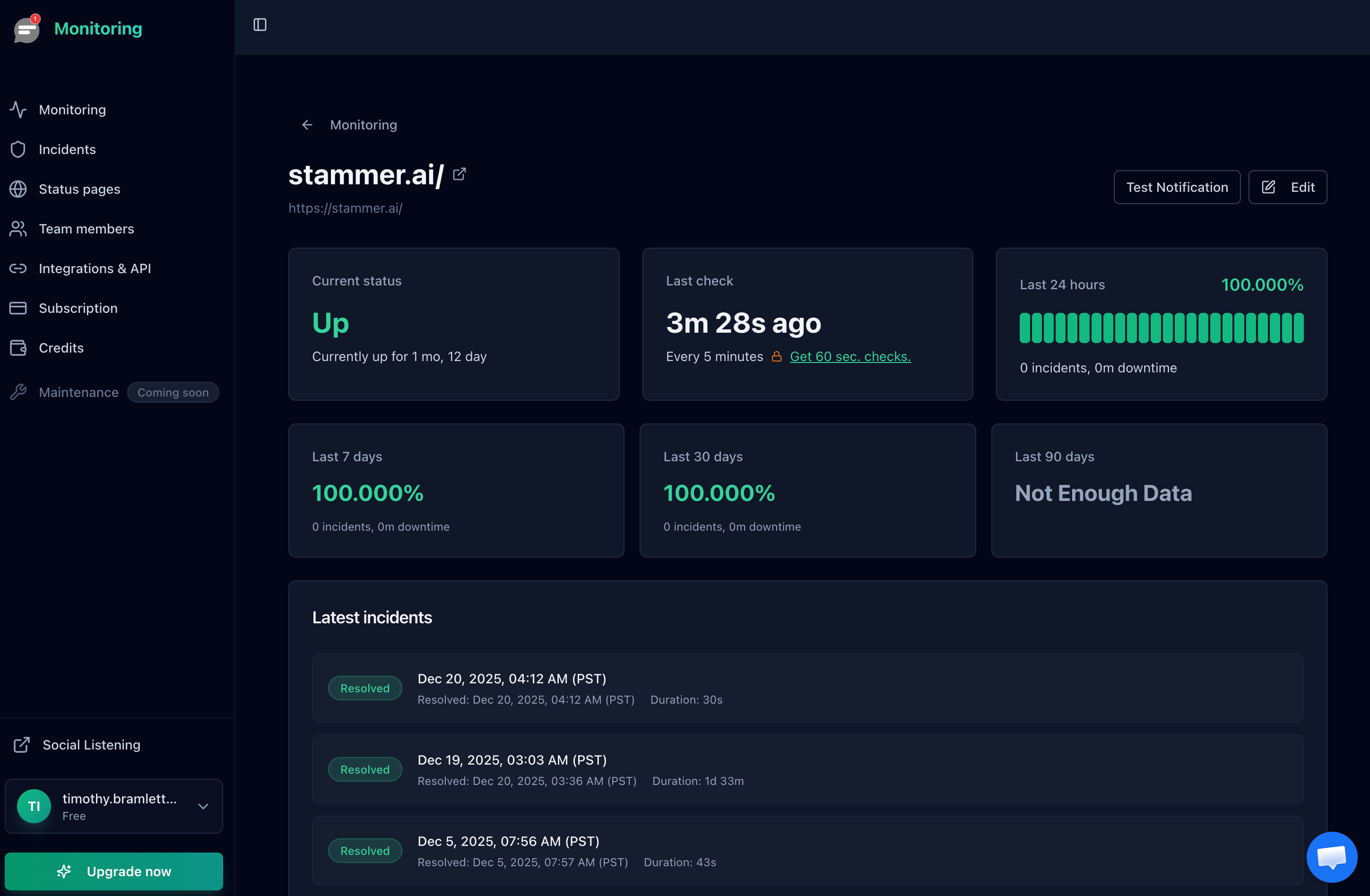
Response time tracking helps you spot performance degradation before it becomes an outage.
Status Pages: Communicating With Customers During Outages
When your store goes down, customers want to know three things: Is it just them? What's wrong? When will it be fixed? A public status page answers all three without requiring your support team to respond to every message individually.
Why E-Commerce Stores Need Status Pages
- Reduce support load: During an outage, support tickets and live chat volume can spike 10x. A status page redirects those inquiries to a single, self-service page.
- Preserve customer trust: Transparency during outages builds more trust than silence. Customers who see you're aware of the issue and working on it are far more likely to return.
- Reduce social media complaints: Customers who can't find information will post on Twitter/X, Reddit, and review sites. A status page gives them answers before they escalate.
For a detailed walkthrough on creating an effective status page, see our guide on how to create a status page. With Notifier, status pages are included on all plans (5 on the free tier, unlimited on Enterprise) and support custom domains on paid plans.
Setting Up E-Commerce Monitoring Step by Step
Here's how to set up comprehensive monitoring for your online store using Notifier. The entire process takes about 5 minutes.
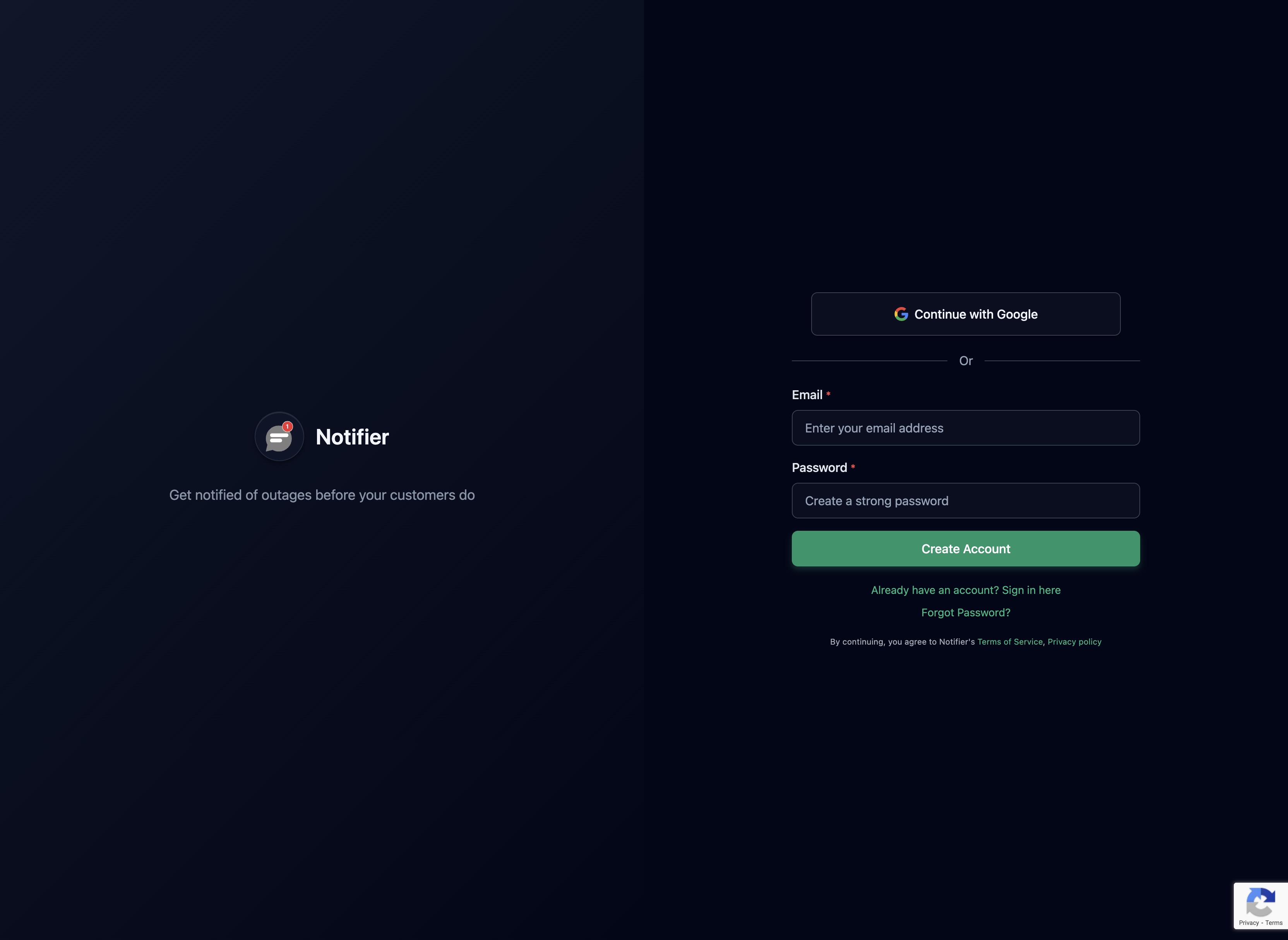
Step 1: Create Your Account
Sign up at notifier.so/register. The free plan gives you 10 monitors and 5 status pages, which is enough to cover the critical endpoints of most stores.
Step 2: Add Your Store's Critical URLs
Start with the endpoints that directly affect revenue. Add monitors for your homepage, checkout page, cart page, and at least one product page. If you use a REST API (common with headless setups), add that too.

Example setup for a typical online store:
Monitor 1: https://yourstore.com              (homepage)
Monitor 2: https://yourstore.com/checkout       (checkout page)
Monitor 3: https://yourstore.com/cart            (cart page)
Monitor 4: https://yourstore.com/products/best-seller  (sample product)
Monitor 5: https://yourstore.com/collections/all (catalog)
Monitor 6: https://status.stripe.com             (payment gateway)
Step 3: Configure Alerts
For e-commerce, email alone is not sufficient. Configure SMS or phone call alerts for your checkout and homepage monitors. These are the endpoints where every minute of downtime directly costs money.
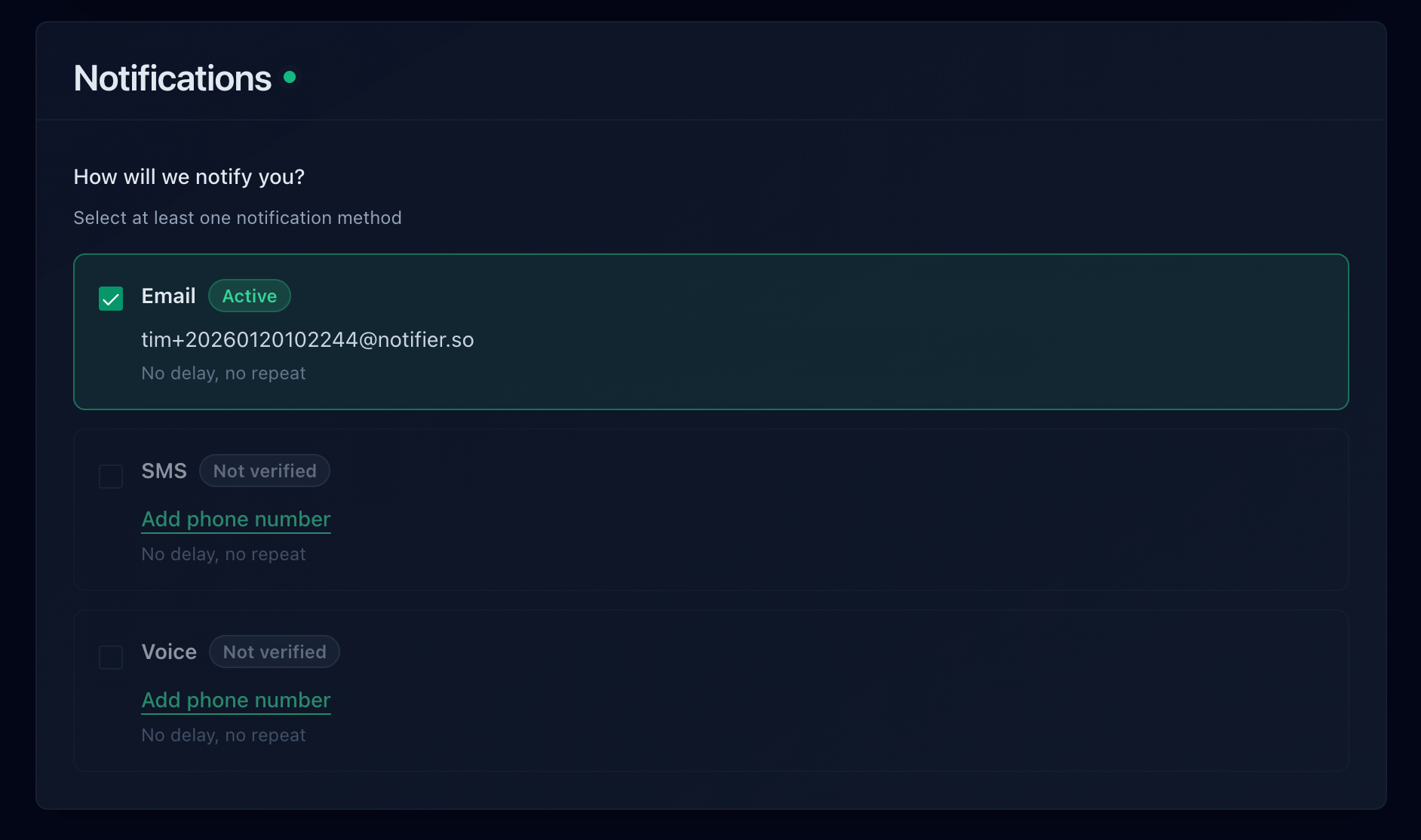
For more on setting up the right alert channels, see our guide on website downtime alerts.
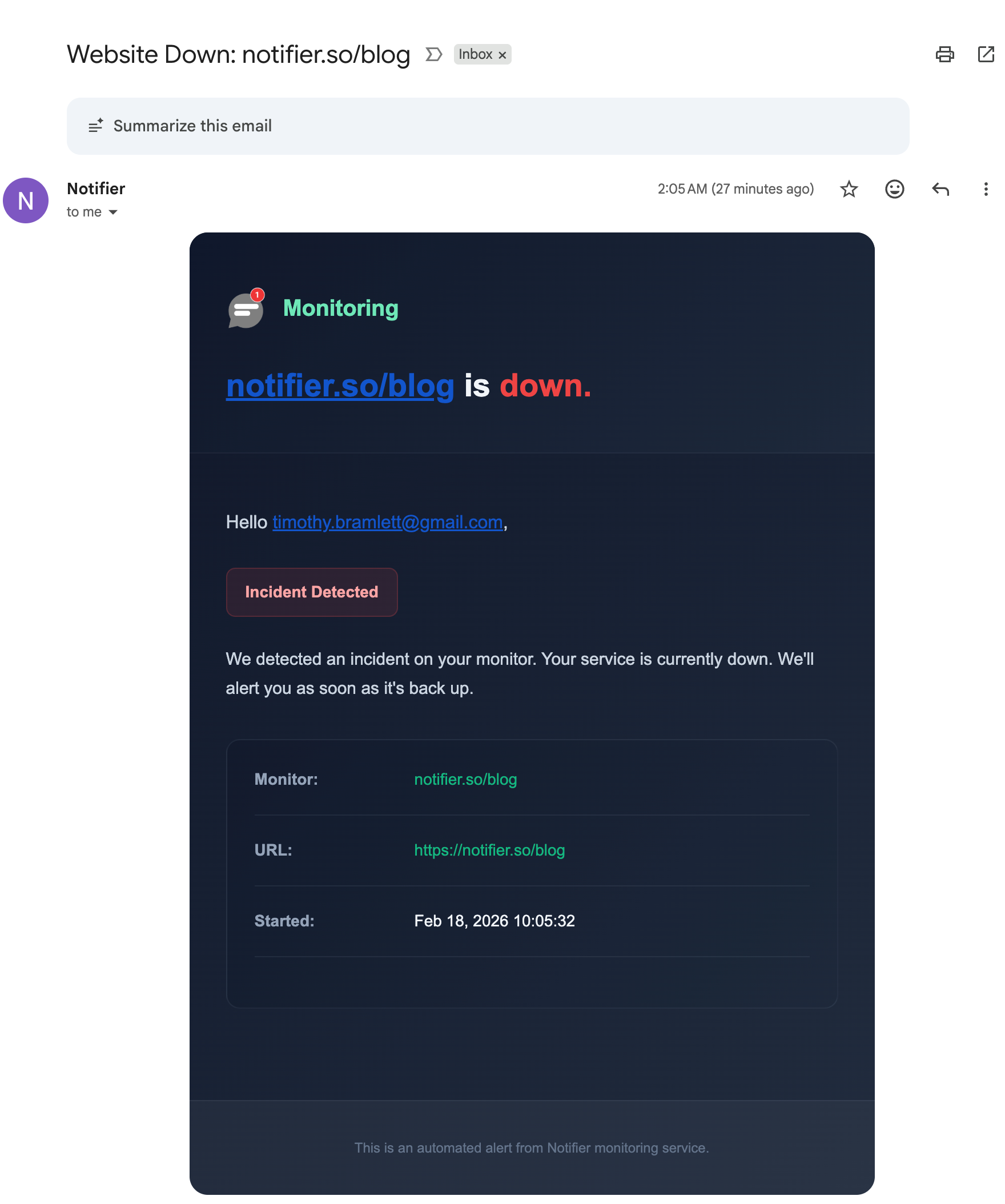
Downtime alerts include the exact time, status code, and response details.
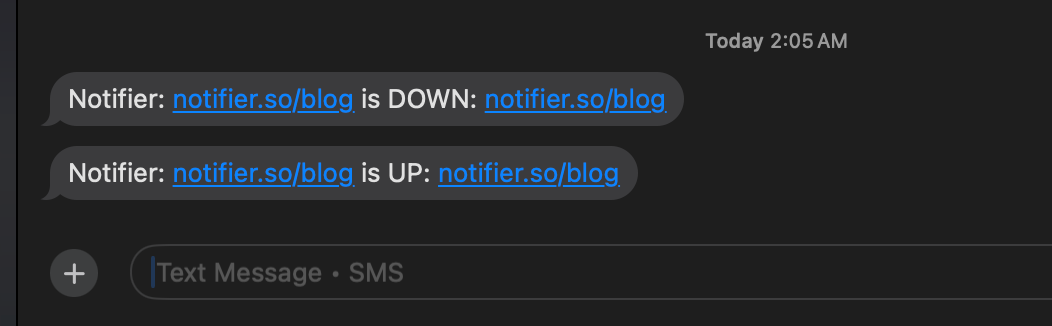
SMS alerts reach you instantly, even when you're away from your desk.
Step 4: Create a Status Page
Set up a public status page so customers can check your store's status during incidents. Add your key monitors (storefront, checkout, payment processing) as components. If you're on a paid plan, connect a custom domain like status.yourstore.com for a professional look.
Step 5: Test Your Alerts
Use Notifier's test notification feature to verify that alerts reach you on every configured channel. Don't skip this step. Discovering that your SMS alerts aren't working during a real outage defeats the entire purpose of monitoring.
Best Monitoring Tools for E-Commerce: Comparison
Not all monitoring tools serve e-commerce equally well. Here's how the major options compare for online store monitoring.
| Tool | Free Monitors | Fastest Interval | SMS/Phone Alerts | SSL Monitoring | Status Pages | Starting Price |
|---|---|---|---|---|---|---|
| Notifier | 10 | 30 sec | All plans (incl. free) | All plans (free) | 5 free, unlimited on Enterprise | $4/mo |
| UptimeRobot* | 50 | 30 sec | Credit-based | Yes | 1 (branded) | $8/mo |
| Better Stack | 10 | 30 sec | Paid plans only | Yes (hourly) | 1 free, extras $12+/ea | $29/responder |
| Pingdom | 0 (trial only) | 1 min | SMS credits, no phone | Yes | 1 per org | $15/mo |
| StatusCake | 10 | 30 sec | Credit-based | 1 free, 50+ paid | Separate product | $24.49/mo |
| Pulsetic | 10 | 30 sec | Paid plans only | Yes | 3 free, unlimited paid | $9/mo |
| Uptime Kuma | Unlimited | 20 sec | Via third-party | Yes | Unlimited | Free (self-hosted) |
*UptimeRobot note: Since October 2024, UptimeRobot's free tier is limited to non-commercial use only. If you're running a store, you'll need a paid plan.
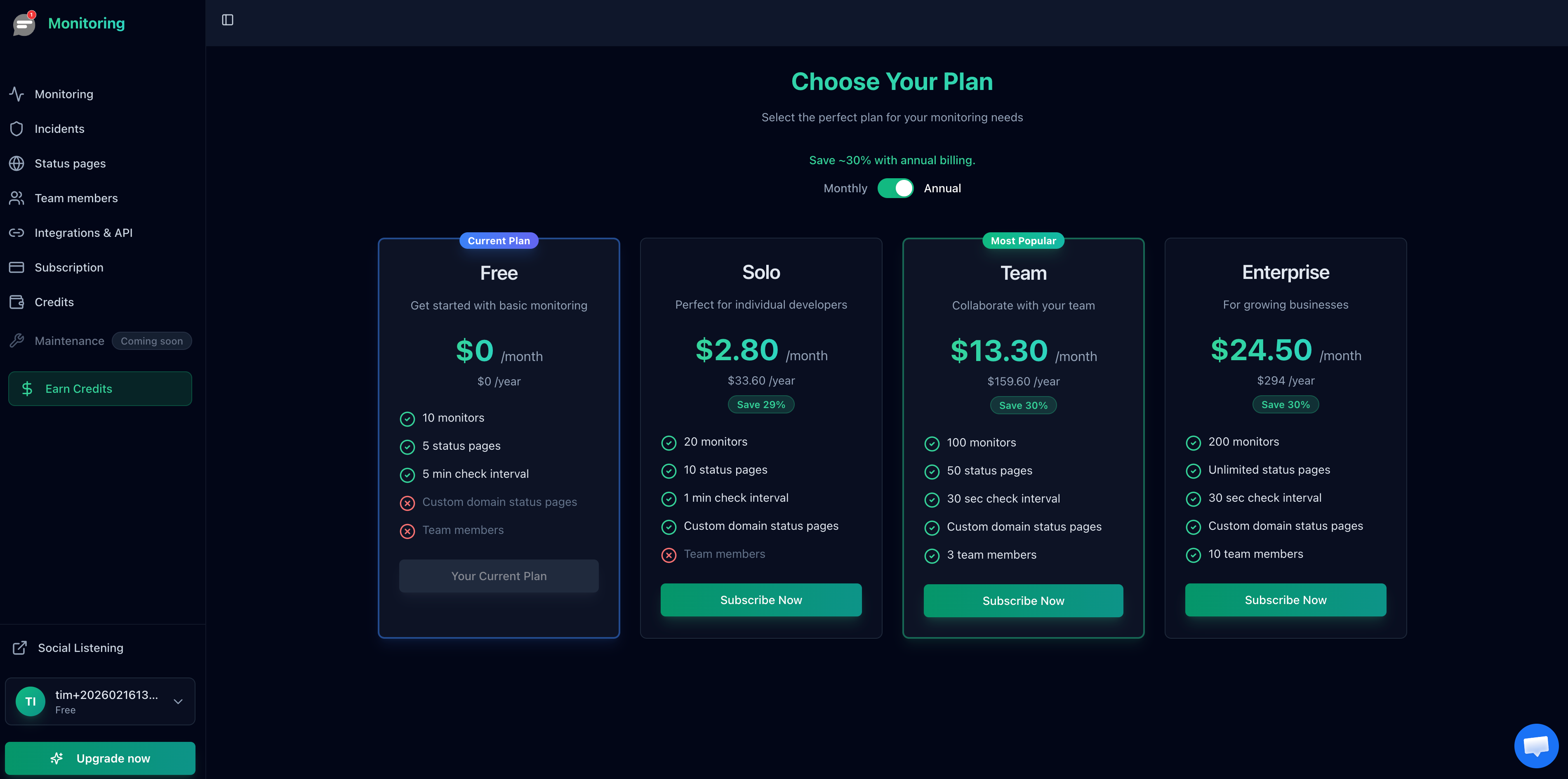
Notifier's pricing is simple and transparent with no hidden fees or per-message charges.
Which Plan Works for E-Commerce?
For most online stores, here's how Notifier's plans map to common needs:
- Free ($0/mo): Covers a small store with up to 10 monitors. Great for getting started with homepage, checkout, cart, SSL, and a few product pages. Includes email, SMS, and phone call alerts.
- Solo ($4/mo): Ideal for most single-store businesses. 20 monitors with 1-minute check intervals let you cover all critical URLs plus third-party dependencies. Includes custom domain status pages.
- Team ($19/mo): For stores that need 30-second checks during peak events and team member access. 100 monitors cover even complex setups with multiple APIs and international storefronts.
- Enterprise ($35/mo): For multi-brand operations or agencies managing several stores. 200 monitors with unlimited status pages and 10 team members.
Frequently Asked Questions
How much does e-commerce downtime cost?
The cost depends on your revenue. A store doing $1 million per year loses approximately $114 per hour of total downtime in direct sales. During peak events like Black Friday, that figure can triple. Add in wasted ad spend, customer trust damage, and SEO impact, and the true cost is typically 2x to 5x the direct revenue loss. Even small stores doing $100,000 per year lose $11 per hour, which adds up quickly if outages are recurring.
What should I monitor on my online store?
At minimum, monitor your homepage, checkout page, cart page, and SSL certificate. For more thorough coverage, add a sample product page, your search functionality, payment gateway status pages, and any REST or GraphQL API endpoints. If you use a headless commerce setup, monitor both the frontend and the backend API separately. The goal is to catch failures in every part of the purchase flow, not just the homepage.
Do I need monitoring if I use Shopify or another hosted platform?
Yes. Hosted platforms like Shopify, BigCommerce, and Squarespace do experience outages. Shopify had multiple significant outages in 2024 and 2025. The platform won't always notify you when your specific store is affected. External monitoring gives you independent verification and instant alerts so you can communicate with customers, pause ad spend, and take action while you wait for the platform to resolve the issue.
Does monitoring include SSL certificate checks?
It depends on the tool. Notifier includes SSL certificate monitoring on all plans, including the free tier. It checks your certificate expiration date automatically and alerts you before it expires. Some other tools charge extra for SSL monitoring or only include it on paid plans. For e-commerce, SSL monitoring is essential since an expired certificate will block all payments and display security warnings to customers.
How fast should alerts be for e-commerce?
For checkout and payment pages, 30-second check intervals are ideal. For your homepage and product pages, 1-minute intervals are sufficient. The faster your checks, the sooner you know about a problem. With a 30-second interval, you'll typically be alerted within 60 to 90 seconds of an outage starting. For a store doing any significant volume, the difference between knowing in 1 minute versus 10 minutes can be thousands of dollars in prevented losses.
What's the best free monitoring tool for e-commerce?
Notifier offers the best free tier for commercial use. You get 10 monitors, 5 status pages, SSL certificate monitoring, and email/SMS/phone alerts, all at no cost. UptimeRobot's free tier has more monitors (50) but restricts commercial use, which means you technically can't use it for a store without upgrading. For a comprehensive comparison, see our guide on the best free monitoring tools.
How do status pages help during e-commerce outages?
A public status page lets customers check whether your store is experiencing issues without contacting support. During an outage, it reduces support ticket volume by giving customers a single place to see what's happening and when you expect to resolve it. It also signals professionalism and transparency, which helps retain customer trust. Many stores link to their status page from their error pages and social media profiles.
Can I monitor my checkout flow?
You can monitor the checkout page URL to verify it responds with a 200 status code. For full transaction monitoring (actually submitting test orders), you would need a tool with synthetic transaction support, which is more complex and expensive. For most stores, monitoring the checkout URL catches the majority of real checkout failures. Notifier is also adding keyword validation soon, which will let you verify that expected content like "Place Order" appears in the response body. Sign up free to get access when it launches.
