Your website goes down at 2 PM on a Tuesday. You don't find out until a customer emails you three hours later. By then, you've lost sales, your search rankings took a hit, and some of those visitors went to a competitor and never came back.
This happens to small businesses every day. Not because they don't care about uptime, but because they don't have the tools or the team to catch problems quickly. Enterprise monitoring platforms cost hundreds of dollars a month and require an IT team to configure. That's not realistic for a small business.
The good news: you don't need enterprise tools. You need a simple, affordable monitoring service that tells you when your site goes down so you can fix it fast. This guide covers exactly what a small business needs, what you can safely skip, and how to get set up in five minutes.
Why Uptime Monitoring Matters for Small Businesses
Large companies can absorb a few hours of downtime. It's expensive, but they have the brand recognition and customer base to recover. Small businesses don't have that cushion.
The Real Cost of Downtime
Even modest downtime hits small businesses hard:
- Direct revenue loss: SMBs report losing $8,000 to $25,000 per hour of downtime. Even on the low end, a three-hour outage can cost more than a year of monitoring.
- Customer trust: 15 to 25% of customers who switch to a competitor during downtime never come back.
- SEO damage: Google notices when your site is down. Repeated downtime hurts your search rankings, which means less organic traffic for weeks after the outage.
- Competitor gain: Studies show competitors see 30 to 50% traffic increases during your downtime.
The "I Didn't Know" Problem
The biggest risk for small businesses isn't downtime itself. It's not knowing about downtime until someone tells you. Without monitoring, you're relying on customers, employees, or random chance to discover that your site is down. By the time you find out, the damage is done.
A monitoring service checks your site every few minutes and alerts you immediately when something goes wrong. The difference between finding out in 2 minutes versus 3 hours can be thousands of dollars.
What Small Businesses Actually Need
Monitoring tools are packed with features. Most of them are designed for engineering teams at large companies. Here's what actually matters for a small business:
1. HTTP/HTTPS Monitoring
This is the core feature: the service sends a request to your website every few minutes and checks if it responds. If your site returns an error or doesn't respond at all, you get an alert. Every monitoring tool offers this. It's the one feature you absolutely need.
2. Fast, Reliable Alerts
The whole point of monitoring is getting alerted quickly. You need:
- Email alerts: The baseline. Every tool offers this.
- SMS alerts: For when you're away from email. Important if you're the only person who can fix things.
- Phone call alerts: For critical situations. A phone call is harder to miss than an email.
If you use Slack for your team, Slack alerts are a nice bonus. But email and SMS cover most small business needs.
3. Reasonable Check Intervals
Check interval is how often the service pings your site. Common options:
- 5 minutes: Good enough for most small businesses. You'll find out about downtime within 5 minutes.
- 1 minute: Better for ecommerce sites where every minute of downtime means lost sales.
- 30 seconds: Overkill for most small businesses, but useful for high-traffic sites.
For most small businesses, 5-minute checks are perfectly fine. If you run an online store, consider 1-minute checks.
4. A Status Page
A public status page shows your customers the real-time status of your services. When your site goes down, customers can check the status page instead of flooding your inbox. It builds trust and reduces support load.
5. Easy Setup
If a monitoring tool requires you to install agents, configure YAML files, or understand DNS terminology, it's not built for small businesses. You should be able to sign up, enter your website URL, and start monitoring in under five minutes.
What You Don't Need (Yet)
Enterprise monitoring tools will try to sell you features you don't need. Here's what you can safely skip:
- Synthetic monitoring / transaction monitoring: This simulates user actions like logging in or completing a purchase. Useful for complex web apps, overkill for a small business website or online store.
- Real User Monitoring (RUM): Tracks actual user interactions with your site. Great data, but you need traffic volume and engineering resources to act on it.
- Infrastructure monitoring: Tracks server CPU, memory, and disk usage. If you're on shared hosting, managed WordPress, or a platform like Shopify, this is irrelevant.
- On-call rotation / escalation policies: Designed for teams with multiple engineers on different shifts. If it's just you or a small team, a simple alert to your phone is enough.
- Log management / APM: Application Performance Monitoring and log aggregation are developer tools. Unless you have a dedicated developer, skip these.
You can always add these later as your business grows. Start with the basics: uptime checks, alerts, and a status page.
5-Minute Setup Guide
Here's how to get uptime monitoring running for your business in five minutes using Notifier.so:
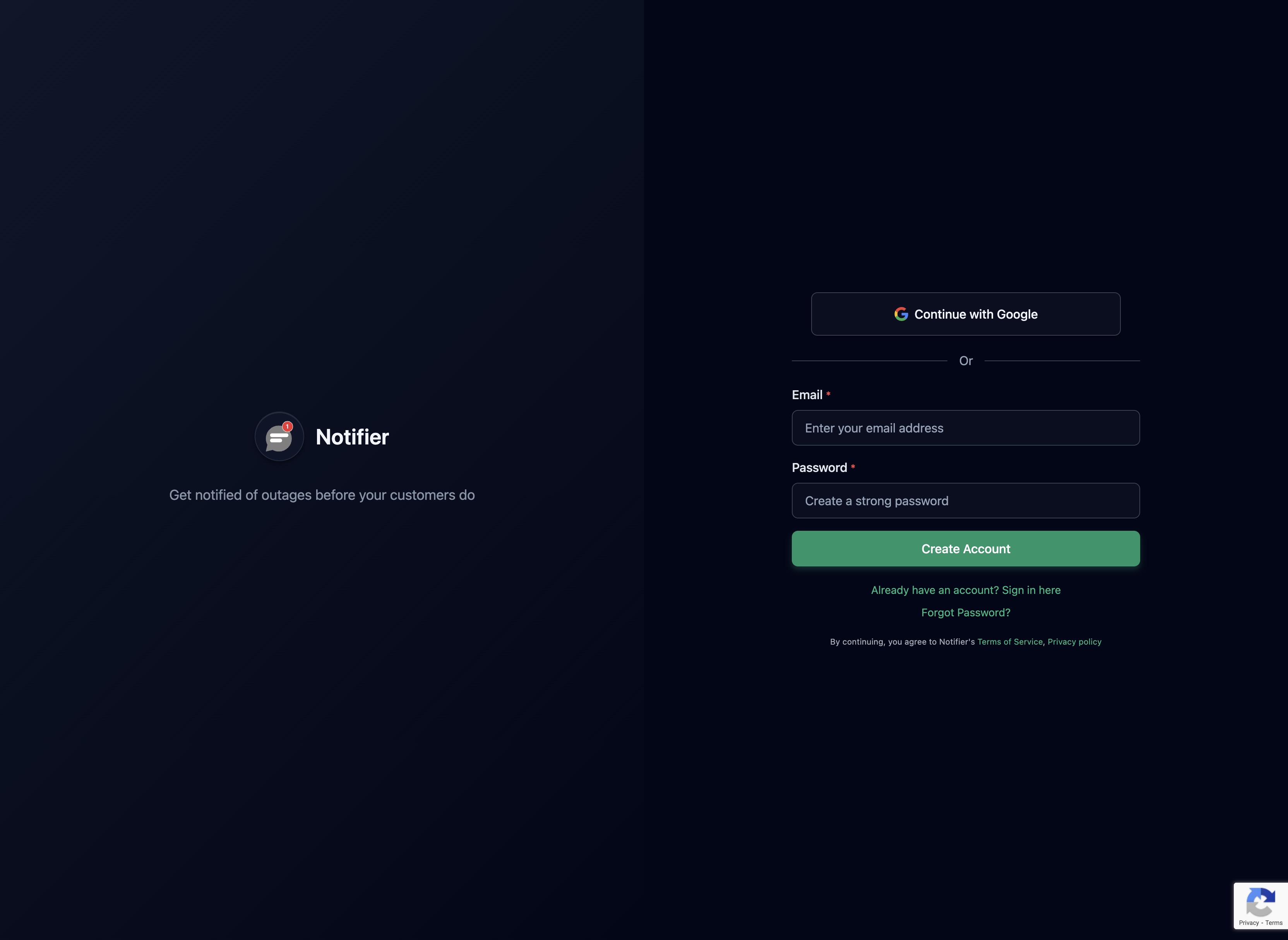
Step 1: Create Your Account (30 seconds)
Go to notifier.so/register and create a free account. No credit card required.
Step 2: Add Your Website (1 minute)
Click "Add Monitor" and enter your website URL. Choose your check interval (5 minutes is the default on the free plan).

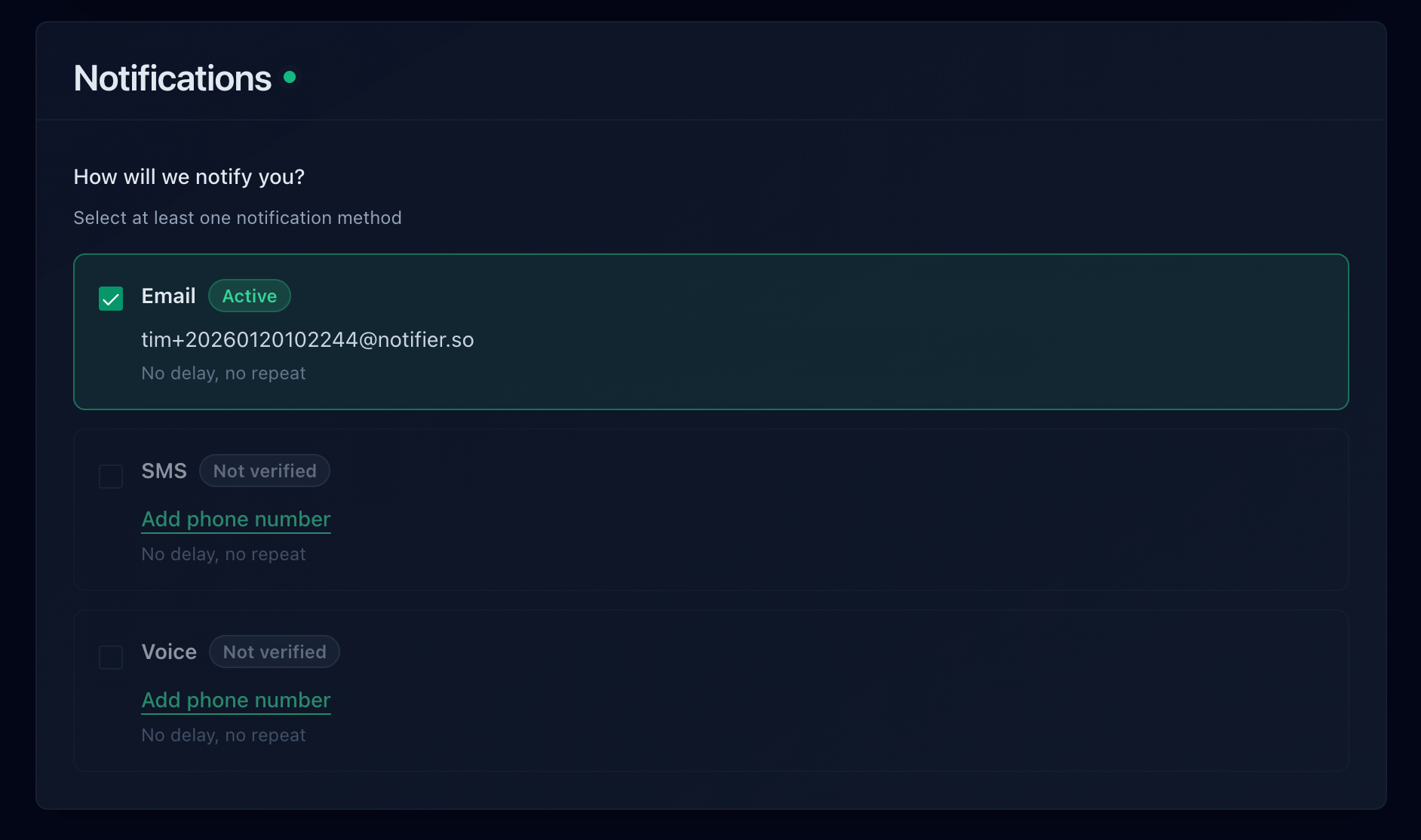
Step 3: Set Up Your Alerts (1 minute)
Choose how you want to be notified. Email is on by default. Add SMS or phone call alerts if you want to make sure you never miss a downtime notification.
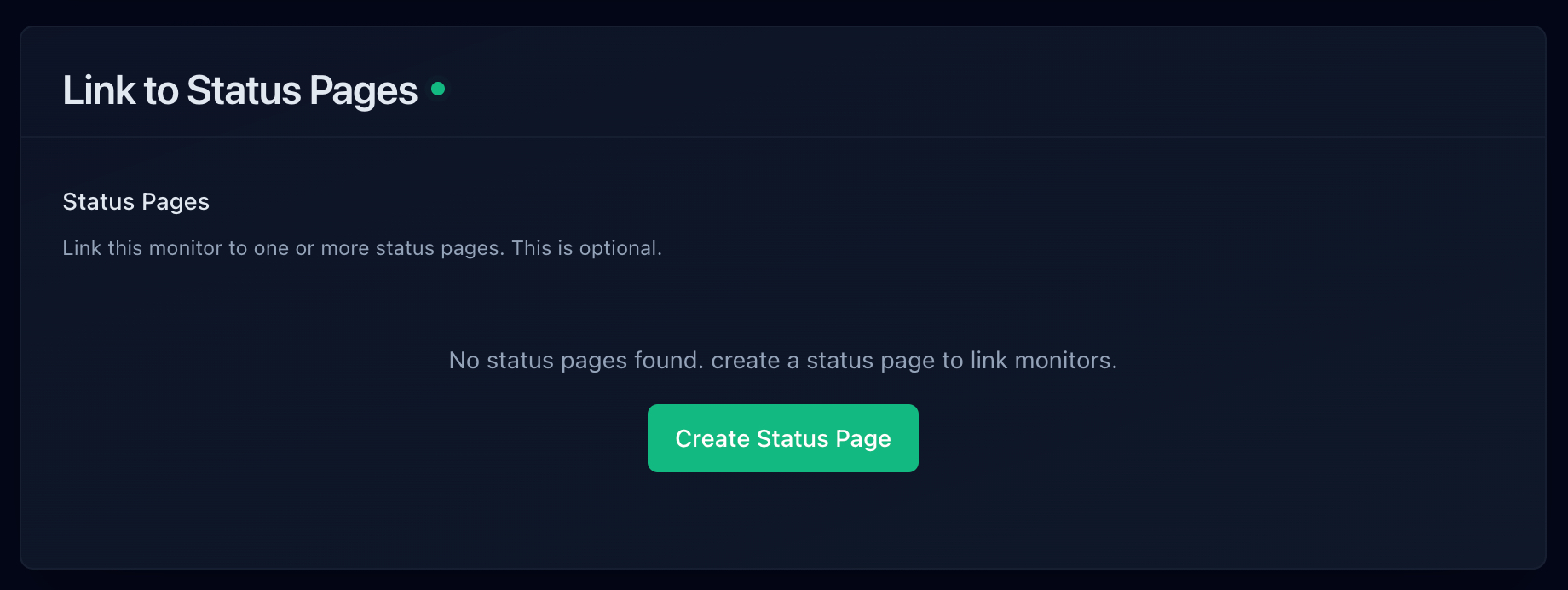
Step 4: Create a Status Page (2 minutes)
Optionally, create a public status page. Select which monitors to display and share the link with your customers.
That's It
Your website is now being monitored. If it goes down, you'll get an alert within minutes. No servers to manage, no code to write, no IT team required.
Free vs. Paid: What Do You Actually Get?
Most monitoring tools offer a free tier. Here's when free is enough and when it's worth paying:
When Free Is Enough
- You have fewer than 10 websites or services to monitor
- 5-minute check intervals are acceptable
- Email alerts are sufficient
- You don't need a custom domain on your status page
When It's Worth Paying
- You run an ecommerce site and need 1-minute check intervals
- You want SMS or phone call alerts
- You need more than 10 monitors
- You want a branded status page on your own domain (like status.yourcompany.com)
- You need to monitor APIs or specific endpoints
For most small businesses, paid monitoring costs between $4 and $20 per month. Compare that to the cost of even a single hour of undetected downtime ($8,000+), and the math is clear.
Best Monitoring Tools for Small Business
Here are the tools that work best for small businesses, ranked by simplicity and value:
1. Notifier.so
Built for simplicity. Sign up, add your URL, and you're monitoring. Includes status pages, email/SMS/phone alerts, and Slack integration. The free tier gives you 10 monitors and 5 status pages.

- Free tier: 10 monitors, 5 status pages, 5-min checks
- Paid from: $4/month (20 monitors, 1-min checks)
- Alerts: Email, SMS, phone calls, Slack
- Support: Real humans. Chat or email support@notifier.so. Response time is usually minutes.
- Best for: Small businesses that want simple, reliable monitoring without complexity
2. UptimeRobot
The most well-known free monitoring tool. Generous free tier with 50 monitors, but the free plan restricts commercial use and limits some alert types.
- Free tier: 50 monitors, 5-min checks (non-commercial use only)
- Paid from: $7/month
- Limitation: Free tier restricted to non-commercial use
3. StatusCake
A solid option with a decent free tier that includes SSL monitoring. Good for small businesses that also want basic page speed testing.
- Free tier: 10 monitors
- Paid from: ~$6/month
- Best for: Users who want SSL + uptime monitoring bundled
4. Better Stack
A more full-featured platform that includes monitoring, incident management, and logging. Powerful, but more complex than what most small businesses need.
- Free tier: 10 monitors
- Paid from: $24/month
- Best for: Growing businesses that want monitoring + incident management in one platform
Quick Comparison
| Tool | Free Monitors | Paid From | Status Pages | Setup Time |
|---|---|---|---|---|
| Notifier.so | 10 | $4/month | 5 free | ~2 minutes |
| UptimeRobot | 50* | $7/month | 1 free | ~5 minutes |
| StatusCake | 10 | ~$6/month | Paid only | ~5 minutes |
| Better Stack | 10 | $24/month | 1 free | ~10 minutes |
* UptimeRobot free tier is restricted to non-commercial use
Common Mistakes Small Businesses Make
1. Not Monitoring at All
The most common mistake. "My hosting provider monitors my site" is not the same as having your own independent monitoring. Your hosting provider has an incentive to report high uptime numbers. An independent monitor gives you the truth.
2. Only Monitoring the Homepage
Your homepage might load fine while your checkout page, API, or admin panel is broken. Monitor the pages that matter most to your business:
- Your homepage
- Your checkout or signup page
- Your API (if you have one)
- Any third-party integrations your site depends on
3. Ignoring Alerts
If you get too many false alerts, you start ignoring them. Then when a real outage happens, you miss it. This is called alert fatigue. The fix: use a monitoring service with good false-positive filtering, and make sure your alerts go to a channel you actually check.
4. Paying for Features You'll Never Use
Don't pay $99/month for an enterprise platform when a $4/month tool does everything you need. Start simple. You can always upgrade later when your needs grow.
5. Not Having a Response Plan
Monitoring tells you there's a problem. But do you know what to do next? Have a simple plan:
- Who gets the alert?
- What's the first thing to check? (Is it the server? The hosting provider? A DNS issue?)
- Who do you contact if you can't fix it yourself? (Your hosting provider's support number, your developer's phone number)
- How do you communicate with customers? (Status page, social media, email)
Get Started Today
You don't need an IT team. You don't need a big budget. You need five minutes and a monitoring service that works.
Notifier.so is built for exactly this. Simple setup, reliable alerts, and pricing that makes sense for small businesses. The free plan includes 10 monitors and 5 status pages, which covers most small businesses completely.
If you run into any issues or have questions about setting up monitoring for your business, reach out via chat or email at support@notifier.so. The team typically responds within minutes.
Bottom line:
The cost of not monitoring is far higher than the cost of monitoring. A free plan takes five minutes to set up and can save you thousands of dollars the first time it catches an outage you would have otherwise missed. There's no reason not to start today.
