Your server could go down right now, and you might not know for hours. Without server uptime monitoring, you're relying on your customers to tell you something is broken. This guide covers everything from quick manual checks to fully automated server uptime monitors that alert you the moment something goes wrong.
Whether you need to test uptime for a single server or monitor dozens of services, you'll find practical methods here that you can start using today.
What Is Server Uptime?
Server uptime is the amount of time your server has been running and accessible without interruption. It's typically expressed as a percentage over a given period. A server with 99.9% uptime, for example, can only be down for about 8.7 hours per year.
Uptime matters because every minute of downtime costs money. E-commerce sites lose sales. SaaS applications lose customers. APIs break downstream services. The faster you know about downtime through uptime alerts, the faster you can fix it.
For a deeper look at what uptime percentages mean in practice, see our SLA uptime calculator guide.
Why Server Uptime Monitoring Matters
Many developers assume their hosting provider will notify them when something goes wrong. In reality, you often won't hear about an outage until customers start complaining. By then, the damage is done.
A proper server uptime monitoring service helps you:
- Catch problems early. Uptime notifications reach you before your customers notice anything is wrong.
- Track reliability over time. Identify patterns, recurring issues, and measure improvement.
- Meet SLA requirements. Prove your uptime commitments with data and historical logs.
- Reduce mean time to recovery. Faster uptime alerts mean faster fixes and less downtime overall.
- Monitor SSL certificates. Get alerted before SSL certificates expire and cause browser warnings.
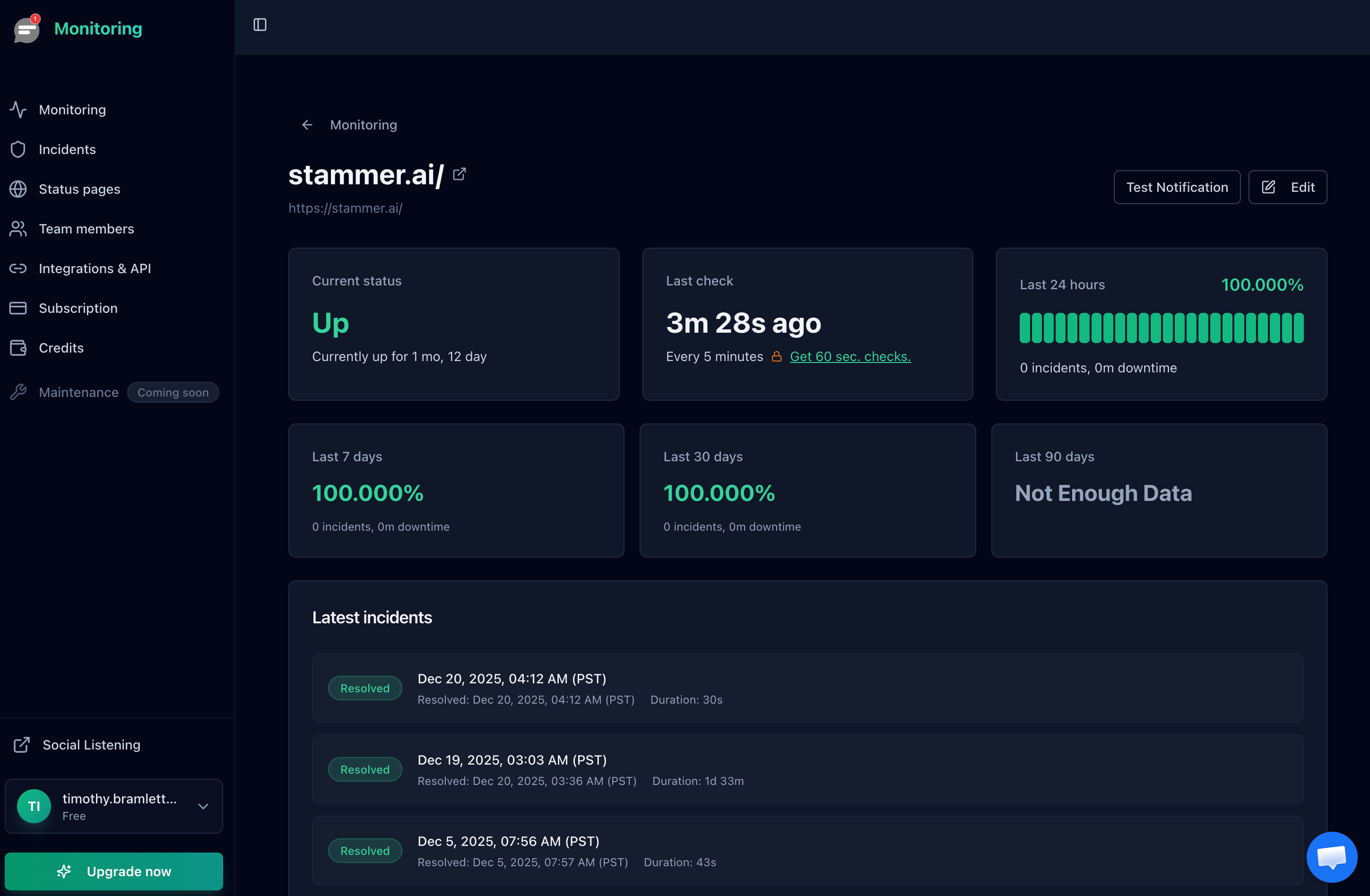
Server uptime history with response time tracking in Notifier.
Manual Methods to Check Server Uptime
If you just need a quick check or are testing uptime during debugging, command line tools work well. Here are the most common approaches.
Using Ping
The simplest way to check if a server is reachable is with ping. This sends packets to the server and measures the response time.
ping yourserver.comIf you get responses, the server is reachable at the network level. If you see "Request timeout," the server may be down or blocking ICMP packets.
Limitation: Ping only tells you the server is reachable on the network. It doesn't tell you if your web application is actually working.
Using Curl
For web servers, curl is more useful because it makes an actual HTTP request and shows you the response.
curl -I https://yourserver.com
The -I flag returns just the headers, which is faster. Look for a 200 OK status code to confirm the server is responding correctly.
You can also measure response time to check for performance degradation:
curl -o /dev/null -s -w "DNS: %{time_namelookup}s\nConnect: %{time_connect}s\nTLS: %{time_appconnect}s\nTotal: %{time_total}s\n" https://yourserver.comChecking Uptime on the Server Itself
If you have SSH access to your server, you can check how long it's been running:
uptimeThis shows how long the system has been running, how many users are logged in, and the load averages. Useful for diagnosing issues, but it requires you to already have access to the server.
Checking SSL Certificate Expiry
An expired SSL certificate is one of the most common causes of unexpected downtime. You can check your certificate's expiration date from the command line:
echo | openssl s_client -connect yourserver.com:443 2>/dev/null | openssl x509 -noout -enddateIf the expiration date is within 14 days, you need to renew soon. Better yet, set up automated SSL certificate monitoring so you never have to check manually.
The Problem with Manual Uptime Checks
Manual checks work for one-off debugging, but they have serious limitations for ongoing server uptime monitoring:
- You have to remember to do it. Most people don't check their servers at 3 AM.
- No historical data. You can't see patterns or calculate uptime percentages over time.
- No uptime alerts. You find out about problems after they've already impacted users.
- Single point of failure. If your internet is down, you can't check anything.
- No SSL tracking. You won't catch certificate expiration before it causes outages.
For production systems, an automated server uptime monitor solves all of these problems.
Automated Server Uptime Monitoring
A server uptime monitoring service continuously checks your servers and alerts you when something goes wrong. Instead of manually running ping or curl, the service does it for you, around the clock, from multiple locations worldwide.
Here's what a good server uptime monitor provides:
- Regular checks. Your server is tested every few minutes (or seconds) automatically.
- Instant uptime notifications. Get notified by email, SMS, phone call, or Slack the moment downtime is detected.
- Uptime history. Track your reliability over time with detailed logs and response time charts.
- Multiple check locations. Verify your server is accessible globally, not just from one location.
- SSL certificate monitoring. Automatically track certificate expiration and get alerts before they expire.
- Status pages. Show your customers a public page with your current uptime status.

Notifier's dashboard provides an at-a-glance view of all your monitored servers and their current status.
How to Set Up Server Uptime Monitoring
Getting started with automated monitoring takes about two minutes. Here's how to set it up with Notifier:
1. Create an Account
Sign up for a free account. You get 10 monitors included at no cost, each with SSL certificate monitoring built in.
2. Add Your Server
Click "Add Monitor" and enter your server's URL. For a web server, use the full URL (like https://yourserver.com). For an API, use the health check endpoint. SSL certificate monitoring is enabled automatically for HTTPS URLs.

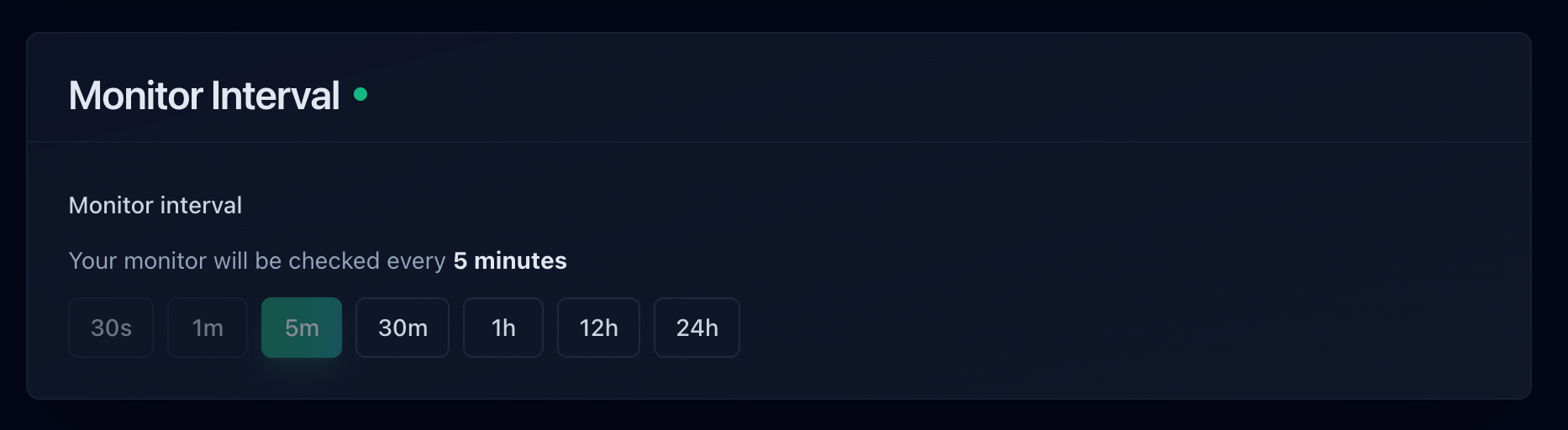
3. Set Your Check Interval
Choose how often you want your server checked. The free plan includes 5-minute intervals, which catches most issues quickly. Paid plans offer checks as frequently as every 30 seconds for mission-critical servers.
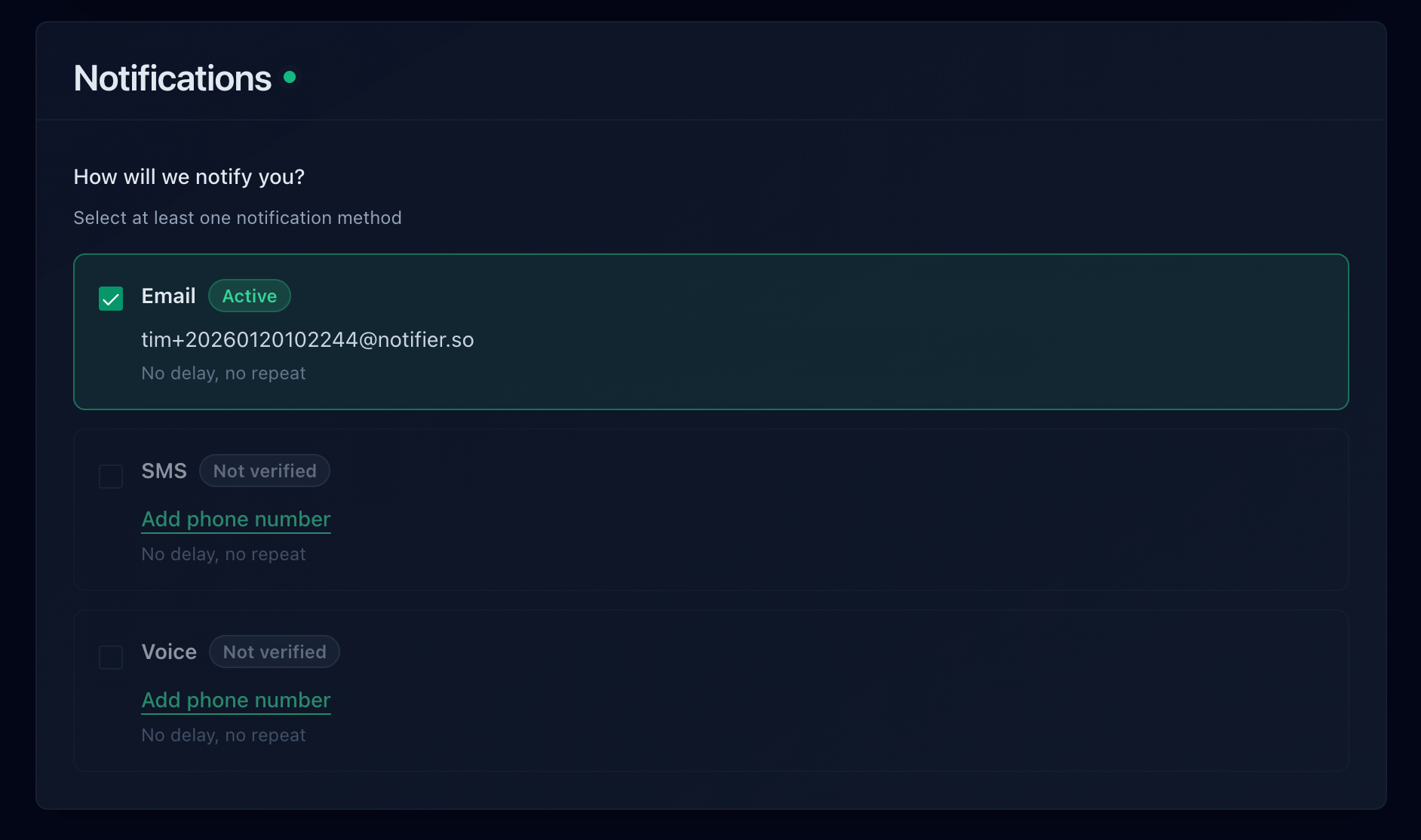
4. Configure Uptime Alerts
Set up how you want to receive uptime notifications. Email works for most situations. Add SMS or phone call alerts if you need to know about downtime when you're away from your desk. Slack integration keeps your whole team in the loop.
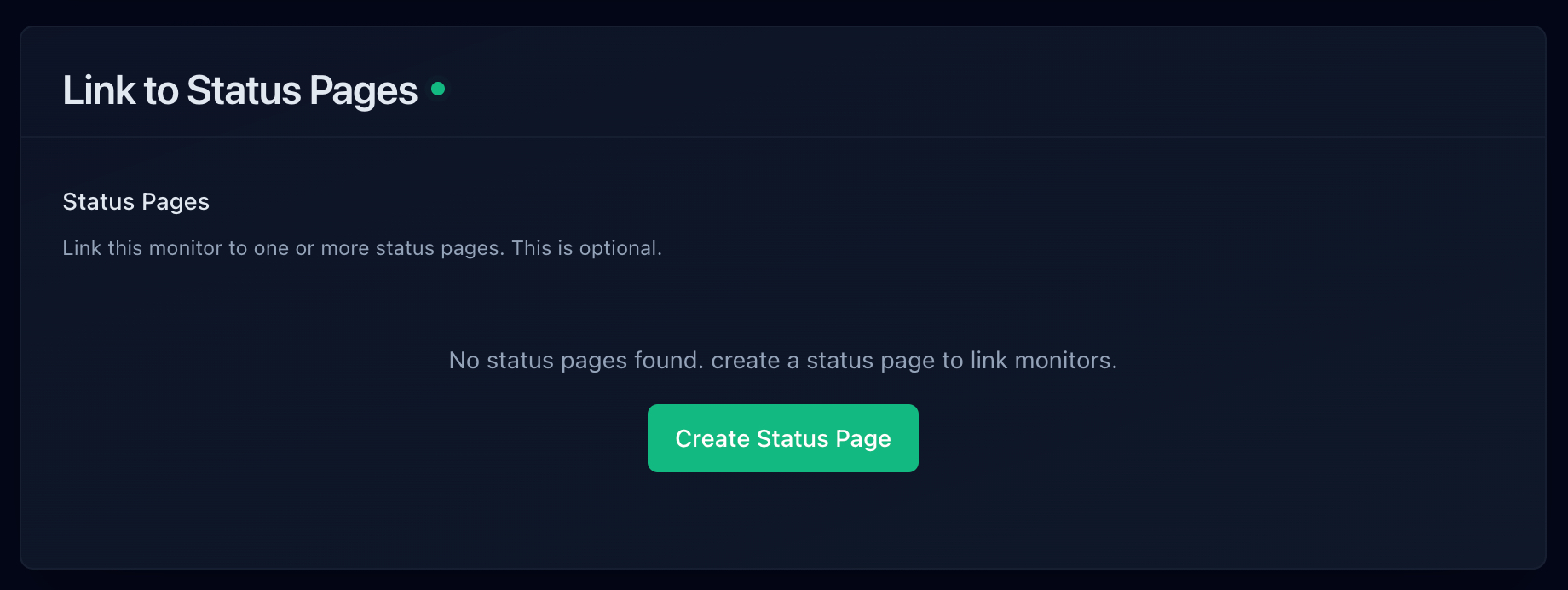
5. Create a Status Page (Optional)
If you want to keep customers informed, create a public status page. This shows your current server uptime status and incident history, reducing support requests when issues occur.
What Should You Monitor on Your Server?
Most people start by monitoring their main website, but a thorough server uptime monitoring setup should cover several key endpoints:
| What to Monitor | Why It Matters | Recommended Interval |
|---|---|---|
| Homepage | If this is down, everything is probably down | 1 to 5 minutes |
| API health endpoint | Critical for mobile apps and third-party integrations | 30 seconds to 1 minute |
| Login/auth page | Auth failures block all users even if the homepage works | 1 minute |
| Database-dependent pages | These fail first when your database has issues | 1 to 5 minutes |
| SSL certificates | Expired certs cause immediate browser warnings | Daily (automatic) |
| Third-party dependencies | Payment processors, email services, external APIs | 5 minutes |
With Notifier, you can monitor all of these with 10 free monitors. Each HTTPS monitor automatically includes SSL certificate monitoring at no extra cost.
Comparing Server Uptime Monitoring Services
Not all server uptime monitors are created equal. Here's how the most popular options compare for server monitoring in 2026:
| Tool | Free Monitors | Check Interval | SSL Monitoring | Uptime Alerts | Paid From |
|---|---|---|---|---|---|
| Notifier | 10 | 5 min (free) / 30 sec | Free on all plans | Email, SMS, Phone, Slack | $4/mo |
| UptimeRobot | 50* | 5 min (free) / 30 sec | Included | Email, SMS, Slack | $7/mo |
| Better Stack | 10 | 3 min (free) | Hourly checks | Email, Slack | $29/responder |
| StatusCake | 10 | 5 min (free) / 30 sec | 1 free SSL monitor | Email, Slack, Teams | ~$20/mo |
| HetrixTools | 15 | 1 min | Included | Email, Slack, Discord | $9.95/mo |
| Pingdom | None | 1 min | Included | Email, SMS, Slack | $10/mo |
*UptimeRobot's free tier is restricted to non-commercial use since October 2024.
For most teams, Notifier offers the best balance of features and pricing. You get SSL certificate monitoring free on all plans (including free), SMS and phone call alerts, and paid plans starting at just $4/month. If you need a deeper comparison, see our guides on free Pingdom alternatives and best free monitoring tools.
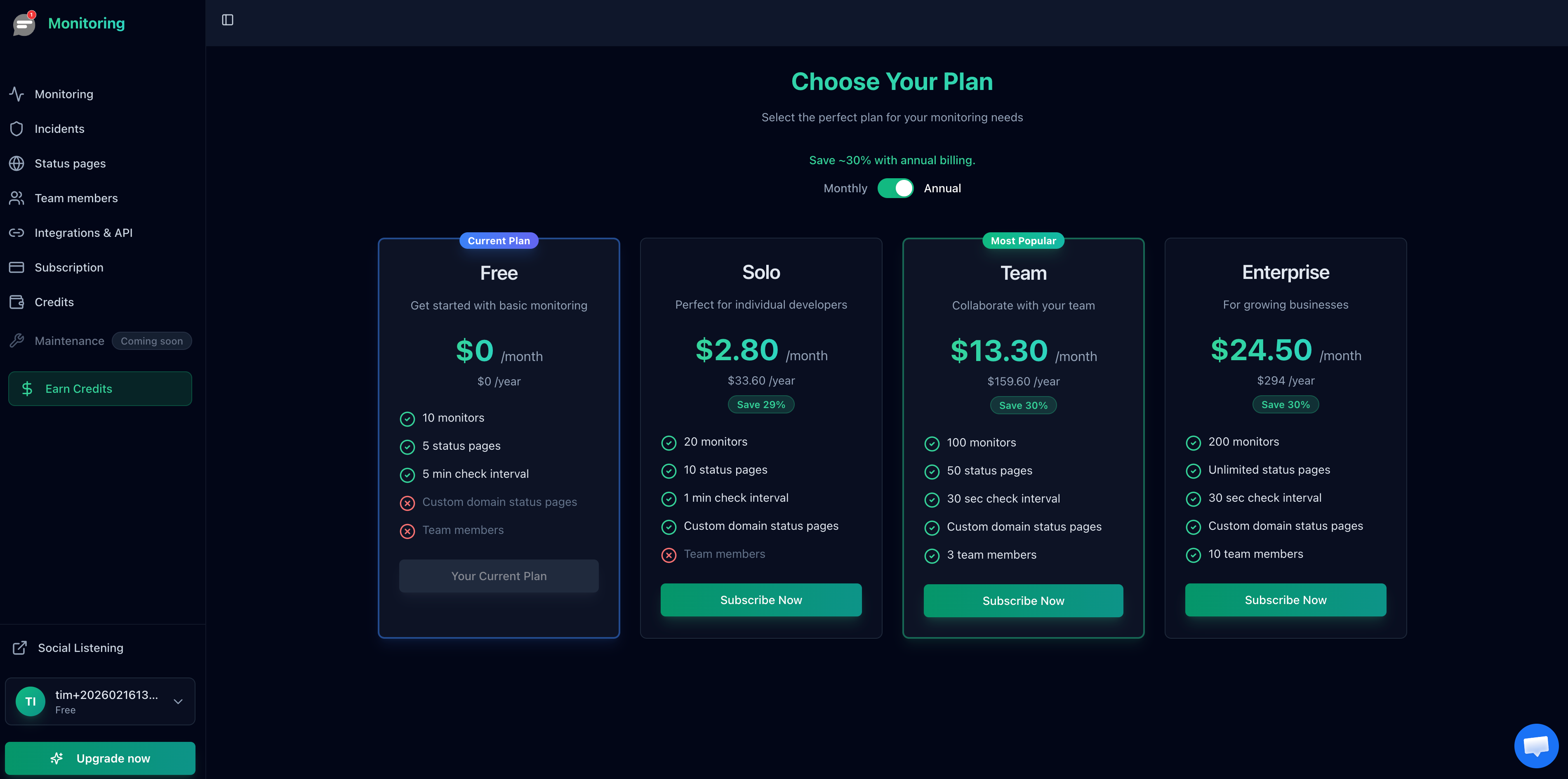
Notifier's pricing plans. All plans include SSL certificate monitoring.
Frequently Asked Questions
What is server uptime monitoring?
Server uptime monitoring is the process of continuously checking whether your server is online, responsive, and functioning correctly. A monitoring service sends requests to your server at regular intervals and alerts you immediately if it detects downtime. This allows you to fix issues before most users are affected.
How do I monitor server uptime for free?
Several services offer free server uptime monitoring. Notifier provides 10 free monitors with SSL monitoring included, plus alerts via email, SMS, and phone calls. HetrixTools offers 15 free monitors with 1-minute check intervals. UptimeRobot provides 50 free monitors, though the free tier is now limited to non-commercial use.
How often should I check server uptime?
For most servers, checking every 1 to 5 minutes is sufficient. Mission-critical services like payment APIs benefit from 30-second checks. The right interval depends on how quickly you need to detect and respond to outages. More frequent checks catch problems faster but may cost more on paid plans.
What is the difference between an online server uptime monitor and a self-hosted one?
An online server uptime monitor (like Notifier, UptimeRobot, or Pingdom) runs on external infrastructure and checks your server from multiple global locations. A self-hosted monitor (like Uptime Kuma) runs on your own server. The advantage of online monitoring is that it works even when your own infrastructure is down. Self-hosted monitors have a single point of failure: if the server running the monitor goes down, monitoring stops too.
What types of uptime alerts should I set up?
At minimum, set up email alerts for all monitored servers. For production systems, add SMS or phone call alerts so you're reachable outside working hours. Slack integration is useful for team visibility. The best approach is layered: email for documentation, Slack for team awareness, and SMS or phone for urgent issues that need immediate attention.
Does server uptime monitoring include SSL certificate checks?
It depends on the tool. Notifier includes SSL certificate monitoring free on all plans, including the free tier. Every HTTPS monitor automatically checks your SSL certificate for expiration and configuration issues. Some other tools charge extra for SSL monitoring or offer it only on paid plans.
Can I monitor multiple servers with one service?
Yes. Most monitoring services let you add multiple servers under one account. Notifier's free plan includes 10 monitors, the Solo plan ($4/month) includes 20, the Team plan ($19/month) includes 100, and Enterprise ($35/month) includes 200. Each monitor can track a different server, endpoint, or service.
What is a good server uptime percentage?
Most production services aim for at least 99.9% uptime, which allows about 8.7 hours of downtime per year. Critical services target 99.99% (about 52 minutes per year) or higher. The right target depends on your SLA commitments and how much downtime your users can tolerate. See our uptime percentage calculator for a detailed breakdown.
