On July 21, 2024, the Bank of England's high-value payment system went down for over 90 minutes. The cause? An expired SSL certificate. No hack. No infrastructure failure. Just a certificate that nobody renewed.
The Bank of England isn't alone. Starlink, Google Bazel, Epic Games, and countless smaller companies have all experienced outages caused by expired certificates. According to Keyfactor's 2024 PKI report, the average organization experiences three certificate-related outages every two years, each costing an average of $2.86 million to resolve.
The good news: SSL certificate expiration is entirely preventable with the right monitoring. This guide covers how SSL certificate monitoring works, the best free and paid tools for tracking certificate expiration, and how to prepare for the upcoming shift to 47-day certificate lifecycles.
Why SSL Certificates Expire (And Why Monitoring Certificate Expiration Matters)
SSL/TLS certificates don't last forever by design. Certificate authorities (CAs) set expiration dates for security reasons:
- Key rotation: Shorter lifespans force regular key rotation, limiting the damage if a private key is compromised
- Identity verification: Organizations change. Regular revalidation ensures the certificate holder still controls the domain
- Algorithm updates: Cryptographic best practices evolve. Shorter lifespans help phase out weak algorithms
What Happens When a Certificate Expires
When your SSL certificate expires, browsers immediately warn users that your site is insecure. Most visitors will see a full-page warning and leave. Here's what you can expect:
- Browser warnings: Chrome, Firefox, and Safari all display prominent "Your connection is not private" warnings
- Lost traffic: Studies show 85% of users will abandon a site that displays a security warning
- SEO impact: Google uses HTTPS as a ranking signal. An expired certificate can hurt your search rankings
- API failures: If your backend services use HTTPS (they should), expired certificates can break internal communication
- Lost trust: Even after you fix the certificate, some users may not return

An expired SSL certificate triggers immediate downtime alerts when monitoring is in place.
Real-World SSL Certificate Outages
Major companies have learned this lesson the hard way:
- Bank of England (July 2024): The CHAPS payment system went down for 90+ minutes due to an expired certificate. It was the bank's second certificate-related outage that year.
- Google Bazel (December 2025): An expired certificate on bazel.build caused widespread build failures for external users over the Christmas holiday.
- Starlink (April 2023): Elon Musk confirmed that a global Starlink outage was caused by an "expired ground station certificate."
- Epic Games (2021): An expired wildcard certificate took down Fortnite, Rocket League, and the Epic Games Store simultaneously.
If companies with dedicated security teams can miss certificate renewals, so can you. That's why automated SSL certificate expiration monitoring is essential.
The 47-Day Future: Why SSL Monitoring Automation Is Now Essential
In April 2025, the CA/Browser Forum approved a proposal from Apple that will dramatically change how organizations manage SSL certificates. The maximum certificate lifetime is being reduced from 398 days to just 47 days. This makes SSL certificate monitoring and certificate expiration tracking more important than ever.
The Timeline
| Date | Max Certificate Lifetime | Domain Validation Reuse |
|---|---|---|
| Before March 2026 | 398 days | 398 days |
| March 15, 2026 | 200 days | 200 days |
| March 15, 2027 | 100 days | 100 days |
| March 15, 2029 | 47 days | 10 days |
What Short-Lived SSL Certificates Mean for You
With 398-day certificates, you renew once a year. Easy to remember, easy to manage manually. But with short-lived SSL certificates at 47 days, you'll need to renew almost eight times per year.
If you manage 10 certificates, that's 80 renewals per year. If you manage 100 certificates, that's 800 renewals. Manual processes simply won't scale. You need a certificate monitoring solution with real-time alerts to catch any renewal that slips through.
Key takeaway: Even if you're not ready to automate certificate issuance, you should start monitoring SSL certificate expiration now. When the 47-day requirement takes effect, you'll need to know exactly which certificates exist, when they expire, and how to renew them.
What SSL Certificate Monitoring Actually Does
SSL certificate monitoring goes beyond tracking expiration dates. A good certificate monitoring solution checks multiple aspects of your certificates to provide comprehensive protection.
SSL Expiration Monitoring
The core function: alerting you before certificates expire. Most tools let you set tiered alerts (30 days, 14 days, 7 days, 1 day before expiration) so you have plenty of warning. This is the most critical feature of any SSL certificate expiration monitoring setup.
Certificate Chain Validation
Your SSL certificate is part of a chain of trust. If any certificate in the chain is missing, expired, or misconfigured, browsers may reject the connection. Monitoring tools verify that your entire certificate chain is valid.
Configuration Checks
Some monitoring tools check your SSL/TLS configuration for security issues:
- Protocol versions: Are you still supporting deprecated protocols like TLS 1.0 or 1.1?
- Cipher suites: Are weak encryption algorithms enabled?
- Key strength: Is your private key length sufficient?
Certificate Transparency Monitoring
Certificate Transparency (CT) logs are public records of all issued certificates. Some tools monitor these logs to detect if someone issues a certificate for your domain without authorization. This can indicate a potential attack or a misconfigured CA.
Change Detection
If your certificate changes unexpectedly, it could indicate a problem. Maybe auto-renewal failed and someone manually installed a different cert. Maybe your hosting provider made a change. Change alerts help you catch issues early.
How to Check SSL Certificate Expiry Manually
Before setting up automated monitoring, you can check any certificate's expiration date from the command line:
echo | openssl s_client -connect yourdomain.com:443 2>/dev/null | openssl x509 -noout -datesThis returns both the issue date and expiration date. If the expiration is within 14 days, you have a problem brewing. But manual checks don't scale, which is why automated SSL certificate monitoring tools exist.
Free SSL Certificate Monitoring Tools
Several tools offer free SSL certificate monitoring. Here are the most practical options for monitoring certificate expiration without spending anything.
Notifier.so (Free SSL Monitoring on All Plans)
Notifier.so includes SSL certificate monitoring free on all plans, including the free tier. SSL monitoring is integrated directly with your uptime monitors, so you get certificate expiry alerts alongside downtime notifications in a single dashboard.

Notifier's dashboard shows uptime and SSL certificate status for all your monitors.
- Cost: Free (included with all plans, including free tier)
- SSL expiration alerts: Email, SMS, phone call, and Slack
- Best for: Teams who want uptime + SSL certificate monitoring in one simple dashboard
- Monitors on free plan: 10 (each includes SSL monitoring automatically)
Every HTTPS monitor in Notifier automatically checks the SSL certificate for expiration. If your certificate is about to expire or has a configuration issue, you get alerted through the same channels you use for downtime: email, SMS, phone calls, or Slack.
LetsMonitor.org
LetsMonitor is completely free with no paid tiers. It monitors your certificates for expiration and misconfigurations, and sends alerts via email or SMS. They also offer basic HTTPS uptime monitoring.
- Cost: Free (no limits)
- Alerts: Email, SMS
- Extras: Uptime monitoring, threat detection
- Limitation: Limited documentation and support
Red Sift Certificates Lite
Recommended by Let's Encrypt, Red Sift (formerly Hardenize) offers a free tier that monitors up to 250 certificates. It includes certificate chain validation and security configuration checks.
- Cost: Free for up to 250 certificates
- Features: Chain validation, configuration analysis
- Best for: Organizations with large certificate inventories
StatusCake (Free Tier)
StatusCake includes SSL monitoring on their free tier. You get 10 uptime monitors plus SSL certificate checks. The free tier includes expiration alerts but lacks some advanced features.
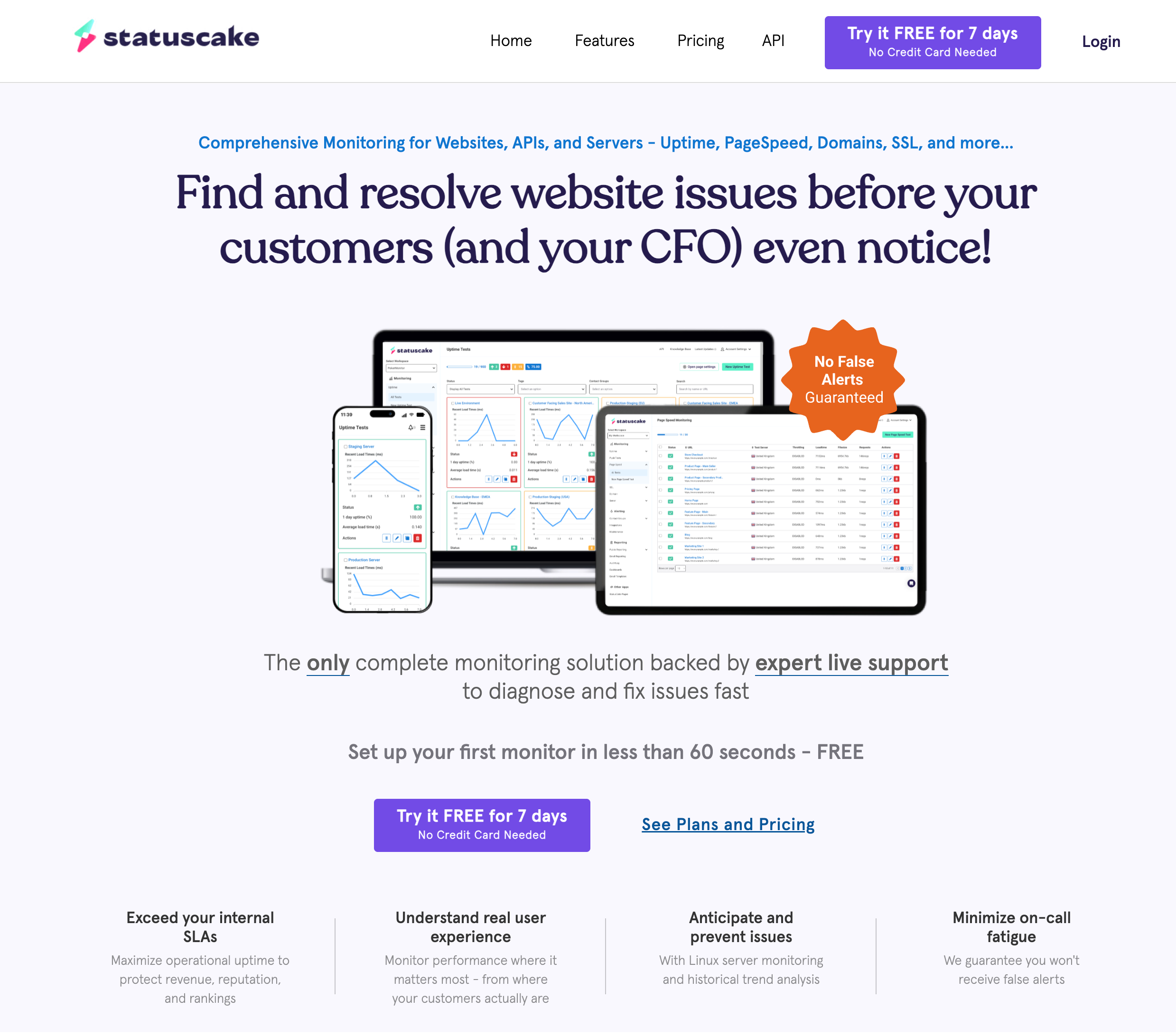
- Cost: Free (10 monitors, 1 SSL monitor)
- Includes: Uptime + SSL monitoring combined
- Limitation: Only 1 dedicated SSL monitor on free plan; paid plans start at ~$20/month
TrackSSL (Limited Free)
TrackSSL offers a free tier for up to 2 domains with Slack integration. It monitors for expiration, certificate changes, and Certificate Transparency logs.
- Cost: Free for 2 domains
- Alerts: Email, Slack
- Best for: Small sites needing CT log monitoring
Paid SSL Monitoring Tools
If you need to monitor more than a handful of certificates, or want advanced features like Certificate Transparency log scanning, these paid certificate monitoring solutions are worth considering.
TrackSSL
TrackSSL is a dedicated SSL certificate monitoring service trusted by companies like Dell, IBM, and BigCommerce. Beyond expiration alerts, it monitors Certificate Transparency logs and detects unauthorized certificate issuance.
- Pricing: From $17/month (20 domains)
- Alerts: Email, SMS, Slack, Microsoft Teams
- Features: CT log monitoring, internal certificate support, certificate change alerts
UptimeRobot
UptimeRobot bundles SSL monitoring with their uptime monitoring service. The Pro plan includes SSL certificate monitoring for all your monitors.
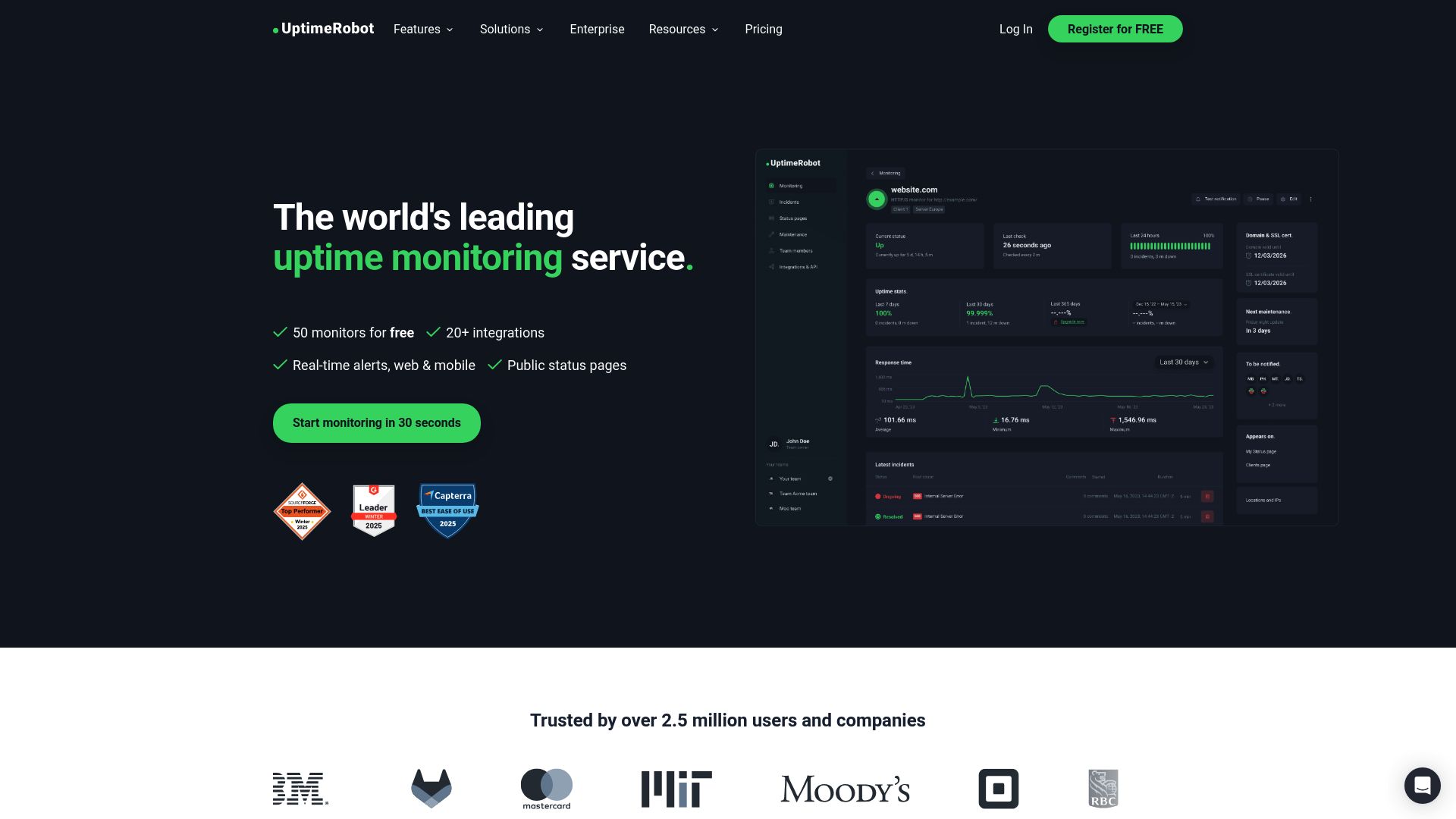
- Pricing: From $7/month
- SSL monitoring: Included with uptime monitoring
- Best for: Users who want combined uptime + SSL monitoring
Note: UptimeRobot's free tier has been restricted to non-commercial use since October 2024. If you're monitoring a business website, you'll need a paid plan.
Pingdom
Pingdom (now part of SolarWinds) includes SSL monitoring in their Synthetic Monitoring plans. You can set alerts for 1 day to 30 days before expiration and receive notifications via email, SMS, or integrations like Slack.
- Pricing: From $10/month
- SSL monitoring: Part of synthetic monitoring package
- Best for: Enterprise users who need comprehensive monitoring
Sematext Synthetics
Sematext offers SSL monitoring as part of their Synthetics service. It tracks network timings across all layers including DNS, TCP, SSL, and HTTP.
Enterprise Certificate Lifecycle Management (CLM)
For large organizations managing hundreds or thousands of certificates, dedicated CLM platforms like Keyfactor, Sectigo Certificate Manager, or ManageEngine Key Manager Plus provide full automation, including certificate discovery, issuance, and renewal. These are the most comprehensive certificate monitoring solutions available, but come with enterprise pricing.
SSL Certificate Monitoring Tools Comparison
| Tool | Free Tier | Paid From | SSL Alerts | Best For |
|---|---|---|---|---|
| Notifier.so | 10 monitors | $4/month | Email, SMS, Phone, Slack | Uptime + SSL in one tool |
| LetsMonitor | Unlimited | N/A | Email, SMS | Budget-conscious users |
| Red Sift Lite | 250 certs | Contact sales | Large certificate inventories | |
| StatusCake | 1 SSL monitor | ~$20/month | Email, Slack, Teams | Combined uptime + SSL |
| TrackSSL | 2 domains | $17/month | Email, SMS, Slack, Teams | CT log monitoring |
| UptimeRobot | Non-commercial only | $7/month | Email, SMS, Slack | Uptime + SSL bundle |
| Pingdom | None | $10/month | Email, SMS, Slack | Enterprise monitoring |
SSL Certificate Monitoring Best Practices
Setting up monitoring is only the first step. Here's how to get the most from your SSL certificate expiration monitoring.
1. Set Tiered SSL Expiration Alerts
Don't wait until one day before expiration to get notified. Set multiple SSL certificate expiration alerts:
- 30 days before: Initial warning. Time to plan renewal.
- 14 days before: Reminder to take action.
- 7 days before: Urgent. Renewal should be in progress.
- 1 day before: Critical. Something went wrong with the renewal.
2. Use Multiple Notification Channels
Email alone isn't enough. Certificate expiration alerts should go to multiple channels:
- Email (for documentation and audit trail)
- Slack or Microsoft Teams (for immediate team visibility)
- SMS (for critical 7-day and 1-day warnings)
- PagerDuty or Opsgenie (for on-call escalation)
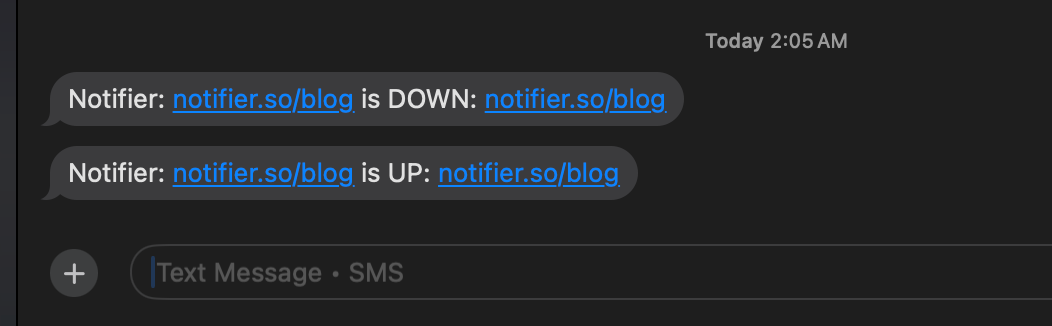
SMS alerts ensure critical certificate warnings reach you even when you're away from your desk.
3. Maintain a Certificate Inventory
You can't monitor what you don't know exists. Create a centralized inventory of all certificates in your organization. This is the foundation of any certificate tracking system:
- Domain name and subdomains
- Certificate type (DV, OV, EV)
- Issuing CA
- Expiration date
- Owner or responsible team
4. Monitor Certificate Changes
If your certificate changes unexpectedly, it could indicate:
- Auto-renewal succeeded (good)
- Someone manually changed the certificate without telling you (could be bad)
- Your hosting provider made a change (needs investigation)
- A potential attack (requires immediate action)
Set up alerts for any certificate changes so you're never surprised.
5. Prepare for Short-Lived SSL Certificates
With the move to 47-day certificates starting in 2026, now is the time to:
- Audit your current certificate renewal process
- Identify which certificates can be auto-renewed (Let's Encrypt, ACME-compatible CAs)
- Identify which certificates require manual steps
- Implement or upgrade automation where possible
- Set up SSL expiry monitoring as a safety net for automated renewals that fail
How to Choose an SSL Certificate Monitoring Tool
The right certificate monitoring tool depends on your situation. Here are the key questions to ask:
How Many Certificates Do You Monitor?
- 1 to 10 certificates: A free tool works well. Notifier gives you 10 monitors with SSL monitoring included, or LetsMonitor offers unlimited free SSL checks.
- 10 to 50 certificates: TrackSSL or a bundled solution like Notifier's Solo plan ($4/month for 20 monitors) makes sense.
- 50+ certificates: Consider Red Sift Lite (free up to 250) or enterprise CLM platforms.
Do You Need Uptime Monitoring Too?
If you're already monitoring uptime, check if your tool includes SSL monitoring. Tools like Notifier, StatusCake, UptimeRobot, and Pingdom bundle both features. Using a single tool simplifies your monitoring stack and means fewer dashboards to check.
Do You Need Internal Certificate Monitoring?
Most free tools only monitor publicly accessible certificates. If you have internal services, self-signed certificates, or certificates on private networks, you'll need a tool like TrackSSL that supports internal certificate monitoring.
What SSL Certificate Expiration Alerts Do You Need?
Consider where you want to receive alerts:
- Email (universal, all tools)
- Slack (Notifier, TrackSSL, Pingdom, UptimeRobot)
- SMS (Notifier, TrackSSL paid, UptimeRobot paid)
- Phone calls (Notifier)
- Microsoft Teams (TrackSSL paid, Pingdom)
- PagerDuty/Opsgenie (enterprise tools)
SSL Certificate Monitoring with Notifier
Notifier includes SSL certificate monitoring free on every plan. When you create an HTTPS monitor, SSL certificate tracking is enabled automatically. There's nothing extra to configure.
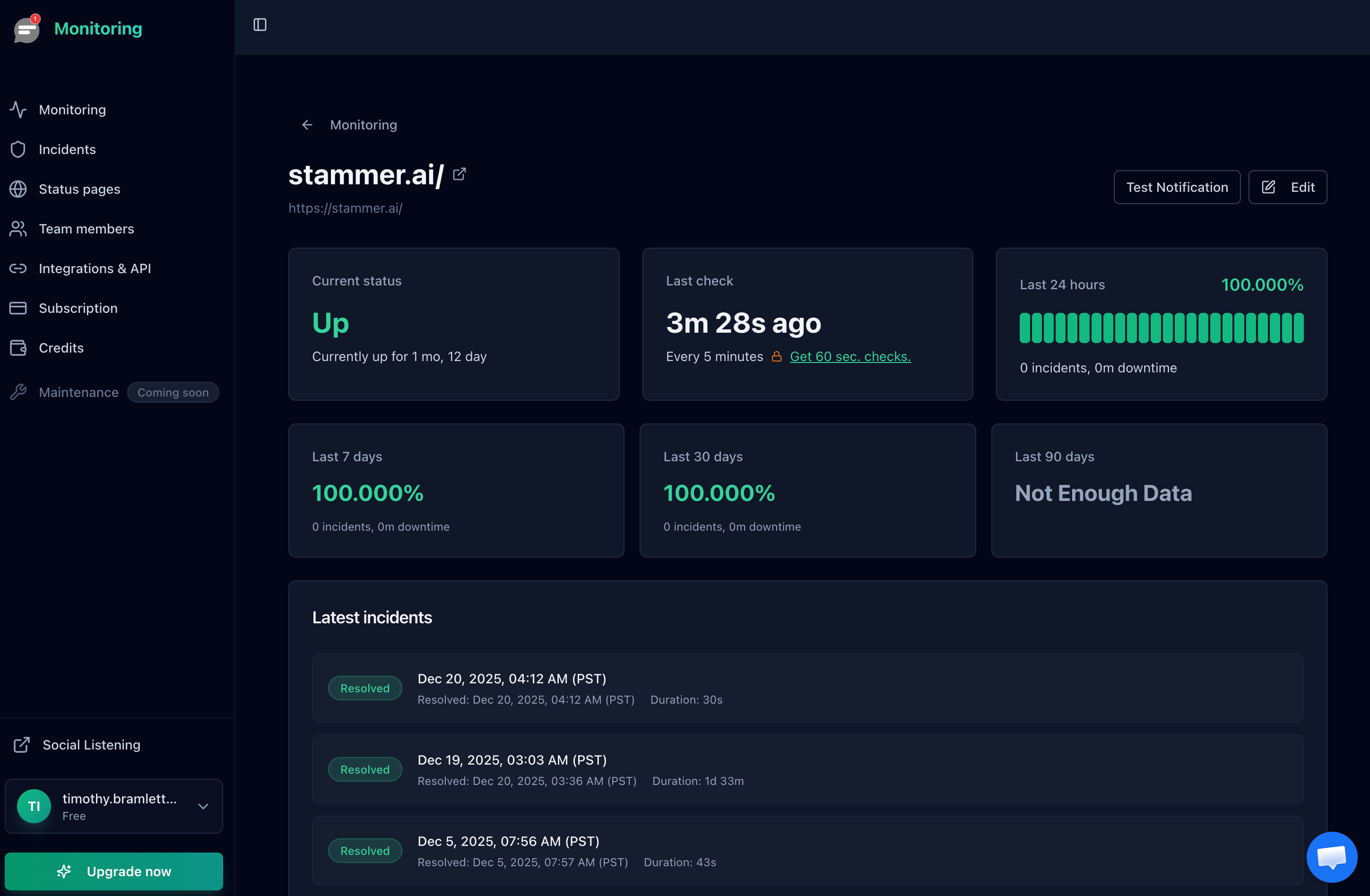
Monitor detail view showing uptime history. SSL certificate expiration is tracked automatically for every HTTPS monitor.
Here's what you get:
- Automatic SSL monitoring: Every HTTPS monitor checks SSL certificate validity and expiration
- Expiration alerts: Get notified before your certificate expires via email, SMS, phone call, or Slack
- Free on all plans: SSL monitoring is included at no extra cost, even on the free tier (10 monitors)
- Combined dashboard: See uptime, response time, and SSL certificate status in one place
- Status pages: Create public status pages that reflect both uptime and SSL health
Bottom line:
SSL certificate expiration is entirely preventable. With the move to shorter certificate lifecycles already underway, automated monitoring isn't optional. Whether you use Notifier or another tool, start monitoring your certificates now so you're not scrambling later.
Frequently Asked Questions
What is SSL certificate monitoring?
SSL certificate monitoring is the automated process of checking your SSL/TLS certificates for expiration dates, misconfigurations, and chain validity. A monitoring tool connects to your server periodically, reads the certificate details, and sends you alerts before expiration or if it detects problems. This prevents outages caused by expired or misconfigured certificates.
How do I monitor SSL certificate expiration?
The simplest approach is to use a monitoring service like Notifier that checks your certificates automatically. Add your domain, and the tool monitors the SSL certificate expiration date and alerts you before it expires. For manual checks, you can use openssl s_client from the command line, but this doesn't scale beyond a few certificates.
Is SSL certificate monitoring free?
Yes, several tools offer free SSL certificate monitoring. Notifier includes SSL monitoring free on all plans (including the free tier with 10 monitors). LetsMonitor offers unlimited free SSL monitoring. Red Sift Certificates Lite is free for up to 250 certificates. StatusCake's free tier includes 1 dedicated SSL monitor.
What are short-lived SSL certificates?
Short-lived SSL certificates have lifetimes significantly shorter than the traditional 398-day maximum. The CA/Browser Forum has approved a phased reduction that will bring maximum certificate lifetimes down to 47 days by March 2029. This means certificates will need to be renewed roughly eight times per year instead of once, making automated monitoring and renewal essential.
What happens when an SSL certificate expires?
When an SSL certificate expires, browsers display a "Your connection is not private" warning page. Most visitors (about 85%) will leave immediately. Search engines may also penalize your rankings since HTTPS is a ranking factor. For APIs and backend services, expired certificates cause connection failures that can break your entire application.
How often should I check SSL certificate expiration?
Daily checks are sufficient for most use cases. Monitoring services typically check every few hours or more frequently. The key is to set tiered alerts: 30 days, 14 days, 7 days, and 1 day before expiration. This gives you multiple opportunities to catch and fix an expiring certificate before it causes downtime.
Do I need SSL monitoring if I use Let's Encrypt auto-renewal?
Yes. Let's Encrypt auto-renewal works well, but it can fail silently. DNS changes, server misconfiguration, firewall rules, or ACME challenge failures can all prevent renewal without any obvious error. SSL monitoring acts as a safety net that catches these failures before your certificate actually expires. Think of it as monitoring the monitor.
Can I monitor SSL certificates and website uptime with the same tool?
Yes. Tools like Notifier, StatusCake, UptimeRobot, and Pingdom offer both uptime monitoring and SSL certificate monitoring in a single dashboard. This is the recommended approach for most teams because it reduces the number of tools you need to manage and gives you a unified view of your website's health.
