"Shopify handles my hosting, so I don't need to worry about downtime." That's what most Shopify store owners believe. And it's wrong.
On Cyber Monday 2025, Shopify suffered a 5+ hour outage that locked thousands of merchants out of their admin panels during the biggest shopping day of the year. Conservative estimates put the disrupted transactions at $15 to $30 million. Shopify's own status page showed the problem, but most merchants found out the hard way: from customers who couldn't complete orders, from ad spend burning on a broken checkout, from revenue dashboards flatlined during peak hours.
Shopify is reliable, but it's not immune to outages. And even when Shopify's platform is running perfectly, your specific store can break from app conflicts, DNS misconfiguration, or payment gateway failures. This guide covers why Shopify stores go down, what you should monitor, and how to get alerted the moment something breaks.
Why Shopify Stores Go Down
Shopify is a managed platform, which means you don't control the servers, the CDN, or the infrastructure. That's usually a good thing. But it also means you're at the mercy of factors outside your control, plus a few that are entirely within it.
1. Shopify Platform Outages
Shopify runs on Google Cloud Platform with Fastly and Cloudflare as CDN providers. The infrastructure is massive: 180+ edge nodes globally, handling billions of requests daily. But large-scale infrastructure failures happen. When Shopify's platform goes down, every store on the platform is affected. You can't fix it, restart a server, or roll back a deploy. You wait.
Shopify reports approximately 99.9% uptime, which sounds great until you do the math: 99.9% uptime allows for 8 hours and 46 minutes of downtime per year. During peak shopping periods, even a few minutes costs real money.
2. Third-Party App Conflicts
The average enterprise Shopify store runs 20 to 50 third-party apps. Each app injects JavaScript, stylesheets, and DOM elements into your storefront. When apps conflict with each other, with your theme, or with a Shopify platform update, the results range from broken buttons and visual glitches to complete page failures.
The most dangerous conflicts involve apps that modify cart behavior: discount engines, upsell widgets, custom checkout fields, and currency converters. A single broken app can make your checkout unusable while your homepage looks perfectly fine.
3. Custom Domain DNS Issues
When you connect a custom domain to Shopify, your DNS records need to point to the right place. The A record must point to 23.227.38.65 and the www CNAME must point to shops.myshopify.com. If these records are wrong, have extra entries (like stale AAAA records), or are routed through a proxy like Cloudflare, some visitors reach your store while others get errors.
DNS changes take up to 48 hours to propagate globally. During propagation, your store might be accessible in some regions and broken in others. Without multi-location monitoring, you'd never know.
4. SSL Certificate Problems
Shopify provides free SSL certificates automatically, but custom domain configurations can interfere with certificate provisioning. DNSSEC settings, conflicting DNS records, and domain registrar configurations can leave your SSL status stuck in "pending" or "unavailable." When SSL fails, browsers show security warnings that send customers running.
5. Payment Gateway Failures
Your storefront can be perfectly functional while the payment system is broken. Misconfigured payment gateway API keys, expired credentials, region mismatches, or issues with Shopify Payments itself can cause checkout failures. The store looks fine, products load, the cart works, but the moment a customer tries to pay, the transaction fails.
6. Theme Update Breakages
Theme updates and customizations without version control lead to broken layouts when Shopify updates core platform files. Custom Liquid code that worked yesterday might break after a Shopify platform update. If you've made extensive theme customizations, each Shopify update is a potential failure point.
Shopify's Real Outage History
Shopify doesn't maintain a public historical log of outages. But third-party tracking services and news coverage paint a clear picture: outages happen regularly, and some hit at the worst possible times.
Cyber Monday 2025 (December 1)
~5 to 6 hoursLogin authentication failure during the biggest shopping day of the year. 4,000+ simultaneous reports at peak. Merchants locked out of admin panels from approximately 9 AM to 3 PM ET. Customer-facing checkout remained functional for most stores, but merchants could not update products, manage orders, adjust discounts, or connect fulfillment APIs. Covered by NBC News, CNBC, TechCrunch, and CBS. Estimated $15 to $30 million in disrupted transactions.
Cloudflare Cascade (May 6 to 9, 2024)
48+ hoursCloudflare made routing changes that caused partial traffic loss. This triggered Shopify's auto-scaling to scale down infrastructure. When Cloudflare reversed the change, Shopify was under-provisioned and couldn't handle the returning traffic. Five separate outage events over two days. All major services affected: Admin, Checkout, Storefront, API, POS, and Third-party services. Shopify published a detailed postmortem identifying Cloudflare as the catalyst.
Other Notable Outages
Various- December 5, 2025: Login failures and site errors, 3 hours (just 4 days after Cyber Monday)
- March 2025: Login and checkout issues
- March 13, 2023: ~2.5 hours of intermittent access across Admin, Checkout, and Storefront
- August 8, 2022: ~40 minute multi-phase disruption affecting Admin, Checkout, and POS
- June 5 to 6, 2022: ~2 hour incident affecting multiple core services
- April 14, 2021: ~50 minute platform-wide disruption across nearly all services
The pattern is clear: Shopify has significant outages multiple times per year. Most are resolved within a few hours, but during peak shopping periods, a few hours can cost you thousands in lost sales.
The Revenue Impact of Shopify Downtime
Every minute your Shopify store is down, you're losing money. Here's how to calculate exactly how much.
Calculate Your Cost Per Minute
Formula: Daily Sales / 1,440 = Revenue Lost Per Minute
| Daily Sales | Per Minute | Per Hour | 5 Hour Outage |
|---|---|---|---|
| $500/day | $0.35 | $21 | $104 |
| $2,000/day | $1.39 | $83 | $417 |
| $10,000/day | $6.94 | $417 | $2,083 |
| $50,000/day | $34.72 | $2,083 | $10,417 |
During peak shopping periods (Black Friday, Cyber Monday, holiday sales), these numbers multiply. Shopify stores collectively processed $5.1 million per minute at peak during BFCM 2025. If your store does 3x to 5x normal volume during sales events, your downtime cost scales accordingly.
Hidden Costs Beyond Lost Sales
- Wasted ad spend: Your Google Ads, Facebook Ads, and TikTok campaigns keep running while your store is down. Every click during downtime is money burned.
- Cart abandonment: Customers who encounter errors rarely come back. Research shows revenue takes 2 to 4 weeks to return to pre-downtime levels after a significant outage.
- SEO damage: If Googlebot crawls your store during downtime and receives 500 errors, it may reduce crawl frequency and lower your search rankings.
- Customer trust: A down store looks unprofessional. First-time visitors who encounter an error will likely never return. For more on the business case, see our guide on why uptime monitoring matters.
The Monitoring Gap: What Shopify Doesn't Tell You
Shopify has an official status page at shopifystatus.com that tracks 9 platform components: Checkout, Admin, Storefront, API & Mobile, Point of Sale, Support, Reports, Third-party services, and Oxygen. You can subscribe to email or SMS alerts for platform-wide issues.
But here's the gap: Shopify monitors their platform, not your store.
- App conflicts that break your checkout? Shopify's status page shows "All Systems Operational."
- DNS misconfiguration making your custom domain unreachable? Shopify doesn't know.
- SSL certificate stuck in pending? Shopify won't alert you.
- Payment gateway credentials expired? Shopify's platform is running fine; it's your configuration that's broken.
- CDN serving your store in the US but not in Europe? Shopify's status page won't catch regional issues with your specific store.
Shopify's status page is useful for platform-wide outages (like the Cyber Monday 2025 incident). But for everything else, you need external monitoring that checks your actual store from the outside, the same way your customers access it.
Two layers of monitoring
- Layer 1: Shopify's status page for platform-wide outages. Subscribe to alerts at shopifystatus.com. This is free and covers infrastructure issues.
- Layer 2: External uptime monitoring for your specific store. This catches app conflicts, DNS issues, SSL problems, and regional outages that Shopify's status page misses.
What to Monitor on Your Shopify Store
Don't just monitor your homepage. Your homepage can be perfectly cached while your checkout is broken. Here are the specific pages and endpoints to monitor.
1. Your Storefront Homepage
Monitor https://yourdomain.com/ for HTTP 200 responses. This is your baseline check. It catches total outages, DNS failures, and SSL problems. If your homepage is down, everything is down.
2. A Product Page
Monitor a specific product page like https://yourdomain.com/products/your-bestseller. Product pages are dynamically generated and exercise the Shopify backend differently than the homepage. If your homepage loads from cache but Shopify's application layer is failing, a product page check will catch it.
3. A Collection Page
Monitor https://yourdomain.com/collections/all (or your most important collection). Collection pages pull multiple products and render them in your theme layout. Theme conflicts and app issues often surface on collection pages before they appear on simpler pages.
4. The Cart Page
Monitor https://yourdomain.com/cart. The cart page exercises Shopify's session handling and app integrations. Apps that modify cart behavior (discount engines, upsell tools, custom fields) can break this page independently.
5. Your myshopify.com Domain (Backup Check)
Every Shopify store has a default yourstore.myshopify.com URL that always works regardless of your custom domain DNS. Monitoring this as a secondary check helps you distinguish between "my DNS is broken" and "Shopify's platform is down." If your custom domain is down but myshopify.com is up, it's a DNS issue on your end.
| URL | What It Tests | Priority |
|---|---|---|
yourdomain.com/ |
DNS, SSL, CDN, basic reachability | Essential |
/products/your-product |
Shopify application layer, theme rendering | Essential |
/collections/all |
Theme rendering, app conflicts | Recommended |
/cart |
Session handling, cart app integrations | Recommended |
yourstore.myshopify.com |
Platform vs DNS issue differentiation | Optional |
Technical note: User-Agent headers
Shopify's web application firewall may block monitoring requests that use generic bot User-Agent strings. If you're getting false downtime alerts, check whether your monitoring tool allows custom User-Agent headers. Setting something like User-Agent: mystoremonitor can help avoid being filtered. Most modern monitoring tools handle this automatically.
How to Set Up Shopify Monitoring (Step by Step)
Here's how to set up comprehensive monitoring for your Shopify store using Notifier.
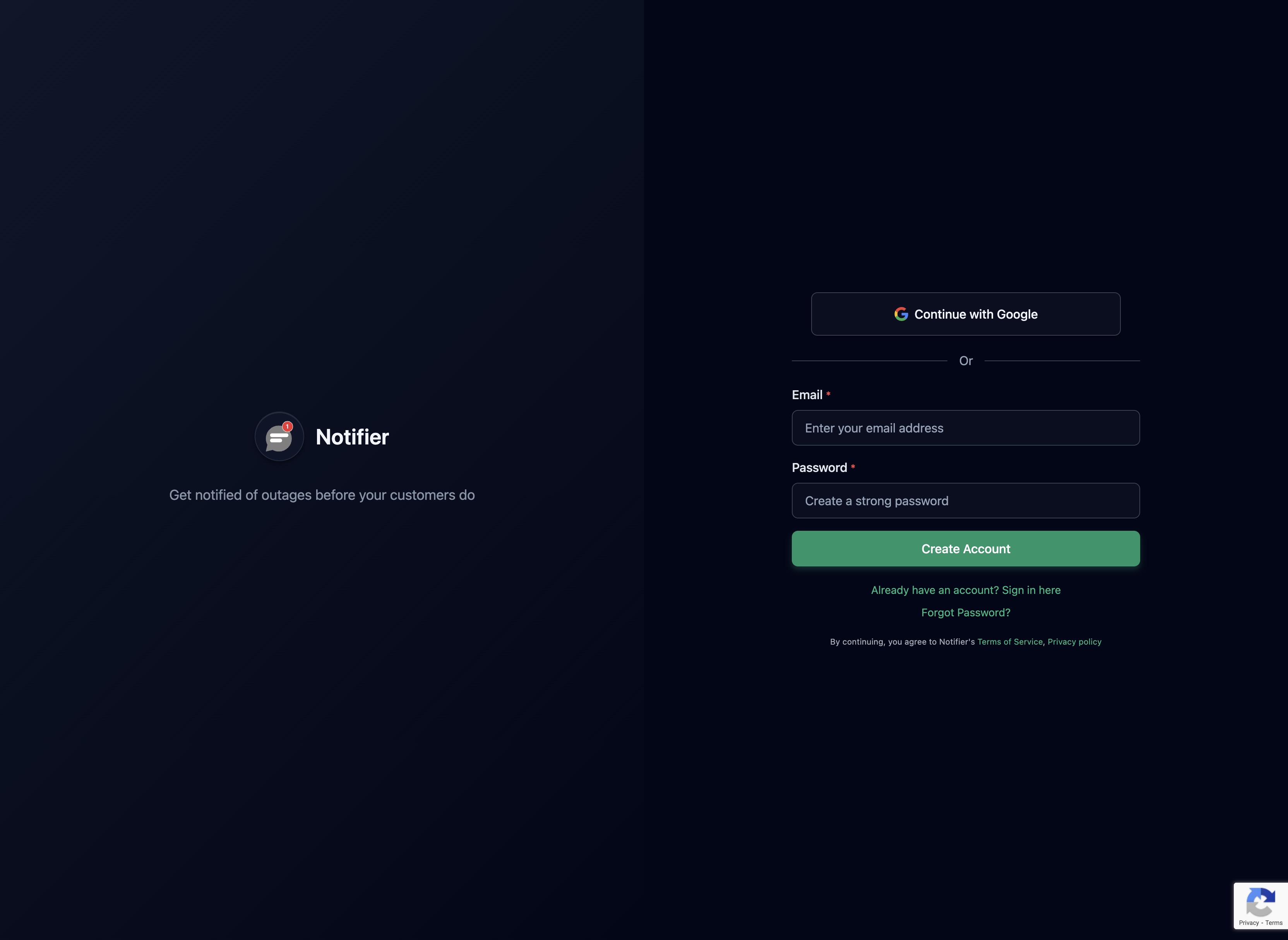
Step 1: Create Your Account
Sign up at notifier.so/register. The free plan gives you 10 monitors, which is more than enough for a single Shopify store. No credit card required.
Step 2: Add Your Homepage Monitor
Click "Add Monitor" and enter your store's URL (e.g., https://yourdomain.com). Set the check interval based on your plan and needs. For an active e-commerce store, 1 minute checks (available on the $4/month Solo plan) are ideal.

Step 3: Add Product and Collection Monitors
Add monitors for at least one product page and one collection page. These catch Shopify application layer failures and theme/app conflicts that homepage-only monitoring misses.
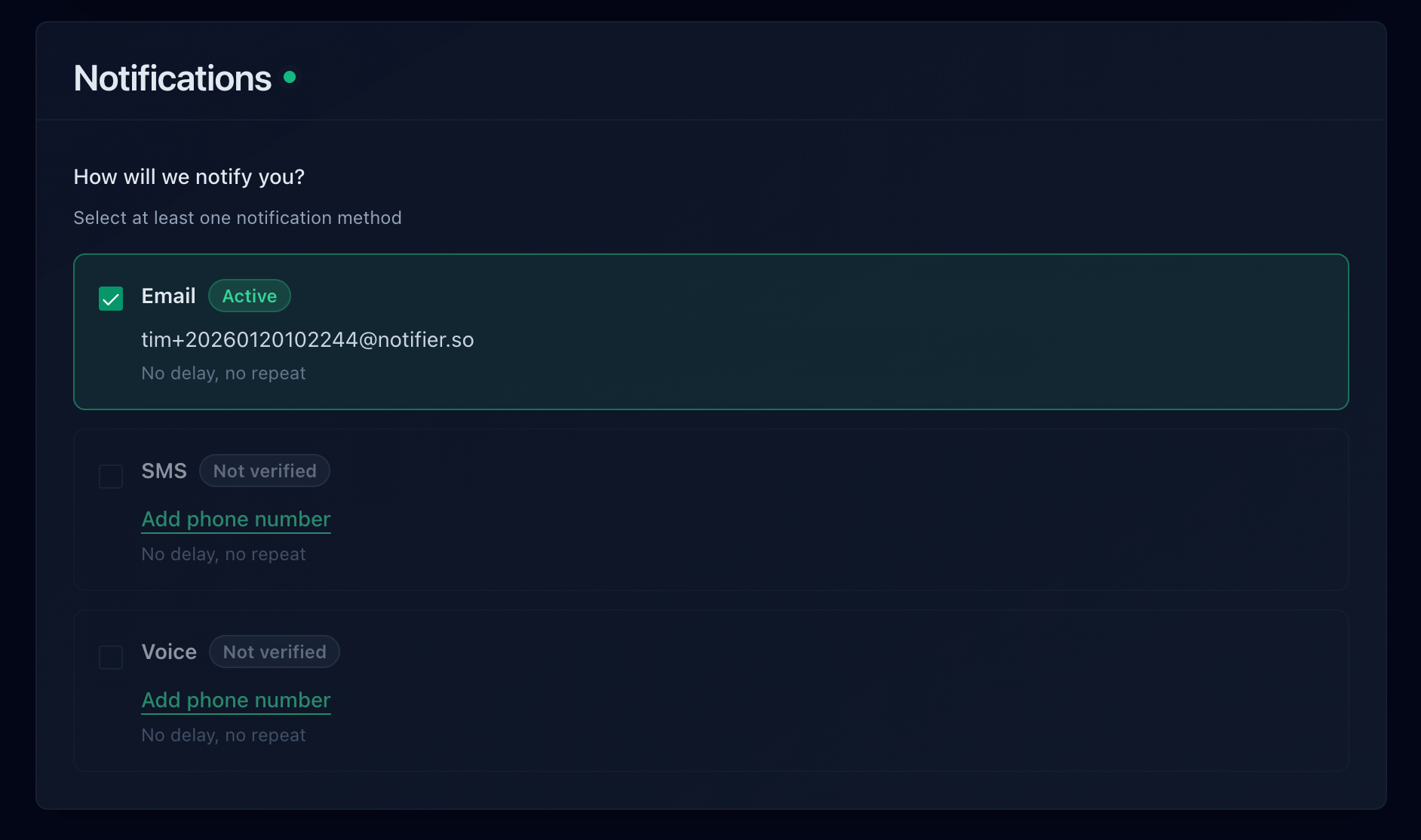
Step 4: Set Up Multi-Channel Alerts
For an e-commerce store, email alerts alone are not enough. Set up SMS or phone call alerts so you're notified immediately when your store goes down. During a sale or ad campaign, every minute matters. Notifier includes SMS and phone call alerts on all paid plans with no per-message fees.
Step 5: Subscribe to Shopify's Status Page
Go to shopifystatus.com and subscribe to email or SMS updates. This gives you a heads-up about platform-wide issues and complements your external monitoring.
Step 6: Create a Status Page for Your Store (Optional)
If you run a larger store or have B2B customers, create a public status page that shows your store's uptime. During outages, you can update it to let customers know you're aware of the issue and working on it. This reduces "is your site down?" support tickets significantly.
Shopify Monitoring Tools Compared
Here's how the main monitoring options compare for Shopify stores.
| Tool | Free Tier | Paid From | Check Interval | Best For |
|---|---|---|---|---|
| Notifier | 10 monitors | $4/mo | 1 min (paid) | Affordable monitoring with SMS/phone alerts |
| UptimeRobot | 50 monitors | $7/mo | 1 min (paid) | Maximum free monitors |
| Uptime.com | No | $20/mo | 1 min | Transaction monitoring (simulated checkout) |
| Better Stack | 10 monitors | $25/mo | 30 sec (paid) | Incident management workflows |
| Shopify Status Page | Free | Free | N/A | Platform-wide outage alerts only |
Our Recommendation
For most Shopify store owners, Notifier is the best starting point. The free plan gives you enough monitors to cover your homepage, a product page, and a collection page. When you're ready for 1 minute checks and SMS/phone alerts, the Solo plan at $4/month is the cheapest option with those features. Unlike larger competitors, you're dealing with a small team that actually uses the product they build. If you run into issues, support responds in minutes via chat or email.
If you need simulated checkout monitoring (a bot that walks through the entire purchase flow), Uptime.com offers that as a premium feature. For most stores, monitoring individual pages is sufficient to catch the vast majority of issues.
Frequently Asked Questions
Does Shopify guarantee uptime?
Shopify reports approximately 99.9% uptime on standard plans, but this is not a contractual SLA. Only Shopify Plus customers get a contractual 99.99% uptime guarantee. Even with 99.9%, that's nearly 9 hours of potential downtime per year.
Will Shopify notify me when my store is down?
Only for platform-wide outages, and only if you've subscribed to updates at shopifystatus.com. Shopify does not proactively push notifications to merchants by default, and they do not monitor individual store health. If your store is down because of a DNS issue, app conflict, or SSL problem, Shopify won't tell you.
Can I monitor my Shopify checkout?
You can monitor the /cart page as a proxy for checkout health. Full checkout flow monitoring (simulating an actual purchase) requires advanced transaction monitoring tools like Uptime.com. For most stores, monitoring the homepage, a product page, and the cart page catches the majority of issues.
How many monitors do I need for a Shopify store?
A minimum of 2 (homepage + product page). Ideally 3 to 5 (homepage, product page, collection page, cart page, and optionally your myshopify.com backup URL). Notifier's free plan gives you 10 monitors, which is more than enough for a single Shopify store.
Should I pause ads when my store goes down?
Yes. If your store is down for more than a few minutes, pause your paid ad campaigns immediately. Every click during downtime is wasted spend. Some monitoring tools support webhook integrations that can automatically pause campaigns, but manual pausing is the most reliable approach for most merchants. The key is knowing your store is down quickly, which is exactly what monitoring provides.
Is Shopify Plus more reliable than standard Shopify?
Shopify Plus offers a 99.99% contractual uptime SLA (versus ~99.9% for standard plans), higher API rate limits (20 requests/second versus 2), and handles 10,000+ checkouts per minute with unlimited bandwidth. However, platform-wide outages (like the Cyber Monday 2025 incident) affect all Shopify plans equally. External monitoring is valuable regardless of which Shopify plan you're on.
