At a Glance
- •Pingdom is a focused uptime and real user monitoring (RUM) tool starting at $15/month with no free plan. Site24x7 is a full-stack observability platform (servers, APM, cloud, websites) starting at $9/month with a free tier.
- •Site24x7 has more features (server monitoring, APM, cloud monitoring, advanced alerting with PagerDuty) but is significantly more complex to set up and navigate than Pingdom.
- •For pure website monitoring, both are comparable in quality. Choose Pingdom for simplicity, choose Site24x7 if you also need server and application monitoring.
- •Both are more expensive and complex than necessary if you only need website uptime monitoring. Notifier offers HTTP, SSL, and DNS monitoring with email, SMS, phone, and Slack alerts starting free for 10 monitors.
Pingdom and Site24x7 are both monitoring tools, but they solve different problems at different scales. Pingdom is a focused uptime and real user monitoring (RUM) tool. Site24x7 is a full observability platform covering servers, applications, networks, cloud infrastructure, and uptime all in one dashboard.
This comparison breaks down the features, pricing, and trade-offs to help you decide which fits your needs. If you just need website uptime monitoring without the complexity of either, we'll cover that option too.
Pingdom vs Site24x7: Quick Overview
Pingdom
- Founded: 2005 in Sweden
- Owner: SolarWinds (acquired 2014 for $103M), now under Turn/River Capital
- Focus: Synthetic uptime monitoring and Real User Monitoring
- Starting price: $15/month (no free plan)
- Best for: Teams that need simple, reliable uptime checks with transaction monitoring
Site24x7
- Founded: Part of Zoho Corporation (ManageEngine division)
- Owner: Zoho Corporation (private, bootstrapped)
- Focus: Full-stack monitoring (servers, APM, network, cloud, websites)
- Starting price: $9/month (free tier for up to 5 monitors)
- Best for: Teams that want uptime, server, APM, and cloud monitoring in one platform
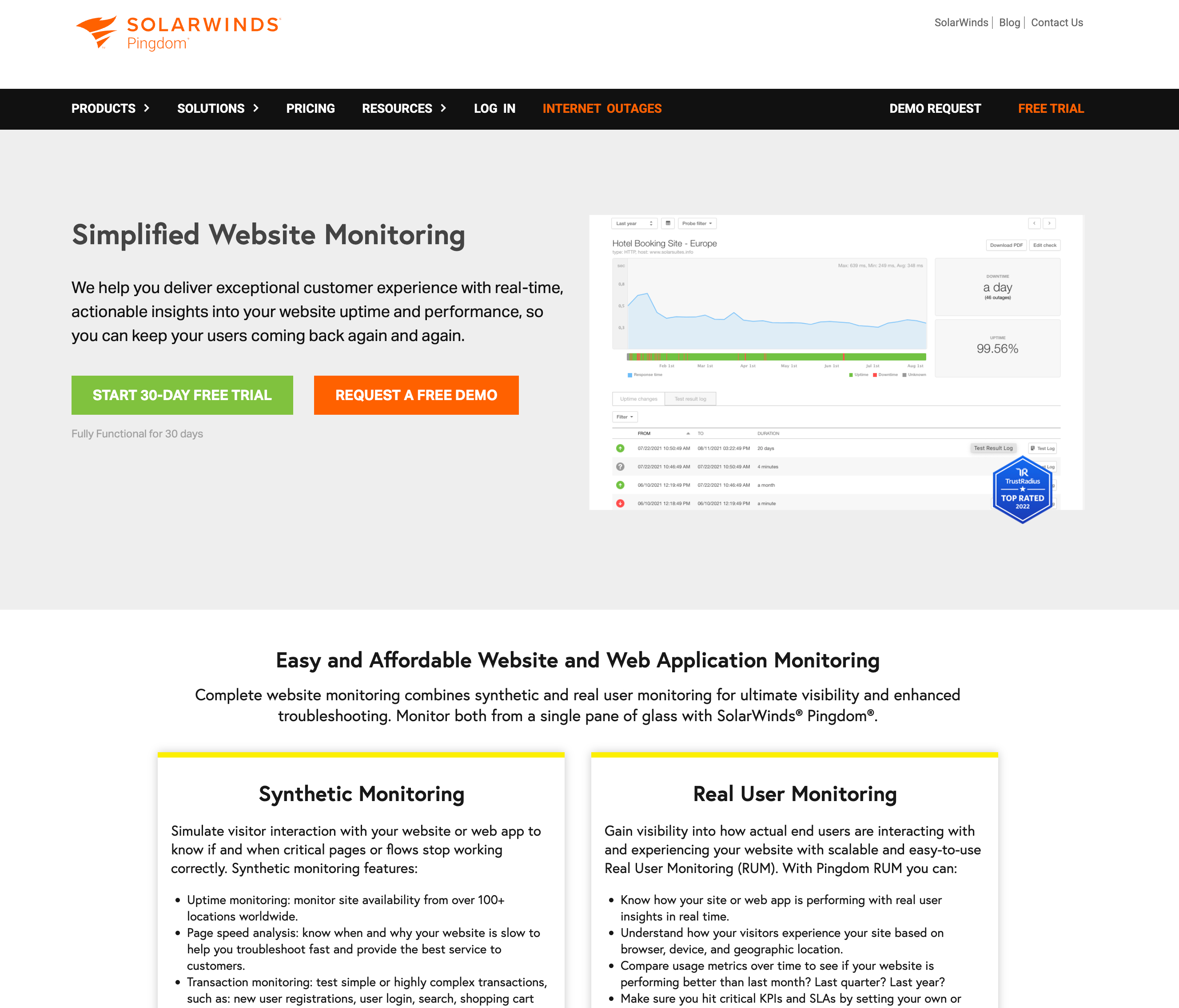
Pingdom focuses on synthetic monitoring and real user monitoring (RUM).
Feature Comparison
| Feature | Pingdom | Site24x7 |
|---|---|---|
| HTTP/HTTPS monitoring | Yes | Yes |
| SSL certificate monitoring | With HTTPS monitors | Dedicated monitors |
| DNS monitoring | No | Yes |
| Transaction monitoring | Yes (multi-step) | Yes (web transactions) |
| Real User Monitoring (RUM) | Yes (separate pricing) | Yes (included) |
| Server monitoring | No | Yes (CPU, memory, disk) |
| APM (Application Performance) | No | Yes |
| Cloud monitoring (AWS/Azure/GCP) | No | Yes |
| Network monitoring | No | Yes |
| Status pages | 1 per organization | Multiple |
| Monitoring locations | 100+ | 130+ |
| Check interval | 1 minute | 1 minute (30 sec on higher plans) |
The feature gap is clear: Pingdom does website monitoring and RUM. Site24x7 does that plus servers, applications, networks, and cloud infrastructure. The question is whether you need all of that or whether a focused tool is a better fit.
Pricing Comparison
Pingdom Pricing
Pingdom uses a tiered usage-based model with no free plan (14-day trial only):
| Monitors | Monthly | Annual (per month) | SMS Credits |
|---|---|---|---|
| 10 | $15/mo | $10/mo | 50 |
| 50 | $65/mo | $50/mo | 200 |
| 100 | $124/mo | $95/mo | 350 |
RUM is sold separately, starting at $10/month for 100K pageviews.
Site24x7 Pricing
Site24x7 offers a free tier (up to 5 monitors) and several paid plans. Website monitoring plans:
| Plan | Monthly | Included |
|---|---|---|
| Starter | $9/mo | 10 website monitors, 1 status page |
| Pro | $35/mo | 40 monitors, 3 status pages, RUM |
| Classic | $89/mo | 100 monitors, server monitoring, APM |
| Elite | $225/mo | 250 monitors, full-stack, advanced analytics |
At first glance, Site24x7's $9/month entry looks cheaper than Pingdom's $15/month. But the comparison is misleading: Site24x7's Starter plan includes 10 monitors while Pingdom's $15 plan also includes 10 monitors plus 50 SMS credits. The real cost difference shows at scale. For 100 monitors, Pingdom costs around $95/month (annual) while Site24x7's Classic plan is $89/month with significantly more features included.
The key pricing difference: Site24x7 bundles server, APM, and cloud monitoring into its higher tiers. If you need those features, Site24x7 offers better value than buying separate tools. If you only need uptime monitoring, you're paying for features you won't use.
Ease of Use and Setup
Pingdom
Pingdom's interface is straightforward. You add a URL, choose a check interval, and configure alerts. Setup takes minutes. The dashboard shows uptime, response time, and test history. Because Pingdom only does a few things (uptime, transactions, RUM), the interface stays clean and focused. The downside is limited customization: you get what Pingdom gives you, with few options to adjust check behavior or create complex alert rules.
Site24x7
Site24x7's interface reflects its scope: there are dozens of monitor types, hundreds of configuration options, and a learning curve that takes days rather than minutes. The dashboard can feel overwhelming because it's designed for operations teams managing entire infrastructure stacks, not just websites. If you only use the website monitoring features, most of the interface is irrelevant to you.
The trade-off is clear: Pingdom is easier to use because it does less. Site24x7 is harder to use because it does more. If your team has a dedicated ops or SRE person, Site24x7's complexity is manageable. If your developer is also your sysadmin, designer, and support rep, Pingdom or a simpler tool is the better choice.
Alerting and Notifications
| Alert Feature | Pingdom | Site24x7 |
|---|---|---|
| Yes | Yes | |
| SMS | Credit-based | Credit-based |
| Phone calls | No | Yes |
| Slack | Yes | Yes |
| Microsoft Teams | No | Yes |
| Webhooks | Yes | Yes |
| PagerDuty/Opsgenie | No | Yes |
Site24x7 has a clear advantage in alerting. It supports phone calls, Microsoft Teams, PagerDuty, and other on-call tools that Pingdom lacks. Pingdom's alerting is limited to email, SMS (credit-based), Slack, and webhooks. For teams with established on-call rotations using PagerDuty or Opsgenie, Site24x7 integrates directly while Pingdom would require a webhook workaround.
Who Should Use Which Tool
Choose Pingdom if:
- You only need website uptime and real user monitoring
- You want a simple, focused interface without configuration overhead
- You need transaction monitoring for multi-step user flows (checkout, login)
- Your team is small and doesn't have a dedicated ops person
- You're already using other SolarWinds tools and want integration
Choose Site24x7 if:
- You need full-stack monitoring (servers, APM, network, cloud, and websites) in one platform
- You manage infrastructure across AWS, Azure, or Google Cloud
- You need advanced alerting with PagerDuty, Opsgenie, or on-call scheduling
- You're already in the Zoho/ManageEngine ecosystem
- Your team has dedicated ops or SRE staff who can handle the complexity
Consider Also: Notifier
If you're comparing Pingdom and Site24x7 but your actual need is website uptime monitoring, both tools may be more than you need. Pingdom charges $15/month with no free plan. Site24x7's full-stack approach adds complexity you won't use if you only care about whether your website is up.
Notifier is built specifically for website uptime monitoring. It gives you HTTP/HTTPS monitoring, SSL certificate monitoring, DNS monitoring, public status pages, and multi-channel alerts (email, SMS, phone calls, Slack) without the overhead of a full observability platform.
| Feature | Pingdom | Site24x7 | Notifier |
|---|---|---|---|
| Free plan | No (14-day trial) | 5 monitors | 10 monitors |
| Paid starting price | $15/mo | $9/mo | $4/mo |
| SSL monitoring | With HTTPS | Dedicated | All plans (free included) |
| Phone call alerts | No | Yes | All plans |
| Status pages | 1 | Multiple | Up to unlimited |
| Setup time | Minutes | Hours to days | Minutes |
Notifier's free plan includes 10 monitors with SSL monitoring, email, SMS, and phone call alerts. Paid plans start at $4/month. For more details, see our Pingdom alternatives guide.

Notifier's dashboard is clean and focused on what matters: uptime, response time, and SSL status.
Frequently Asked Questions
Is Site24x7 cheaper than Pingdom?
At the entry level, yes: Site24x7 starts at $9/month vs Pingdom's $15/month. But Site24x7's pricing scales steeply for higher tiers ($89/month for 100 monitors vs Pingdom's $95/month). The real value depends on whether you use Site24x7's additional features (server monitoring, APM, cloud). If you only use website monitoring, Site24x7's entry price is lower but you're paying for a complex platform you mostly won't use.
Does Pingdom have a free plan?
No. Pingdom offers a 14-day free trial but no permanent free tier. Site24x7 offers a free plan with up to 5 monitors. If a free tier is important to you, Notifier offers 10 free monitors with SSL monitoring and multi-channel alerts included.
Can I use Site24x7 just for website monitoring?
Yes, but it's like buying a Swiss Army knife when you need a screwdriver. Site24x7's website monitoring works well, but the interface is designed for full-stack observability. You'll navigate past server monitoring, APM, and network sections you don't need. If website monitoring is your only requirement, a focused tool will be simpler and likely cheaper.
Which has better uptime monitoring: Pingdom or Site24x7?
For pure uptime monitoring quality, they're comparable. Both check from 100+ global locations at 1-minute intervals. Pingdom has a slight edge in simplicity and its transaction monitoring is mature. Site24x7 has an edge in alerting options (phone calls, PagerDuty, more integrations). Neither is dramatically better than the other for basic uptime checks.
Is Pingdom still actively developed after the SolarWinds acquisition?
Pingdom is maintained but development has slowed compared to its pre-acquisition pace. SolarWinds was acquired by Turn/River Capital (private equity) in April 2025, which adds uncertainty about future investment. The product works and is reliable, but don't expect rapid feature development. Site24x7, backed by Zoho (a large, profitable private company), has a more active development pace.
