For SaaS companies, downtime is not just a technical problem. It is a business problem. Your customers pay monthly for a service they expect to be available. When it goes down, they lose trust, submit support tickets, and eventually churn.
The numbers back this up. The average cost of downtime has climbed to over $14,000 per minute across organizations. For SaaS specifically, 42% of users report switching platforms due to reliability issues. And enterprise buyers increasingly demand 99.9% or higher uptime before signing a contract.
This guide ranks the 7 best uptime monitoring tools for SaaS companies in 2026, with a focus on what SaaS teams actually need: status pages, Slack alerts, fast check intervals, and pricing that scales with your business.
Why SaaS Companies Need Uptime Monitoring More Than Anyone
A blog or portfolio site can go down for an hour and nobody notices. A SaaS product cannot. Here is why monitoring is non-negotiable for SaaS:
Downtime Directly Impacts Revenue
Every minute your SaaS is down, users cannot access the product they pay for. If you bill monthly, even a few hours of downtime per month can trigger refund requests and cancellations. 98% of organizations report that a single hour of downtime costs over $100,000.
SLA Commitments Are Contractual
Most SaaS companies commit to 99.9% uptime in their terms of service. That allows for only 8 hours and 46 minutes of downtime per year, or about 43 minutes per month. Enterprise customers increasingly demand 99.99%, which means just 52 minutes of downtime per year. Without monitoring, you have no way to know if you are meeting those commitments, and your customers will know before you do.
Trust Is Your Competitive Moat
SaaS buyers evaluate reliability before they sign up. They look at your status page, check your uptime history, and read incident reports. A study of 20 SaaS tools found that 14 of them maintain public status pages, signaling that it has become an industry expectation. If you do not have one, prospects notice.
The recent reality check
In October 2025, an AWS DNS resolution failure in US-EAST-1 paralyzed over 3,500 companies across 60+ countries. In June 2025, a Google Cloud Service Control overload took down Spotify, Discord, and Cloudflare services. In December 2025, a single Cloudflare WAF rule change knocked out 28% of global traffic. These are not hypothetical risks. They are recent events that affected real SaaS companies and their customers.
What SaaS Teams Should Look For in a Monitoring Tool
Not every monitoring tool is built for SaaS. Here are the features that actually matter for SaaS operations:
| Feature | Why It Matters for SaaS |
|---|---|
| Status pages with custom domains | Enterprise buyers expect a branded status page at status.yoursaas.com. It signals operational maturity and reduces support tickets during incidents. |
| Slack integration | Engineering teams live in Slack. Downtime alerts need to reach the team where they already work, not sit in an inbox. |
| Fast check intervals (30s to 1min) | Five minute checks mean up to five minutes of undetected downtime. For SaaS with paying users, that is too slow. |
| SMS and phone call alerts | Email is unreliable for urgent notifications. When your product goes down at 2am, you need a phone call. |
| Team access | Multiple engineers need dashboard access. Support staff need notification routing. Solo plans do not cut it. |
| Multi-region checks | SaaS serves global users. A CDN failure in Europe does not show up on a single US-based check. You need monitoring from multiple locations. |
| Uptime history and reporting | You need historical data to prove SLA compliance, identify patterns, and share reports with stakeholders. |
The 7 Best Uptime Monitoring Tools for SaaS
1. Notifier
Best overall for SaaS teams that want simple, affordable monitoring with status pages included.

Notifier is built for teams that want reliable uptime monitoring without the complexity or cost of enterprise platforms. It includes everything a SaaS company needs out of the box: status pages with custom domains, SMS and phone call alerts, Slack integration, and 30 second check intervals.
| Plan | Price | Monitors | Interval | Status Pages |
|---|---|---|---|---|
| Free | $0 | 10 | 5 min | 5 |
| Solo | $4/mo | 20 | 1 min | 10 |
| Team | $19/mo | 100 | 30 sec | 50 |
| Enterprise | $35/mo | 200 | 30 sec | Unlimited |
Why it works for SaaS: Custom domain status pages are included on all paid plans starting at $4/month. That is the single feature SaaS companies need most, and most competitors either charge extra for it or lock it behind higher tiers. SMS and phone call alerts are unlimited on paid plans with no credit system. Slack integration is available on all paid plans. And if you run into issues, the support team typically responds within minutes via chat or email.
Best for: SaaS teams of 1 to 10 that want monitoring and status pages without the overhead of an incident management platform.
2. Better Stack
Best for SaaS teams that need built-in incident management and on-call scheduling.
Better Stack (formerly Better Uptime) combines uptime monitoring with incident management, on-call scheduling, and status pages in one platform. If your team is large enough to need escalation policies and on-call rotations, it is a strong choice.
The free tier includes 10 monitors with 3 minute checks, 1 status page, and email/Slack alerts. Paid plans start at $29/responder/month (billed annually), plus $21 per additional 50 monitors and $12 to $15 per additional status page.
The trade-off: Better Stack uses component-based pricing, which makes it hard to estimate costs upfront. A small SaaS team with 50 monitors, 2 responders, and 1 status page would pay approximately $79/month. A larger team with 200 monitors and 5 responders could pay over $300/month. Password-protected status pages cost $42 to $50 each. For teams that need full incident management, this can be worth it. For teams that just need monitoring and a status page, it is overkill.
Best for: SaaS teams of 10+ with dedicated on-call engineers who need PagerDuty-style workflows built into their monitoring tool.
3. UptimeRobot
Best known name in uptime monitoring, but commercial SaaS must use paid plans.
UptimeRobot has been around since 2010 and has over 2 million users. It is one of the most recognized names in uptime monitoring. The interface is straightforward, and it does the basics well.
However, there is a critical detail for SaaS companies: as of December 2024, the free plan is restricted to non-commercial use only. If you are running a SaaS business, you must use a paid plan. The Solo plan at $7/month only gives you 10 monitors (fewer than the free plan's 50), 1 minute checks, and 3 basic status pages. The Team plan at $29/month gives you 100 monitors and unlocks webhooks, Zapier, and PagerDuty integrations.
SMS credits are a one-time welcome bundle, not a monthly allowance. Once you use them, you need to buy more at $3 for 10 credits. Slack integration is available on Solo and above, but advanced integrations like webhooks are locked to the Team plan.
Best for: SaaS teams that already use UptimeRobot and are comfortable with its ecosystem. For new setups, the pricing no longer competes well at the Solo tier.
4. Pingdom
Enterprise-grade with 100+ check locations, but expensive and limited on status pages.
Pingdom is one of the oldest monitoring tools on the market, now owned by Turn/River Capital (which acquired SolarWinds in April 2025). It offers 100+ global polling locations and transaction monitoring for multi-step web interactions.
Pricing starts at $10/month (annual) for 10 monitors with 1 minute checks and 50 SMS credits. At 100 monitors, you are looking at $95/month. There is no free plan, only a 14-day trial. Status pages are included, but you only get one per organization, and it cannot be password-protected. No native phone call alerts.
Best for: Larger SaaS companies that need transaction monitoring (testing multi-step checkout flows, login sequences) or Real User Monitoring (RUM) data. If you just need uptime checks and status pages, it is hard to justify the price.
5. Pulsetic
Beautiful status pages as the main differentiator, with decent monitoring underneath.
Pulsetic positions itself around status page design. If the visual quality of your status page matters (and for customer-facing SaaS, it should), Pulsetic delivers well-designed pages out of the box.
The free plan includes 10 monitors with 5 minute checks and 3 status pages, but no SMS, no Slack, and only 3 check regions. The Solo plan at $9/month adds 1 minute checks, Slack integration, and 30+ SMS alerts. The Team plan at $19/month gets you 50 monitors with 30 second checks, 100+ SMS alerts, and password-protected status pages.
Watch the add-on costs: extra monitors are $0.20/month each, team members are $8/month each, and SMS beyond your plan allocation is $0.10 per alert. These can add up.
Best for: SaaS companies where the visual design of the status page is a priority, and you want a polished customer-facing experience without custom development.
6. StatusCake
Includes SSL and page speed monitoring, but status pages cost extra.
StatusCake bundles uptime monitoring with SSL certificate monitoring, page speed monitoring, and domain expiration checks. If you want several monitoring types in one tool, it covers a lot of ground.
The free plan includes 10 monitors at 5 minute intervals, but no SMS credits and no status pages. Status pages are sold as a completely separate product. The Superior plan at $20.41/month (annual) gives you 100 monitors with 1 minute checks and 75 SMS credits per month. The Business plan at $66.66/month (annual) gets you 300 monitors with 30 second checks.
Best for: SaaS teams that want SSL, page speed, and uptime monitoring in one dashboard, and can handle status pages separately.
7. Uptime Kuma
Free and open source, but self-hosted means you own all the maintenance and risk.
Uptime Kuma is a free, open source monitoring tool with over 83,000 GitHub stars. It supports unlimited monitors, 20 second check intervals, unlimited status pages, and 90+ notification integrations. You deploy it on your own server with a single Docker command:
docker run -d --restart=always -p 3001:3001 -v uptime-kuma:/app/data --name uptime-kuma louislam/uptime-kuma:2The catch for SaaS companies is the reliability problem. If you host Uptime Kuma on the same infrastructure as your product and that infrastructure goes down, your monitoring goes down with it. You will not get alerted about the very outage you need to know about. This is the "who monitors the monitor" problem, and for a SaaS company that promises its customers 99.9% uptime, it is a real risk.
Performance also degrades beyond 150 to 500 monitors, multi-user support is still in early stages, and there is no official API. You are also responsible for all updates, security patches, and server maintenance.
Best for: SaaS developers who enjoy self-hosting, have a separate server for monitoring (not on the same provider as their product), and want complete control over their monitoring stack.
Side-by-Side Comparison
This table compares what a SaaS team with 100 monitors would pay, plus the features that matter most:
| Tool | Price (100 monitors) | Fastest Interval | Status Pages | Slack | SMS/Phone | Team Members |
|---|---|---|---|---|---|---|
| Notifier | $19/mo | 30 sec | 50 (custom domain) | Yes | Unlimited | 3 |
| Better Stack | ~$79/mo* | 30 sec | 1 (extra $15 each) | Yes (+$9/user) | Included | Per-responder |
| UptimeRobot | $29/mo | 60 sec | 100 | Yes | Credits (one-time) | 3 login + 3 notify |
| Pingdom | $95/mo | 60 sec | 1 | Yes | SMS credits only | Unlimited |
| Pulsetic | $29/mo** | 30 sec | Unlimited | Yes | 100+ (then $0.10/ea) | 2+ ($8/ea extra) |
| StatusCake | $20.41/mo | 60 sec | Separate product | Yes | 75 credits/mo | 9 |
| Uptime Kuma | Free (self-hosted) | 20 sec | Unlimited | Yes | Via Twilio | Early multi-user |
*Better Stack estimate: 2 responders + 50 monitor add-on + 1 status page. Actual cost depends on add-ons selected.
**Pulsetic Team plan includes 50 monitors; 100 monitors would be $19/mo + $10/mo for 50 extra monitors.
Status Pages Are Not Optional for SaaS
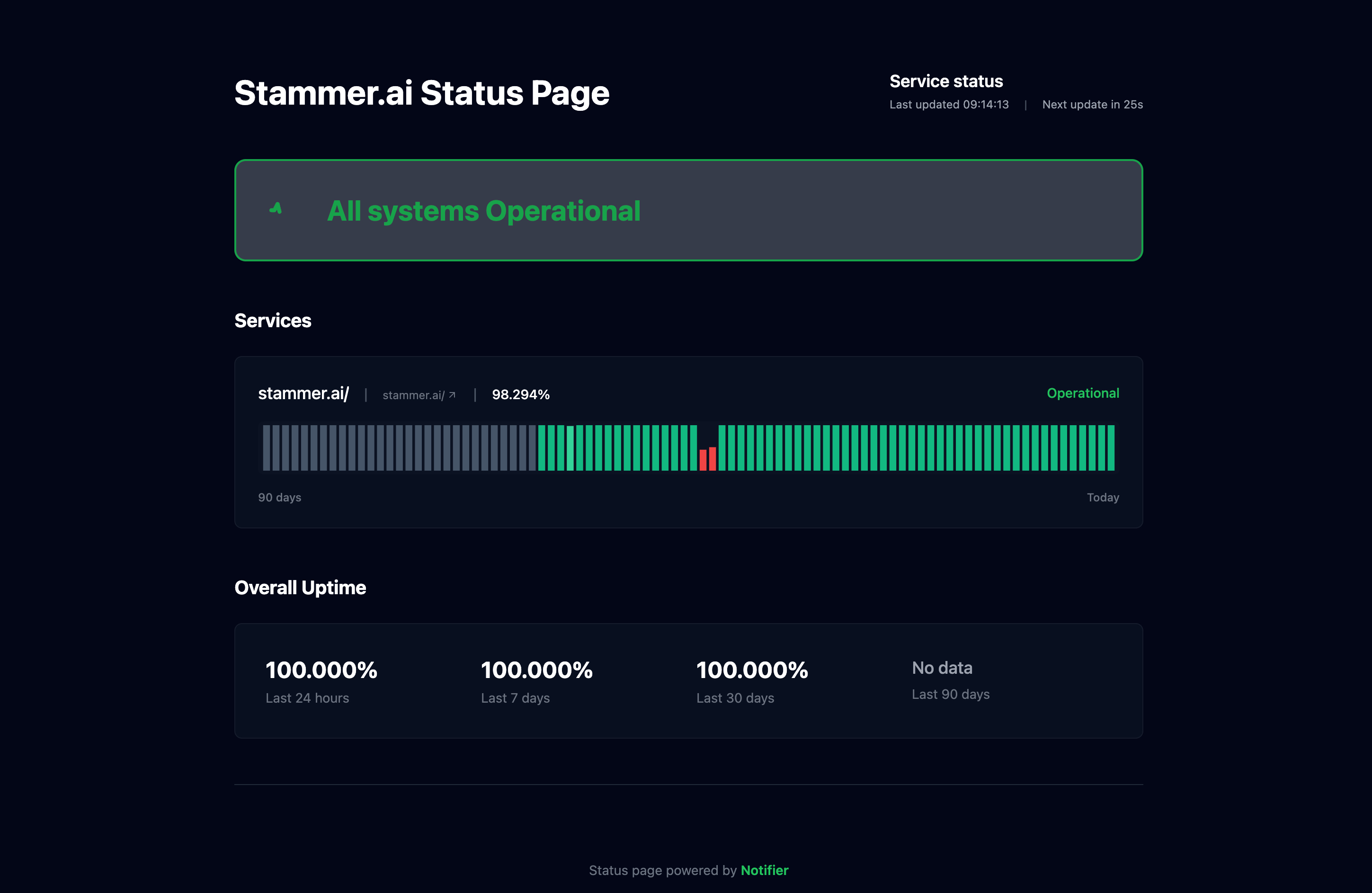
For SaaS companies, a public status page is not a nice-to-have. It is infrastructure. Here is what it does for your business:
- Reduces support tickets during outages. When users can check status.yoursaas.com instead of submitting a ticket asking "is it down?", your support queue stays manageable.
- Builds trust with enterprise buyers. Before signing a contract, enterprise procurement teams check for a status page. Not having one signals that you do not take reliability seriously.
- Demonstrates transparency. Publishing real-time status and incident history shows your team is on top of operations. Hiding behind silence during outages erodes trust faster than the outage itself.
- Custom domains matter. A status page at status.yoursaas.com looks professional. A status page at a third-party subdomain does not.
Status page cost comparison
Notifier includes custom domain status pages on all paid plans from $4/month. Better Stack includes 1 status page on the free plan, then charges $12 to $15 per additional page. Pingdom limits you to 1 status page per organization. StatusCake sells status pages as a completely separate product. When evaluating monitoring tools, check what status pages actually cost before comparing headline prices.
Monitoring Your API (Not Just Your Homepage)
For B2B SaaS companies, the API is the product. Your customers integrate with your API, and when it goes down, their products break. Monitoring just your homepage misses the most critical surface area.
What to Monitor
| Endpoint | What It Catches |
|---|---|
/health or /api/status |
Overall API availability and basic connectivity |
/api/v1/users (or core resource) |
Database connectivity, authentication system, core business logic |
| Your login/auth endpoint | OAuth, session management, or token generation failures |
| Webhook delivery endpoint | Outbound integrations and event delivery |
| Dashboard/app URL | Frontend availability, CDN health, asset delivery |
Most uptime monitoring tools support HTTP monitoring with custom headers, which means you can monitor authenticated API endpoints. Set up a monitor for each critical endpoint with the appropriate headers, and you will catch issues that a simple homepage check would miss entirely.
For a deeper look at API monitoring strategies, see our API uptime monitoring guide.
Monitoring During Deploys: Catching Regressions in Seconds
SaaS teams ship frequently. Daily deploys, multiple times per day, continuous deployment pipelines. Deploys are the single most common cause of production incidents. A bad configuration change, a missing environment variable, a database migration that takes longer than expected.
This is where fast check intervals pay for themselves. With 30 second monitoring, you know about a deploy-related outage within 30 seconds. Combined with Slack alerts, your team can see the notification in the same channel where they just announced the deploy. The connection is immediate: "we deployed, something broke, rolling back."
With 5 minute checks, that same outage could go undetected for up to 5 minutes. In that time, users hit errors, submit support tickets, post on social media, and lose trust.
The cost of monitoring vs. the cost of downtime
For a SaaS doing $10K MRR, spending $19 to $35/month on monitoring is 0.2% to 0.35% of revenue. A single hour of downtime costs the average organization over $100,000, and for SaaS specifically, the damage includes customer churn that compounds over months. Monitoring is not an expense. It is insurance that costs a fraction of a single incident.
For more on detecting downtime quickly, see our guide on server downtime detection.
Frequently Asked Questions
What uptime SLA should a SaaS company promise?
Most SaaS companies commit to 99.9% uptime, which allows about 8 hours and 46 minutes of downtime per year. Enterprise SaaS often targets 99.99% (52 minutes per year). Do not promise 100% uptime. It is not achievable, and making that promise damages your credibility when an inevitable outage occurs. Whatever you promise, you need monitoring to verify you are meeting it.
How often should a SaaS product be checked for uptime?
For SaaS with paying customers, 1 minute checks are the minimum recommendation. If you are on a team plan with 30 second checks, use them. The faster you detect downtime, the faster you can respond. Five minute checks are acceptable for non-critical internal tools, but not for customer-facing SaaS products.
Do SaaS companies need incident management built into their monitoring?
It depends on team size. SaaS teams under 10 people usually do not need built-in incident management. Slack alerts plus a simple escalation process (call the on-call person if they do not respond in 5 minutes) works fine. Teams over 10 with multiple on-call engineers benefit from tools like Better Stack that include escalation policies and on-call rotations. Do not pay for incident management you will not use.
Should I self-host my monitoring with Uptime Kuma?
Only if you run it on infrastructure completely separate from your product. If your SaaS runs on AWS and your Uptime Kuma instance runs on the same AWS account (or even the same region), a cloud outage takes down both your product and your monitoring. For SaaS companies, external hosted monitoring is the safer choice. If you enjoy self-hosting and have a dedicated monitoring server on a different provider, Uptime Kuma is a capable tool.
Can I use UptimeRobot's free plan for my SaaS?
No. As of December 2024, UptimeRobot's free plan is restricted to non-commercial use. SaaS companies, e-commerce stores, and other commercial projects must use a paid plan. Open-source projects, educational institutions, and nonprofits are exempt. If you are looking for a free plan that allows commercial use, Notifier's free tier includes 10 monitors with no commercial restrictions.
What happened to Freshping?
Freshworks announced that Freshping is shutting down on March 6, 2026. All monitoring data will be permanently deleted by June 4, 2026. Freshping offered 50 free monitors with 1 minute checks, making it one of the most generous free tiers. If you were using Freshping for your SaaS, you need to migrate to a new tool before the shutdown date. See our Freshping shutdown guide for migration steps and alternatives.
